
Modern smartphones are built with lithium-ion batteries, a technology that offers high energy density and relatively long life—when treated properly. Yet, many users unknowingly shorten their device’s battery health through everyday habits like overnight charging, using fast chargers constantly, or letting the battery drop to zero. Understanding how to charge your phone wisely isn’t just about convenience; it’s about preserving one of the most critical components of your device. With the right approach, you can extend your battery’s functional life by years, maintain faster performance, and reduce the need for replacements or new devices.
Understanding Lithium-Ion Battery Chemistry
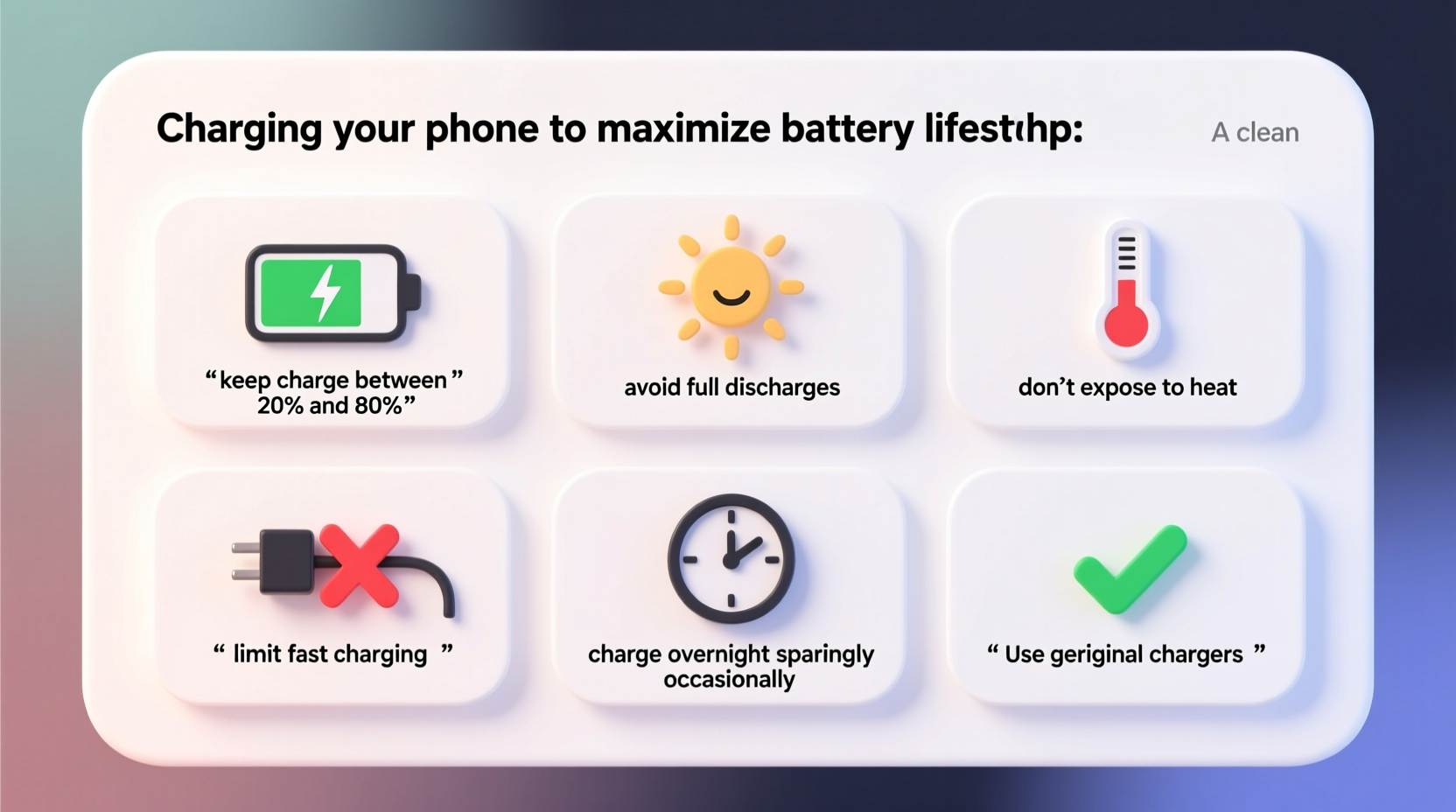
Lithium-ion batteries power nearly all modern smartphones, tablets, and laptops. Unlike older nickel-based batteries, they don’t suffer from “memory effect,” but they are sensitive to stress factors such as extreme temperatures, full discharges, and prolonged exposure to 100% charge. These batteries degrade based on chemical aging, which accelerates under certain conditions. Each full charge cycle—from 0% to 100%—counts toward the battery’s lifespan, but partial cycles add up too. Most smartphone batteries are designed to retain about 80% of their original capacity after 500 full charge cycles.
The rate of degradation depends not only on usage frequency but also on how deeply the battery is discharged and how often it’s kept at high or low charge levels. For example, keeping your phone at 100% for extended periods creates internal voltage stress, while letting it drop below 20% regularly increases strain on the cells. Temperature plays a major role as well: heat is the single biggest enemy of lithium-ion longevity.
Optimal Charging Habits for Longevity
Maximizing battery lifespan doesn’t require drastic changes. Instead, small adjustments to daily routines can have a significant cumulative impact. The goal is to minimize stress on the battery by avoiding extremes and maintaining a moderate state of charge whenever possible.
- Keep charge between 20% and 80%: Operating within this range reduces wear on the battery. Lithium-ion cells experience less stress when not pushed to their limits.
- Unplug before reaching 100%: Once your phone hits 80–90%, consider disconnecting it. Modern phones may manage trickle charging, but staying at peak voltage still causes slow degradation.
- Charge in short bursts: Plug in when convenient—even for 10–15 minutes—rather than waiting for the battery to drain completely.
- Avoid deep discharges: Letting your phone die frequently forces the battery into deep discharge states, which accelerate aging.
- Use original or certified chargers: Low-quality third-party chargers may deliver inconsistent voltage, damaging the battery over time.
“Battery longevity is more influenced by user behavior than by the brand or model of the phone. Consistent moderate charging habits can extend usable battery life by two or more years.” — Dr. Lena Park, Senior Electrochemist at Mobile Energy Labs
Do’s and Don’ts of Phone Charging
| Do’s | Don’ts |
|---|---|
| Charge between 20% and 80% | Let your phone drop to 0% regularly |
| Use manufacturer-approved chargers | Use cheap, uncertified charging cables |
| Remove case during fast charging to prevent overheating | Leave phone charging under pillows or blankets |
| Enable optimized charging features (e.g., iOS 'Battery Health' or Android Adaptive Charging) | Keep phone plugged in overnight every night |
| Store phone at around 50% charge if unused for weeks | Store phone fully charged or fully drained for long periods |
Step-by-Step Guide to Smarter Charging
Adopting better charging habits doesn’t have to be complicated. Follow this practical, daily routine to protect your battery over time:
- Monitor your charge level: Get into the habit of checking your battery percentage throughout the day. Aim to plug in when it reaches 30–40%.
- Use slow charging when possible: Opt for standard 5W or 10W chargers overnight or during work hours instead of fast chargers unless you’re in a hurry.
- Limit fast charging: Reserve high-wattage chargers (18W, 30W, etc.) for emergencies or when you need a quick boost before heading out.
- Enable software protections: Turn on features like “Optimized Battery Charging” (iOS) or “Adaptive Charging” (Android). These learn your routine and delay charging past 80% until you typically unplug.
- Keep the phone cool: Remove thick cases while charging, avoid direct sunlight, and never charge in a hot car.
- Restart weekly: A weekly reboot helps clear background processes that might be draining power unnecessarily.
- Update your OS: Software updates often include battery optimization improvements and bug fixes that enhance efficiency.
Real-World Example: Two Users, One Year Apart
Consider two individuals: Maya and Jordan. Both own the same flagship smartphone released in January. Their usage patterns differ significantly in how they charge their devices.
Maya charges her phone every night, plugging it in at 9 PM and unplugging at 7 AM—even though it reaches 100% by 10:30 PM. She uses a 30W fast charger and often leaves the phone under her pillow while watching videos. By August, she notices the battery drains much faster, sometimes losing 40% overnight on standby.
Jordan, on the other hand, charges his phone in short bursts during the day. He keeps it between 30% and 85%, avoids fast charging unless necessary, and enables optimized charging. He stores it without a case when charging and keeps it away from heat sources. After one year, his battery health remains at 91%, compared to Maya’s 76%.
This scenario illustrates how seemingly minor differences in charging behavior can lead to measurable outcomes in real-world battery performance.
Debunking Common Charging Myths
Despite widespread access to information, misconceptions about phone charging persist. Addressing these myths helps clarify what actually matters for battery health.
- Myth: You should let your phone battery drain to 0% before recharging.
Reality: This was true for nickel-based batteries decades ago. Lithium-ion batteries perform best when kept away from full discharges. - Myth: Charging overnight damages the battery immediately.
Reality: While not ideal, modern phones regulate charging and stop at 100%. However, remaining at 100% for hours still stresses the battery chemically. - Myth: Using your phone while charging is dangerous.
Reality: It’s generally safe, but it generates extra heat, especially with gaming or video streaming. Heat buildup is the real issue. - Myth: Third-party chargers are always harmful.
Reality: Only non-certified, poorly made chargers pose risks. Reputable brands with proper safety certifications (like MFi for Apple or USB-IF) are acceptable.
Battery Maintenance Checklist
To make it easy to adopt healthy charging habits, here’s a concise checklist you can follow daily or weekly:
- ✅ Charge early, before dropping below 30%
- ✅ Unplug around 80–90% instead of waiting for 100%
- ✅ Use slow charging at night or during downtime
- ✅ Enable battery optimization features in settings
- ✅ Avoid fast charging unless needed urgently
- ✅ Keep the phone cool during charging
- ✅ Use genuine or certified charging accessories
- ✅ Restart your phone once a week
- ✅ Store unused devices at ~50% charge
- ✅ Check battery health monthly (available in iOS Settings > Battery > Battery Health; via third-party apps on Android)
Frequently Asked Questions
Is it bad to charge my phone to 100%?
Occasionally charging to 100% is fine, especially if you plan to use the phone heavily soon after. However, routinely keeping it at 100%—especially overnight—increases voltage stress and accelerates chemical aging. For daily use, stopping at 80–90% is optimal.
Does wireless charging harm the battery?
Wireless charging itself does not inherently damage the battery, but it tends to generate more heat than wired charging. Excess heat degrades battery health over time. To minimize risk, use reputable Qi-certified chargers, remove thick cases, and avoid wireless charging overnight.
How long should a smartphone battery last?
With proper care, most smartphone batteries retain at least 80% of their original capacity after 500 charge cycles—typically equivalent to 1.5 to 2.5 years of regular use. Some users report good performance beyond three years by following best charging practices.
Conclusion: Small Changes, Lasting Results
Maximizing your phone’s battery lifespan isn’t about perfection—it’s about consistency. Simple actions like avoiding full discharges, minimizing heat exposure, and using smart charging features can dramatically slow down battery degradation. You don’t need to obsess over percentages, but building mindful habits today will pay off in longer device usability, better performance, and fewer replacements down the line.




 浙公网安备
33010002000092号
浙公网安备
33010002000092号 浙B2-20120091-4
Comments
No comments yet. Why don't you start the discussion?