
A clean, organized desk is more than just visually pleasing—it enhances focus, reduces stress, and improves productivity. But in small workspaces, where every inch counts, tangled cords can quickly turn a minimalist dream into a chaotic nightmare. Whether you're working from a compact apartment, a corner nook, or a shared room, managing cables effectively is essential. The good news: with the right strategies, even the most complex web of power strips, USB hubs, and charging cables can be neatly concealed. This guide explores practical, space-smart solutions to hide cords and maintain a sleek, functional desk setup.
Why Cable Clutter Matters in Small Spaces
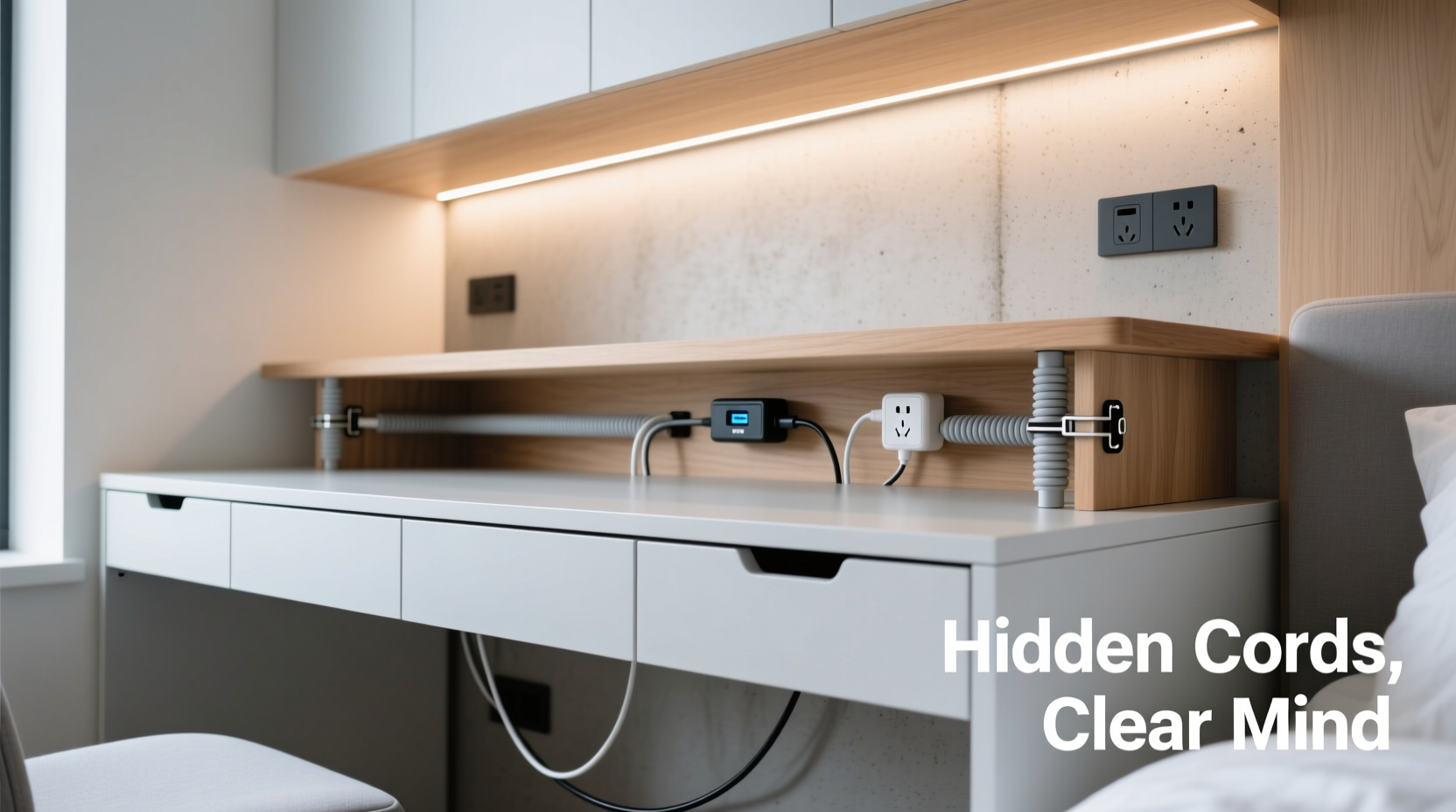
In tight quarters, visual clutter has a magnified impact. A single bundle of exposed cords can make a small desk feel cramped and disorganized. Beyond aesthetics, poor cable management leads to real problems:
- Safety hazards: Loose cords can become tripping risks or get caught in chair wheels.
- Reduced efficiency: Untangling cords wastes time and disrupts workflow.
- Dust accumulation: Dust clings to exposed wires, making cleaning harder and potentially affecting device performance.
- Device damage: Constant pulling or bending of cords near ports can lead to fraying or connection issues.
For those in studio apartments, dorm rooms, or multifunctional living areas, a tidy desk also contributes to a sense of order throughout the entire space. When your workspace looks intentional and streamlined, it sets the tone for clarity and calm.
“Cable management isn’t about perfection—it’s about creating a system that supports your daily routine without adding friction.” — Jordan Lee, Workspace Design Consultant
Effective Methods to Hide Cords on Your Desk
The key to successful cord concealment lies in combining physical tools with smart layout planning. Below are proven techniques tailored for small spaces, where flexibility and minimalism are paramount.
1. Use Adhesive Cable Clips and Cord Channels
These low-profile organizers stick directly to your desk surface or underside and guide cords along a fixed path. Choose rubber-lined clips to prevent scratches and wear.
Cord channels—rigid plastic or fabric raceways—can house multiple cables in one enclosed track. Mount them under the desk or along wall edges to create a seamless look.
2. Route Cables Under the Desk
One of the most effective ways to remove visual clutter is to move all wiring beneath the desktop. Use adhesive-backed velcro straps or zip ties to bundle cords together and secure them underneath.
For desks with grommet holes (those round openings near the back), feed cords through them to connect devices out of sight. If your desk lacks grommets, consider installing a cable grommet kit—available at hardware stores—which adds both function and a polished finish.
3. Invest in a Desktop Cable Management Box
These boxes sit on your desk and act as a hub for power strips and adapters. Place your surge protector inside, feed cords through designated slots, and close the lid. Not only does this hide unsightly bricks and wires, but it also protects devices from dust and accidental spills.
Look for models with ventilation holes and adjustable dividers to accommodate different plug sizes. Some even include built-in USB charging ports, reducing the number of wall adapters needed.
4. Use Magnetic Cable Ties or Reusable Velcro Straps
Unlike traditional zip ties, these allow for easy adjustments. Wrap them around grouped cords to keep them bundled without permanent commitment. Magnetic options snap closed and open effortlessly, ideal for frequently reconfigured setups.
5. Leverage Wall-Mounted Power Solutions
In ultra-compact areas, floor and desk space are precious. Mounting a power strip or outlet extension on the wall behind your desk frees up surface area and keeps cords off the floor. Pair with a cord cover plate to run wiring neatly from outlet to desk level.
Smart Layout Tips for Minimal Cord Visibility
How you arrange your desk impacts how much cord management you’ll need. Thoughtful placement reduces the number of long cables required and makes hiding what remains easier.
- Keep devices close: Position your monitor, laptop, and peripherals near each other to minimize cord stretch.
- Elevate your monitor: Use a monitor stand with built-in cable routing or place your screen on a shelf slightly above desk level. This allows cords to drop straight down behind it, staying out of sight.
- Go vertical: Attach a small shelf or floating rack above your desk for routers, chargers, or secondary monitors—then route cords downward.
- Use wireless alternatives: Replace wired mice, keyboards, and headphones with Bluetooth versions to eliminate entire categories of cables.
- Label cords: Use small tags or colored tape to identify each cable. This prevents confusion during maintenance and discourages haphazard unplugging.
Space-Saving Products Compared
Not all cable management tools are created equal—especially when space is limited. The table below compares popular options based on footprint, ease of use, and suitability for small desks.
| Product Type | Space Efficiency | Installation Ease | Best For |
|---|---|---|---|
| Adhesive Cable Clips | ★★★★★ | ★★★★★ | Quick fixes, temporary setups |
| Under-Desk Cable Tray | ★★★★☆ | ★★★☆☆ | Permanent home offices |
| Desktop Cable Box | ★★★☆☆ | ★★★★☆ | Hiding power strips and adapters |
| Wall-Mounted Outlet Strip | ★★★★★ | ★★★☆☆ | Maximizing floor and desk space |
| Magnetic Cable Ties | ★★★★☆ | ★★★★★ | Frequent reconfiguration |
| Cord Covers with Adhesive Backing | ★★★★☆ | ★★★★☆ | Running cables along walls or baseboards |
Choose combinations based on your needs. For example, a desktop box paired with under-desk trays offers full coverage without sacrificing accessibility.
Step-by-Step: Create a Cord-Free Desk in 6 Steps
Follow this timeline to transform a messy workspace into a clean, efficient setup—ideal for weekend projects or pre-work refreshes.
- Unplug everything (Day 1 – 30 minutes): Remove all devices from the desk. Label each cord with masking tape and a marker.
- Declutter and assess (Day 1 – 15 minutes): Discard broken cables, duplicate chargers, or outdated adapters. Only keep what you use weekly.
- Plan your layout (Day 1 – 20 minutes): Sketch a simple diagram of your ideal device placement. Aim to group related items (e.g., monitor with its power and HDMI cables).
- Install management tools (Day 2 – 1 hour): Attach cable clips, trays, or boxes. Drill only if necessary; many modern solutions are adhesive-based.
- Reconnect strategically (Day 2 – 30 minutes): Plug devices back in, routing cords through channels or under the desk. Use velcro to bundle similar cables.
- Test and refine (Ongoing): Use your desk for a few days. Adjust clip positions or loosen tight bundles if connections feel strained.
Mini Case Study: Transforming a Studio Apartment Workstation
Maria, a freelance graphic designer in Brooklyn, used her dining table as a workstation. With two monitors, a laptop, drawing tablet, phone charger, and Wi-Fi router, her setup was drowning in cords. Every morning, she spent time untangling cables before starting work.
She applied the following changes:
- Bought a $25 under-desk cable tray and mounted it with adhesive strips.
- Purchased a desktop cable management box to hide her dual-port charger and surge protector.
- Used magnetic cable ties to group HDMI, USB, and power cords by device.
- Rerouted all wires through the back leg of the table, running them along the wall to an outlet.
Result: Her workspace looked instantly cleaner. She gained back usable table space and reduced setup time. Most importantly, she no longer dreaded sitting down to work—her environment now supported her creativity instead of distracting from it.
Common Mistakes to Avoid
Even well-intentioned efforts can backfire if basic errors aren't considered. Watch out for these pitfalls:
- Over-tightening zip ties: Can compress insulation and damage internal wires over time.
- Blocking ventilation: Covering fans or heat-generating adapters in enclosed boxes may cause overheating.
- Ignoring future access: Making cables too hard to reach complicates upgrades or troubleshooting.
- Using mismatched tools: Heavy-duty raceways on a glass desk may not adhere properly or could cause cracks.
- Forgetting wireless charging: Adding a Qi pad introduces new cords unless integrated into a managed system.
“A clean desk should still be a functional one. Don’t sacrifice usability for the sake of appearance.” — Lena Torres, Ergonomic Designer at Urban Workspace Co.
Checklist: Achieve a Tidy Desk in One Afternoon
Use this actionable checklist to stay on track during your cable cleanup session:
- ☐ Unplug all devices and lay them aside
- ☐ Sort cords into categories: power, data, audio, video
- ☐ Discard old, frayed, or unused cables
- ☐ Label each cord with its device name
- ☐ Measure distances to determine optimal routing paths
- ☐ Install adhesive clips, trays, or cable boxes
- ☐ Route cords under or behind the desk
- ☐ Bundle similar cables with velcro or magnetic ties
- ☐ Test all connections after reassembly
- ☐ Step back and evaluate visibility from seated position
FAQ
Can I hide cords without drilling holes?
Yes. Most modern cable management solutions use industrial-strength adhesives that hold securely on wood, metal, and laminate surfaces. Look for products labeled “no-drill” or “damage-free removal.”
How do I manage cords with a standing desk?
Use flexible spiral wrap tubing or braided sleeves that expand and contract with height adjustments. Avoid rigid channels. Also, leave slack in cords to prevent tension when raising the desk.
Are wireless desks truly possible?
While completely wireless setups are rare, you can get close. Use a laptop (charged wirelessly via a pad), Bluetooth peripherals, and cloud-based storage. Ethernet can be replaced with Wi-Fi 6 or a mesh network for reliability.
Final Thoughts: A Clean Desk Is Within Reach
No matter how small your space or complex your tech setup, a clean, cord-free desk is achievable. The goal isn’t perfection—it’s progress toward a workspace that feels calm, professional, and ready for whatever task comes next. By combining thoughtful organization, smart tools, and regular maintenance, you can eliminate the chaos of tangled wires and reclaim both physical and mental space.
Start with one section of your desk. Bundle a single cluster of cords. Install a single clip. Small actions compound into lasting change. In a world where remote work and hybrid lifestyles are the norm, your environment should support you—not distract from you.




 浙公网安备
33010002000092号
浙公网安备
33010002000092号 浙B2-20120091-4
Comments
No comments yet. Why don't you start the discussion?