
Video conferencing has become a daily necessity for remote workers, freelancers, and hybrid teams. Yet one common issue continues to disrupt professionalism and clarity: echo. That hollow, reverberating sound during calls isn’t just annoying—it can make communication difficult and reflect poorly on your work environment. The good news is that echo in a home office is not inevitable. With a few strategic adjustments, you can significantly improve your audio quality and ensure your voice comes through clearly.
Echo occurs when sound waves bounce off hard surfaces like walls, floors, and glass windows, reflecting back into your microphone. Most home offices are filled with such reflective materials—concrete walls, hardwood floors, and large monitors—all of which contribute to poor acoustics. Unlike professional studios designed with sound absorption in mind, typical living spaces amplify sound rather than contain it.
The solution lies in understanding how sound behaves and applying practical, cost-effective techniques to manage reflections. From simple furniture placement to DIY acoustic treatments, there are multiple approaches that don’t require expensive gear or construction. Whether you’re using a built-in laptop mic or a high-end USB microphone, reducing echo will enhance both how you hear others and how they hear you.
Understanding the Science Behind Echo
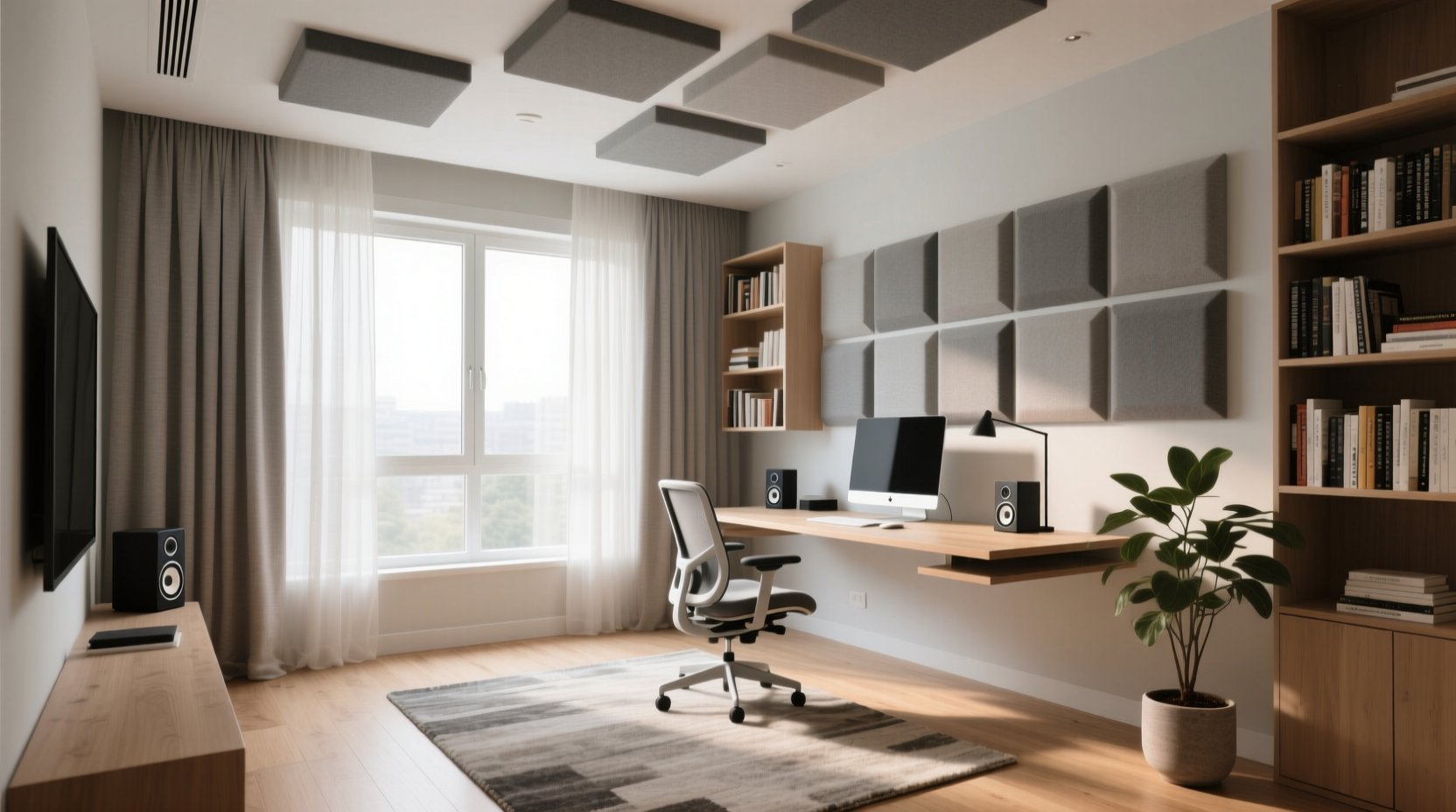
Before addressing echo, it helps to understand what causes it. In acoustics, echo—more accurately referred to as reverb or reverberation—is the persistence of sound after it’s produced, due to repeated reflections. In small rooms like home offices, these reflections happen quickly and densely, creating a muddy or “boxy” sound.
Hard, flat surfaces are the main culprits. Glass windows, bare walls, wooden desks, and tile or hardwood floors reflect sound efficiently. Soft, textured, or porous materials, on the other hand, absorb sound energy and reduce reflections. This principle forms the foundation of acoustic treatment.
It's also important to distinguish between echo and feedback. Feedback is a high-pitched squeal caused by a microphone picking up sound from a speaker and re-amplifying it—a loop. Echo, in contrast, is a delayed repetition of your voice caused by room reflections. While both degrade call quality, echo is far more common in untreated rooms.
“Even a 0.3-second reverb time can make speech unintelligible in virtual meetings.” — Dr. Lena Torres, Acoustic Engineer at SoundSpace Labs
Effective Strategies to Reduce Room Reflections
Reducing echo doesn’t require turning your office into a recording studio. Start with these proven methods that target the most reflective surfaces in your space.
1. Add Soft Furnishings
Furniture made from fabric or foam absorbs sound better than wood or metal. A couch, armchair, or even floor cushions can break up sound waves. Consider adding a plush rug if your office has hardwood or tile flooring. Even a small area rug under your desk can reduce floor reflections.
2. Hang Heavy Curtains or Drapes
Windows are highly reflective and often overlooked. Installing heavy, floor-length curtains made of velvet, tapestry, or blackout fabric can dramatically reduce echo. Close them during calls for maximum effect. Bonus: they also block light and improve privacy.
3. Use Bookshelves Strategically
Bookshelves filled with books of varying sizes create an irregular surface that scatters sound instead of reflecting it uniformly. Position a bookshelf on a bare wall opposite your desk to diffuse sound waves. Avoid placing it directly behind you if it faces the microphone, as rustling pages could introduce new noise.
4. Install Acoustic Panels (or DIY Alternatives)
Acoustic foam panels or fabric-wrapped fiberglass panels are designed to absorb mid-to-high frequency sounds. They’re commonly used in studios but are increasingly popular in home offices. Mount them on walls where sound reflects most—typically the side walls and ceiling above your desk.
If commercial panels are outside your budget, consider DIY solutions. Repurpose old moving blankets, quilts, or dense fabric pinned to the wall. While less precise than engineered panels, they still provide meaningful absorption.
Step-by-Step Guide to Treating Your Home Office
Follow this logical sequence to identify and address echo sources in your workspace:
- Assess the room: Walk around and clap your hands sharply. If the sound lingers or bounces, you have excessive reverb.
- Identify reflective surfaces: Note all hard, flat areas—windows, walls, floor, glass partitions.
- Reposition your desk: Move away from corners and large windows. Centering your setup reduces standing wave buildup.
- Add soft materials: Introduce rugs, curtains, upholstered furniture, and cushions.
- Install absorption panels: Focus on first reflection points—areas on the side walls where sound from your speakers hits and bounces to your ears.
- Test your setup: Record a short video call or use a free tool like Audacity to analyze background reverb.
- Iterate and refine: Adjust placements and add more absorption if needed.
Do’s and Don’ts: Common Mistakes to Avoid
| Do’s | Don’ts |
|---|---|
| Use thick rugs on hard floors | Leave bare floors exposed |
| Hang curtains over windows | Use thin blinds or sheer fabric only |
| Position bookshelves to break up flat walls | Place large mirrors opposite your desk |
| Choose upholstered chairs over plastic/metal | Sit with your back to a blank wall |
| Mount acoustic panels at ear level | Cover every wall with foam (over-treatment causes dead sound) |
Optimizing Your Audio Equipment
Beyond room treatment, your choice of equipment plays a critical role in echo control. Even in a well-treated space, poor gear can reintroduce issues.
- Use a directional microphone: Cardioid or supercardioid mics pick up sound primarily from the front, minimizing ambient noise and reflections.
- Avoid speakerphone mode: Built-in laptop speakers combined with internal mics create a feedback-prone loop. Use headphones with a boom mic instead.
- Enable noise suppression software: Tools like Krisp, NVIDIA RTX Voice, or built-in features in Zoom and Teams use AI to filter out echo and background noise.
- Mute when not speaking: This prevents your mic from picking up room reflections during pauses.
For those serious about audio quality, consider investing in a USB microphone with built-in echo cancellation, such as the Shure MV7 or Audio-Technica AT2040. Pair it with closed-back headphones to prevent sound leakage into the mic.
Real-World Example: Transforming a Problematic Home Office
Take the case of Marcus, a project manager working from a converted sunroom. His video calls were plagued by echo, especially during morning stand-ups. His office had large windows, a glass door, and a polished concrete floor—ideal for sunlight, terrible for acoustics.
He started by laying down a 5x8-foot wool rug and adding two floor-to-ceiling curtains on the largest window. He moved his desk away from the corner and placed a bookshelf filled with manuals and novels on the adjacent wall. Finally, he mounted two DIY acoustic panels made from repurposed moving blankets on the side walls.
After these changes, Marcus tested his setup using Zoom’s audio test feature. Colleagues reported a noticeable improvement—his voice sounded closer, clearer, and free of the previous “cave-like” quality. He didn’t need to raise his volume or repeat himself. The entire process cost under $150 and took a weekend.
“Simple interventions, when applied correctly, can yield professional-grade results without remodeling.” — James Riel, Home Studio Consultant
Quick Checklist: How to Reduce Echo in 7 Steps
- ✅ Lay down a thick rug or carpet
- ✅ Hang heavy curtains over windows
- ✅ Position furniture to break up flat surfaces
- ✅ Use a headset with a boom microphone
- ✅ Install acoustic panels at reflection points
- ✅ Enable AI noise suppression in your conferencing app
- ✅ Mute your mic when not speaking
Frequently Asked Questions
Can I reduce echo without spending money?
Yes. Rearranging existing furniture, hanging thick blankets on walls, using pillows around your workspace, and closing doors to adjacent rooms can all help. Even stacking books strategically on a shelf can diffuse sound. While not as effective as dedicated treatments, these zero-cost methods offer measurable improvements.
Does room size affect echo?
Absolutely. Smaller rooms often have more pronounced echo because sound waves travel shorter distances and reflect more rapidly, creating a dense reverb field. Larger rooms may have longer reverb times but can feel more open. In both cases, adding absorption materials is key. Small rooms benefit most from targeted treatment at reflection points.
Will echo reduction improve my internet bandwidth usage?
Indirectly, yes. When your microphone picks up less reflected sound, the audio signal is cleaner and requires less data compression. Some video conferencing platforms dynamically adjust bitrate based on audio complexity. Cleaner input means more efficient transmission, potentially freeing up bandwidth for video or other tasks.
Final Thoughts: Clarity Starts with Your Environment
Professionalism in remote work extends beyond camera angles and lighting—it includes how you sound. Echo undermines credibility, causes fatigue, and disrupts collaboration. The strategies outlined here are accessible to anyone, regardless of budget or technical expertise. You don’t need a full studio setup to achieve clear, confident audio.
Start with one change: hang a curtain, lay down a rug, or reposition your desk. Test the difference. Then build from there. Over time, these small improvements compound into a workspace where your voice is heard clearly, without distraction. In a world where virtual presence matters more than ever, taking control of your acoustics is not just practical—it’s essential.




 浙公网安备
33010002000092号
浙公网安备
33010002000092号 浙B2-20120091-4
Comments
No comments yet. Why don't you start the discussion?