
Popping or crackling noises from a Bluetooth speaker are more than just annoying—they disrupt music, calls, and overall listening enjoyment. While these sounds might suggest your speaker is failing, many times the issue has a straightforward explanation and an even simpler fix. From wireless interference to aging components, several factors can trigger audio distortion. The good news? Most of them don’t require technical expertise or expensive repairs. Understanding the root cause allows you to restore clean sound quickly and extend your speaker’s lifespan.
Common Causes of Popping Sounds in Bluetooth Speakers
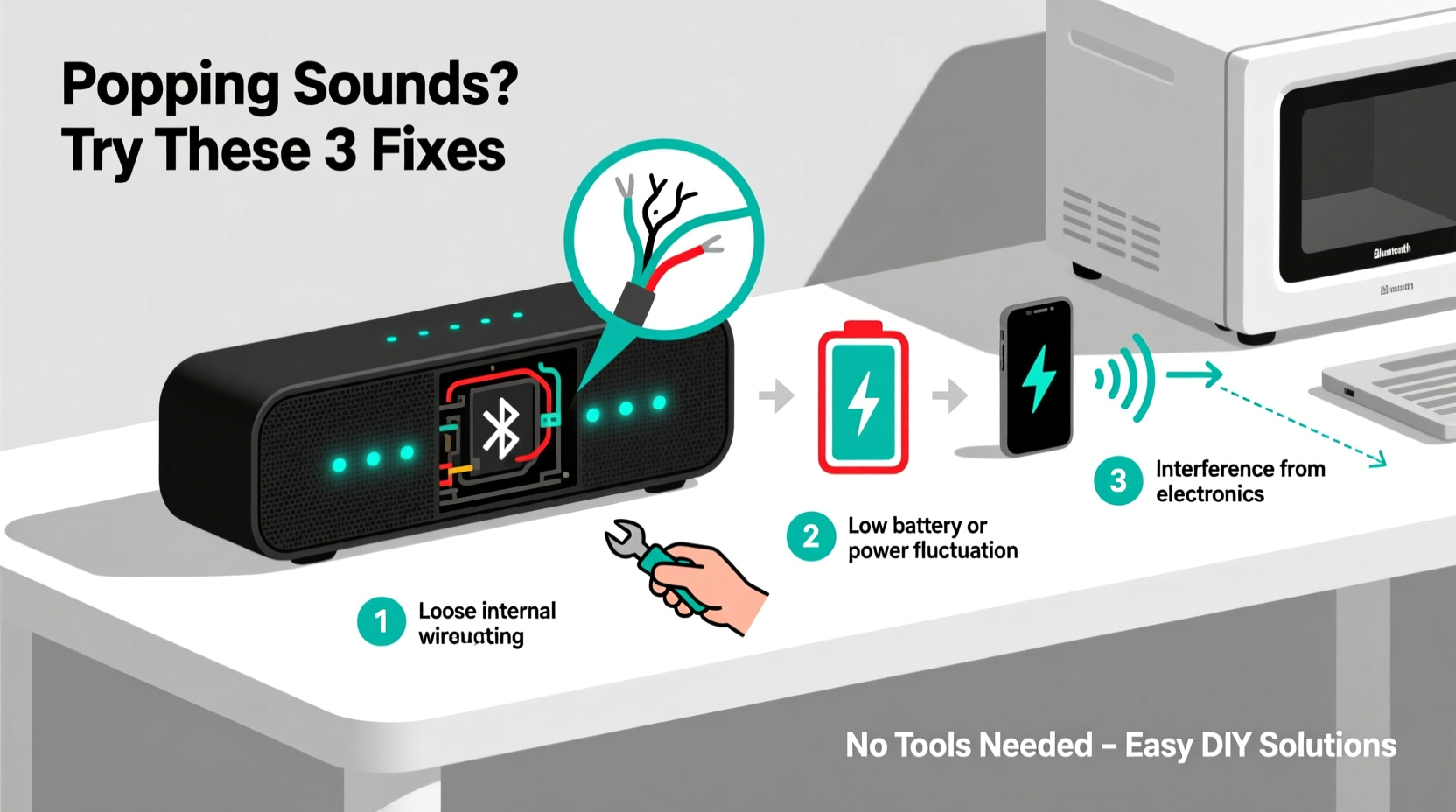
Popping isn’t random—it’s usually a symptom of a specific underlying issue. Identifying what’s causing the noise is the first step toward fixing it. Here are the most frequent culprits:
- Bluetooth signal interference: Walls, metal objects, Wi-Fi routers, microwaves, and other wireless devices can interfere with the Bluetooth signal, leading to audio dropouts and popping.
- Low battery: When a speaker’s battery is critically low, power fluctuations can distort the amplifier circuit, producing crackling or popping sounds.
- Loose or damaged internal wiring: Over time, vibrations from bass-heavy music or physical drops can loosen connections between drivers and circuit boards.
- Damaged speaker driver (tweeter or woofer): A torn diaphragm or misaligned voice coil can create irregular vibrations, resulting in distorted output.
- Outdated firmware: Manufacturers often release updates to improve audio processing and connection stability. An outdated model may exhibit glitches like popping.
- Audio source issues: Sometimes the problem isn’t the speaker but the device sending the audio—low-quality files, corrupted apps, or faulty digital-to-analog conversion can introduce artifacts.
- Overdriving the speaker: Pushing volume beyond safe limits stresses internal components, especially amplifiers, leading to clipping and audible pops.
Step-by-Step Guide to Diagnosing and Fixing Popping Sounds
Before assuming hardware failure, follow this logical sequence to isolate and resolve the issue.
- Test with another audio source: Pair the speaker with a different phone, tablet, or laptop. If the popping stops, the original device may be at fault.
- Play high-quality audio files: Use lossless tracks (e.g., FLAC or Apple Lossless) instead of compressed formats like low-bitrate MP3s. Poor encoding can manifest as static or pops.
- Check battery level: Charge the speaker fully and test again. Low voltage often causes erratic behavior in audio circuits.
- Reduce distance and remove obstacles: Move closer to the speaker and eliminate walls or large metal objects between devices. Bluetooth Class 2 devices typically work best within 30 feet and line-of-sight.
- Restart both devices: Power cycle your phone and speaker. This clears temporary Bluetooth cache glitches that may corrupt data packets.
- Forget and re-pair the device: In your phone’s Bluetooth settings, “Forget” the speaker and pair it again from scratch.
- Update firmware: Visit the manufacturer’s website or app (e.g., JBL Connect, Bose Connect) to check for available updates.
- Lower the volume: Play audio at 50–70% volume. If popping disappears, overdriving was likely the issue.
When Hardware Might Be to Blame
If none of the above steps help, internal damage could be responsible. Gently shake the speaker—if you hear rattling, a driver may be loose or torn. Also, inspect the grill for visible dents or warping. Physical trauma often damages the cone or suspension system, which affects how sound waves are produced.
“Many customers assume their speaker is dead when it’s actually just suffering from poor pairing hygiene or environmental interference. Simple resets and spatial adjustments solve over half of reported audio glitches.” — David Lin, Senior Audio Technician at SoundCare Labs
Do’s and Don’ts: Table of Best Practices
| Do’s | Don’ts |
|---|---|
| Keep your speaker charged above 20% | Run the speaker until it shuts off from low battery |
| Place the speaker away from Wi-Fi routers and microwaves | Use it near strong electromagnetic sources |
| Update firmware regularly | Ignore manufacturer update notifications |
| Store in a dry, room-temperature environment | Leave it in hot cars or damp basements |
| Use moderate volume levels | Max out the volume for extended periods |
Mini Case Study: Resolving Persistent Pops in a Living Room Setup
Sarah, a remote worker in Austin, noticed her portable Bluetooth speaker started making loud popping sounds during Zoom meetings. She tried multiple phones and confirmed the issue persisted across devices. Initially, she assumed the speaker was defective and considered returning it.
Instead, she followed a systematic approach. First, she moved the speaker from behind her entertainment center—where it was near her router and cordless phone base—to the coffee table. The popping decreased significantly. Next, she updated the firmware via the companion app and switched to AAC-encoded audio streams. After these changes, the popping stopped completely.
The root cause? Signal congestion from overlapping 2.4 GHz devices. By relocating the speaker and updating its software, Sarah restored flawless performance without spending a dime.
DIY Fixes You Can Try at Home (Safely)
For users comfortable with light troubleshooting, here are three safe, non-invasive fixes:
- Reset the speaker to factory settings: Most models have a reset button (often recessed). Press and hold for 10–15 seconds. This clears corrupted Bluetooth profiles and restores default audio settings.
- Clean the auxiliary port (if applicable): Dust or lint in a 3.5mm jack can cause intermittent contact. Use a dry cotton swab or compressed air to gently clean it.
- Check for software conflicts: On Android, disable “Absolute Volume” in Developer Options. On iOS, ensure no third-party equalizer apps are running in the background.
Note: Avoid opening the speaker unless under warranty has expired and you’re experienced with electronics. Internal solder joints and delicate drivers can be easily damaged.
Frequently Asked Questions
Why does my Bluetooth speaker pop when I turn it on or off?
This is usually normal. A small electrical surge occurs when power is applied or cut, causing the speaker cone to move abruptly. Known as “turn-on thump,” it’s common in many amplifiers. If the pop is extremely loud or accompanied by distortion during use, it may indicate a failing capacitor or grounding issue.
Can water damage cause popping sounds?
Yes. Even if your speaker is labeled waterproof, exposure to moisture over time can corrode internal connections or trap humidity inside the driver enclosure. If your speaker was recently exposed to liquid, let it dry in a warm, ventilated area for 24–48 hours before testing again. Do not use heat sources like hairdryers, as they can warp plastic or melt adhesives.
Is it worth repairing a speaker with popping issues?
It depends on the cost and age. For newer or high-end models (e.g., Sonos, Bose), professional repair may be economical. For budget speakers under $50, replacement is often more practical. However, if the issue is software-related or due to simple interference, repair isn’t needed—just correction of usage habits.
Checklist: Eliminate Popping Sounds in 7 Steps
Use this checklist to methodically troubleshoot and resolve popping issues:
- ✅ Charge the speaker to full capacity
- ✅ Test with a different audio source (phone, tablet, laptop)
- ✅ Play high-bitrate audio files (no streaming compression)
- ✅ Move closer to the speaker and remove obstructions
- ✅ Restart both the speaker and connected device
- ✅ Forget and re-pair the Bluetooth connection
- ✅ Check for and install firmware updates
If all steps fail, consider contacting customer support or evaluating repair options.
Conclusion: Take Control of Your Audio Experience
Popping sounds in Bluetooth speakers are frustrating, but rarely hopeless. Most issues stem from preventable or correctable causes—interference, low power, outdated software, or improper usage—not permanent hardware failure. By applying the steps outlined here, you can diagnose problems accurately and implement solutions that restore crisp, clear sound.
Don’t rush to replace your speaker at the first sign of trouble. With a little patience and attention to detail, you’ll likely extend its life and enjoy better performance than before. Small habits—like keeping firmware updated, avoiding volume extremes, and placing your speaker wisely—make a big difference over time.




 浙公网安备
33010002000092号
浙公网安备
33010002000092号 浙B2-20120091-4
Comments
No comments yet. Why don't you start the discussion?