
For many typists, writers, programmers, and office professionals, the tactile experience of a keyboard is just as important as its appearance or connectivity. Mechanical keyboards offer superior feedback, durability, and customization compared to membrane alternatives. However, not everyone wants to spend $150 or more on a premium board. The good news? There are excellent budget mechanical keyboard switches that deliver a satisfying typing experience without breaking the bank.
The key to finding the right switch lies in understanding what “feels best” actually means. Typing comfort is deeply personal—it depends on actuation force, sound profile, stem design, and even finger strength. This guide dives into the most accessible and high-performing budget-friendly mechanical switches, compares their characteristics, and helps you make an informed decision based on real-world use.
Understanding Mechanical Switch Basics
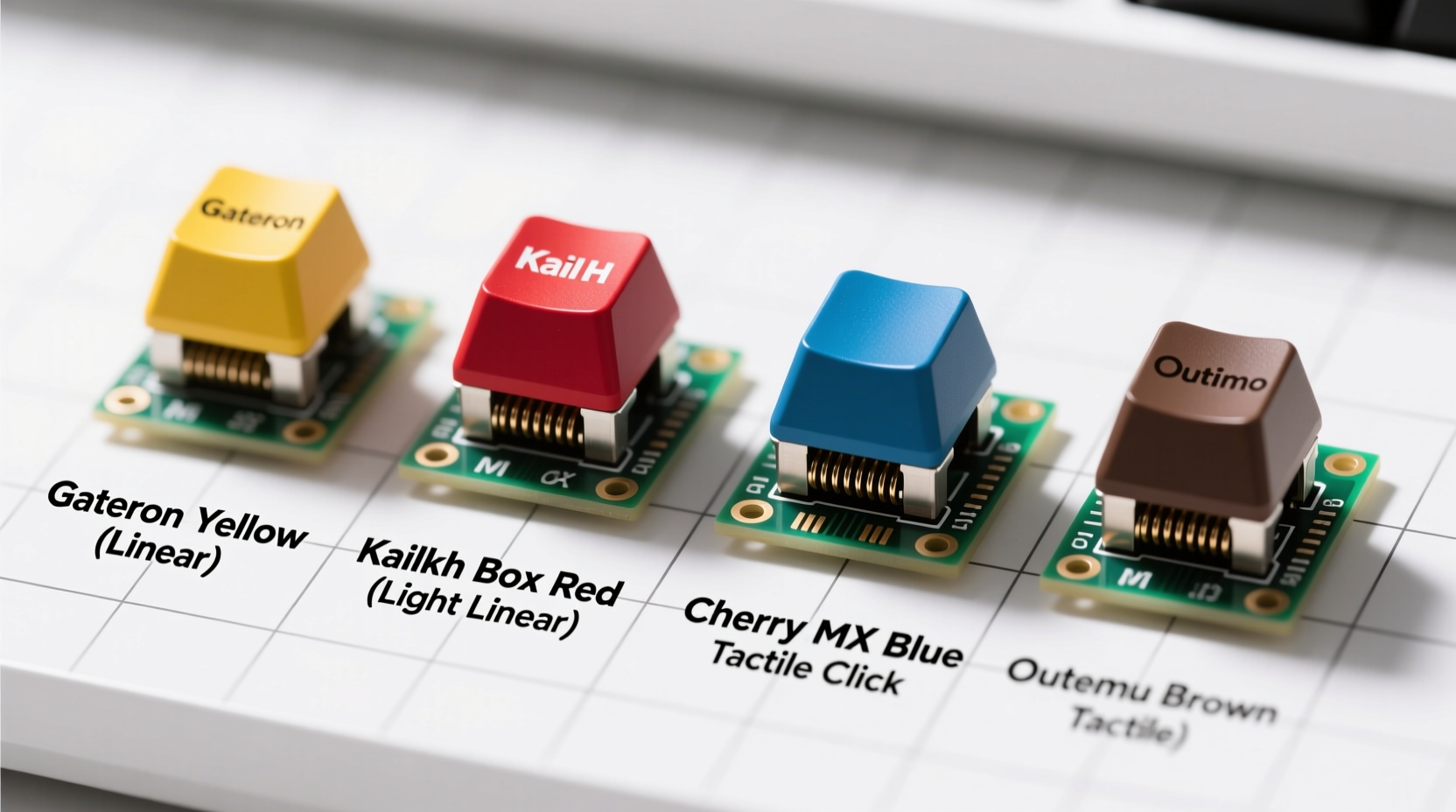
Mechanical switches are individual mechanisms beneath each keycap that register keystrokes. Unlike rubber dome membranes, they provide consistent tactile feedback and last significantly longer—often rated between 50 million to 100 million keystrokes. At the budget level, most switches are either clones of well-known designs (like Cherry MX) or proprietary models made by manufacturers such as Gateron, Kailh, or Tecware.
Three primary switch types dominate the market:
- Linear: Smooth press from top to bottom with no bump or click. Ideal for fast typists and gamers who prefer minimal resistance.
- Tactile: Features a noticeable bump mid-press, giving feedback without an audible click. Favored by typists who want confirmation without noise.
- Clicky: Combines a tactile bump with a sharp, audible “click.” Offers strong sensory feedback but can be loud in shared environments.
Budget boards typically use switches rated between $0.20 and $0.60 per unit, making them affordable while still delivering solid performance. The difference between a $40 and $120 keyboard often comes down to build quality, keycaps, and PCB materials—not necessarily the switches themselves.
Top Budget-Friendly Switches for Typing Comfort
When evaluating switches under $60 keyboards, performance consistency and smoothness matter most. Here are five widely available, cost-effective switches known for excellent typing feel:
- Gateron Red (Linear) – A smooth, light linear switch with 45g actuation force. Often found in entry-level boards, it’s quiet and fatigue-resistant during long typing sessions.
- Kailh Box White (Tactile) – Offers a crisp, rounded bump at 50g with a 65g bottom-out force. Dust-proof design adds longevity, and the tactile feedback is precise without being harsh.
- Tecware Hyper Blue (Clicky) – A vibrant, loud click with strong tactile feedback. Great for those who love the classic typewriter sensation and don’t mind noise.
- Gateron Brown (Tactile) – One of the most popular mid-range tactile switches. Provides a gentle bump at 50g, making it a balanced choice for both typing and casual gaming.
- Outemu Blue (Clicky) – Found in ultra-budget keyboards, these are louder and stiffer than Cherry MX Blues but offer decent feedback for the price.
While Outemu and Tecware switches may lack the refinement of higher-end models, modern versions have improved dramatically in smoothness and durability thanks to better factory lubing and tighter tolerances.
Comparison Table: Best Budget Switches for Typing
| Switch | Type | Actuation Force | Noise Level | Best For |
|---|---|---|---|---|
| Gateron Red | Linear | 45g | Low | Fatigue-free typing, quiet environments |
| Kailh Box White | Tactile | 50g | Medium | Precision typists, office use |
| Tecware Hyper Blue | Clicky | 50g | High | Loud feedback lovers, home offices |
| Gateron Brown | Tactile | 50g | Medium | Balanced typing and gaming |
| Outemu Blue | Clicky | 55g | High | Budget-focused buyers, tactile feedback seekers |
How to Choose Based on Your Typing Style
Your ideal switch depends heavily on how you type. Consider these factors:
- Finger Pressure: Light typists benefit from lower actuation forces (45–50g), while heavier typists might prefer slightly stiffer switches to avoid accidental presses.
- Typing Speed: Fast typists often favor linear or tactile switches for smoother transitions. Clicky switches can help regulate rhythm but may slow down very rapid input.
- Environment: Open offices or shared spaces call for quieter linear or tactile options. Home users have more freedom to enjoy clicky switches.
- Fatigue: Long writing or coding sessions demand switches with smooth travel and moderate force. Avoid stiff or scratchy-feeling switches.
For example, someone writing novels or taking extensive notes may prefer the subtle feedback of a Gateron Brown—it offers enough bump to confirm actuation without demanding excessive force. In contrast, a programmer who double-taps keys frequently might lean toward Gateron Reds for their speed and low resistance.
“Even budget switches today can rival mid-tier performance from five years ago. Lubed and stabilized, a $50 board with Gateron Browns can feel subjectively better than a stock $120 flagship.” — Adrian Lin, Keyboard Enthusiast & Reviewer at MechKeys Digest
Real-World Example: Sarah’s Upgrade Journey
Sarah, a freelance copywriter, spent years using a flimsy membrane keyboard. After developing wrist strain, she decided to upgrade. Her budget was tight—under $60—so she researched affordable mechanical options. She settled on a Tecware Phantom 75% keyboard with Hyper Blue switches.
At first, the loud clicks startled her roommate. But within days, Sarah noticed she was typing more accurately and with less effort. The auditory feedback helped her avoid double-taps, and the tactile response reduced finger fatigue. After two weeks, she upgraded her keycaps to PBT doubleshot for better texture and replaced the stock stabilizers. The total cost remained under $80, yet the typing experience rivaled boards three times the price.
Eventually, she tested a Gateron Brown version and switched due to noise concerns during video calls. Her story illustrates that even on a budget, thoughtful switch selection and minor upgrades can transform your daily workflow.
Step-by-Step Guide to Finding Your Ideal Budget Switch
Follow this practical process to identify the best switch for your typing needs without overspending:
- Assess Your Environment: Determine if noise is a concern. If yes, eliminate clicky switches from consideration.
- Evaluate Your Typing Habits: Do you type softly or firmly? Quickly or deliberately? Match your style to actuation force and switch type.
- Set a Realistic Budget: Decide how much you’re willing to spend on a complete keyboard (including potential mods).
- Research Models Within Range: Look for brands like Tecware, Redragon, EKSA, or Royal Kludge that use reputable switches (Gateron, Kailh).
- Read User Reviews: Focus on long-term typing comfort, not just initial impressions. Look for comments about scratchiness, wobble, or durability.
- Consider Mod Potential: Many budget boards accept lubrication, switch swaps, and foam padding. These can drastically improve feel.
- Test If Possible: Some retailers offer return windows. Buy one model first, test it for a week, then decide.
Checklist: What to Look for in a Budget Typing Keyboard
- ✅ Uses reliable switch brand (Gateron, Kailh, or well-reviewed proprietary)
- ✅ Has stabilizers on larger keys (spacebar, enter, shift)
- ✅ Offers removable keycaps for cleaning or replacement
- ✅ Includes anti-ghosting and N-key rollover support
- ✅ Features a sturdy case (avoid overly flexy plastic)
- ✅ Allows firmware updates or onboard programming
- ✅ Comes with positive long-term user reviews
Frequently Asked Questions
Are budget switches durable enough for daily typing?
Yes. Most budget switches are rated for at least 50 million keystrokes—far beyond what the average user will ever reach. While they may not feel as refined as high-end switches, proper care ensures years of reliable service.
Can I replace switches on a budget keyboard?
It depends. Hot-swappable keyboards allow easy switch changes without soldering. Many sub-$70 models now include this feature. Check product specs before purchasing if modding is important to you.
Do tactile switches really improve typing accuracy?
Many typists report improved accuracy with tactile switches because the bump provides physical confirmation of actuation. This reduces reliance on bottoming out, leading to lighter, faster, and more efficient typing over time.
Final Thoughts: Value Over Price
The best switch for typing isn’t always the most expensive one. In the world of mechanical keyboards, value comes from matching the right switch to your habits, environment, and expectations. Budget doesn’t have to mean compromise—especially when switches like Gateron Browns or Kailh Box Whites deliver performance that rivals their pricier counterparts.
What matters most is how the keyboard feels after an hour of writing, not how it looks in a product photo. With careful research and realistic expectations, you can find a typing experience that’s both affordable and enjoyable. Don’t underestimate the impact of small details: a well-lubed switch, a stable spacebar, or a quiet case can elevate a $50 board into something truly satisfying.




 浙公网安备
33010002000092号
浙公网安备
33010002000092号 浙B2-20120091-4
Comments
No comments yet. Why don't you start the discussion?