
For years, keyboards were an afterthought—plugged in, used daily, and rarely questioned. But as remote work, gaming, and content creation have surged, so has interest in what lies beneath our fingertips. The debate between budget mechanical keyboards and traditional membrane models isn't just about sound; it's about responsiveness, durability, comfort, and long-term value. While \"the click\" may be the most noticeable difference, it’s far from the only factor that matters. Understanding what each technology offers—and at what price—can help you decide whether upgrading to a budget mechanical keyboard is truly worth it.
Understanding the Core Differences
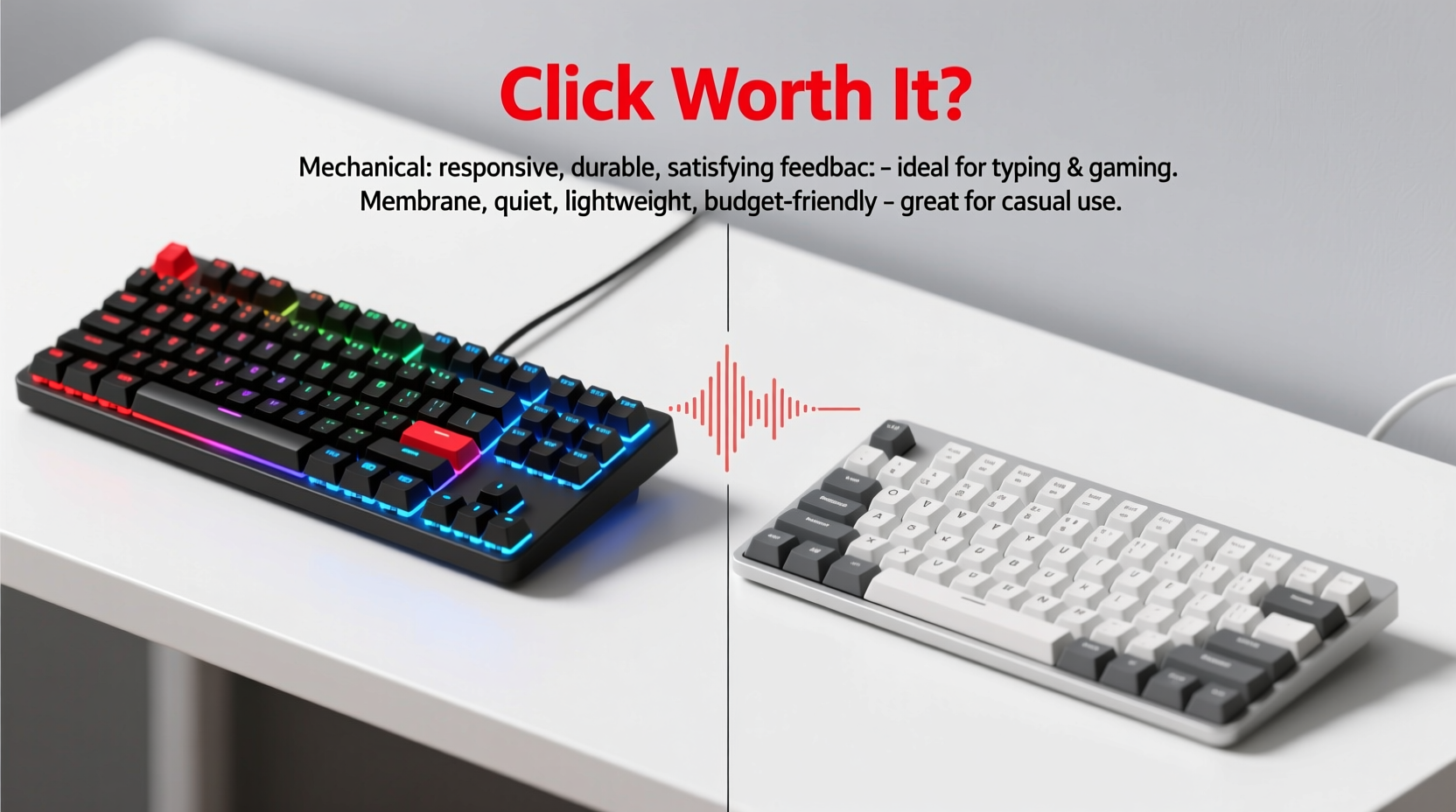
The fundamental distinction between mechanical and membrane keyboards lies in how they register keystrokes. Membrane keyboards use a layered rubber or silicone sheet with conductive pads beneath each key. When pressed, the layers make contact, completing a circuit and registering input. This design is simple, quiet, and inexpensive to produce, which is why it dominates office setups and pre-built computers.
Mechanical keyboards, on the other hand, feature individual mechanical switches under each keycap. These switches contain metal springs and contacts that physically actuate when pressed. The result is a more tactile, consistent typing experience with greater precision and feedback. Mechanical switches come in various types—linear, tactile, and clicky—each offering different feel and sound profiles.
While high-end mechanical keyboards can cost hundreds of dollars, the market now offers capable models under $60. This shift has made mechanical input accessible to casual users, students, and professionals who want better ergonomics without overspending.
Performance Comparison: Feel, Speed, and Accuracy
Typing on a mechanical keyboard isn’t just louder—it’s more intentional. Each keystroke requires less force and provides distinct tactile feedback, meaning your fingers don’t need to bottom out to register input. This leads to faster typing speeds and fewer errors, especially during prolonged sessions.
In contrast, membrane keyboards often require full depression of the key to actuate, leading to finger strain and inconsistent registration. Gamers, in particular, notice this lag during fast-paced play where split-second inputs matter. Mechanical switches typically offer actuation forces between 45g and 70g, while many membrane keys require 70g or more, increasing effort over time.
A 2022 user study conducted by the Human-Computer Interaction Lab at the University of Washington found that participants using mechanical keyboards completed text entry tasks 12% faster on average and reported 30% less finger fatigue compared to membrane users. While not all budget models match premium switch quality, even entry-level Cherry MX clones or Gateron variants deliver measurable improvements.
“Switch consistency and reduced actuation force are game-changers for both typists and gamers. You don’t need a $150 keyboard to benefit.” — Dr. Lena Torres, HCI Researcher, UW
Cost vs. Longevity: Breaking Down the Value
Membrane keyboards are cheaper upfront—often under $20—but their lifespan tells a different story. Most last between 5 to 10 million keystrokes, with degradation in responsiveness over time. Keys may become sticky or unresponsive, especially in high-use areas like the spacebar or WASD cluster.
Budget mechanical keyboards, meanwhile, commonly advertise lifespans of 50 million keystrokes per switch. That’s ten times the durability, even at similar price points. Brands like Redragon, Keychron (K-series), and Royal Kludge have built reputations for delivering reliable build quality and hot-swappable switch options starting around $45.
Consider this: replacing a worn-out membrane keyboard every two years adds up. Over five years, three replacements at $25 each total $75—more than the cost of a single durable mechanical model. Factor in productivity gains and comfort, and the return on investment becomes clearer.
| Feature | Budget Mechanical Keyboard | Membrane Keyboard |
|---|---|---|
| Average Price | $40–$70 | $15–$30 |
| Lifespan (keystrokes) | 50 million | 5–10 million |
| Actuation Force | 45–60g (adjustable by switch) | 70–100g (fixed) |
| Tactile Feedback | Yes (varies by switch) | Minimal or none |
| Noise Level | Moderate to loud (clicky) | Quiet |
| Customization | Keycaps, switches, backlighting | Limited or none |
Real-World Example: From Office Drudgery to Typing Satisfaction
Jamal, a freelance copywriter based in Austin, spent years using the keyboard that came with his desktop. At first, it was fine. But after logging 40+ hours per week writing articles and emails, he began experiencing wrist discomfort and noticed his typing accuracy slipping. He assumed it was inevitable until a colleague recommended trying a budget mechanical model.
He purchased a $55 Redragon K552 with Brown switches—tactile but not overly loud. Within days, he noticed he wasn’t “hunting” for keys as much. His WPM increased from 72 to 84, and he felt less strain at the end of long writing sessions. After six months, he realized he hadn’t considered switching back. “It’s not just about speed,” he said. “It feels like my hands aren’t fighting the tool anymore.”
This kind of transformation isn’t limited to writers. Programmers, data entry clerks, and even students taking online exams report similar benefits when upgrading from membrane to mechanical—even at the lower end of the price spectrum.
When a Membrane Keyboard Still Makes Sense
Despite the advantages of mechanical designs, there are scenarios where a membrane keyboard remains the smarter choice:
- Shared workspaces: Clicky mechanical keyboards can be disruptive in open offices or quiet environments.
- Travel and portability: Thin laptops with membrane-style scissor switches are more practical for on-the-go use.
- Budget constraints with low usage: If you only type occasionally, the longevity benefits may not justify the initial cost.
- Preference for silence: Some users simply dislike the audible feedback of mechanical switches.
For these cases, modern dome-switch membranes with improved key travel and stability—like those found in Logitech’s MK series—offer a middle ground. They won’t match mechanical precision, but they’re serviceable and affordable.
How to Choose the Right Budget Mechanical Keyboard
Selecting a mechanical keyboard on a budget doesn’t mean settling for poor quality. With a few guidelines, you can find a model that delivers lasting value.
- Determine your primary use: Typing-heavy tasks benefit from tactile switches (e.g., Browns). Gamers may prefer linear switches (Reds) for smoother presses.
- Check for build quality: Look for ABS or PBT keycaps—PBT resists shine and wear better. Metal plates add rigidity.
- Verify switch type: Avoid generic “mechanical-feel” claims. True mechanical switches are labeled (e.g., Outemu Blue, Gateron Brown).
- Assess connectivity: Wired USB-C models tend to be more stable and easier to repair than Bluetooth-only versions.
- Read user reviews: Pay attention to comments about wobble, key chatter, and long-term reliability.
Recommended Models Under $60
- Redragon K613: Compact TKL design, RGB lighting, Outemu switches, ~$50
- Keychron C1: Aluminum body, QMK support, multiple switch options, ~$55
- Royal Kludge RK61: Wireless capability, hot-swappable switches, ~$60
Frequently Asked Questions
Are budget mechanical keyboards durable?
Yes, most reputable budget models use switches rated for 50 million keystrokes and sturdy plastic or aluminum frames. While they may lack the refinement of premium brands, they are significantly more durable than membrane keyboards.
Will a mechanical keyboard improve my typing speed?
Many users experience faster typing due to better tactile feedback and reduced actuation force. However, results vary based on individual technique and adaptation period. Most see improvement within 1–2 weeks of regular use.
Can I replace the switches on a budget mechanical keyboard?
Some models—like those from Royal Kludge and Keychron—offer hot-swappable PCBs, allowing you to change switches without soldering. Check product specs before purchasing if customization is important to you.
Final Verdict: Is the Click Worth It?
The “click” of a mechanical keyboard is symbolic of a broader shift in user experience—one that prioritizes precision, comfort, and control. While it may not be for everyone, the benefits extend well beyond sound. For under $60, today’s budget mechanical keyboards deliver performance, durability, and customization that membrane models simply can’t match.
If you spend significant time typing, coding, or gaming, the upgrade pays for itself in both efficiency and comfort. Even in shared spaces, quieter switch options provide mechanical advantages without the noise. The initial investment is modest, but the long-term payoff in reduced strain and improved accuracy is substantial.
Ultimately, the click isn’t just about noise—it’s about intention. Each press feels deliberate, responsive, and reliable. And for anyone who values their time and comfort, that’s a sound worth making.




 浙公网安备
33010002000092号
浙公网安备
33010002000092号 浙B2-20120091-4
Comments
No comments yet. Why don't you start the discussion?