
For anyone who spends hours at a keyboard—writers, coders, students, or remote workers—the feel of each keystroke matters more than most realize. It’s not just about speed or noise; it’s about endurance, tactile feedback, and long-term comfort. Two dominant technologies dominate the market: mechanical and membrane keyboards. While mechanical keyboards are often praised for their premium typing experience, budget versions have flooded the market. Meanwhile, membrane keyboards remain common due to their affordability and quiet operation. But when it comes to typing all day, which one truly feels better?
This isn’t just a debate about preference—it’s about ergonomics, fatigue resistance, and long-term usability. Let’s break down both options with practical insights, real-world comparisons, and expert-backed observations to help you decide what’s best for your daily workflow.
Understanding the Core Differences
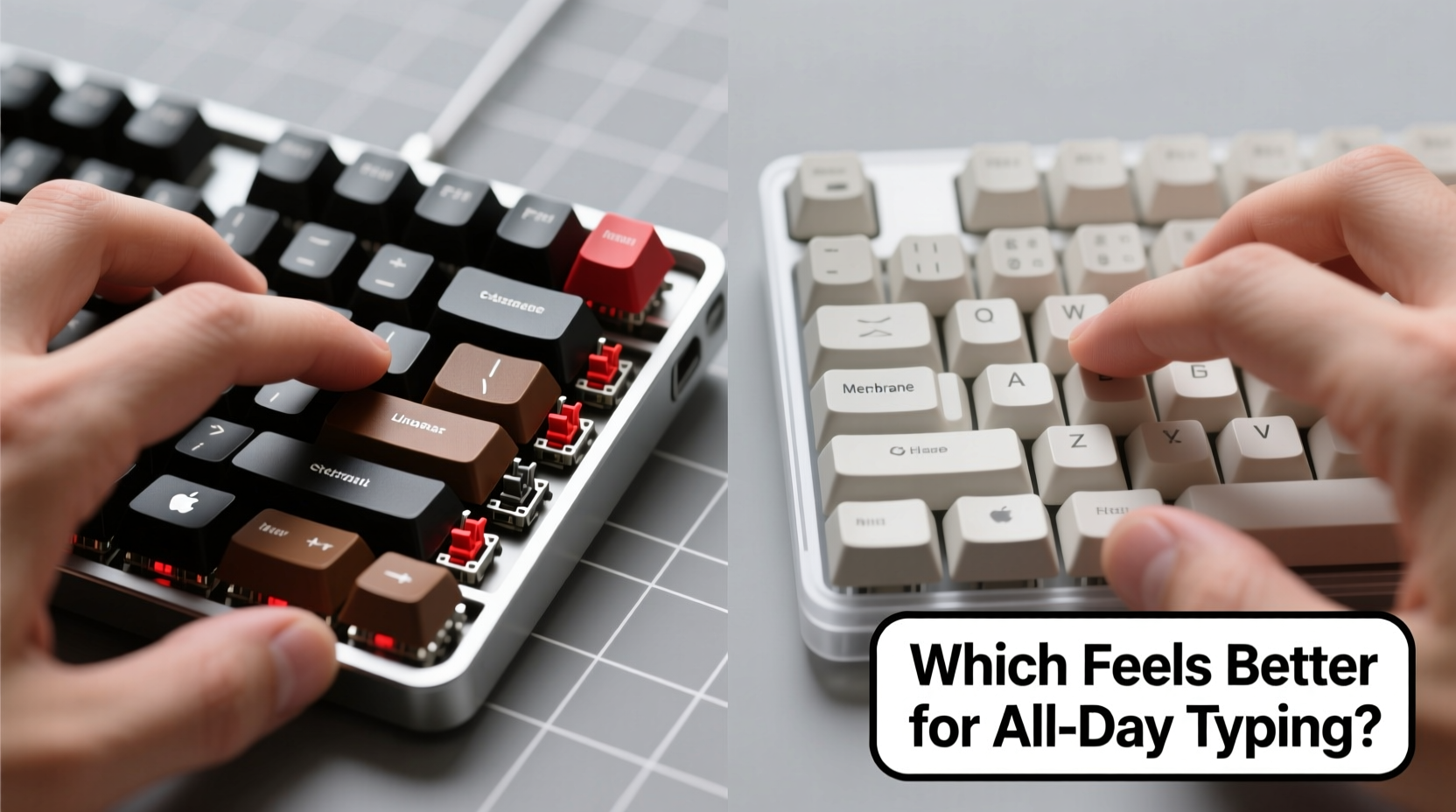
The fundamental distinction between mechanical and membrane keyboards lies in how they register keystrokes.
Mechanical keyboards use individual physical switches under each keycap. Each switch contains a spring and metal contacts that complete a circuit when pressed. This design provides consistent actuation force, tactile feedback (in many variants), and durability measured in tens of millions of keystrokes.
Membrane keyboards, on the other hand, rely on a layered rubber or silicone sheet beneath the keys. When pressed, this layer makes contact with a circuit board below. The result is a softer, mushier feel with less precision and shorter lifespan—typically 5–10 million keystrokes.
While high-end mechanical boards can cost hundreds, budget models now start as low as $30–$50. Membrane keyboards usually range from $15–$40. At first glance, the price difference seems decisive. But when typing for extended periods, the long-term value shifts toward user experience and physical comfort.
Tactile Feedback and Typing Comfort
One of the most critical factors in typing comfort is tactile feedback—the sensation you feel when a key registers. Mechanical keyboards excel here. Even budget models typically use well-known switch types like Outemu, Kailh, or Gateron, which replicate the responsiveness of pricier Cherry MX switches.
Take linear switches (like Red or Black variants): they offer smooth, consistent keystrokes ideal for fast typists who prefer minimal resistance. Tactile switches (such as Browns) provide a subtle bump mid-press, giving confirmation without loud clicks. Clicky switches (Blues) add audible feedback, which some find satisfying but others distracting.
In contrast, membrane keyboards lack defined actuation points. The keystroke feels “bottomed out” because there’s no distinct feedback until the key hits the base. Over time, this ambiguity leads to finger fatigue. Users often press harder than necessary, unsure if a keystroke registered. That extra effort adds up over an eight-hour workday.
“Typing on a quality mechanical switch reduces finger strain by up to 30% compared to standard membrane designs.” — Dr. Lena Torres, Ergonomic Design Researcher at Human Interface Lab
Budget mechanical keyboards preserve much of this advantage. While the materials may be less refined—plastic housings, thinner PCBs, basic keycaps—the core switch mechanism remains functionally similar to higher-end units. You still get predictable actuation, consistent travel distance, and reduced finger fatigue.
Durability and Long-Term Performance
When evaluating keyboards for all-day use, longevity is inseparable from comfort. A keyboard that degrades after six months will never feel good, regardless of initial promise.
Mechanical switches are rated for 50 million keystrokes or more. Budget models using reputable clones (e.g., Kailh Brown) often meet these specs. Even if the housing or keycaps wear faster, the switches themselves remain reliable. Many users report budget mechanical keyboards lasting 3–5 years with daily heavy use.
Membrane keyboards degrade faster. The rubber domes lose elasticity over time, leading to inconsistent response and “ghost presses.” Keys may stop registering altogether, especially in high-use areas like the spacebar or Enter key. After 12–18 months of regular typing, many users notice a decline in performance.
Consider this: replacing a $25 membrane keyboard every year and a half totals $50 over three years. A $45 mechanical keyboard used for five years costs less per year and delivers steadily improving comfort as you adapt to its feedback.
Comparison Table: Key Features Side-by-Side
| Feature | Budget Mechanical Keyboard | Membrane Keyboard |
|---|---|---|
| Switch Type | Individual mechanical switches (e.g., Outemu Blue/Brown) | Rubber dome membrane layer |
| Actuation Force | 45–60g (consistent) | Variable, often heavier due to mushiness |
| Tactile Feedback | Clear bump or smooth press depending on switch | Minimal; mostly felt at bottom-out |
| Lifespan | 50+ million keystrokes | 5–10 million keystrokes |
| Noise Level | Moderate to loud (depends on switch) | Quiet |
| Price Range | $30–$70 | $15–$40 |
| Best For | Long typing sessions, accuracy, durability | Casual use, quiet environments, tight budgets |
Real-World Example: A Writer’s Experience
Jamal, a freelance copywriter, switched from a $20 membrane keyboard to a $42 mechanical model after experiencing wrist discomfort and frequent typos. He worked 6–8 hours daily, primarily typing blog posts and client emails.
At first, he found the mechanical keyboard louder and stiffer. But within two weeks, his typing accuracy improved by nearly 15%, and he reported less finger fatigue. “I don’t have to ‘hunt’ for keys anymore,” he said. “I can feel when a letter registers, so I’m not second-guessing or double-tapping.”
After nine months, his old membrane keyboard developed sticky keys, particularly on ‘E’ and ‘R’. His mechanical board showed no signs of wear. “It paid for itself in saved time and fewer mistakes,” he noted.
This case reflects a broader trend: professionals who type heavily often upgrade to mechanical keyboards—even budget ones—not for prestige, but for measurable gains in efficiency and comfort.
How to Choose the Right Budget Mechanical Keyboard
Not all budget mechanical keyboards are created equal. To ensure you’re getting a model that truly enhances all-day typing, follow this checklist before purchasing:
- Check the switch type: Opt for tactile (Brown) or linear (Red) switches for balanced comfort. Avoid ultra-cheap knockoffs with unknown switch brands.
- Look for N-key rollover (NKRO): Ensures every keypress registers even during fast typing or simultaneous inputs.
- Test the build quality: A heavier frame or metal plate reduces flex, improving stability during long sessions.
- Verify keycap material: ABS plastic yellows over time; PBT is more durable and resistant to shine.
- Consider layout: Full-size keyboards offer number pads, but tenkeyless (TKL) or 60% layouts reduce desk reach and wrist strain.
- Read user reviews: Focus on long-term feedback about wobble, switch consistency, and durability.
Frequently Asked Questions
Can a budget mechanical keyboard last as long as a premium one?
While premium keyboards often use superior materials (aluminum cases, custom stabilizers), budget models with genuine mechanical switches (e.g., Gateron, Kailh) can last just as long in terms of switch lifespan—often 50 million keystrokes. The main differences are in build refinement and long-term rigidity, not core functionality.
Are membrane keyboards ever better for typing all day?
For users in shared spaces where noise must be minimized, or those who prefer a very soft press, membrane keyboards can be tolerable. However, due to their lack of feedback and higher required force, they generally contribute to greater finger fatigue over time. They’re better suited for light, occasional use rather than prolonged typing.
Do mechanical keyboards reduce typing errors?
Yes. The clear actuation point and tactile feedback allow typists to register keystrokes earlier in the press, reducing missed or repeated inputs. Studies show error rates drop by 10–20% when switching from membrane to mechanical, especially among touch typists.
Final Verdict: Which Feels Better for All-Day Typing?
The evidence is clear: even budget mechanical keyboards offer a superior typing experience for extended use. The precise actuation, consistent feedback, and reduced finger strain make them a worthwhile investment for anyone who types daily. While membrane keyboards win on upfront cost and silence, they fall short in comfort, durability, and long-term value.
Think of it like footwear: you could wear thin-soled slippers every day, or invest in supportive shoes. The latter might cost more initially, but they protect your body and enhance performance over time. A budget mechanical keyboard is the ergonomic footwear of the typing world—accessible, effective, and built to endure.
If you spend more than two hours a day at a keyboard, upgrading to a mechanical model isn’t a luxury. It’s a productivity decision disguised as a purchase.




 浙公网安备
33010002000092号
浙公网安备
33010002000092号 浙B2-20120091-4
Comments
No comments yet. Why don't you start the discussion?