
Purchasing a used graphics card can seem like a smart financial move—especially in times when new GPUs are overpriced or out of stock. With high-end models regularly costing over $1,000, the temptation to save hundreds by buying secondhand is strong. But behind that bargain price tag lies a real risk: the card may have spent years running at full load in a cryptocurrency mining rig. These \"mining bricks\" often show no visible damage but carry hidden wear that can drastically shorten their lifespan. So, is buying a used graphics card safe? The answer isn’t yes or no—it’s “it depends.” And knowing what to look for makes all the difference.
The Hidden Life of a Used Graphics Card
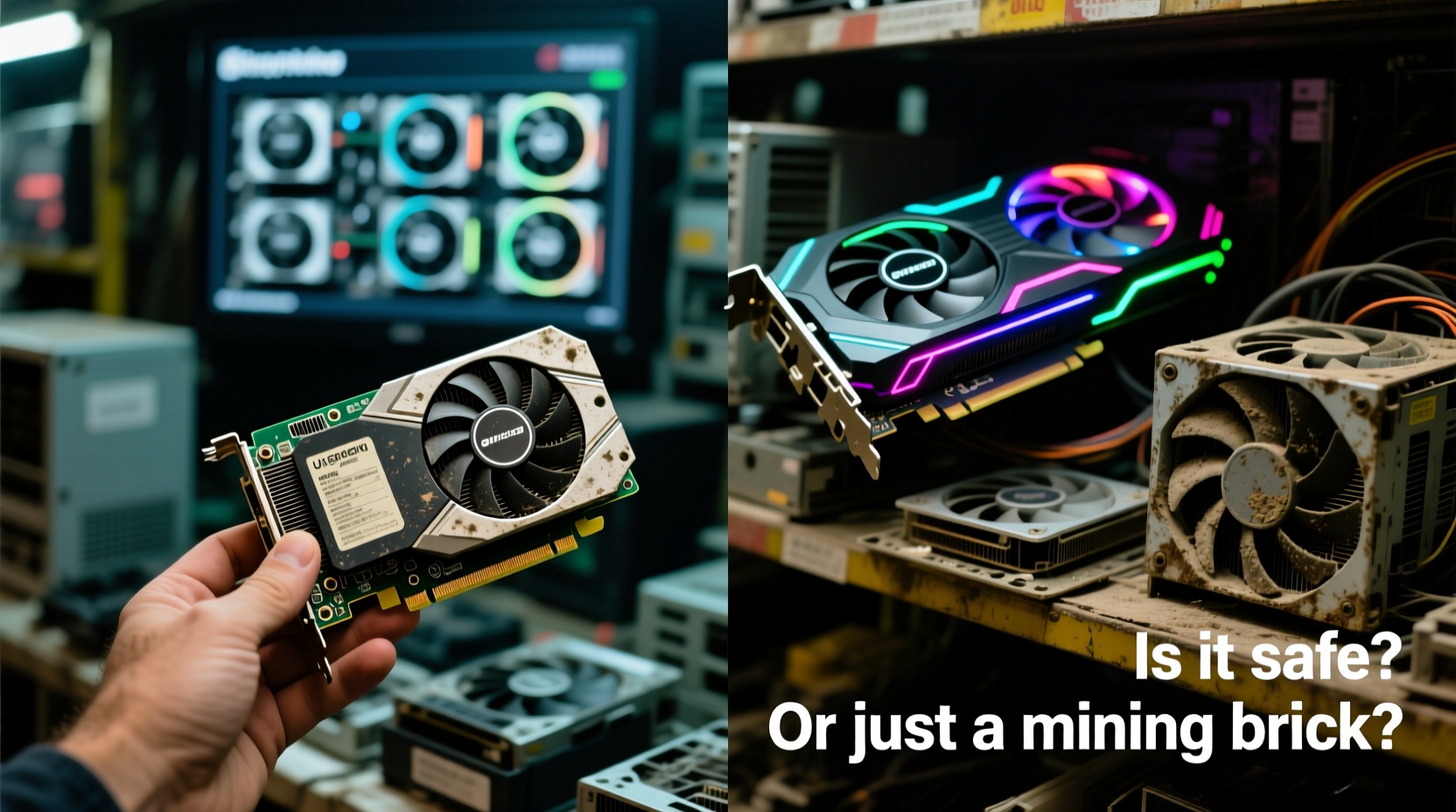
Unlike most PC components, graphics cards endure extreme thermal and electrical stress during normal operation. When used for gaming, they cycle between idle and peak loads. In contrast, mining rigs run GPUs at or near 100% utilization 24/7, often for 12 to 18 months straight. This constant strain accelerates wear on critical components like VRAM, power delivery systems, and cooling solutions.
Many miners operate dozens—or even hundreds—of cards in poorly ventilated environments, pushing temperatures beyond safe thresholds. While modern GPUs are built to handle heat, sustained exposure above 85°C can degrade solder joints and reduce capacitor life. Worse, some operators use under-volted or factory-overclocked cards without proper monitoring, increasing the chance of premature failure.
“GPUs from mining rigs aren’t inherently bad, but they’ve lived harder lives than retail units. You’re not just buying hardware—you’re buying its history.” — David Lin, Hardware Analyst at TechInsight Labs
The challenge? That history is rarely disclosed. Sellers may claim a card was “used for light gaming” when in reality it ran Ethereum nonstop for two years. Without physical access or detailed diagnostics, spotting a true mining survivor is difficult—but not impossible.
How to Identify Potential Mining Cards
Certain GPU models became infamous as favorites among miners due to their efficiency and profitability. Recognizing these models helps narrow down risk.
| GPU Model | Why Miners Loved It | Risk Level (1–5) |
|---|---|---|
| NVIDIA GTX 1060 6GB | High hash rate, low power draw | 5 |
| NVIDIA RTX 3060 Ti | Excellent performance per watt | 4 |
| AMD RX 580 8GB | Cheap, widely available, great for memory-heavy coins | 5 |
| NVIDIA RTX 2070 Super | Balanced price-to-performance for mining | 3 |
| AMD RX 6700 XT | High memory bandwidth, efficient on KawPow algorithms | 4 |
If you see one of these models listed at a suspiciously low price, proceed with caution. Also, check the card’s orientation. Mining rigs typically mount GPUs horizontally using riser cables, which means screws are often placed on the side rather than the top. A misaligned screw hole or unusual mounting marks could indicate prior rig use.
What to Check Before Buying
A visual inspection and technical verification can reveal whether a used GPU is worth the risk. Here’s a step-by-step guide to follow before handing over any money.
- Request Real-Time Testing: If buying locally, insist on seeing the card run in a test system. Watch for artifacts, crashes, or failure to post in BIOS.
- Check Temperatures Under Load: Use tools like MSI Afterburner or HWInfo to monitor GPU temps while running a stress test (e.g., FurMark or 3DMark). Sustained temps above 85°C under normal airflow suggest poor cooling or degraded thermal paste.
- Inspect Fan Behavior: Listen for grinding, clicking, or uneven fan speeds. Worn bearings are common in heavily used cards.
- Look for Physical Damage: Examine the PCB for burn marks, bulging capacitors, or cracked solder joints near the GPU die or VRAM chips.
- Verify BIOS and Firmware: Some mining cards have modified VBIOS to optimize power limits. While not always harmful, this can void warranties and cause instability.
- Test Multiple Outputs: Plug monitors into each display port to ensure all outputs work. Dead ports are a sign of electrical issues or physical trauma.
For online purchases, request a video of the card passing a benchmark. Avoid listings with only static photos. Reputable sellers will accommodate reasonable verification requests.
Real-World Example: A Cautionary Tale
In early 2022, Mark, a budget-conscious builder in Ohio, bought an RTX 3060 Ti from a marketplace listing. The seller claimed it was “barely used for gaming” and priced it $150 below market. Excited by the deal, Mark completed the purchase.
Within three weeks, the card began crashing during gameplay. Diagnostics revealed VRAM errors under load. He contacted the seller, who refused returns. Upon opening the card, Mark found dust-packed heatsinks, discolored thermal pads, and evidence of repasting—clear signs of prior mining use followed by cosmetic cleanup.
He spent another $100 on repairs, only for the GPU to fail completely two months later. The total cost exceeded what a new entry-level card would have cost upfront.
Mark’s experience isn’t rare. Thousands of similar stories circulate on forums like Reddit’s r/hardwareswap and Linus Tech Tips’ community boards. Many buyers win, but others pay for someone else’s profit margin.
Do’s and Don’ts When Buying Used
| Do | Don't |
|---|---|
| Buy from sellers with verified accounts and positive feedback | Assume a clean-looking card is problem-free |
| Use platforms with buyer protection (e.g., eBay, PayPal Goods & Services) | Pay via gift cards, wire transfers, or crypto |
| Ask for proof of purchase or original packaging | Ignore vague descriptions like “works fine” |
| Factor in return shipping costs and time | Buy without a clear return policy |
| Research typical lifespan: most mining cards last 1.5–3 years under full load | Expect a 3-year-old mining GPU to last another 3 years |
When a Used GPU Makes Sense
Not all secondhand graphics cards are ticking time bombs. There are scenarios where buying used is not only safe but highly advisable.
- From Trusted Sources: Friends, coworkers, or local tech groups often sell gently used cards with honest disclosures.
- Enterprise or Workstation Use: Some users buy high-end GPUs for rendering or AI development but switch setups quickly, offering lightly used units.
- New-in-Box Returns: Some sellers list open-box or returned items that were never installed.
- Older Generations with Proven Reliability: Cards like the GTX 1080 Ti or RX Vega 64, while aging, were built robustly and often survive moderate mining cycles.
Additionally, AMD and NVIDIA have improved longevity in recent architectures. The RTX 30 and 40 series, for example, feature better power management and enhanced cooling designs. Even if previously mined, these cards may still offer usable life—if tested properly.
Expert Checklist: Is This GPU Worth It?
Before confirming any purchase, go through this checklist:
- 1. Usage History Verified?
- Has the seller provided clear details about how the card was used?
- 2. Benchmark Results Provided?
- Are there screenshots or videos showing stable performance under load?
- 3. Warranty Still Active?
- Some manufacturers offer transferable warranties (e.g., EVGA, ASUS). Check serial numbers against official sites.
- 4. No Signs of Physical Tampering?
- No missing screws, replaced coolers, or aftermarket modifications unless disclosed.
- 5. Price Aligned with Market?
- Compare prices across eBay, Facebook Marketplace, and r/hardwareswap. Extreme discounts signal risk.
Only proceed if at least four of these conditions are met. Missing information should be treated as a red flag, not an opportunity.
Frequently Asked Questions
Can a GPU recover from heavy mining use?
Once wear occurs—especially to VRAM or voltage regulators—it cannot be reversed. Repasting or replacing fans may improve thermals, but underlying component fatigue remains. A card that survived mining might still fail within months.
Are refurbished or certified pre-owned GPUs safer?
Yes, if purchased from reputable vendors. Companies like Amazon Renewed, Best Buy Refurbished, or specialized shops like Newegg Refurbished often test, clean, and repackage used cards with limited warranties. These are generally safer than private sales.
Does cryptocurrency mining shorten GPU lifespan significantly?
Yes. Studies estimate continuous mining reduces effective lifespan by 30–50%. A GPU designed for 5–7 years of typical use may last only 2–3 years under 24/7 load, depending on cooling and power stability.
Final Verdict: Proceed with Eyes Open
Buying a used graphics card isn’t inherently dangerous—but it requires diligence. The potential to save money is real, but so is the risk of inheriting someone else’s worn-out hardware. The key is treating every purchase like an investigation: verify usage, demand proof of function, and prioritize transparency over price.
With the crypto market stabilizing and many miners shutting down operations, the secondhand GPU market is flooded. That means more options, but also more traps. Arm yourself with knowledge, use the checklist, and never let urgency override caution.
Remember: a graphics card isn’t just a piece of plastic and silicon. It’s a component with a past. Knowing that past could mean the difference between a steal and a costly mistake.




 浙公网安备
33010002000092号
浙公网安备
33010002000092号 浙B2-20120091-4
Comments
No comments yet. Why don't you start the discussion?