
As holiday seasons approach, more homeowners are turning to smart home technology to simplify their festive decorations. One of the most common questions is whether smart plugs can manage multiple strands of Christmas lights from a distance. The short answer is yes — but doing it effectively requires understanding power limits, compatibility, and proper setup.
Smart plugs have evolved beyond turning lamps on and off. Today’s models support voice commands, app-based scheduling, geofencing, and integration with smart home ecosystems like Amazon Alexa, Google Assistant, and Apple HomeKit. When used correctly, they offer a safe, efficient way to control not just one, but several strands of holiday lights — both indoors and outdoors.
How Smart Plugs Work with Christmas Lights
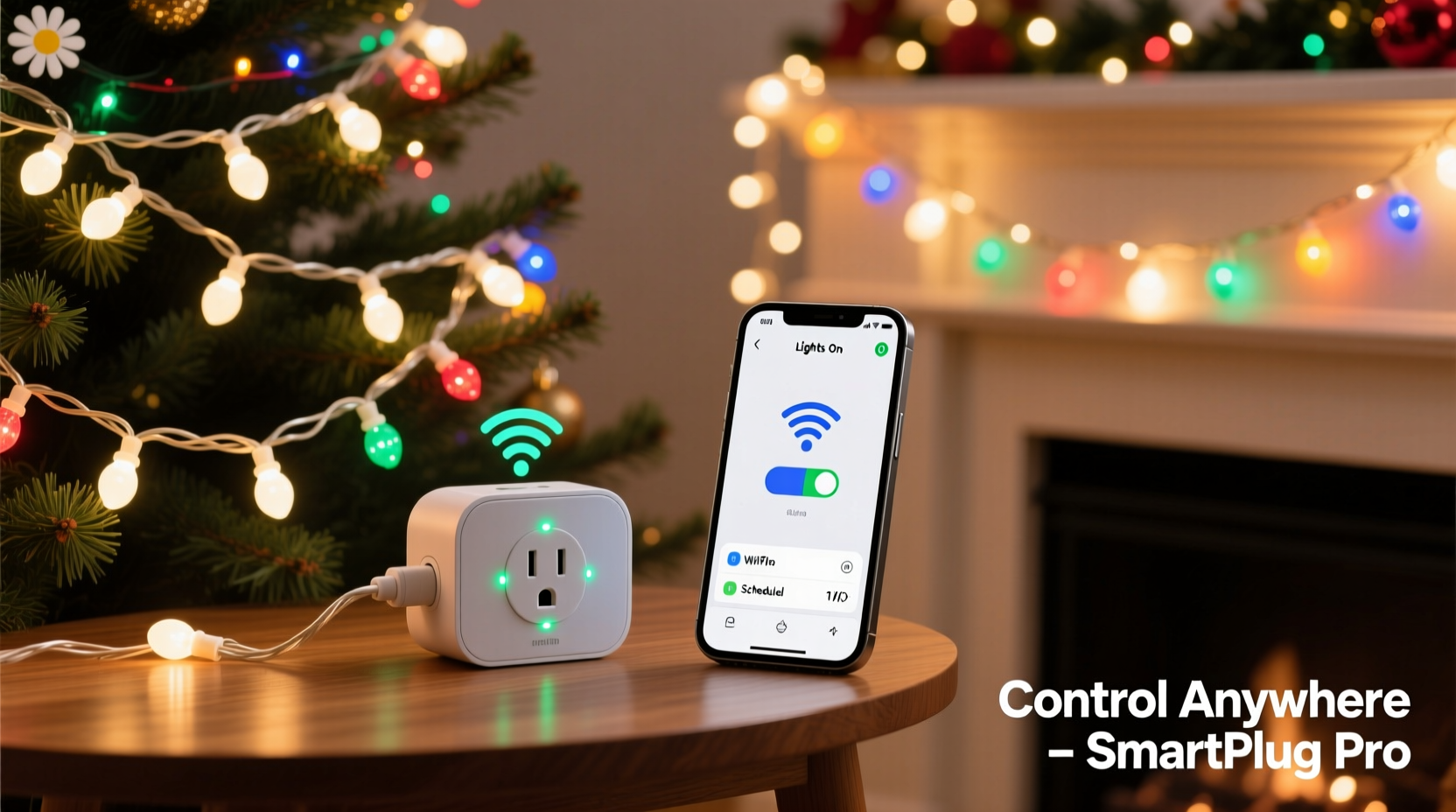
A smart plug acts as a bridge between your electrical outlet and the device you want to control — in this case, Christmas lights. Once plugged in and connected to Wi-Fi, the smart plug communicates with a mobile app or voice assistant, allowing remote operation.
When you connect a strand of Christmas lights to a smart plug, you gain the ability to:
- Turn lights on or off from anywhere using a smartphone.
- Schedule lighting times (e.g., 5 PM to 10 PM daily).
- Create routines (e.g., “Holiday Mode” turns on all lights at sunset).
- Use voice commands: “Hey Google, turn on the tree lights.”
- Sync with music or motion sensors for dynamic effects (on select models).
The real power comes when you use one or more smart plugs to manage multiple light strands simultaneously. This is entirely possible, but there are critical considerations around load capacity, circuit safety, and synchronization.
Can You Plug Multiple Light Strands into One Smart Plug?
Yes — you can daisy-chain or group multiple Christmas light strands into a single power strip or extension cord that’s controlled by one smart plug, provided you don’t exceed the plug’s power rating.
Most incandescent mini lights consume about 40 watts per 100 bulbs. LED strands, however, use significantly less — typically 4–7 watts per 100 bulbs. This makes LEDs ideal for multi-strand setups on a single smart plug.
For example, if your smart plug has a 15-amp, 1800-watt capacity (standard in North America), you could theoretically run:
- Up to 450 incandescent mini lights (at ~40W each)
- Or over 2,000 LED mini lights (at ~6W each)
However, experts recommend operating at only 80% of the rated load to prevent overheating and tripped breakers. That means staying under 1,440 watts on a 1800-watt plug.
“Overloading a smart plug with too many light strands is one of the most common mistakes during holiday decorating. Stick to LED lights and calculate total wattage before plugging in.” — Mark Reynolds, Electrical Safety Consultant at SafeHome Tech
Daisy-Chaining vs. Power Strips: What’s Safer?
Daisy-chaining light strands (plugging one into another) is convenient but risky if done excessively. UL certification typically allows only 3–5 strands to be linked together, depending on the model.
A safer and more scalable solution is to use a heavy-duty outdoor-rated power strip connected to the smart plug. Each light strand then plugs into the power strip, distributing the load evenly and reducing fire risk.
| Method | Max Recommended Strands (LED) | Risk Level | Best For |
|---|---|---|---|
| Daisy-Chained (direct) | 3–5 strands | Medium | Small indoor trees or mantles |
| Power Strip + Smart Plug | 10+ strands (within wattage limit) | Low | Large displays, outdoor use |
| Multipoint Smart Plug (Zigbee/Z-Wave) | Multiple circuits | Very Low | Whole-house automation |
Step-by-Step Guide: Setting Up Remote Control for Multiple Light Strands
Follow this sequence to safely and efficiently control multiple Christmas light strands using smart plugs.
- Inventory Your Lights: List each strand’s type (LED/incandescent), length, number of bulbs, and wattage. Check labels or manufacturer specs.
- Calculate Total Load: Add up the wattage of all strands you plan to connect. For example: 6 strands × 7 watts = 42 watts (well within safe range).
- Select a Suitable Smart Plug: Choose a Wi-Fi or Zigbee smart plug rated for outdoor use if needed. Ensure it supports your ecosystem (Alexa, Google, HomeKit).
- Use a Surge-Protected Power Strip: Connect the smart plug to an outdoor-rated power strip with individual switches. Plug each light strand into the strip.
- Install and Pair the Plug: Follow the app instructions (e.g., Kasa, TP-Link, Wemo) to connect the plug to your Wi-Fi network.
- Test Manually: Turn the plug on/off via the app to confirm all lights respond.
- Set Schedules or Routines: Program lights to turn on at dusk and off at bedtime. Create a “Vacation Mode” routine to simulate presence.
- Add Voice Control: Link the smart plug to Alexa or Google Assistant for hands-free operation.
Real Example: A Homeowner’s Holiday Lighting Upgrade
Jamie, a homeowner in Denver, used to spend 20 minutes every evening setting up her front yard Christmas display — plugging in three separate cords, adjusting timers, and hoping everything stayed on through the night. After two years of inconsistent performance and one blown fuse, she decided to upgrade.
She replaced her mechanical timer with a weather-resistant smart plug compatible with Google Home. She connected four LED light strands — roofline, tree, pathway stakes, and wreath — to a single outdoor power strip plugged into the smart device.
Using the app, she scheduled all lights to turn on at 4:30 PM (sunset in December) and off at 11 PM. She also created a “Guest Arrival” routine: when her phone detected she was 1 mile from home, the porch lights would brighten automatically.
Not only did Jamie save time, but her energy bill dropped by $8 that month compared to the previous year’s incandescent setup. Her neighbors noticed the consistent, professional-looking display — and several asked how she managed it so effortlessly.
Advanced Options: Multi-Zone and Synced Displays
For those wanting more than simple on/off control, advanced smart plugs and lighting systems offer synchronized effects.
Some brands, like Philips Hue or Nanoleaf, integrate with smart plugs to trigger ambient lighting scenes. Others, such as Govee or Twinkly, offer Wi-Fi-enabled light strips that sync directly to apps with music-reactive modes.
If you’re managing multiple zones — say, indoor tree, outdoor roof, garage entrance — consider using multiple smart plugs grouped under a single scene in your smart home app.
In Apple Home, for instance, you can create a “Holiday Lights” scene that activates several smart plugs simultaneously. Similarly, in Google Home, you can say, “Turn on holiday lights,” and all designated devices respond at once.
For even greater control, use IFTTT (If This Then That) applets to trigger lights based on weather, sunrise/sunset, or social media events. Example: “If it snows, flash the blue lights for 10 minutes.”
Checklist: Preparing Your Smart Plug & Lights Setup
- ✅ Confirm all light strands are in working order
- ✅ Calculate combined wattage of all strands
- ✅ Choose a smart plug with sufficient load capacity
- ✅ Use an outdoor-rated power strip (for exterior use)
- ✅ Test connection via smartphone app
- ✅ Set up automatic schedules or geofencing
- ✅ Label cords and outlets for easy identification
- ✅ Integrate with voice assistant (optional)
Frequently Asked Questions
Can I control different light strands independently with one smart plug?
No — a single smart plug controls everything plugged into it as one unit. To control strands independently, you need either multiple smart plugs or addressable smart lights (like RGB LED strips with individual bulb control).
Are smart plugs safe for outdoor Christmas lights?
Yes, but only if the smart plug is rated for outdoor use (look for IP44 or higher). Protect the connection point from direct rain using a weatherproof enclosure, and ensure the power strip is also outdoor-rated.
What happens if my Wi-Fi goes down?
If your internet connection fails, remote control via app or voice assistant will not work. However, most smart plugs retain their last state or scheduled routines locally. Some models with local processing (e.g., Thread/Zigbee) continue functioning even without cloud access.
Maximizing Efficiency and Safety
Beyond convenience, using smart plugs with Christmas lights improves safety and efficiency. Traditional mechanical timers can fail silently, leaving lights on for days and increasing fire risk. Smart plugs provide real-time feedback: you can check the app to see if a device is active, receive overload alerts, or remotely shut off a circuit if something feels wrong.
Additionally, automating lights ensures they’re never left on unnecessarily, reducing energy consumption. LED lights already use up to 90% less energy than incandescent bulbs; adding smart control amplifies those savings.
For rental properties or vacation homes, remote management is invaluable. You can turn lights on while away to deter burglars, adjust timing based on travel plans, or troubleshoot issues without being onsite.
“Smart plugs add a layer of intelligence to basic lighting. They turn passive decorations into responsive, secure, and energy-smart features.” — Lisa Tran, Smart Home Integration Specialist
Conclusion: Simplify Your Holidays with Smart Control
Controlling multiple strands of Christmas lights remotely isn’t just possible — it’s practical, safe, and increasingly affordable. With a single smart plug and a few LED strands, you can automate your entire holiday lighting display, reduce manual effort, and enhance curb appeal.
The key is planning: know your power limits, choose quality components, and set up reliable schedules. Whether you're illuminating a small apartment balcony or a sprawling suburban roofline, smart plugs offer a scalable solution that grows with your festive vision.




 浙公网安备
33010002000092号
浙公网安备
33010002000092号 浙B2-20120091-4
Comments
No comments yet. Why don't you start the discussion?