
Hoverboards have become a popular mode of personal transportation for kids and adults alike. Compact, fun, and efficient, they offer a unique way to get around campuses, neighborhoods, and sidewalks. But with their lithium-ion batteries comes an important question: Can you charge a hoverboard overnight safely? While it may seem convenient to plug it in before bed and wake up to a fully charged device, doing so without proper precautions can pose serious safety risks. This article explores the real dangers, manufacturer recommendations, and best practices to ensure your charging routine is both effective and safe.
Understanding Hoverboard Battery Technology
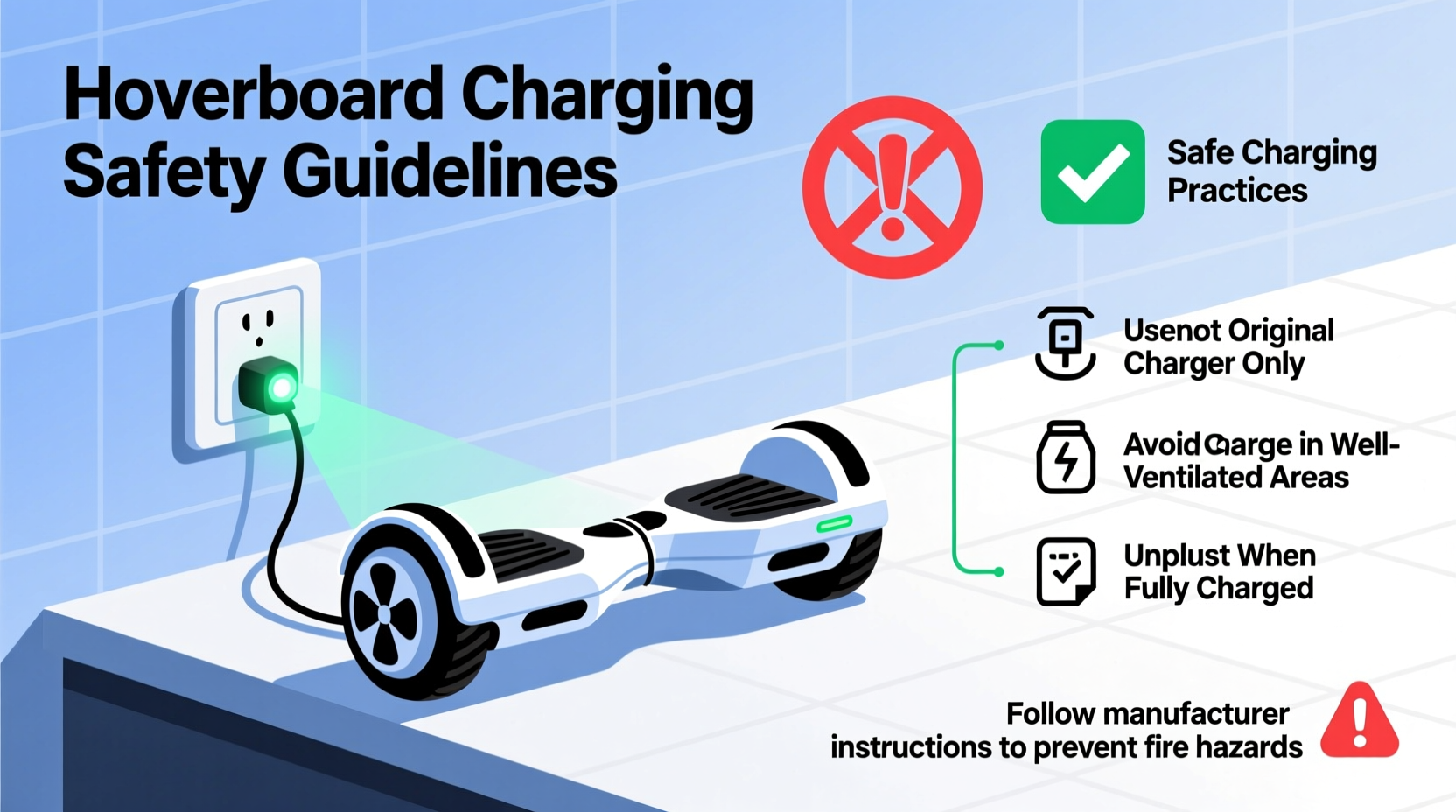
Most hoverboards use lithium-ion (Li-ion) batteries — the same type found in smartphones, laptops, and electric vehicles. These batteries are lightweight, energy-dense, and capable of rapid charging. However, they are also sensitive to overcharging, overheating, and physical damage. When not managed properly, Li-ion batteries can experience thermal runaway — a condition where internal temperatures rise uncontrollably, potentially leading to fire or explosion.
The battery pack inside a hoverboard typically consists of multiple cells connected in series and parallel configurations. A built-in Battery Management System (BMS) monitors voltage, current, and temperature during charging to prevent overcharging and short circuits. While modern hoverboards from reputable brands include robust BMS protection, cheaper or counterfeit models may lack adequate safeguards.
“Lithium-ion batteries are reliable when used correctly, but they demand respect. Overcharging or improper handling increases failure risk significantly.” — Dr. Alan Reeves, Electrical Safety Engineer at the National Fire Protection Association
It's crucial to recognize that even with a functioning BMS, no system is 100% foolproof. Environmental factors like room temperature, charger quality, and battery age all influence how safely a hoverboard charges — especially over extended periods.
Risks of Charging a Hoverboard Overnight
Leaving any electronic device plugged in unattended for hours increases potential hazards. In the case of hoverboards, several documented incidents have highlighted the consequences of unsafe charging practices:
- Fire Hazard: Overheated batteries can ignite nearby flammable materials such as carpets, bedding, or curtains.
- Battery Swelling: Prolonged charging can cause cells to expand, damaging the internal structure and increasing rupture risk.
- Reduced Battery Lifespan: Consistently charging beyond full capacity accelerates chemical degradation, reducing overall performance and longevity.
- Electrical Overload: Using non-certified chargers or outlets with unstable power supply may lead to electrical faults.
A well-known example occurred in 2016 when numerous hoverboard fires prompted widespread recalls and bans on airline travel. Investigations revealed that many affected units used substandard batteries and lacked proper certification. Although safety standards have improved since then, risks remain — particularly when devices are left charging unsupervised for long durations.
Manufacturer Guidelines and Industry Standards
Reputable hoverboard manufacturers generally advise against charging devices overnight. Most user manuals recommend charging times between 2 to 4 hours, depending on battery size and usage history. For instance:
| Brand | Typical Charge Time | Night Charging Advice |
|---|---|---|
| Segway Ninebot | 2.5–3 hours | Not recommended; auto-shutoff included but supervision advised |
| SwellPro Stormtrooper | 3–4 hours | Discouraged; use timer if necessary |
| Gotrax GXL V2 | 3 hours | Do not leave unattended |
| Generic/Unknown Brands | Varies widely | High risk; avoid overnight charging entirely |
Many newer models feature automatic shut-off mechanisms that stop power delivery once the battery reaches 100%. While this reduces overcharging risk, it doesn’t eliminate other concerns such as heat buildup or component failure. Additionally, older or worn-out batteries may not respond accurately to charge signals, causing the system to continue drawing small amounts of current even after reaching full capacity — a phenomenon known as \"trickle charging.\"
The Underwriters Laboratories (UL) certification, specifically UL 2272, has become a benchmark for hoverboard safety. Devices bearing this mark have undergone rigorous testing for electrical and mechanical stability, including charging protocols. Consumers should only purchase UL 2272 certified hoverboards and use the original manufacturer-provided charger.
Safe Charging Practices: A Step-by-Step Guide
If you must charge your hoverboard during off-hours, follow these steps to minimize risk while maintaining convenience:
- Check the battery level before plugging in. Only charge when below 20–30%. Frequent top-ups from high levels increase stress on the battery.
- Use the original charger. Third-party adapters often deliver incorrect voltage or amperage, which can damage the battery or bypass safety features.
- Place the hoverboard on a non-flammable surface. Tile floors, stone countertops, or metal trays are ideal. Avoid wood, fabric, or plastic surfaces that can melt or catch fire.
- Ensure proper ventilation. Do not enclose the hoverboard in cabinets, closets, or tight spaces. Allow airflow around the unit to dissipate heat.
- Set a timer or alarm. If charging overnight is unavoidable, set a reminder to unplug the device after the recommended time (usually 3–4 hours).
- Monitor for warning signs. If the hoverboard feels hot, emits a burning smell, or makes buzzing noises, disconnect immediately and discontinue use.
- Inspect cables regularly. Frayed wires, bent connectors, or exposed circuitry increase electrical hazard risks.
For households with children, consider establishing a “charging station” rule — a designated spot away from sleeping areas where all electronic devices are charged during daytime hours only. This habit promotes safety awareness and reduces nighttime fire risks.
Real Example: A Close Call in Austin, Texas
In early 2022, a family in Austin, Texas experienced a near-miss incident involving their son’s hoverboard. After receiving it as a birthday gift, the boy routinely charged the device overnight in his bedroom. One evening, the parents noticed a faint smoke odor coming from upstairs. Upon investigation, they found the hoverboard partially melted on the carpet, with scorch marks spreading outward. The unit had been charging for over eight hours — more than double the recommended duration.
Thankfully, the family detected the issue early and avoided injury. Fire investigators later confirmed that the hoverboard was not UL 2272 certified and used a generic replacement charger purchased online. The combination of poor-quality components and extended charging led to thermal failure. Since then, the family adopted strict charging rules and replaced the hoverboard with a certified model.
This case underscores the importance of using genuine equipment and adhering to manufacturer instructions — even when it feels inconvenient.
Best Practices Checklist
✅ Hoverboard Charging Safety Checklist
- ☐ Use only the original manufacturer-approved charger
- ☐ Confirm the hoverboard has UL 2272 certification
- ☐ Charge on a hard, non-flammable surface
- ☐ Keep away from beds, furniture, and curtains
- ☐ Limit charge time to 2–4 hours (never exceed)
- ☐ Avoid charging when asleep or away from home
- ☐ Check battery and charger monthly for damage
- ☐ Replace swollen, leaking, or overheating batteries immediately
- ☐ Educate children about charging dangers
- ☐ Install smoke detectors near charging areas
Frequently Asked Questions
Is it ever safe to charge a hoverboard overnight?
While some modern hoverboards have auto-shutoff and temperature controls, no manufacturer recommends overnight charging as a standard practice. Even with safety features, unforeseen failures can occur. It's safest to charge during waking hours and unplug once complete.
How do I know when my hoverboard is fully charged?
Most hoverboards have LED indicators — usually red while charging and green when full. Refer to your manual for specific light patterns. Some advanced models emit a beep or turn off the display. If the indicator remains red after several hours, there may be a battery or charger issue.
What should I do if my hoverboard gets hot while charging?
Immediately disconnect the charger and move the device to a safe, open area. Do not touch it directly if it feels excessively hot. Let it cool down completely before inspecting further. If swelling, discoloration, or odor persists, dispose of the unit responsibly through an electronics recycling program and do not attempt to reuse it.
Conclusion: Prioritize Safety Over Convenience
Charging a hoverboard overnight might seem harmless, but the potential consequences outweigh the benefits. Lithium-ion batteries require careful handling, and even minor oversights can lead to dangerous outcomes. By following manufacturer guidelines, using certified equipment, and adopting responsible charging habits, you protect not only your investment but also your home and loved ones.
Technology evolves quickly, but human vigilance remains the most effective safeguard. Whether you're a parent managing a child’s new toy or an adult relying on a hoverboard for daily commutes, take the extra few minutes to charge wisely. Unplug when full, store safely, and stay informed about product recalls and updates.




 浙公网安备
33010002000092号
浙公网安备
33010002000092号 浙B2-20120091-4
Comments
No comments yet. Why don't you start the discussion?