
Gaming sessions on the PlayStation 5 can stretch for hours, especially during intense story campaigns or competitive multiplayer matches. As immersive as these experiences are, they come at a cost: battery drain on the DualSense wireless controller. Many players wonder whether they can continue playing while charging their PS5 controller using a wired connection — and if so, how to do it effectively without interrupting gameplay or damaging equipment. The answer is yes, but there are nuances to consider for optimal performance, longevity, and convenience.
This guide explores everything you need to know about charging your PS5 controller while actively playing, including technical compatibility, cable selection, performance impact, and long-term care strategies. Whether you're a casual player or a dedicated gamer aiming for marathon sessions, understanding how to manage power efficiently enhances both comfort and continuity.
How Charging While Playing Works
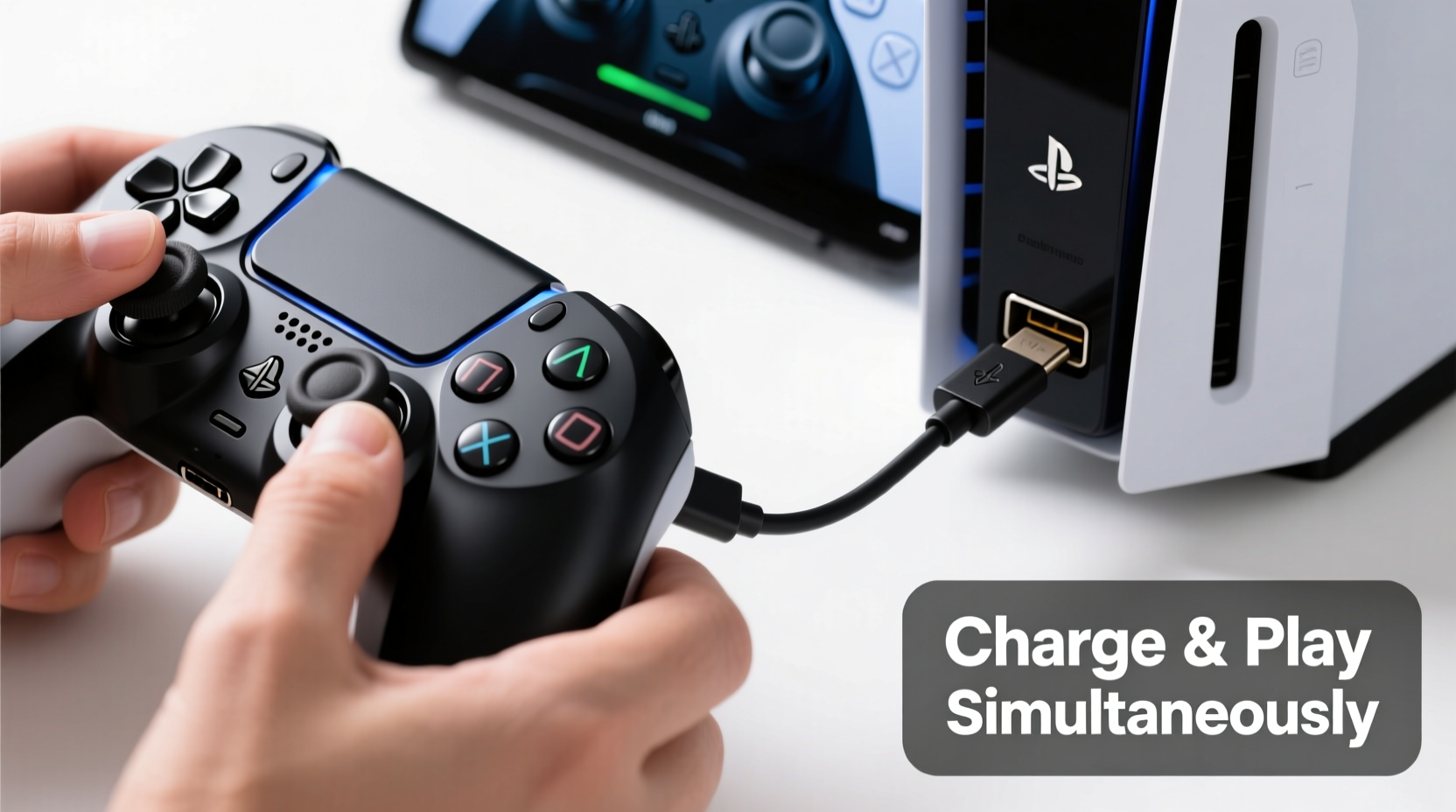
The PS5's DualSense controller supports simultaneous gameplay and charging when connected via USB-C to the console. This means you can plug in the controller using a compatible USB-C cable and continue playing without interruption. The system draws power from the console to run the controller while also replenishing its internal battery.
This functionality is built into the PS5’s operating design. Unlike some older gaming systems where charging mid-game could cause input lag or disconnects, Sony engineered the DualSense to maintain stable communication over USB even during active charging. That said, not all cables perform equally, and external factors like cable quality or port condition can influence reliability.
Benefits of Using a Wired Connection During Gameplay
Using a wired connection offers several advantages beyond just charging:
- Zero Input Lag: A direct USB connection eliminates wireless latency, providing a more responsive experience—especially beneficial in fast-paced games like shooters or fighting titles.
- No Battery Anxiety: You won’t have to pause mid-session to swap controllers or wait for a recharge.
- Consistent Performance: Wireless signals can occasionally drop due to interference; a wired setup avoids this entirely.
- Cost-Effective Longevity: Reducing deep discharge cycles by keeping the controller topped up extends overall battery lifespan.
For players who frequently engage in extended sessions, combining gameplay with charging becomes not just convenient, but strategically smart.
Choosing the Right Cable and Port Setup
Not every USB-C cable is created equal. To ensure reliable charging and uninterrupted gameplay, consider the following criteria:
| Feature | Recommended | Avoid |
|---|---|---|
| Cable Type | USB-C to USB-A or USB-C to USB-C (certified) | Non-standard or unbranded cables |
| Data Transfer Support | Yes (for full controller communication) | Charge-only cables |
| Length | 1.5m–3m (for flexibility) | Over 3m (may reduce signal strength) |
| Durability | Braided nylon coating | Thin, easily frayed materials |
The official cable included with the PS5 is well-designed for this purpose, featuring robust build quality and proper data synchronization. However, if you've misplaced it, third-party options like Anker, Belkin, or Razer offer reliable alternatives that meet USB-IF certification standards.
“Using a certified USB-C cable ensures both safe charging and consistent data transmission between the controller and console.” — Jordan Lee, Electronics Hardware Analyst at GameTech Insights
Step-by-Step Guide: Charging Your PS5 Controller While Playing
Follow this simple process to safely charge your DualSense while gaming:
- Power On Your PS5: Make sure the console is fully booted and running your desired game.
- Locate a Free USB Port: The PS5 has two USB ports on the front (one USB-C, one USB-A) and two on the back (both USB-A). Choose one that allows comfortable reach.
- Connect the Controller: Plug one end of the USB-C cable into the controller and the other into the console.
- Verify Connection: The light bar will glow amber while charging and turn off when fully charged. In-game controls should respond normally.
- Adjust Cable Management: Route the cable to minimize tripping hazards or tension on the port.
- Monitor Heat Levels: Feel the controller periodically. If it becomes excessively warm, disconnect and let it cool before resuming.
This method works seamlessly whether you’re navigating menus, exploring open worlds, or locked in combat. There is no automatic pause or mode switch — the transition is smooth and immediate.
Potential Drawbacks and How to Mitigate Them
While charging during gameplay is generally safe and effective, a few limitations exist:
- Tethered Movement: Being physically connected restricts mobility. Sitting close to the console is necessary unless using a longer (but still high-quality) cable.
- Cable Wear Over Time: Frequent plugging/unplugging or sharp bends can damage connectors. Consider using a right-angle adapter or strain relief sleeve.
- Heat Buildup: Simultaneous operation and charging generate heat. Avoid covering the controller with blankets or placing it on soft surfaces during use.
- Limited Multiplayer Flexibility: Only one player can use a wired controller at a time unless multiple ports are available and needed.
Real-World Example: Marathon Gaming Session
Consider Mark, a competitive *Call of Duty: Warzone* player preparing for an online tournament. He plans to practice for six consecutive hours to refine his loadout and map awareness. Starting with a fully charged DualSense, he knows battery life typically lasts around 8–12 hours depending on haptic feedback intensity. Still, he doesn’t want to risk losing connectivity mid-match.
Instead of waiting until the battery drops below 20%, Mark connects his controller via a 2-meter braided USB-C cable early in the session. He positions the cable along the edge of his desk, securing it with clips to prevent accidental yanks. Throughout the evening, the controller remains powered, the battery slowly topping up during breaks between matches. By the end of the session, the controller isn’t just ready for another round — it’s fully charged and cool to the touch.
This proactive approach prevents mid-game shutdowns and maintains peak responsiveness, giving him a tangible edge in reaction time and control precision.
Best Practices for Long-Term Controller Health
Frequent charging, especially under load, can affect lithium-ion battery chemistry over time. To maximize the lifespan of your DualSense, follow these expert-backed habits:
- Avoid Constant Full Charges: Lithium batteries degrade faster when kept at 100% for prolonged periods. Unplug once charged if not in use.
- Use Partial Discharge Cycles: Try to keep the battery between 20% and 80% when possible.
- Store Properly: If storing the controller long-term, charge it to about 50% first.
- Keep Firmware Updated: Sony occasionally releases updates that improve power management and efficiency.
Interestingly, regularly topping up the battery during gameplay actually reduces stress compared to letting it drain completely before recharging — making wired play a healthier option in moderation.
FAQ: Common Questions About Charging PS5 Controllers
Can I charge the PS5 controller with a phone charger?
Yes, you can use a standard USB power adapter (like those used for smartphones), provided it outputs at least 5V/1A. However, charging may be slower than when connected directly to the PS5. Also, ensure the cable supports data transfer if syncing is required.
Does charging while playing damage the controller?
No, not under normal conditions. The DualSense is designed to handle concurrent usage and charging. However, using low-quality cables or exposing the device to excessive heat may increase wear over time.
Why does my controller stop charging when I’m playing?
This usually indicates a faulty cable, dirty USB port, or outdated system software. Try cleaning the port gently with compressed air, testing with a different cable, or updating your PS5 to the latest firmware version.
Checklist: Optimizing Wired Play & Charging
Before starting your next long gaming session, go through this checklist:
- ✅ Use a certified USB-C cable with data transfer capability
- ✅ Connect to a clean, undamaged USB port on the PS5
- ✅ Position the cable to avoid strain or tripping hazards
- ✅ Monitor controller temperature during extended use
- ✅ Keep system software updated for optimal compatibility
- ✅ Limit continuous full charging to preserve battery health
- ✅ Have a backup controller ready for multiplayer scenarios
Conclusion: Smart Power Management Enhances Your Gaming Experience
Charging your PS5 controller while playing via a wired connection is not only possible — it’s a practical strategy for maintaining uninterrupted gameplay and extending hardware longevity. With the right cable, proper setup, and mindful usage habits, you can enjoy seamless performance without worrying about sudden power loss.
Understanding how to integrate charging into your routine empowers you to play smarter, not harder. Whether you're grinding achievements, competing online, or diving into narrative adventures, staying powered up means staying in the moment.




 浙公网安备
33010002000092号
浙公网安备
33010002000092号 浙B2-20120091-4
Comments
No comments yet. Why don't you start the discussion?