
The PlayStation 5’s DualSense controller has redefined gaming immersion with adaptive triggers, haptic feedback, and a built-in rechargeable battery. But like any wireless device, it needs regular charging. As USB-C becomes the universal standard across smartphones, tablets, and consoles, many users wonder: can you use their existing phone charger to power up a PS5 controller? The short answer is yes — but with important caveats. Understanding voltage, amperage, cable quality, and long-term effects is essential to avoid damaging your controller or compromising performance.
While convenience often drives the decision to repurpose a phone charger, not all chargers are created equal. Using the wrong one could lead to slow charging, overheating, or even hardware degradation over time. This article breaks down everything you need to know about using a phone charger with your PS5 controller, from technical specifications to real-world usage tips.
Understanding Power Requirements: Voltage and Amperage
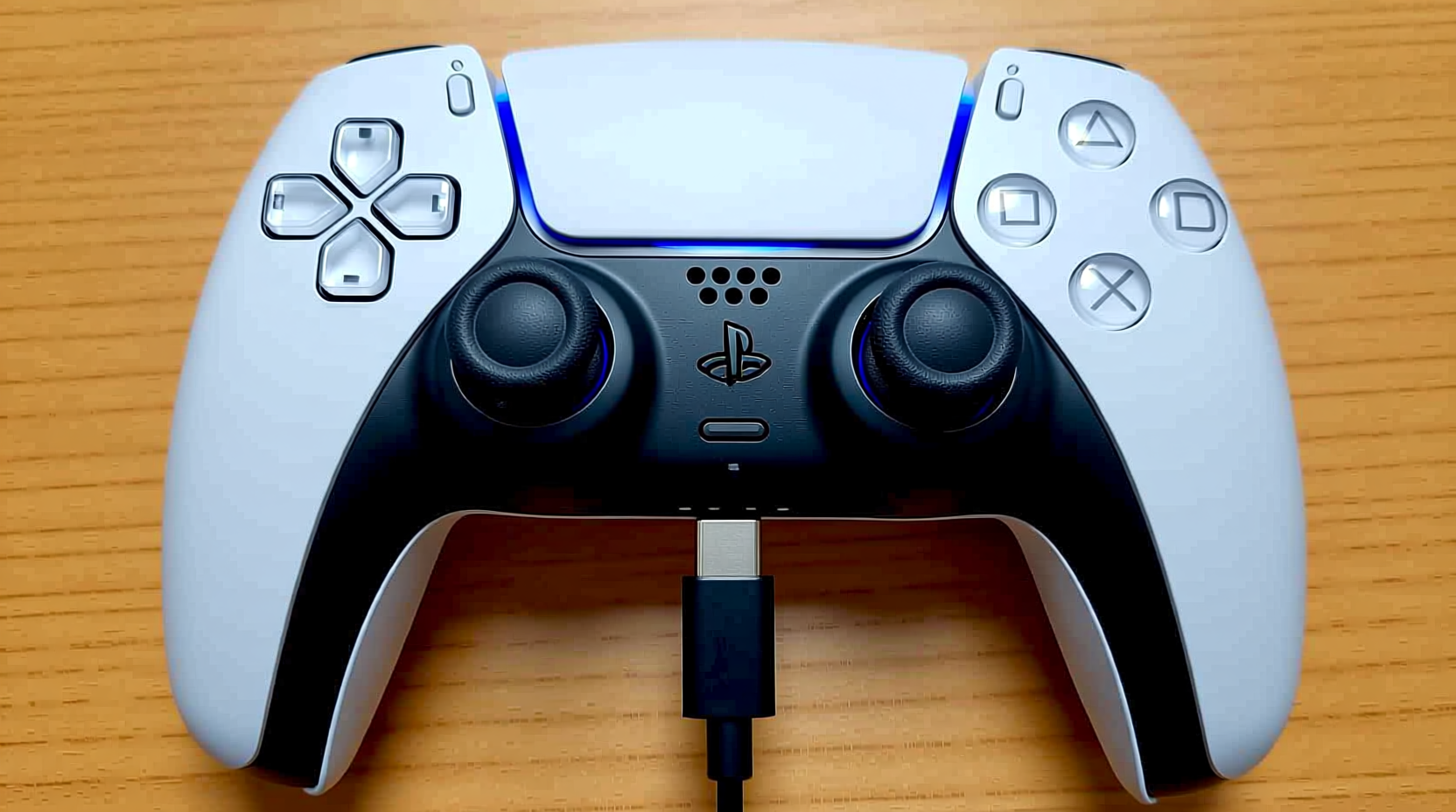
The DualSense controller operates on a lithium-ion battery with a nominal voltage of 3.7V and a capacity of approximately 1,560 mAh. It charges via USB-C and is designed to work optimally with a 5V input. Most modern phone chargers also deliver 5V, which makes them technically compatible in terms of voltage. However, the key difference lies in amperage (measured in amps or milliamps), which determines how quickly energy is delivered.
Official Sony documentation does not specify an exact required amperage, but testing and teardowns suggest the DualSense draws around 500mA to 800mA during charging when connected directly to the PS5 or a low-power USB port. Higher amperage chargers (such as 1.5A, 2.4A, or 3A) can deliver more current, but the controller regulates how much it actually uses. This means that while a high-output charger won’t inherently \"overcharge\" the controller, other factors like heat buildup and circuit design come into play.
“Devices draw only the current they need. A higher amp charger isn’t dangerous by itself, but poor regulation or substandard components can introduce risk.” — Dr. Lena Torres, Electrical Engineer & Consumer Electronics Safety Analyst
Do’s and Don’ts: Charger Compatibility Table
| Charger Type | Safe to Use? | Notes |
|---|---|---|
| iPhone 5W (5V/1A) | ✅ Yes | Slow but safe; widely tested without issues. |
| Android 15W (5V/3A) | ✅ Yes (with caveats) | Controller will only draw ~0.8A max; ensure cable supports stable delivery. |
| Fast Charging (e.g., PD, QC 3.0+) | ⚠️ Caution | Only safe if negotiation protocol is compatible. May cause excess heat if poorly regulated. |
| Unknown/no-name brand chargers | ❌ No | Risk of unstable voltage, poor insulation, or counterfeit components. |
| Wall outlet vs. power bank | ✅ Both acceptable | Use reputable power banks with clean output and overcurrent protection. |
Step-by-Step: How to Safely Charge Your PS5 Controller with a Phone Charger
If you decide to use a phone charger, follow this sequence to minimize risk and maximize efficiency:
- Identify your charger’s output. Check the label on the adapter for voltage and amperage (e.g., “Output: 5V⎓2A”). Avoid adapters with unclear or missing specs.
- Use a high-quality USB-C cable. Not all cables are built for data and power transfer. Choose one rated for at least 3A and certified by USB-IF if possible. Avoid frayed or thin cables.
- Plug the charger into a wall outlet. Ensure the outlet is grounded and not overloaded with other devices.
- Connect the cable to the PS5 controller. Insert firmly into the USB-C port on top of the controller.
- Monitor initial behavior. Watch for excessive heat, flickering lights, or failure to charge. If any occur, disconnect immediately.
- Allow full charge cycle (approx. 2–3 hours). Do not leave unattended for extended periods, especially overnight.
- Disconnect once fully charged. While lithium-ion batteries have protection circuits, prolonged connection can contribute to micro-stress over time.
Real-World Example: Charging Risks in Practice
Consider Mark, a college student who frequently travels with his PS5 controller. At home, he uses the console to charge it, but during trips, he relies on his Samsung Galaxy phone’s 25W Adaptive Fast Charger. After two months of regular use, he notices the controller takes longer to charge and feels warm even during gameplay. Upon inspection, he finds minor swelling near the battery compartment — a sign of early degradation.
An electronics technician explains that while the charger didn’t instantly break the controller, repeated exposure to fluctuating power delivery from a high-wattage source likely stressed the internal charging circuit. The lack of proper thermal management in budget third-party cables exacerbated the issue. Mark switches to a basic 5V/1A Apple charger and observes improved charging stability and cooler operation within weeks.
This case illustrates that compatibility isn’t just about immediate function — it’s about longevity. Even if a device works today, cumulative stress from mismatched components can shorten its lifespan.
Expert Recommendations and Long-Term Care
Consumer electronics experts emphasize that while USB-C enables cross-device charging, users must remain cautious. Lithium-ion batteries degrade faster under three main conditions: high temperatures, overvoltage, and constant full charging. Using a powerful phone charger doesn’t automatically trigger these, but increases the likelihood when combined with poor-quality accessories.
Dr. Lena Torres advises: “The safest approach is to use a charger that matches the intended load. For a small device like a controller, a 5V/1A adapter is ideal. There’s no benefit to using a 30W charger, and potential downsides if safety features are absent.”
Additionally, Sony recommends against using chargers that support proprietary fast-charging protocols (like Qualcomm Quick Charge or Huawei SuperCharge) unless explicitly approved. These systems negotiate higher voltages dynamically, and although the DualSense lacks the circuitry to accept anything above 5V, a malfunctioning adapter could bypass safeguards.
Battery Health Best Practices
- Charge between 20% and 80% when possible to reduce battery strain.
- Avoid charging in hot environments (e.g., direct sunlight, near radiators).
- Unplug after full charge instead of leaving it connected for days.
- Power off the controller completely during charging for slightly faster and cooler performance.
Checklist: Safe Phone Charger Use for PS5 Controller
- ☑ Charger outputs 5V (standard USB voltage)
- ☑ Amperage is labeled and from a reputable brand (Apple, Samsung, Anker, etc.)
- ☑ USB-C cable is undamaged and supports at least 3A
- ☑ No signs of overheating, buzzing, or burning smell from the charger
- ☑ Controller charges normally when connected to PS5 (baseline test)
- ☑ You’re not using a car charger or public charging station with unknown specs
Frequently Asked Questions
Can I damage my PS5 controller by using a fast-charging phone adapter?
Direct damage is unlikely due to built-in protection circuits, but prolonged use of high-wattage or poorly regulated fast chargers may lead to increased heat, reduced battery lifespan, or intermittent charging issues. It’s safer to avoid fast-charging adapters unless they offer a standard 5V/1A mode.
Why does my controller charge slower with some phone chargers?
Some chargers limit output when detecting low-power devices. Others may have outdated USB standards or degraded components. Additionally, cheap cables with high resistance can bottleneck power delivery, resulting in slower charging regardless of the adapter’s rating.
Is it okay to charge the PS5 controller overnight with a phone charger?
Technically, yes — the battery stops drawing power once full. However, keeping it plugged in for extended periods, especially with a warmer-than-normal charger, contributes to long-term battery wear. For optimal longevity, charge during the day and unplug upon completion.
Conclusion: Smart Charging for Lasting Performance
Yes, you can charge a PS5 controller with a phone charger safely — provided you make informed choices. A well-labeled, reputable 5V/1A or 5V/2A charger paired with a high-quality USB-C cable poses minimal risk. The convenience of using existing adapters is undeniable, but cutting corners with unknown brands or damaged cables invites avoidable problems.
Your DualSense controller is engineered for precision and durability, but its battery life depends heavily on how you treat it. By choosing stable power sources, monitoring temperature, and avoiding unnecessary fast-charging tech, you preserve both performance and longevity. Whether you're gaming at home or on the go, smart charging habits ensure your controller stays responsive and reliable for thousands of hours of play.




 浙公网安备
33010002000092号
浙公网安备
33010002000092号 浙B2-20120091-4
Comments
No comments yet. Why don't you start the discussion?