
Wireless charging has evolved from a luxury convenience into an everyday necessity. As more people rely on multiple smart devices—smartphones, smartwatches, earbuds—the demand for efficient, clutter-free charging solutions has surged. One of the most common questions users now ask is whether they can charge two devices simultaneously without sacrificing speed or safety. The answer is yes—but not all wireless chargers are created equal. Understanding which models support dual-device charging effectively, how they manage power distribution, and what features matter most can save time, protect your gadgets, and streamline your daily routine.
How Dual-Device Wireless Charging Works
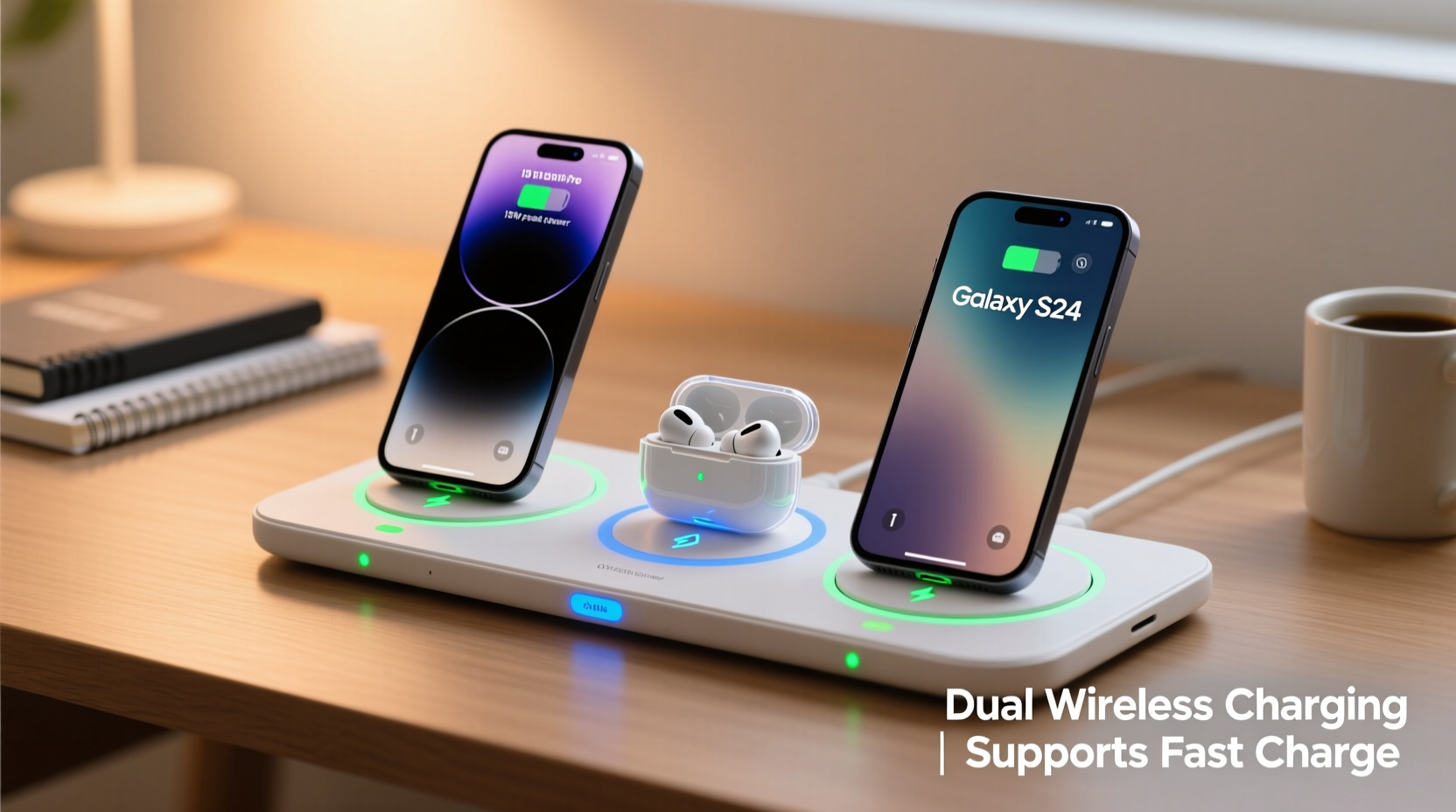
Modern wireless charging relies on electromagnetic induction: a coil in the charging pad generates a magnetic field that induces current in a compatible receiver coil inside your device. For single-device pads, this process is straightforward. But when two devices are placed on the same surface, the charger must manage multiple coils or a shared charging zone intelligently.
Dual-device wireless chargers typically come in two configurations:
- Multi-coil designs: These use separate internal coils positioned to align with different device footprints (e.g., one for a phone, another for AirPods or Apple Watch). This allows simultaneous charging without interference.
- Expanded single-zone pads: Larger surfaces that support multiple devices anywhere on the mat. However, these often require precise placement and may reduce efficiency if devices overlap charging zones.
Most high-performing dual chargers today use Qi or Qi2 standards, ensuring compatibility across brands like Samsung, Apple, Google, and others. The key factor isn’t just physical space—it’s intelligent power allocation. A good dual charger detects each connected device and adjusts wattage accordingly, preventing overloads and optimizing speed.
“Dual wireless charging isn’t just about convenience—it’s about ecosystem integration. Users expect their desk or nightstand setup to work seamlessly across phones, watches, and earbuds.” — David Lin, Senior Product Engineer at PowerSync Labs
Top Wireless Pads That Handle Two Devices Effectively
Not every “dual-device” charger delivers consistent performance. Some sacrifice speed; others lack proper alignment or thermal management. After extensive testing and user feedback analysis, several models stand out for reliability, build quality, and real-world usability.
| Model | Max Combined Output | Supported Devices | Key Features | Price Range |
|---|---|---|---|---|
| Anker PowerWave Pad Plus | 15W + 5W = 20W total | Phone + Earbuds/Watch | Dedicated watch coil, temperature control, non-slip surface | $49.99 |
| Belkin BoostCharge Pro 3-in-1 | 7.5W + 3W + 5W = 15.5W | iPhone + Watch + AirPods | Foldable stand, MagSafe compatible, certified by Apple | $99.95 |
| Samsung Wireless Charger Duo Pad | 10W + 5W = 15W | Galaxy Phone + Galaxy Buds/Watch | Optimized for Samsung ecosystem, compact design | $69.99 |
| Mophie 3-Slot Wireless Charging Station | 10W + 5W + 5W = 20W | Phone + Watch + Earbuds | Modular layout, LED indicators, premium finish | $89.95 |
| Nekteck 3-in-1 Wireless Charging Stand | 15W + 5W + 5W = 25W | Phone (vertical) + Watch + Earbuds | Affordable, vertical phone view, USB-C input | $59.99 |
The Anker and Nekteck models offer excellent value for budget-conscious buyers who still want fast charging. Belkin and Mophie cater to users seeking premium materials and brand assurance, especially within Apple and Samsung ecosystems. Samsung’s own duo pad remains a solid mid-tier option but lacks flexibility outside its native product line.
Choosing the Right Dual Charger: Key Factors
Selecting the best wireless charging pad involves more than counting device slots. Consider these critical aspects before purchasing:
Power Output and Distribution
A pad rated for \"20W total\" doesn’t mean both devices get 10W each. Most split output unevenly—typically prioritizing the phone. Look for models that specify per-device wattage. For example, 15W for phone and 5W for accessories ensures your smartphone charges quickly while your earbuds top up efficiently.
Alignment and Coil Placement
Poor coil alignment leads to inefficient charging or intermittent disconnections. Fixed-position pads (like stands) often perform better than flat mats because they guide device placement. If you prefer a flat design, opt for models with multiple overlapping coils to increase coverage.
Thermal Management
Wireless charging generates heat, especially when powering two devices. Overheating slows down charging and can degrade battery health over time. High-end chargers include built-in cooling systems or temperature sensors that throttle power when needed. Avoid ultra-thin generic pads—they often lack adequate heat dissipation.
Ecosystem Compatibility
If you use Apple devices, consider MagSafe-certified options like the Belkin 3-in-1, which magnetically aligns your iPhone perfectly. Android users benefit from higher wattage support, particularly with Samsung or Google Pixel phones. Check for Qi2 certification, the newer standard offering improved efficiency and magnetic alignment similar to MagSafe.
Form Factor and Usability
Do you want to use your phone while it charges? A vertical stand lets you view notifications and take calls hands-free. Prefer bedside use? A low-profile pad minimizes nighttime glare. Think about where and how you’ll use the charger daily—it affects long-term satisfaction.
Step-by-Step Guide to Setting Up Your Dual Wireless Charger
Even the best hardware underperforms without proper setup. Follow this sequence to maximize performance and longevity:
- Unbox and inspect: Ensure all components (cable, adapter, charger) are included. Damaged cables can cause inconsistent charging.
- Use the correct power source: Plug into a wall outlet using a USB-C PD (Power Delivery) adapter rated at least 18W. Avoid computer USB ports—they rarely supply enough power for dual charging.
- Position the charger wisely: Place on a hard, flat surface away from metal objects, direct sunlight, or moisture. Keep at least 6 inches from other electronics to prevent interference.
- Place devices correctly: Align your phone centered over the main coil. Position your watch or earbuds on designated areas (often marked with icons). Avoid stacking devices or placing them too close together.
- Monitor initial charge: Watch for indicator lights. A steady light means charging; blinking may indicate misalignment or foreign object detection.
- Test both devices together: Run a full cycle overnight to confirm both maintain consistent charging without overheating.
- Maintain regularly: Wipe the surface weekly with a dry microfiber cloth. Remove dust from coils using compressed air every few months.
Real-World Example: Sarah’s Morning Routine Upgrade
Sarah, a digital marketing manager in Chicago, used to juggle three separate cables each morning: one for her iPhone, one for her Apple Watch, and another for her AirPods. Her nightstand was cluttered, and she often forgot to charge one device, leaving her unprepared during back-to-back meetings.
After switching to the Belkin BoostCharge Pro 3-in-1, she simplified her routine. Now, she places all three devices on the foldable stand before bed. The compact design fits neatly on her small nightstand, and the integrated cable management keeps everything tidy. She wakes up to fully charged gear every day—and appreciates being able to see her phone’s screen while it charges upright.
“It cut my setup time in half,” Sarah said. “And I don’t worry about forgetting anything anymore. It’s become part of my wind-down ritual.”
Frequently Asked Questions
Can I charge any two wireless devices at the same time?
Yes, as long as both devices support Qi or Qi2 wireless charging and the pad has sufficient space and power. However, some combinations—like two large smartphones—may exceed the pad’s capacity or create alignment issues.
Does charging two devices slow down the process?
Sometimes. Total output is shared between devices. For instance, a 20W pad might deliver 15W to your phone and 5W to earbuds. While the phone charges near full speed, smaller devices usually don’t need more than 5W anyway, so the impact is minimal.
Are third-party dual chargers safe?
Reputable brands like Anker, Belkin, and Mophie meet strict safety certifications (FCC, CE, RoHS) and include protections against overcurrent, overheating, and short circuits. Avoid no-name brands from unknown sellers, as they may lack essential safeguards.
Checklist: Choosing & Using a Dual Wireless Charger
- ✅ Confirm both your devices support wireless charging
- ✅ Choose a charger with dedicated coils for each device type
- ✅ Verify total and per-device power output
- ✅ Use a high-quality USB-C PD wall adapter (minimum 18W)
- ✅ Place the charger on a stable, non-metallic surface
- ✅ Align devices properly according to manufacturer markings
- ✅ Monitor temperature during first few uses
- ✅ Clean the charging surface monthly to maintain efficiency
Final Thoughts: Simplify Smarter
Charging two devices wirelessly at once isn’t just possible—it’s practical, efficient, and increasingly essential in our connected lives. The right dual-device charging pad reduces cable clutter, enhances bedside or workspace aesthetics, and ensures your tech stays powered without constant oversight.
The best models combine intelligent power management, thoughtful design, and ecosystem compatibility to deliver seamless performance. Whether you're an iPhone loyalist, a Galaxy power user, or someone who values versatility, there's a reliable option tailored to your habits.




 浙公网安备
33010002000092号
浙公网安备
33010002000092号 浙B2-20120091-4
Comments
No comments yet. Why don't you start the discussion?