
Using your smartphone while it’s charging from a power bank is a daily reality for many—whether you’re navigating through an airport, working remotely from a café, or simply trying to stretch battery life during a busy day. The short answer is yes, you absolutely can charge your phone with a power bank while using it. However, whether that charge is effective—meaning the battery actually gains significant power rather than just offsetting usage drain—depends on multiple technical and behavioral factors.
The effectiveness of simultaneous use and charging hinges on the balance between energy input (from the power bank) and energy output (consumed by your phone). If your phone uses more power than the power bank supplies, the battery may not increase—or could even drop slowly despite being “plugged in.” Understanding this dynamic allows users to make smarter choices about when and how they rely on portable charging.
How Power Banks Work: Input vs. Output
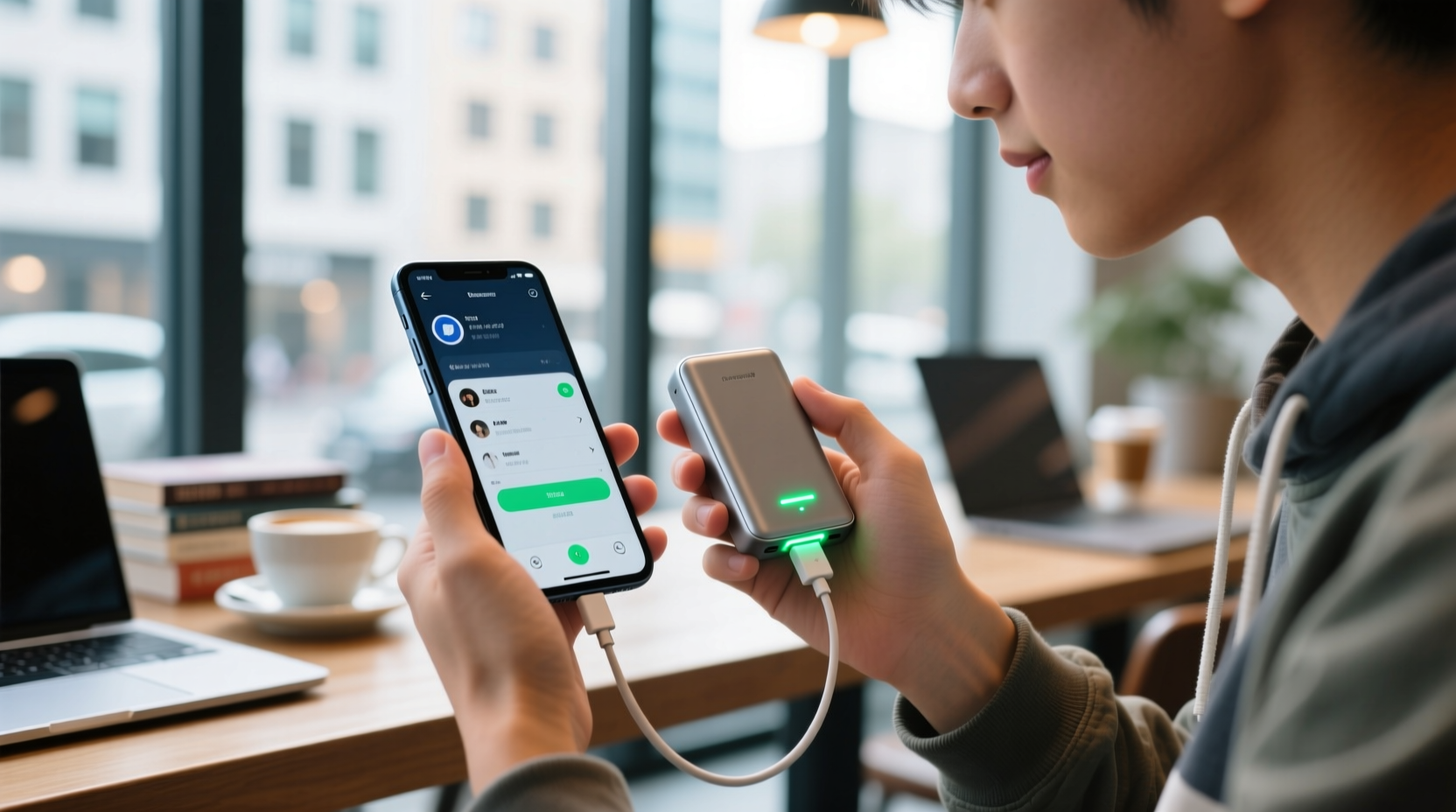
A power bank is essentially a portable lithium-ion or lithium-polymer battery pack designed to store electrical energy and deliver it to devices via USB ports. When you connect your phone, the power bank discharges stored energy at a specific voltage and current, typically 5V with amperage ranging from 1A to 3A depending on the model and protocol (e.g., USB-PD, Qualcomm Quick Charge).
However, every transfer of power involves inefficiencies. Energy is lost as heat during conversion between voltages, especially if the power bank or cable isn’t high quality. Additionally, modern smartphones regulate incoming power based on temperature, battery level, and internal load—all of which affect how much usable energy reaches the battery.
Most standard power banks provide 5V/2.4A output (about 12 watts), which is sufficient for basic charging under light usage. But heavy tasks like gaming, video streaming, or GPS navigation can draw 5–8 watts or more, significantly reducing net gain—or even causing a net loss in charge.
Factors That Affect Charging Efficiency During Use
Several interrelated variables determine whether your phone gains, maintains, or loses charge while connected to a power bank:
- Power Bank Output Capacity: Higher-wattage models (e.g., 18W, 30W) can supply more energy, making them better suited for active use scenarios.
- Phone Power Consumption: Activities vary widely in energy demand. Browsing email uses far less power than recording 4K video or playing graphics-intensive games.
- Battery Size and Health: Older batteries with degraded capacity accept charge less efficiently and generate more heat, slowing down charging rates.
- Temperature: Both extreme cold and excessive heat reduce charging efficiency. Using your phone intensively while charging often raises internal temperature, triggering thermal throttling that slows charging.
- Cable Quality: Thin or damaged cables restrict current flow, capping the maximum possible charge rate regardless of the power bank’s capability.
“Charging while using your phone isn’t inherently bad, but it becomes inefficient when the device consumes energy faster than it receives it.” — Dr. Alan Reyes, Electrical Engineer & Mobile Technology Analyst
Real-World Example: Commuter Charging Strategy
Consider Maria, a freelance photographer who commutes two hours daily by train. She relies on her phone for editing photos, messaging clients, and navigation. Her phone battery lasts about four hours under this workload. To extend usability, she brings a 10,000mAh power bank rated at 18W output.
On one trip, she connects her phone and immediately opens Lightroom to edit high-resolution images. Despite being plugged in, her battery drops from 40% to 35% over 45 minutes. The intensive processing and screen brightness consume ~7W, while the power bank delivers ~6.5W after accounting for conversion losses—resulting in a small net drain.
On another day, she switches strategies: she lowers screen brightness, disables background apps, and limits edits to minor adjustments. This reduces power consumption to ~3W. Now, the same power bank adds approximately 1% per minute. After an hour, her battery rises from 30% to 48%. Same device, same power bank—different outcomes based on usage behavior.
This example illustrates that **how** you use your phone while charging matters as much as the hardware itself.
Optimizing Performance: A Step-by-Step Guide
To get meaningful gains when charging your phone with a power bank during use, follow this practical sequence:
- Assess your immediate task: Determine whether the activity is essential and how power-intensive it is. Streaming HD video? Playing mobile games? Or just checking messages?
- Choose the right power bank: For moderate to heavy use, select a model with at least 18W output and support for fast-charging protocols compatible with your phone (e.g., USB Power Delivery or Samsung Adaptive Fast Charging).
- Use a high-speed cable: Ensure the cable supports the full wattage of your setup. Look for cables labeled “USB-C to Lightning” (for newer iPhones) or “USB-C 3.1” with E-Marker chips for higher data and power throughput.
- Reduce power draw: Lower screen brightness, enable airplane mode (or disable Wi-Fi/Bluetooth if not needed), close unused apps, and turn off haptic feedback.
- Monitor temperature: Avoid placing the phone in direct sunlight or under pillows. If the device feels warm, pause intensive tasks temporarily to prevent thermal throttling.
- Re-evaluate periodically: Check battery percentage every 15–20 minutes. If it's not increasing, consider switching to lighter usage or pausing non-essential functions.
Do’s and Don’ts: Charging While Using Your Phone
| Do’s | Don’ts |
|---|---|
| Use a high-wattage power bank (18W+) for demanding tasks | Expect fast charging while gaming or streaming 4K video |
| Keep your phone cool and ventilated | Leave your phone under a pillow or blanket while charging |
| Close background apps and reduce screen brightness | Run GPS, camera, and hotspot simultaneously |
| Use certified, high-quality charging cables | Use frayed or ultra-cheap third-party cables |
| Charge in bursts during low-usage periods | Assume all power banks perform equally under load |
When It Makes Sense (and When It Doesn’t)
Charging while using your phone is most effective in these situations:
- Light to moderate usage: Reading emails, texting, browsing social media, listening to music.
- Emergency top-ups: Needing just enough charge to finish a call or reach your destination.
- Passive charging environments: Sitting in transit where minimal interaction is required.
It’s generally ineffective or counterproductive when:
- You're running resource-heavy apps like AR filters, live video broadcasting, or multiplayer games.
- The power bank has low output (e.g., 5W or older models).
- Your phone is already hot or showing overheating warnings.
- You’re using wireless charging with a portable battery pack, which tends to be slower and generates more heat.
Frequently Asked Questions
Does charging my phone while using it damage the battery?
No, not under normal conditions. Modern smartphones have built-in safeguards that regulate voltage, current, and temperature. However, consistently charging under high load and elevated temperatures can accelerate long-term battery wear. Lithium-ion batteries degrade faster when exposed to sustained heat and full charge cycles under stress.
Why does my phone sometimes lose charge even when connected to a power bank?
This happens when your phone consumes more power than the power bank delivers. For example, playing a graphics-heavy game might draw 7W, but a basic 5W power bank can't keep up. After accounting for efficiency losses (typically 10–20%), the actual delivered power may be only 4W—leaving a deficit of 3W that comes from the phone’s own battery.
Can I charge my power bank while using it to charge my phone?
Some advanced \"pass-through\" power banks allow this, but it’s generally discouraged unless explicitly supported by the manufacturer. Simultaneous input and output can cause overheating, reduce component lifespan, and trigger safety cutoffs. Even when supported, charging the power bank while powering a phone is inefficient and slow due to cascading energy losses.
Maximizing Longevity: Smart Habits Over Time
While occasional use while charging won’t harm your device, adopting sustainable habits extends both phone and power bank life. Keep firmware updated, as manufacturers often release optimizations for power management. Avoid letting either device drop below 20% regularly, and try not to leave them plugged in at 100% for extended periods.
Store power banks at around 50% charge if unused for weeks. Full discharge or constant full charge stresses lithium-based cells. Also, inspect connectors monthly for dust buildup, which can interfere with conductivity and lead to intermittent charging.
“Battery longevity isn’t about avoiding usage while charging—it’s about managing cumulative stress from heat, depth of discharge, and charging speed.” — Li Na Chen, Battery Systems Researcher at GreenTech Labs
Conclusion
Yes, you can charge your phone with a power bank while using it—but true effectiveness depends on aligning your usage intensity with the power bank’s capabilities. With mindful habits, the right equipment, and awareness of energy dynamics, you can maintain productivity without sacrificing battery health.
Start applying these insights today: assess your typical usage patterns, invest in a capable power bank, and adjust settings proactively. Small changes compound into longer device lifespan, better reliability, and fewer moments of panic when your battery icon turns red.




 浙公网安备
33010002000092号
浙公网安备
33010002000092号 浙B2-20120091-4
Comments
No comments yet. Why don't you start the discussion?