
Modern holiday lighting has evolved far beyond simple plug-and-play strands. Today’s smart Christmas lights offer dynamic control over brightness, color, and—most excitingly—blink patterns. Whether you're aiming for a gentle shimmer, a festive strobe, or a synchronized wave that dances to music, the ability to customize blink sequences is now accessible to most homeowners. The real question isn’t whether it’s possible—it’s how easy it is to do so without technical expertise.
The short answer: yes, programming different blink patterns on smart Christmas lights is not only possible but often surprisingly simple. With intuitive smartphone apps, voice assistants, and even open-source coding platforms, users can tailor their light displays with minimal effort. However, ease of use depends heavily on the brand, ecosystem, and level of customization desired.
How Smart Lights Enable Custom Blink Patterns
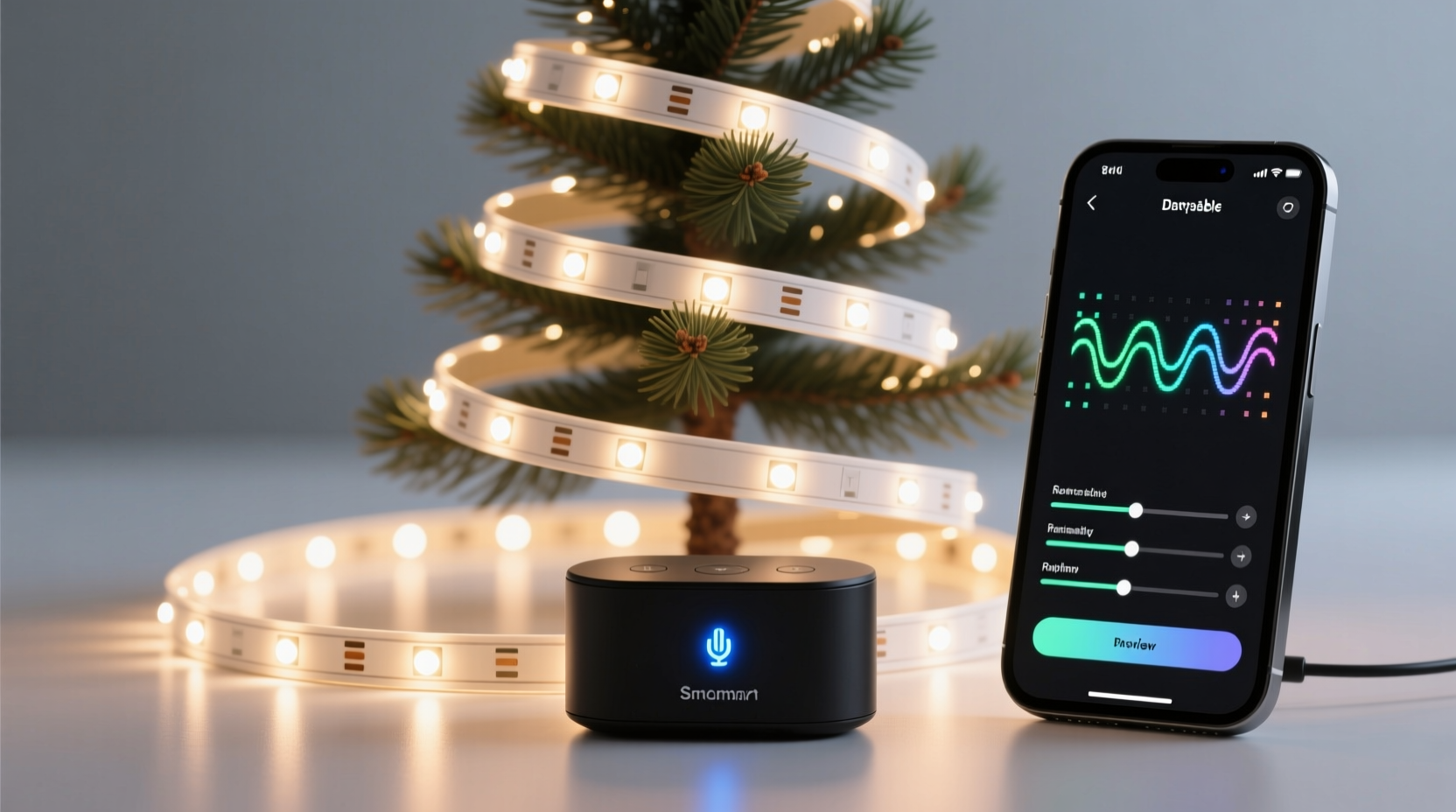
Smart Christmas lights are embedded with microcontrollers that allow individual LEDs or segments to be addressed and controlled independently. Unlike traditional incandescent strings that blink uniformly (if at all), modern LED-based smart lights communicate via Wi-Fi, Bluetooth, or proprietary wireless protocols like Zigbee. This digital communication allows for granular control over each bulb’s behavior—including timing, color transitions, and animation speed.
Manufacturers typically provide mobile applications where users can select from preloaded effects such as:
- Fade (smooth transition between colors)
- Twinkle (random flickering)
- Chase (a moving wave pattern)
- Strobe (rapid flashing)
- Breathe (slow pulsing)
- Solid (steady illumination)
These built-in patterns eliminate the need for manual programming. But for those who want more creative freedom, deeper customization options exist.
Using Manufacturer Apps for Pattern Control
Most consumers interact with their smart lights through branded apps. Brands like Philips Hue, Govee, Twinkly, and LIFX dominate the market, each offering varying degrees of control and flexibility.
For example, the Govee Home app allows users to choose from over 30 preset blink modes, adjust speed and brightness, and save custom scenes. You can set one strip to pulse gently in red and green while another flashes rapidly in white—perfect for layered holiday themes.
Twinkly, known for its high-resolution addressable LEDs, takes this further by enabling pixel-level animations. Their app includes a timeline editor where you can choreograph complex sequences frame by frame—ideal for syncing lights to holiday music.
The process is generally straightforward:
- Connect the lights to power.
- Pair them with your phone via Bluetooth or Wi-Fi.
- Open the app and navigate to the “Effects” or “Patterns” section.
- Select a preset or create a custom animation.
- Schedule or activate immediately.
No coding required. For casual users, this level of access makes creating dynamic blink patterns effortless.
DIY Programming with Open Platforms
For tech-savvy enthusiasts, true customization lies beyond presets. Platforms like WLED (open-source software for ESP8266/ESP32 microcontrollers) unlock full programmability. If you own DIY smart strips or compatible devices (such as NodeMCU-powered LED setups), WLED lets you write or upload custom blink logic using Arduino-style code.
With WLED, you can define:
- Exact timing intervals for on/off cycles
- Color gradients across multiple LEDs
- Sound-reactive behaviors using a microphone input
- Weather-triggered animations (via API integration)
A simple blink pattern might look like this in code:
void loop() {
  setColor(BLUE);
  delay(200);
  clearStrip();
  delay(100);
  setColor(RED);
  delay(200);
  clearStrip();
  delay(300);
}
This script creates a repeating sequence: blue flash, brief off, red flash, longer pause—forming a rhythmic blink pattern. While this requires basic knowledge of C++ and circuit wiring, communities like GitHub and Reddit’s r/WLED offer templates and troubleshooting help.
“With WLED, we turned our porch lights into a holiday countdown display that changes blink speed each day until Christmas.” — Daniel Ruiz, Home Automation Hobbyist
Step-by-Step Guide to Creating a Custom Blink Sequence
Whether using an app or writing code, follow this structured approach to design a unique blink effect:
- Define the mood: Decide whether the pattern should be calming (slow pulses), energetic (rapid strobes), or thematic (alternating red/green).
- Choose your platform: Pick a system that matches your skill level—Govee for simplicity, WLED for full control.
- Select base parameters: Set duration, colors, and rhythm. For instance, 500ms on, 250ms off, alternating between gold and white.
- Test in small segments: Apply the pattern to a short section first to verify timing and visual impact.
- Scale and schedule: Expand to full setup and use app scheduling to automate daily activation.
- Add triggers (optional): Link to voice commands (“Alexa, start Snowfall Mode”) or motion sensors for interactivity.
This method ensures consistency and prevents overwhelming complexity, especially when managing multiple light zones.
Comparison of Popular Smart Light Systems
| Brand | Preset Patterns | Custom Coding? | App Ease | Best For |
|---|---|---|---|---|
| Govee | 30+ | No | Very Easy | Beginners, indoor/outdoor use |
| Twinkly | 20+ with editor | Limited (API access) | Moderate | Music sync, outdoor displays |
| Philips Hue | 10–15 | Via third-party tools | Easy | Whole-home integration |
| WLED (DIY) | Unlimited (user-defined) | Yes | Advanced | Hobbyists, custom projects |
| LIFX | 10+ | No | Easy | Bright, standalone fixtures |
This table highlights the trade-off between accessibility and creative control. Most users will find preset-rich systems like Govee sufficient for seasonal fun, while coders may prefer the limitless potential of WLED.
Real Example: A Neighborhood Light Show Upgrade
In Portland, Oregon, homeowner Maria Tran replaced her static LED icicle lights with Govee RGB strips after two neighbors installed competing smart displays. She wanted something eye-catching but didn’t want to spend hours learning to code.
Using the Govee app, she combined a slow fade between deep green and cranberry red with occasional sparkle bursts—mimicking falling snow. She scheduled the sequence to run nightly from 5 PM to 10 PM and added a voice command: “Hey Google, turn on Holiday Elegance.”
The result? Her front porch became a local favorite, drawing families on evening walks. More importantly, she achieved professional-looking animation in under 30 minutes—with zero programming experience.
Common Challenges and How to Avoid Them
Despite the ease of use, some pitfalls can disrupt the experience:
- Wi-Fi congestion: Too many smart devices can cause lag or disconnects. Use a dedicated 2.4 GHz network for lights.
- Power overload: Long runs of addressable LEDs may require external power injectors to prevent dimming or flicker.
- Sync issues: When using multiple brands, synchronization between blink patterns fails. Stick to one ecosystem per zone.
- App limitations: Some free apps lock advanced patterns behind subscriptions. Check features before purchase.
Checklist: Getting Started with Custom Blink Patterns
Follow these steps to begin programming your own blink sequences today:
- ✅ Choose smart Christmas lights compatible with your preferred ecosystem (Govee, Twinkly, etc.)
- ✅ Download and install the manufacturer’s app
- ✅ Connect lights to Wi-Fi or Bluetooth following setup instructions
- ✅ Explore preset blink patterns and test a few
- ✅ Save your favorite as a custom scene
- ✅ Schedule automation (e.g., turn on at sunset)
- ✅ Optional: Integrate with Alexa or Google Assistant for voice control
- ✅ For advanced users: Flash WLED firmware and begin coding custom effects
Frequently Asked Questions
Can I make my smart lights blink to music?
Yes, many smart lights support sound-reactive modes. Twinkly and Govee offer built-in music sync using your phone’s microphone. For more precision, use third-party software like VidaBox or DMX controllers paired with audio analysis tools.
Do I need internet to run programmed blink patterns?
Once a pattern is saved to the device, most systems can run offline. However, initial setup, updates, and voice/app control require internet or local network connectivity.
Are custom blink patterns safe for long-term use?
Absolutely. LED smart lights are designed for dynamic use. Rapid blinking does not degrade lifespan significantly, as LEDs have no filaments and generate little heat. Just ensure proper ventilation and avoid covering wires.
Conclusion: Bring Your Holiday Vision to Life
Programming different blink patterns on smart Christmas lights is not just easy—it’s empowering. Whether you’re selecting a twinkling preset in an app or crafting a coded light symphony, today’s technology puts creative control in your hands. The holidays are about joy, wonder, and personal expression, and customizable lighting lets you reflect all three.
Start simple with a festive fade or jingle-worthy strobe. As you grow comfortable, experiment with scheduling, voice activation, or even music synchronization. The only limit is your imagination.




 浙公网安备
33010002000092号
浙公网安备
33010002000092号 浙B2-20120091-4
Comments
No comments yet. Why don't you start the discussion?