
OLED displays have redefined mobile visual quality with deep blacks, vibrant colors, and exceptional contrast. However, one persistent concern among users is screen burn-in—those faint, ghostly imprints of static elements like status bars, navigation buttons, or app icons that linger even when the screen changes. While manufacturers have improved pixel-shifting and software mitigation over the years, burn-in remains a reality for heavy users. The critical question many ask is: can you reverse screen burn on OLED phones? The short answer is not fully—but there are practical steps to reduce its visibility and prevent further damage.
Understanding OLED Screen Burn-In
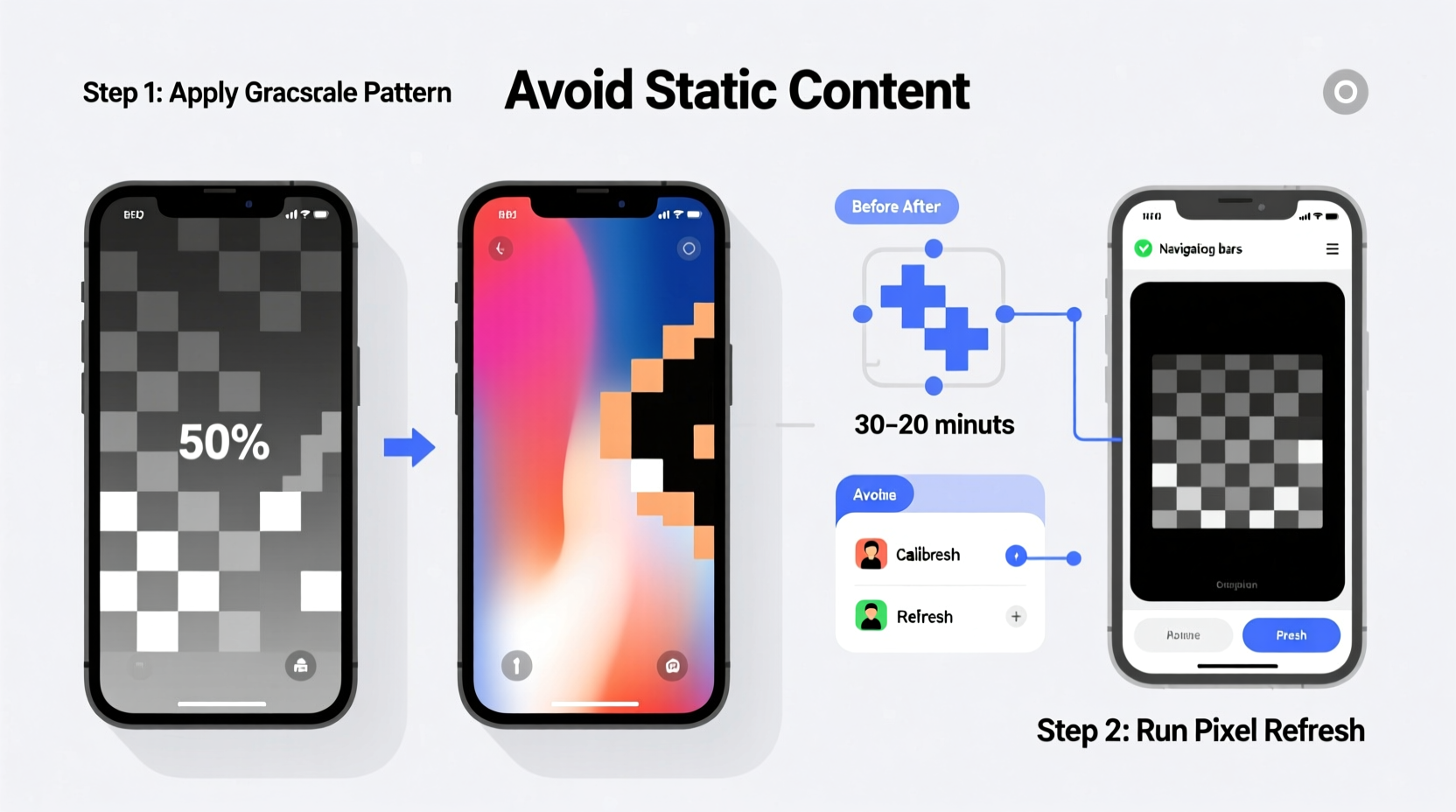
Unlike LCD screens, OLED (Organic Light-Emitting Diode) technology illuminates each pixel individually. When certain pixels remain lit for extended periods—such as notification bars, clock widgets, or persistent icons—they degrade faster than surrounding pixels. This uneven aging results in image retention that becomes permanent over time, known as burn-in.
It's important to distinguish between temporary image retention and actual burn-in. Image retention may fade after a few hours or days, especially if caused by short-term high-contrast static images. True burn-in, however, involves physical degradation of organic materials within the pixels and is irreversible at the hardware level.
“OLED burn-in is a wear-and-tear issue similar to battery degradation—it accumulates over time based on usage patterns.” — Dr. Lin Wei, Display Technology Researcher at Mobile Insights Lab
Practical Fixes to Reduce Visible Burn-In
While complete reversal isn’t possible, several techniques can help diminish the appearance of burn-in and restore more uniform display performance. These methods work best when applied early, before the damage becomes severe.
1. Use Built-In Pixel Refresh Tools
Many modern OLED smartphones include automatic pixel refresh cycles. For example, Samsung Galaxy devices often run a hidden pixel refresher during overnight charging when the phone detects potential image retention. This process typically activates when the device is idle, plugged in, and locked for several hours.
2. Run Static Color Inversion Cycles
Display experts recommend cycling through full-screen color fields to balance pixel wear. This method floods the screen with red, green, blue, black, and white images in sequence, helping less-used pixels \"catch up\" in brightness.
- Use a dedicated app like Screen Burn Fix or Burn-in Fixer from the Google Play Store.
- Set the cycle duration to 3–5 minutes per color.
- Repeat the full cycle 2–3 times.
- Observe changes in burn-in visibility after each session.
Note: Avoid running these cycles for more than 10–15 minutes at a time to prevent overheating or additional stress on the panel.
3. Enable Auto-Brightness and Lower Screen Timeout
Reducing screen-on time directly lowers the risk of further burn-in. Set your screen timeout to 30 seconds and ensure auto-brightness is enabled so the display adjusts dynamically to ambient light, minimizing unnecessary strain on pixels.
Preventive Measures That Work
Once visible, burn-in rarely disappears completely. Therefore, prevention is far more effective than attempted correction. Adopting smart habits early can significantly extend your OLED screen’s lifespan.
| Do | Don't |
|---|---|
| Use dark mode and system-wide dark themes | Keep bright wallpapers with static elements |
| Enable adaptive brightness | Run apps at maximum brightness for hours |
| Rotate wallpapers weekly | Use live wallpapers with fixed UI components |
| Lower overall screen brightness | Leave navigation bars or clocks on-screen indefinitely |
| Use minimal lock screen widgets | Display static news tickers or fitness trackers for long durations |
Optimize App Usage Habits
Apps like YouTube, messaging platforms, and fitness trackers often feature persistent UI elements. To reduce risk:
- Switch to immersive mode when watching videos to hide status and navigation bars.
- Avoid using third-party always-on-display (AOD) apps that override default safeguards.
- Limit use of static home screen layouts with large widgets.
Real-World Example: Recovering Visibility on a Year-Old Galaxy S23
Jamal, a digital designer from Austin, noticed a faint outline of his WhatsApp chat list on his Galaxy S23 after nine months of heavy use. He used his phone for design previews, messaging, and social media, often leaving it face-up with notifications visible. The burn-in wasn’t crippling, but it became noticeable on white backgrounds.
Instead of replacing the phone, he took action:
- He reduced screen brightness from 100% to 60%.
- Enabled Dark Mode across all apps.
- Installed a pixel-refresh app and ran color cycles twice weekly for two weeks.
- Switched to a minimalist launcher with no persistent widgets.
- Let the phone sit idle and charging overnight once a week.
After three weeks, the ghosting became much less apparent. While not gone entirely, the difference was significant enough that Jamal continued using the device without discomfort. His experience shows that early intervention can restore usability even after visible burn-in occurs.
Step-by-Step Recovery Plan
If you're already seeing signs of burn-in, follow this structured approach to minimize further damage and improve display uniformity.
- Assess the Damage: View solid white, gray, and black screens. Look for persistent shadows of status bars, icons, or logos.
- Reduce Brightness: Set maximum brightness to 70% or lower. Use adaptive brightness settings.
- Activate Dark Mode: Enable system-wide dark theme and encourage app developers to support it via feedback.
- Run Pixel Rejuvenation: Use a trusted pixel-refresh app for 10–15 minutes daily over 3–5 days.
- Modify Usage Patterns: Avoid static content; use full-screen video modes; disable unnecessary AOD features.
- Monitor Progress: Re-evaluate every week. If improvement stalls, stop aggressive cycling to avoid heat stress.
“Think of OLED pixels like muscles—they weaken with overuse in the same position. Varying the load helps maintain balance.” — Hiro Tanaka, Senior Engineer at Display Dynamics Inc.
Frequently Asked Questions
Can screen burn go away on its own?
Minor image retention may fade after hours or days of normal use, especially if the static image is removed. However, true burn-in caused by pixel degradation does not disappear on its own. It may become less noticeable over time due to overall screen aging, but the affected pixels will never fully recover.
Does using a screen protector prevent burn-in?
No. Screen protectors offer no protection against OLED burn-in because they don’t interact with pixel usage or luminance. Burn-in is an internal display wear issue, not a surface-level problem. However, tempered glass can protect against scratches and impacts.
Are newer OLED phones less prone to burn-in?
Yes. Recent models from Samsung, Google, and Apple incorporate advanced anti-burn-in technologies such as pixel shifting, logo wobbling (subtle micro-movements of static elements), and automatic brightness adjustments for persistent UI components. These features significantly delay the onset of visible burn-in, though they don’t eliminate the risk entirely under extreme usage.
Checklist: Protect Your OLED Display Now
Apply this actionable checklist immediately to preserve your screen’s longevity:
- ✅ Switch to Dark Mode system-wide
- ✅ Lower screen brightness below 80%
- ✅ Set screen timeout to 30 seconds
- ✅ Avoid static wallpapers with bright elements
- ✅ Disable non-essential always-on display features
- ✅ Use full-screen mode for videos and reading
- ✅ Run a pixel refresh cycle once a month (if needed)
- ✅ Rotate home screen layout every 2–4 weeks
- ✅ Charge overnight occasionally to enable auto-refresh
- ✅ Monitor for early signs of ghosting
Conclusion: Manage Expectations and Maximize Longevity
Reversing screen burn on OLED phones isn’t about erasing history—it’s about managing visibility and slowing progression. No software trick or magic setting can resurrect degraded organic materials, but informed usage habits can dramatically extend your display’s healthy life. The most effective strategy combines early detection, consistent preventive measures, and selective recovery techniques.
Modern OLED panels are more resilient than ever, yet they still demand mindful handling. By treating your screen with the same care you’d give a high-end camera sensor or precision instrument, you’ll enjoy vibrant visuals for years. Don’t wait until ghost images appear—start optimizing your display settings today.




 浙公网安备
33010002000092号
浙公网安备
33010002000092号 浙B2-20120091-4
Comments
No comments yet. Why don't you start the discussion?