
Streaming has evolved from a niche hobby into a full-fledged industry, with creators across gaming, education, fitness, and lifestyle vying for audience attention. As competition grows, so does the demand for professional-grade production. One of the most frequently asked questions in this space is whether a DSLR camera can be used for streaming—and more importantly, if doing so actually improves video quality. The short answer is yes, but with caveats. A DSLR can dramatically enhance your visual presentation, but only if implemented correctly.
Why Consider a DSLR Over a Webcam?
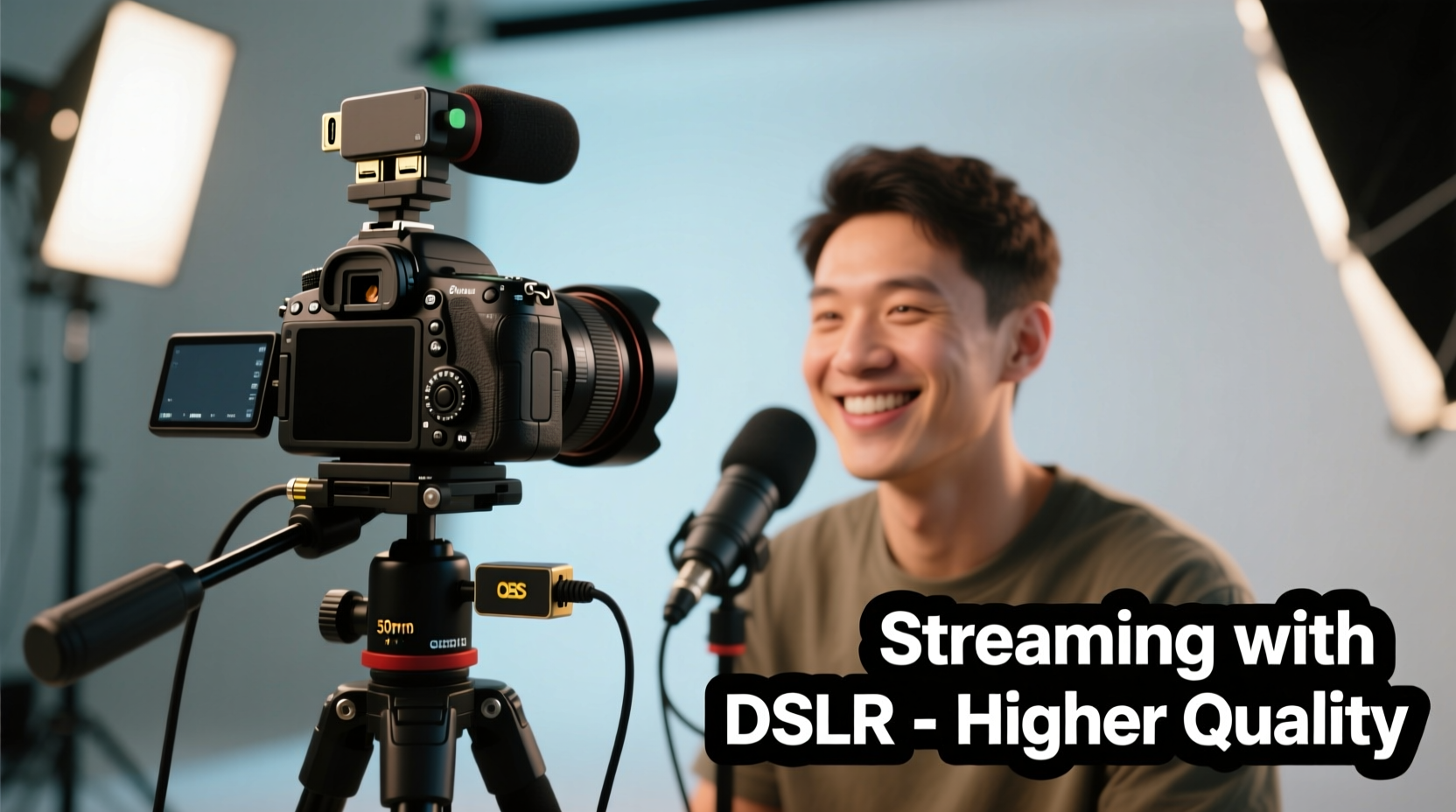
Most entry-level streamers begin with built-in laptop cameras or plug-and-play USB webcams. While these are convenient and often sufficient for casual use, they come with limitations: small sensors, fixed focus, limited dynamic range, and rigid positioning. In contrast, DSLR (Digital Single-Lens Reflex) cameras offer larger image sensors, interchangeable lenses, manual control over exposure settings, and superior low-light performance—all of which contribute to richer, more cinematic visuals.
A DSLR allows you to achieve shallow depth of field, natural color reproduction, and crisp detail that webcams simply can’t match. This isn’t just about looking “better”—it’s about conveying professionalism, building viewer trust, and standing out in crowded digital spaces.
“Switching from a webcam to a DSLR was the single biggest upgrade to my streaming setup. Viewers immediately noticed the difference in clarity and lighting.” — Jordan Lee, Tech Educator & Streamer
How to Use a DSLR for Streaming: Step-by-Step Setup
Using a DSLR as a live video source requires bridging the gap between traditional photography gear and real-time broadcasting software. Here’s how to do it properly:
- Choose a compatible DSLR model. Not all DSLRs support clean HDMI output or continuous live view without time limits. Models like the Canon EOS Rebel T7i, Sony Alpha a6400 (technically mirrorless, but similar workflow), or Nikon D5600 are popular among streamers due to their reliable clean HDMI feed.
- Obtain a USB capture device. Since DSLRs don’t connect directly to streaming software like OBS or Streamlabs, you’ll need a capture card such as the Elgato Cam Link 4K. Connect the camera’s HDMI port to the capture card, then plug the card into your computer via USB.
- Set the camera to clean HDMI output mode. Disable on-screen menus, histograms, and battery indicators in your camera settings to ensure a clean video feed.
- Power the camera externally. Most DSLRs shut down after 30 minutes due to overheating or power-saving modes. Use an AC adapter or dummy battery to keep the camera running indefinitely.
- Configure your streaming software. In OBS Studio, add a new video capture device source and select your capture card as the input. Adjust resolution and frame rate to match your camera’s output (typically 1080p at 30fps or 60fps).
- Focus and exposure settings. Set your lens to manual focus to avoid hunting during streams. Use aperture priority or manual mode to lock exposure and prevent flickering under artificial lighting.
Video Quality Comparison: DSLR vs. Webcam
The difference in image quality between a mid-tier webcam and a capable DSLR is substantial. Below is a breakdown of key technical factors:
| Feature | DSLR Camera | Standard Webcam |
|---|---|---|
| Sensor Size | APS-C or Full Frame (~22mm x 14mm) | 1/3\" or smaller (~4.8mm x 3.6mm) |
| Dynamic Range | 12+ stops (handles highlights/shadows better) | 6–8 stops (washes out in bright scenes) |
| Low Light Performance | Excellent with wide apertures (f/1.8) | Poor; noisy above ISO 800 |
| Depth of Field Control | Yes (creamy background blur) | No (everything in focus) |
| Color Accuracy | Adjustable white balance, RAW options | Auto-only, limited tuning |
| Setup Complexity | Moderate to high (capture card, power, cabling) | Plug-and-play |
The larger sensor in a DSLR captures more light and detail, enabling richer skin tones, accurate color grading, and reduced noise in dim environments. Combined with fast prime lenses, you can create a studio-quality look that mimics professional broadcast setups.
Real-World Example: From Bedroom Streamer to Professional Creator
Take the case of Maya Tran, a language tutor who started hosting free Spanish lessons on Twitch during the pandemic. Initially using a $70 webcam, her videos looked flat and unengaging. After receiving feedback about poor lighting and lack of presence, she invested in a used Canon EOS 80D, a 35mm f/1.8 lens, and a Cam Link 4K.
Within two weeks of switching, her average viewer retention increased by 42%. Students commented on her improved visibility and the calming effect of the blurred bookshelf background. More importantly, institutions began reaching out to collaborate. “It wasn’t just about looking better,” Maya said. “It was about being taken seriously. The DSLR made me feel like a real educator, not just someone talking into a laptop.”
Challenges and Limitations of Using a DSLR for Streaming
Despite the advantages, DSLRs aren’t perfect for every streaming scenario. Understanding the drawbacks ensures you make an informed decision:
- Bulky setup: DSLRs require tripods, cables, capture cards, and external power. This limits mobility and complicates multi-camera arrangements.
- No internal recording during stream: If you're using HDMI output, many DSLRs disable internal recording. You must rely on your PC to record the stream.
- Limited autofocus reliability: While manual focus is preferred, it’s not ideal for dynamic movements. Some newer hybrid models handle eye-tracking better than older DSLRs.
- Heat and battery issues: Prolonged streaming can cause overheating. Older models may shut down unexpectedly without proper cooling or power solutions.
- Higher learning curve: Adjusting shutter speed, ISO, and aperture for consistent exposure takes practice, especially under mixed lighting.
Additionally, while DSLRs excel in video quality, they typically lack built-in microphones suitable for professional audio. You’ll still need an external microphone—such as a shotgun mic or XLR setup—for clear sound.
Checklist: Is Your DSLR Ready for Streaming?
Before going live, verify the following:
- ✅ Camera supports clean HDMI output
- ✅ Capture card is connected and recognized by your computer
- ✅ External power source is connected (no battery drain)
- ✅ Lens is set to manual focus
- ✅ Exposure settings are locked (manual or aperture priority)
- ✅ White balance is set appropriately (avoid auto drift)
- ✅ Audio levels are balanced (camera mic off, external mic active)
- ✅ Test stream completed with no lag or dropouts
Frequently Asked Questions
Can any DSLR be used for streaming?
No—not all DSLRs support clean HDMI output or continuous live view. Older or budget models may cut off after 30 minutes or overlay menus on the signal. Check your camera’s manual or online forums to confirm compatibility.
Do I need a mirrorless camera instead of a DSLR?
Mirrorless cameras often perform better for video due to faster autofocus, lighter bodies, and superior live view systems. However, many DSLRs remain excellent choices, especially if you already own one. The core advantage—large sensor and lens flexibility—is shared between both types.
Will using a DSLR reduce my computer’s performance?
The camera itself doesn’t load your CPU, but the capture card sends a high-bitrate video stream that your streaming software must process. Ensure your PC has a modern USB 3.0+ port and sufficient GPU/CPU resources to handle encoding, especially if running games or overlays simultaneously.
Final Verdict: Is It Worth It?
For creators serious about their craft, upgrading to a DSLR for streaming is absolutely worth considering. The improvement in image quality—from sharper details to cinematic depth—is undeniable. Viewers respond positively to professional visuals, often perceiving higher credibility and engagement.
However, this upgrade makes the most sense when paired with other foundational improvements: good lighting (softbox or ring lights), clear audio (XLR or USB mics), and a stable internet connection. A DSLR won’t fix poor lighting or muffled speech—it amplifies what’s already there.
If you’re aiming to grow an audience, monetize content, or represent a brand, the investment pays off quickly. But if you're streaming casually or mobile setups are essential, a high-end webcam like the Logitech Brio or Razer Kiyo Pro might offer a better balance of quality and convenience.
“The best camera is the one you use consistently. But once you experience the leap in quality from a DSLR, you’ll wonder why you waited so long.” — Derek Wu, Broadcast Engineer
Start Smarter, Stream Better
Upgrading your streaming setup doesn’t have to happen overnight. Begin by testing your current DSLR—if you own one—with a borrowed capture card. See how it integrates with your workflow. When done right, a DSLR transforms your stream from functional to exceptional. It's not just about pixels or resolution; it's about presence, clarity, and connection.




 浙公网安备
33010002000092号
浙公网安备
33010002000092号 浙B2-20120091-4
Comments
No comments yet. Why don't you start the discussion?