
In today’s hyper-connected world, even a brief internet outage can disrupt work, communication, and entertainment. When the lights flicker or the power cuts out unexpectedly, having a reliable backup solution becomes essential. While traditional uninterruptible power supplies (UPS) are designed specifically for this purpose, many people are turning to portable power stations as an alternative. But can you actually use a portable power station as a UPS for your router? The short answer is yes—under the right conditions. However, understanding how, when, and why this works requires a closer look at both technologies and their compatibility.
Understanding the Role of a UPS
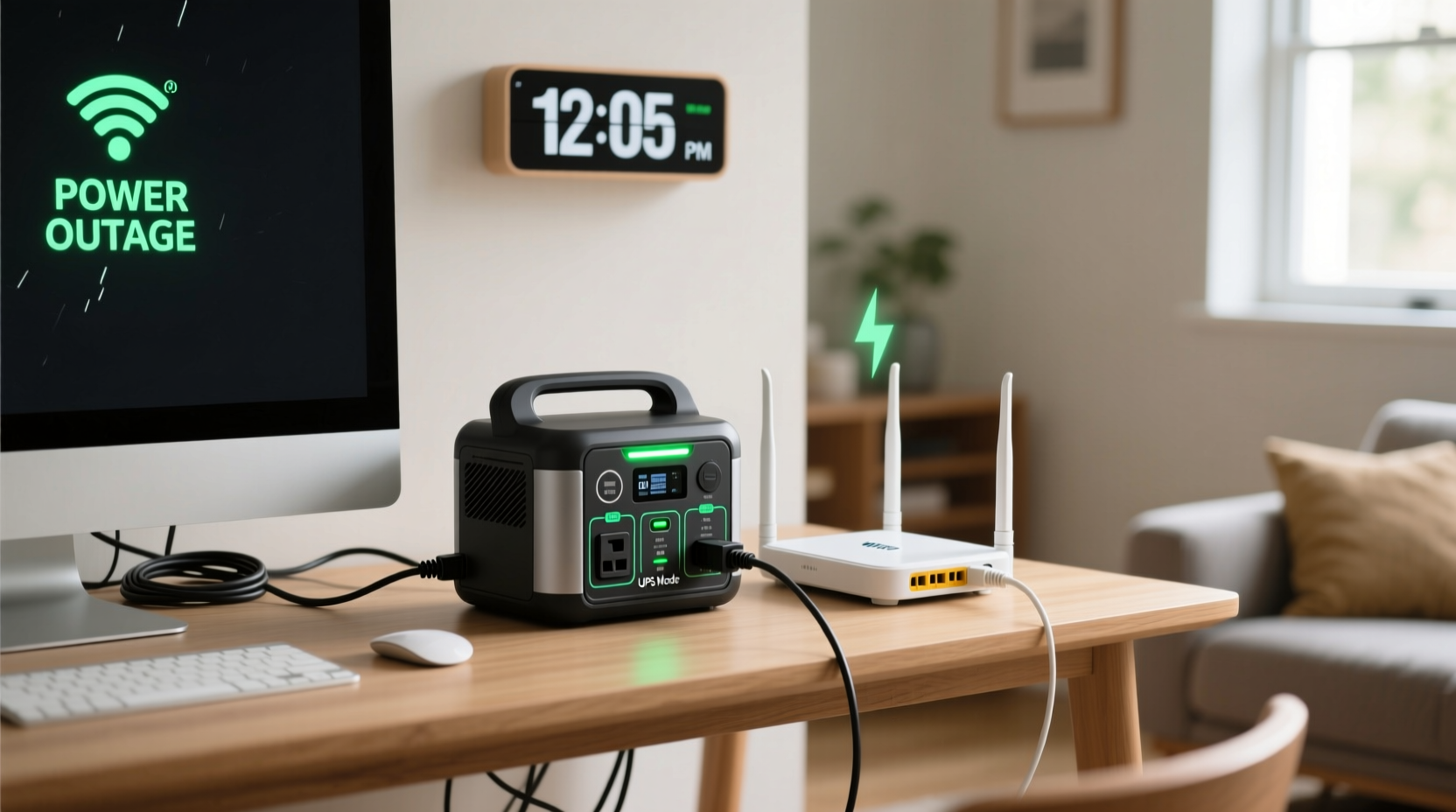
A standard UPS serves two primary functions: providing immediate power during an outage and protecting connected devices from voltage spikes, surges, and brownouts. For sensitive electronics like routers, modems, and networking gear, this protection is crucial. A typical home UPS offers enough runtime—usually 30 minutes to several hours—to either ride through a short blackout or allow time for a safe shutdown of critical systems.
Most UPS units operate by continuously charging an internal battery while simultaneously powering connected devices. When the main power fails, the unit switches seamlessly to battery mode within milliseconds, ensuring no interruption in service. This seamless transition is vital for maintaining network uptime, especially if you rely on VoIP phones, remote access, or smart home automation.
How Portable Power Stations Work
Portable power stations are essentially large-capacity lithium-ion batteries with built-in inverters that convert DC power into AC electricity. They’re designed for off-grid use, emergency backup, camping, or powering tools and appliances during outages. Unlike a traditional UPS, they don’t typically provide line-interactive or online double-conversion power conditioning. Instead, they offer clean sine wave output (in higher-end models) and multiple outlets, including USB ports, which makes them versatile for various electronics.
Many modern portable power stations include features such as pass-through charging, low-voltage cutoffs, surge protection, and LCD displays showing input/output wattage, remaining charge, and estimated runtime. These capabilities make them more than just mobile batteries—they can function as temporary home backup systems.
Key Differences Between a UPS and a Portable Power Station
While both devices store energy and deliver it during outages, their design goals differ significantly:
- Switch-over Time: A true UPS switches to battery power almost instantly (within 2–10 milliseconds). Most portable power stations lack automatic transfer switching, meaning there's often a brief gap—sometimes up to several seconds—when power is lost before the station begins supplying electricity.
- Power Conditioning: UPS units filter incoming power and regulate voltage. Portable power stations usually don’t condition power unless explicitly stated; they simply supply stored energy.
- Runtime & Efficiency: Smaller UPS units are optimized for low-power devices over extended periods. Portable stations may have larger capacities but aren't always efficient at delivering small loads consistently due to idle consumption or minimum startup thresholds.
- Portability vs. Permanence: UPS units are meant to stay plugged in and protect specific equipment. Portable stations are designed for mobility and occasional use.
“While not engineered as direct replacements, high-quality portable power stations can effectively serve as makeshift UPS solutions for low-draw devices like routers—if configured correctly.” — David Lin, Electrical Systems Engineer
Using a Portable Power Station as a UPS: Is It Feasible?
The feasibility depends on three factors: compatibility, configuration, and expectations.
Routers consume very little power—typically between 5 and 15 watts. Even a modest 300Wh portable power station can theoretically run a 10W router for around 20–25 hours, accounting for efficiency losses. That kind of endurance surpasses most entry-level UPS units. However, the real challenge lies in the switch-over delay.
If your power station doesn’t support “instant-on” or zero-transfer-time operation, your router will reboot when the grid fails. This causes a temporary loss of internet connectivity, defeats the purpose of uninterrupted service, and could interfere with ongoing downloads, video calls, or security monitoring systems.
Models That Support True UPS Functionality
Some manufacturers now include UPS-like behavior in their devices. Examples include:
- Jackery Explorer 2000 Pro: Features an “AC Auto-Restart” function that resumes power delivery in under 2 seconds after a blackout.
- EcoFlow Delta 2 / Delta 2 Max: Offers a dedicated \"UPS Mode\" that activates in 30ms, suitable for sensitive electronics.
- Bluetti AC180: Supports \"Uninterruptible Power Supply Mode\" with sub-20ms switchover time.
These models bridge the gap between consumer-grade power banks and professional-grade UPS systems, making them viable options for home networking setups.
Step-by-Step Guide to Setting Up Your Router with a Portable Power Station
If you’ve confirmed your power station supports fast switchover or UPS mode, follow this process to integrate it with your router setup:
- Check Your Router’s Power Requirements: Find the wattage rating on the power adapter (e.g., 12V ⎓ 1A = 12W).
- Select a Compatible Power Station: Choose one with at least 20% more capacity than needed. For example, a 10W router should ideally be paired with a 200Wh+ station.
- Enable UPS Mode (If Available): Access the settings menu via buttons or app and turn on UPS/backup mode.
- Plug in the Router: Use the AC outlet on the power station. Avoid daisy-chaining with extension cords.
- Connect the Power Station to Mains: Keep it plugged into wall power so it remains charged during normal operation.
- Test the Failover: Simulate a power cut by unplugging the station. Observe whether the router stays online or reboots.
- Monitor Runtime: Note how long the station lasts under load and plan accordingly for future outages.
Alternative: Using a DC Connection (More Efficient)
Many routers accept 12V DC input. If your power station has regulated 12V DC outputs (such as automotive sockets or Anderson connectors), you can bypass the AC inverter entirely. This reduces energy loss by up to 10–15%, extends runtime, and avoids potential waveform issues.
To do this:
- Verify voltage compatibility between the power station’s DC port and your router.
- Use a properly fused cable with correct polarity.
- Ensure stable output—some stations only provide DC when actively discharging.
Do’s and Don’ts: Best Practices Summary
| Do | Don't |
|---|---|
| Use a model with confirmed UPS/battery backup mode | Assume all power stations switch instantly during outages |
| Keep the station charged and connected to mains | Let the battery drain completely before recharging regularly |
| Pair with a surge protector for added safety | Run high-wattage devices alongside your router without checking total load |
| Optimize placement near your router and modem | Place in humid or dusty environments without ventilation |
| Test the system monthly to ensure responsiveness | Ignore firmware updates that may improve UPS performance |
Real-World Example: Home Office Setup During Storm Season
Consider Sarah, a freelance graphic designer living in Florida, where summer thunderstorms frequently knock out power. She relies on stable internet for client meetings and file uploads. Her ISP-provided modem-router combo draws about 14W. After experiencing repeated disconnections during storms, she researched alternatives to her aging UPS.
She purchased an EcoFlow Delta 2 Max and enabled its UPS Mode. She connected both her router and external hard drive used for backups. During the next outage, the transition was seamless—the router never rebooted, and her Zoom call continued uninterrupted. With the station fully charged, she maintained connectivity for nearly 28 hours. The investment paid off not just in reliability but also peace of mind.
Frequently Asked Questions
Will using a portable power station damage my router?
No, not if the station delivers clean sine wave AC power and operates within the correct voltage range. Avoid modified sine wave models, as they can cause overheating or interference in sensitive electronics.
How long will a portable power station run my router?
Estimate runtime using this formula: (Battery Capacity in Wh × 0.85) ÷ Router Wattage. For example, a 288Wh station running a 12W router: (288 × 0.85) ÷ 12 ≈ 20.4 hours. Actual results vary based on age, temperature, and discharge rate.
Can I leave a portable power station plugged in all the time?
Yes, most modern units are designed for continuous charging and include battery management systems to prevent overcharging. However, check your manufacturer’s guidelines—some recommend periodic full discharges or storage at partial charge levels (e.g., 50–80%) for longevity.
Final Checklist Before You Deploy
- ✅ Confirm your power station supports UPS or fast auto-restart mode
- ✅ Calculate your router’s actual power draw
- ✅ Test failover response time with a controlled power disconnect
- ✅ Use surge protection between the wall and the station
- ✅ Label cables and keep documentation accessible
- ✅ Schedule quarterly tests to verify functionality
Conclusion: A Practical Alternative with Caveats
Yes, you can use a portable power station as a UPS for your router—but only if it supports rapid switchover and is properly configured. While traditional UPS units remain the gold standard for guaranteed seamless operation, advancements in portable power technology have made certain models excellent substitutes, especially for users who want multifunctional backup systems.
The key is choosing wisely. Prioritize units with documented UPS modes, clean power output, and responsive customer support. Once set up, this solution not only keeps your internet alive during blackouts but also prepares you for emergencies beyond just networking needs—like charging phones, running lights, or powering medical devices.




 浙公网安备
33010002000092号
浙公网安备
33010002000092号 浙B2-20120091-4
Comments
No comments yet. Why don't you start the discussion?