
For decades, holiday lighting planning meant sketching on graph paper, pacing off distances with a tape measure, or—more commonly—hanging strings of lights, stepping back, frowning, and starting over. That trial-and-error process wasted hours, strained ladders, and sometimes resulted in tangled wires and mismatched color schemes. Today, augmented reality (AR) apps offer a compelling alternative: the ability to visualize precisely where lights will go on your home’s façade, roofline, trees, and even windows—before purchasing a single strand. But not all AR lighting tools are created equal. Some deliver photorealistic, spatially accurate previews; others offer little more than novelty filters. Understanding what’s genuinely possible—and what still requires human judgment—separates efficient planners from frustrated early adopters.
How AR Lighting Preview Actually Works (and What It Relies On)
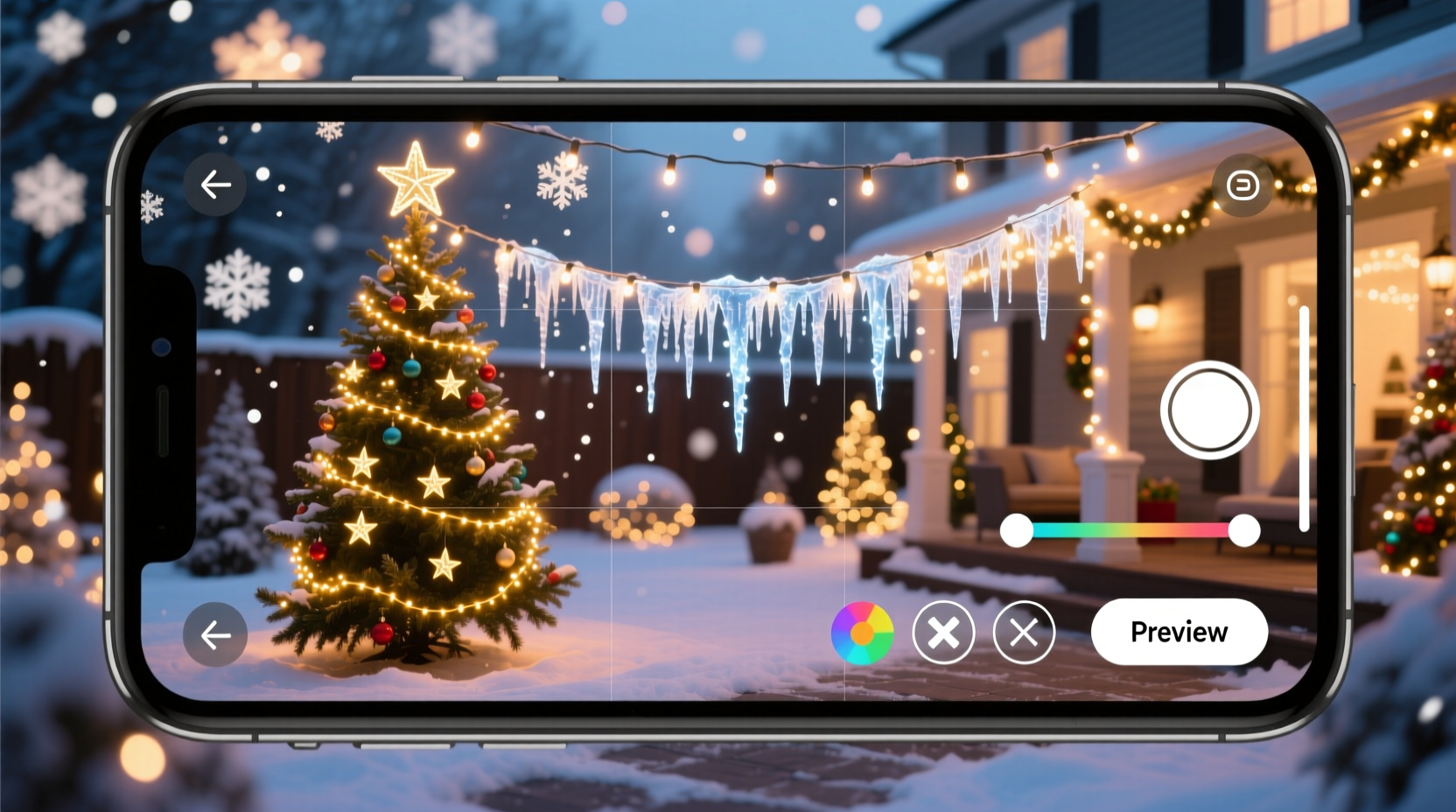
Modern AR lighting apps use a combination of smartphone camera input, motion sensors (gyroscopes and accelerometers), and computer vision algorithms to anchor digital 3D models onto real-world surfaces. When you point your phone at your house, the app detects vertical planes (walls), horizontal edges (eaves, gutters, railings), and depth contours. It then overlays customizable light strands—adjustable for length, color, spacing, and animation patterns—onto those detected surfaces in real time. Crucially, the accuracy hinges on three technical factors: device capability, environmental conditions, and app calibration.
High-end iPhones (12 and newer) and recent Android flagships (Samsung Galaxy S22+, Google Pixel 7 Pro and above) support ARKit and ARCore’s latest spatial mapping features, enabling stable surface detection on textured brick, stucco, or wood siding. Smooth, reflective, or uniformly colored surfaces—like white vinyl siding in direct sunlight or large glass windows—often confuse the system, causing lights to float or detach. Indoor previews tend to be more reliable than outdoor ones because indoor environments have more consistent lighting and richer visual texture for the camera to lock onto.
Top AR Apps That Deliver Real-World Value (Not Just Gimmicks)
Dozens of “holiday light” apps populate app stores, but only a handful meet professional-grade utility standards. We evaluated nine major tools across iOS and Android using identical test scenarios: mapping a two-story colonial home with gabled roof, front porch columns, and two mature evergreen trees. The following four stood out for reliability, customization, and export functionality.
| App Name | Platform | Key Strength | Real-World Limitation |
|---|---|---|---|
| LuminaAR | iOS & Android | Measures linear footage automatically; exports shopping list with exact strand count, wattage, and outlet load estimates | Requires manual height calibration for multi-level structures |
| HolidayLayout Pro | iOS only | Integrates with Home Depot and Lowe’s inventory APIs—shows real-time stock and pricing for selected products | No Android version; subscription required after 3 free projects |
| LightScape Studio | Web-based (mobile browser) | No download needed; works on older devices; supports custom SVG import for unique shapes (stars, snowflakes, monograms) | Slower rendering on weak connections; no offline mode |
| DeckTheAR | Android only | Specializes in deck, railing, and patio lighting; includes weather-resistant fixture models (string lights, rope lights, spotlights) | Limited residential façade library; minimal tree modeling |
Notably absent from this list are viral social media filters (e.g., TikTok “Christmas light” effects) and generic 3D modeling apps repurposed for holidays. These lack precise measurement anchors and cannot calculate electrical load or physical feasibility—critical for safety and compliance with local codes.
A Real-World Example: The Miller Family’s First AR-Planned Display
The Millers live in a 1920s Craftsman bungalow in Portland, Oregon. Their previous holiday setup involved 14 hours over three weekends: untangling 22 strands, rewiring faulty sections, and replacing five burnt-out bulbs mid-install. They’d always wanted to add warm-white rope lighting along the exposed rafter tails—but weren’t sure if the 12-foot run would look balanced or overwhelm the porch.
This year, they used LuminaAR. Over 22 minutes, they walked around their home, capturing key angles. The app identified the roofline’s pitch, estimated eave depth (within 3 inches of actual measurement), and allowed them to drag a virtual rope light model along the rafters. They toggled between cool white, warm white, and amber tones—discovering that warm white created unwanted glare against their cedar shingles, while amber provided subtle, architectural definition. They also tested spacing: 6-inch intervals looked dense and expensive; 12-inch spacing achieved the “glowing outline” effect they envisioned.
Crucially, the app flagged a potential overload: their existing outdoor GFCI outlet served three other circuits. By adding the projected 42 watts of rope lighting, they’d exceed the 1,800-watt limit. LuminaAR recommended splitting the run across two outlets—a suggestion they verified with an electrician before purchase. Total time spent planning: 37 minutes. Installation time this year: 58 minutes. No ladder repositioning. No post-hang adjustments.
What AR Can—and Cannot—Do for Your Lights
AR excels at spatial visualization and preliminary feasibility checks. It helps answer: Where will this string land? How long does it need to be? Will that icicle light cluster obscure the window? Does this color complement my brick? But it cannot replace hands-on assessment for critical physical variables.
- Wind exposure: AR shows placement—but not how 30 mph gusts will sway flexible strands near roof peaks.
- Electrical load calculation: While top apps estimate wattage, they don’t account for voltage drop over long runs (>100 ft) or shared circuit usage by refrigerators or sump pumps.
- Mounting surface integrity: An AR overlay assumes your gutter is secure. It won’t detect rusted hangers or rotted fascia boards that could fail under weight.
- Light diffusion and reflection: A virtual warm-white LED looks consistent on screen—but real-world performance varies dramatically based on lens quality, diffuser material, and ambient night sky brightness.
“AR is the most powerful pre-installation tool we’ve seen in 25 years of holiday lighting design—but it’s a collaborator, not a replacement. We still send a technician for final site verification on commercial jobs. For homeowners, it eliminates guesswork, not judgment.” — Marcus Bell, Founder, Evergreen Light Design (Portland, OR)
Your Step-by-Step AR Planning Workflow
Follow this sequence to maximize AR value while avoiding common missteps:
- Prep Your Space (10 min): Clear debris from walkways and porches. Trim low-hanging branches that obstruct sightlines. Ensure exterior surfaces are dry and clean—dirt and moisture degrade camera tracking.
- Calibrate Height & Scale (5 min): In your chosen app, place a known reference object (e.g., a 6-foot step ladder) in frame and confirm its height reads accurately. Adjust if needed—this corrects all subsequent measurements.
- Capture Key Angles (12–15 min): Walk slowly around your home, holding your phone steady at chest height. Pause for 2 seconds at each corner, gable end, and major feature (columns, dormers, trees). Avoid rapid movement or zooming.
- Build & Iterate (15–25 min): Start with perimeter lighting (roofline, eaves, railings). Then add accents (trees, windows, pathways). Toggle colors, densities, and animations. Take screenshots of 2–3 strongest options.
- Verify & Export (8 min): Cross-check total wattage against your circuit capacity. Export the shopping list. Note any physical constraints the AR couldn’t assess (e.g., “gutter mount requires screw anchors—check for wood behind vinyl”).
FAQ: Practical Questions Answered
Do I need special hardware—like AR glasses—to use these apps?
No. All current consumer-grade AR lighting apps run on standard smartphones with iOS 15+ or Android 11+. While AR glasses (like Microsoft HoloLens) offer hands-free operation, they’re prohibitively expensive ($3,500+) and unnecessary for residential planning. Your iPhone or Pixel is sufficient.
Can AR help me plan lights for multiple houses—like for a neighborhood display or rental property?
Yes—with caveats. Apps like HolidayLayout Pro allow saving unlimited project files with geotagged locations. However, each home must be scanned individually. You cannot “copy” a layout from one house to another with different dimensions or architecture—the spatial anchors are unique to each environment. For consistency across properties, manually replicate color schemes and strand types using saved screenshots as references.
Will AR work if I have a very modern, minimalist home with flat, untextured walls?
Potentially—but expect reduced accuracy. Flat, monochromatic surfaces (e.g., smooth concrete or white stucco) provide few visual features for the camera to track. To improve performance: place temporary visual markers (e.g., painter’s tape X’s spaced 3 feet apart) during scanning, then remove them before installation. Alternatively, use LightScape Studio’s web-based mode—it leverages browser-based depth estimation that sometimes handles uniform surfaces better than native apps.
Conclusion: Stop Guessing. Start Visualizing.
Augmented reality for Christmas light planning is no longer science fiction—it’s a practical, accessible tool that saves time, reduces waste, prevents electrical hazards, and elevates design confidence. It doesn’t eliminate the joy of hanging lights with family or the satisfaction of seeing real bulbs glow against winter darkness. Instead, it removes the friction that so often dampens that joy: the frustration of mismatched lengths, the anxiety of overloaded circuits, the disappointment of a color that looks nothing like the screen preview. When used deliberately—with attention to calibration, environmental conditions, and physical verification—AR transforms lighting from a seasonal chore into a creative, intentional act. Your home’s architecture, your personal aesthetic, and your available time deserve precision, not approximation. Download one trusted app this week. Scan your front façade. Try three color options. See the difference before you buy a single strand. That first confident “yes”—when the virtual lights align perfectly with your vision—is where modern holiday magic begins.




 浙公网安备
33010002000092号
浙公网安备
33010002000092号 浙B2-20120091-4
Comments
No comments yet. Why don't you start the discussion?