
Modern smartphones have transformed the way we navigate the world. Whether hiking remote trails, driving through unfamiliar towns, or simply trying not to get lost on a weekend getaway, GPS has become an indispensable tool. But what happens when there’s no internet connection? Can your phone still pinpoint your location accurately? The short answer is yes—your phone can use GPS without an internet connection. However, understanding how it works, its limitations, and its real-world accuracy is essential for reliable navigation.
GPS functionality doesn’t inherently require data or Wi-Fi. It operates using signals from a network of satellites orbiting Earth. But while the core positioning system works offline, many features people associate with GPS—like turn-by-turn directions or live traffic updates—do depend on internet access. This article explores the mechanics behind standalone GPS, evaluates its accuracy, and provides practical guidance for using it effectively when you're off the grid.
How Phone GPS Works Without Internet
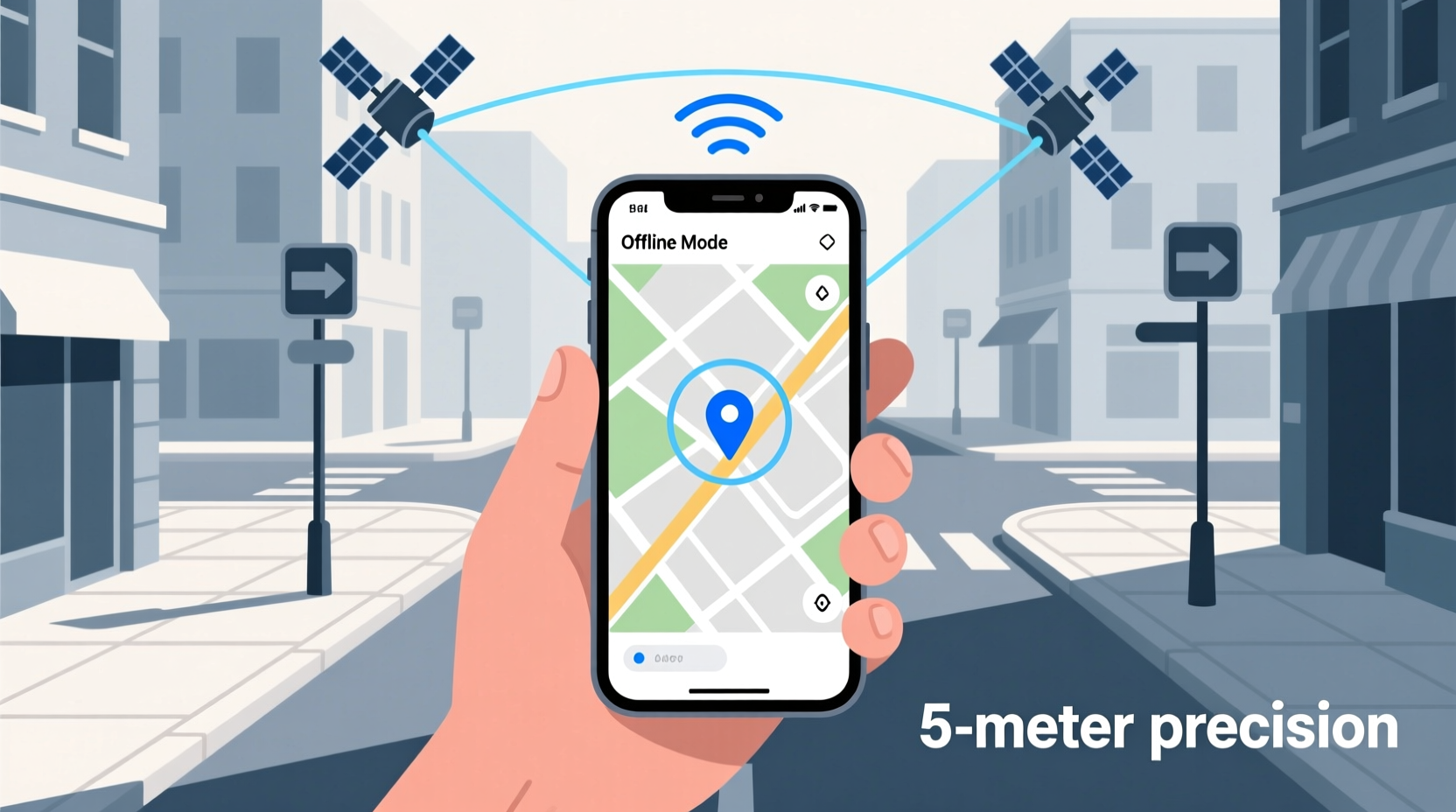
Global Positioning System (GPS) technology relies on a constellation of at least 24 satellites operated by the U.S. Space Force. Your smartphone contains a GPS receiver that communicates directly with these satellites using radio signals. By measuring the time it takes for signals to travel from multiple satellites to your device, the phone calculates your precise position through a process called trilateration.
This entire process occurs independently of cellular data or Wi-Fi. That means even in airplane mode—with all wireless connections disabled—your phone can still receive satellite signals and determine your geographic coordinates, provided the GPS chip is active and has a clear view of the sky.
However, raw GPS data only gives latitude, longitude, and elevation. To make this useful, your phone needs a map. If maps are pre-downloaded or stored locally, you can overlay your position onto them and navigate effectively. Apps like Google Maps, Apple Maps, and specialized tools such as Gaia GPS or OsmAnd allow users to download regional maps for offline use.
Accuracy of Offline GPS: What to Expect
The accuracy of GPS without internet varies based on several factors, but under ideal conditions, modern smartphones can achieve a horizontal accuracy within 3 to 5 meters (about 10–16 feet). In less favorable environments—such as dense forests, urban canyons, or mountainous terrain—accuracy may degrade to 10 meters or more.
Assisted GPS (A-GPS), which uses internet data to speed up satellite acquisition and improve location lock times, is unavailable offline. As a result, the initial fix might take longer—anywhere from 30 seconds to several minutes—if the phone hasn’t recently connected to GPS satellites.
Once locked, however, standalone GPS remains remarkably consistent. Devices equipped with newer chipsets (like those supporting dual-frequency GNSS) offer improved precision, especially in challenging signal conditions. These advancements help reduce multipath errors—signals bouncing off buildings or terrain—that often distort readings.
“Standalone GPS is highly reliable for outdoor navigation. While A-GPS enhances startup performance, the core system functions robustly without any network dependency.” — Dr. Lena Torres, Geospatial Systems Engineer
Factors Influencing GPS Accuracy Offline
- Sky visibility: Obstructions like trees, tunnels, or tall buildings block satellite signals.
- Device quality: Higher-end phones often feature better antennas and support for additional satellite networks (GLONASS, Galileo, BeiDou).
- Signal interference: Electromagnetic noise from power lines or electronic devices can disrupt reception.
- Cold vs. warm start: A cold start (first use after long shutdown) requires more time to acquire satellites than a warm start.
Offline Navigation: Practical Tips and Tools
Navigating without internet isn’t just possible—it’s practical with the right preparation. Whether you’re backpacking in national parks or traveling abroad where data plans are costly, offline GPS navigation can be both effective and empowering.
The key lies in preparation. Simply relying on your phone’s built-in GPS isn’t enough; you need compatible software and downloaded resources. Here’s how to set up your device for seamless offline navigation.
Step-by-Step Guide to Setting Up Offline GPS Navigation
- Choose a navigation app: Select one that supports offline maps. Recommended options include:
- Google Maps (limited offline routing)
- OsmAnd (open-source, highly customizable)
- Gaia GPS (ideal for hikers and off-roaders)
- Apple Maps (iOS 17+ allows limited offline downloads)
- Download maps in advance: While connected to Wi-Fi, open the app and download maps for the regions you plan to visit. Include buffer zones around your intended route.
- Enable high-accuracy mode: On Android, go to Location settings and select “High accuracy” to use GPS, Wi-Fi, and Bluetooth. On iOS, ensure Location Services are enabled for your navigation app.
- Conserve battery: GPS usage drains power quickly. Carry a portable charger or enable battery-saving modes during extended trips.
- Test before departure: Simulate offline conditions by turning off data and Wi-Fi. Verify that your app displays your current location correctly.
Comparison of Popular Offline GPS Apps
| App | Offline Maps | Routing Without Internet | Topo & Trail Support | Pricing Model |
|---|---|---|---|---|
| Google Maps | Yes (basic streets only) | Limited turn-by-turn | No | Free |
| OsmAnd | Yes (detailed, customizable) | Full pedestrian & vehicle routing | Yes (via plugins) | Freemium (one-time purchase for full features) |
| Gaia GPS | Yes (including satellite imagery) | Full off-grid routing | Yes (extensive trail databases) | Subscription-based ($39.99/year) |
| Apple Maps | Yes (partial, new feature) | Basic navigation | No | Free |
For serious outdoor enthusiasts, apps like OsmAnd and Gaia GPS offer superior functionality, including topographic layers, waypoint marking, and custom track recording—all usable offline. Google Maps remains a solid choice for casual urban navigation, though its offline capabilities are more constrained.
Real-World Example: Hiking the Appalachian Trail
Consider Sarah, an experienced hiker planning a multi-day trek along a remote section of the Appalachian Trail in Virginia. Cell service is spotty, and she wants to avoid relying on unpredictable connections. Before leaving, she downloads detailed offline maps using OsmAnd, including contour lines and water source markers.
On the trail, her phone loses all cellular signal within the first mile. Yet, thanks to preloaded maps and active GPS, she continues navigating confidently. She marks her campsite each evening as a waypoint and checks elevation profiles against her planned route. When a side trail appears unmarked, she consults her topo layer to confirm it leads uphill away from her destination and stays on course.
In this scenario, standalone GPS proves not only functional but critical. Without internet, her phone maintains location accuracy within 4–6 meters throughout the journey, enabling safe and informed decisions despite total disconnection from networks.
Common Misconceptions About GPS and Internet
Many users assume GPS and internet are intrinsically linked because most navigation experiences involve online services. This leads to confusion when connectivity drops. Below are some clarifying points:
- Myth: No internet = no GPS.
Reality: GPS runs independently; only map rendering and search functions typically require data. - Myth: Airplane mode disables GPS.
Reality: While airplane mode turns off cellular and Wi-Fi, GPS can remain active if manually enabled (varies by device). - Myth: All location services need data.
Reality: Network-based location (using cell towers and Wi-Fi) does, but satellite-based GPS does not.
Understanding these distinctions empowers users to leverage their devices more effectively in low-connectivity environments.
Frequently Asked Questions
Can I track my location history without internet?
Yes. If your phone’s location logging is enabled, it can record your GPS-derived path even without internet. This data syncs to your account once connectivity is restored. Both Android and iOS maintain offline location logs for features like Timeline or Significant Locations.
Does GPS work indoors?
Generally, no. GPS requires line-of-sight to satellites, which walls, roofs, and concrete structures block. Indoor positioning relies on Wi-Fi triangulation or Bluetooth beacons—both requiring either local network access or prior scanning data. Standalone GPS fails indoors.
How long does it take to get a GPS fix offline?
A warm start (recent satellite contact) usually takes 15–30 seconds. A cold start may require 1–5 minutes, depending on device sensitivity and sky visibility. Assisted GPS reduces this significantly—but only with internet.
Checklist: Preparing Your Phone for Offline GPS Use
- ✅ Install a reliable offline navigation app (OsmAnd, Gaia GPS, etc.)
- ✅ Download maps for your destination and surrounding areas
- ✅ Enable high-accuracy location mode
- ✅ Test GPS functionality in airplane mode before departure
- ✅ Charge your battery fully and pack a power bank
- ✅ Mark key waypoints (campgrounds, trailheads, emergency exits)
- ✅ Inform someone of your route and expected return time
Final Thoughts and Recommendations
Using your phone’s GPS without internet is not only feasible but often sufficient for accurate navigation in most outdoor and rural settings. With proper preparation—downloading maps, choosing the right app, and understanding your device’s limitations—you can confidently explore disconnected environments.
While offline GPS lacks real-time updates like traffic rerouting or business searches, its core function—determining your exact position on Earth—remains robust. For travelers, adventurers, and emergency preparedness planners, mastering offline GPS is a valuable skill.
Don’t wait until you’re lost to learn how your phone navigates without data. Take time now to configure your device, test its performance, and build confidence in its capabilities. The next time you venture beyond cell towers, you’ll be ready—not just to survive, but to navigate with precision.




 浙公网安备
33010002000092号
浙公网安备
33010002000092号 浙B2-20120091-4
Comments
No comments yet. Why don't you start the discussion?