
Modern holiday lighting has evolved far beyond strings of red and green bulbs. With the rise of smart home technology, homeowners now have unprecedented control over their Christmas light displays — including the ability to craft custom color schemes down to the exact hue, brightness, and animation. At the heart of this transformation are RGB smart bulbs, which allow users to mix red, green, and blue light in varying intensities to produce millions of colors. The short answer is yes: you absolutely can use RGB smart bulbs to create custom Christmas light colors. But how effective are they? What setup do you need? And what creative possibilities do they unlock? This guide explores everything from technical requirements to real-world applications, helping you design a holiday display that’s as unique as your home.
How RGB Smart Bulbs Work for Holiday Lighting
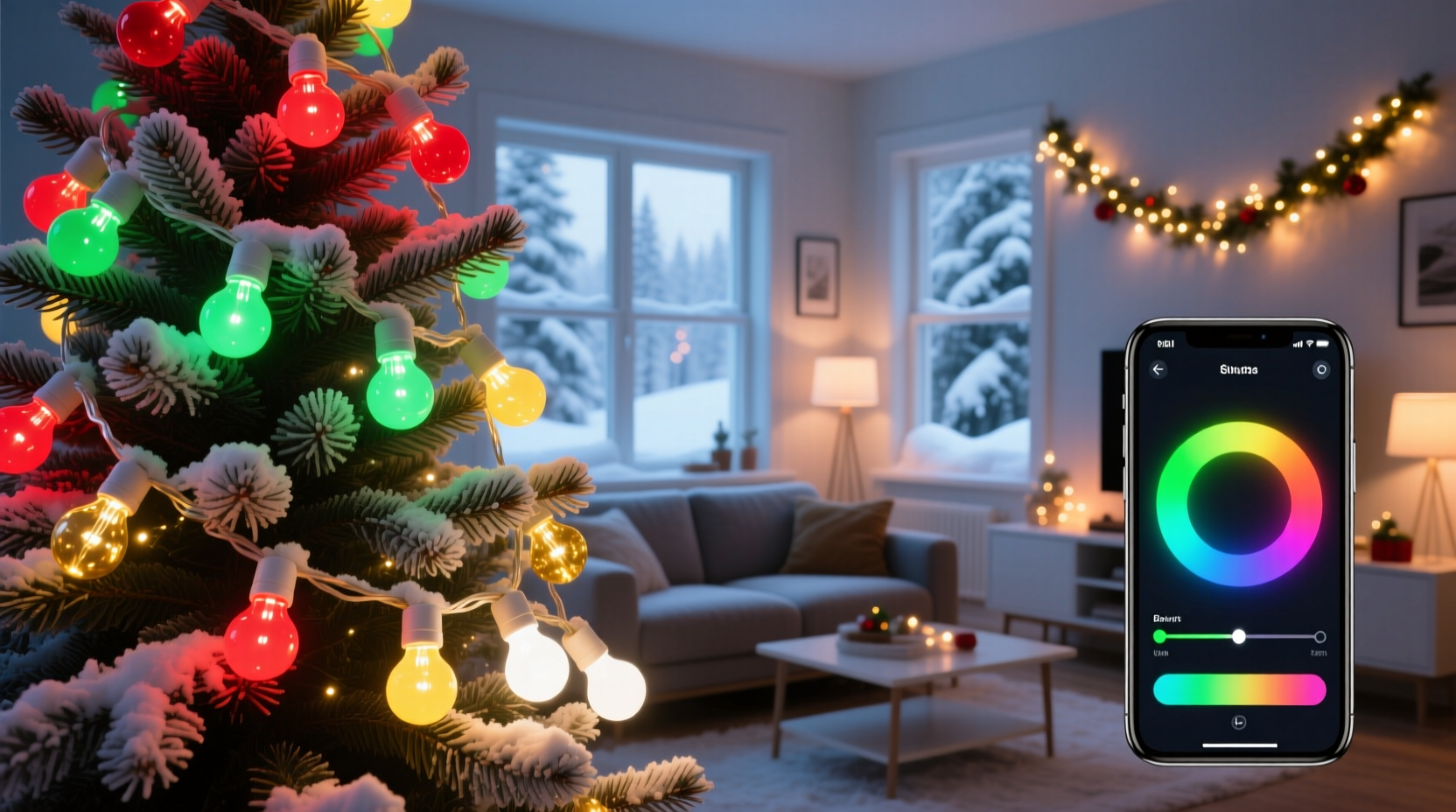
RGB stands for Red, Green, Blue — the three primary colors of light. By adjusting the intensity of each color channel within a single bulb, smart LEDs can blend to produce a wide spectrum of colors. Unlike traditional incandescent Christmas lights that are fixed in one shade, RGB smart bulbs are dynamic. They connect to your home Wi-Fi or via Bluetooth and are controlled through smartphone apps, voice assistants, or automation platforms like Google Home, Amazon Alexa, or Apple HomeKit.
These bulbs typically come in standard base sizes (like E12 candelabra or E26 medium) and are available in string light formats designed specifically for outdoor or indoor holiday decoration. Some systems use individual addressable LEDs, meaning each bulb on the strand can be programmed independently. This allows for complex animations such as color waves, chases, and patterns that move across the string.
The key advantage for holiday use is customization. Instead of buying multiple sets of colored lights, you can program one set of RGB bulbs to display any combination you want — classic red-and-green, icy blue-and-white winter themes, patriotic red-white-blue, or even animated rainbow sequences timed to music.
Setting Up Your Custom Christmas Light Display
Creating a personalized holiday lighting scheme with RGB smart bulbs involves more than just plugging them in. A thoughtful setup ensures reliability, ease of control, and visual impact. Here's how to get started:
- Choose the Right Bulb Type: For Christmas lights, opt for string lights with shatterproof plastic bulbs in warm finishes. Ensure they’re rated for outdoor use if decorating exteriors.
- Check Compatibility: Verify that the bulbs work with your preferred ecosystem (e.g., Philips Hue, LIFX, TP-Link Kasa, or proprietary apps).
- Ensure Strong Wi-Fi Coverage: Outdoor setups may require a Wi-Fi extender or mesh node nearby to maintain stable connections.
- Use Weatherproof Connectors: Even if bulbs are waterproof, protect plug connections with insulated covers to prevent shorts.
- Plan Power Sources: Most smart light strings still need access to an outlet. Use outdoor-rated extension cords if necessary.
Once installed, pair the lights with their companion app. You’ll usually scan a QR code or enter setup mode by toggling power in a specific pattern. After pairing, assign the lights to a room or zone (e.g., “Front Porch” or “Tree Lights”) for easier management later.
Step-by-Step Guide to Programming Custom Colors
After physical installation, it’s time to customize your palette. Follow these steps:
- Open the lighting app (e.g., Kasa, Wiz, or Hue).
- Select the light strip or group you wish to configure.
- Navigate to the color picker tool — usually represented by a wheel or gradient slider.
- Tap or drag to select your desired hue. For example, a deep crimson (#DC143C) for vintage red or a soft gold (#FFD700) for elegance.
- Adjust brightness (recommended between 50–80% for outdoor visibility without glare).
- Save the setting as a preset (e.g., “Classic Christmas” or “Winter Wonderland”).
- Create schedules or automations (e.g., turn on at sunset, off at 11 PM).
For advanced effects, use scene modes that cycle through colors, pulse with sound, or respond to motion. Some apps even let you sync lights to music — ideal for driveway displays that entertain neighbors.
Real Example: A Neighborhood-Favorite Light Show
In suburban Denver, Mark T., a software engineer and DIY enthusiast, replaced his old Christmas lights with addressable RGB LED strings connected to a central controller via Wi-Fi. He used 12 strands totaling over 300 bulbs, arranged along rooflines, trees, and walkways.
Using the LIFX app, he programmed five distinct scenes: traditional holiday (red/green), snowy night (blues and whites), festive sparkle (random twinkles), Hanukkah tribute (blue and white), and New Year’s countdown (gold and silver pulses). Each scene could be activated remotely or triggered automatically based on date and time.
He also integrated voice commands so his kids could say, “Alexa, turn on the reindeer runway,” to activate a shimmering path of white lights leading to the front door. Neighbors began referring to his house as “the magic house,” and local news even featured his display during the holiday season.
This example illustrates not only the technical feasibility but also the emotional impact achievable with smart RGB lighting. It transformed a seasonal tradition into an interactive experience.
“With smart lighting, holiday decor becomes expressive. You're not just illuminating your home — you're telling a story with light.” — Lena Pruitt, Smart Home Lighting Designer
Comparison: Traditional vs. RGB Smart Christmas Lights
| Feature | Traditional Christmas Lights | RGB Smart Bulbs |
|---|---|---|
| Color Options | Fixed (single or multi-color sets) | Millions of colors, fully customizable |
| Control Method | Manual switch or timer | App, voice, automation, scheduling |
| Energy Efficiency | Moderate (LED versions better) | High (LED-based, low wattage) |
| Installation Flexibility | Plug-and-play | Requires network setup, app pairing |
| Lifespan | 1,000–2,000 hours | 15,000–25,000 hours |
| Animation Effects | Limited (twinkle or steady) | Waves, fades, chases, music sync |
| Initial Cost | $10–$30 per string | $25–$60 per string |
While RGB smart bulbs have a higher upfront cost, their versatility, longevity, and energy savings often justify the investment — especially for those who enjoy rotating themes or hosting seasonal events.
Expert Tips for Best Results
- Test Before Finalizing: Preview colors during both day and night. Sunlight can wash out softer hues.
- Use Automation Schedules: Set lights to turn on at dusk and off at bedtime to save energy and reduce light pollution.
- Label Your Devices: Name each string clearly (e.g., “Garage Left Edge”) to avoid confusion when controlling multiple zones.
- Update Firmware Regularly: Manufacturers release updates that improve stability, add features, and fix bugs.
- Backup Your Scenes: Take screenshots or export settings if supported, in case you need to reset devices.
Checklist: Getting Started with RGB Christmas Lights
- ☐ Choose weather-rated RGB smart light strings
- ☐ Confirm compatibility with your smart home system
- ☐ Test Wi-Fi signal strength near installation area
- ☐ Install lights securely using clips or hooks (avoid nails)
- ☐ Pair all strings with the control app
- ☐ Create and save at least three custom color scenes
- ☐ Set up a daily schedule (on/off times)
- ☐ Test remote control and voice commands
- ☐ Share access with family members if desired
- ☐ Plan for storage: keep original packaging and labels
Frequently Asked Questions
Can RGB smart bulbs display true white light?
Standard RGB bulbs can simulate white by mixing red, green, and blue, but the result is often cool or slightly tinted. For warmer, more natural whites, look for RGBWW (RGB + Warm White) or RGBWC (RGB + Warm/Cool White) models. These include dedicated white LEDs alongside the color channels, providing better quality illumination for traditional holiday aesthetics.
Are RGB Christmas lights safe to leave on overnight?
Yes, most modern smart LED strings are designed for extended use. They generate minimal heat, are energy-efficient, and often include surge protection. However, always follow manufacturer guidelines, inspect cords for damage, and avoid covering lights with flammable materials. Using automated off-times adds an extra layer of safety and efficiency.
Can I mix smart and non-smart lights on the same circuit?
Absolutely. Smart bulbs operate on the same voltage as standard lights and can share circuits. Just ensure the total wattage doesn’t exceed the circuit’s capacity. However, only the smart bulbs will be controllable via app or voice; traditional lights will need manual or timer-based switches.
Maximizing Creativity and Seasonal Joy
Beyond convenience and efficiency, the real value of RGB smart bulbs lies in creative expression. They allow homeowners to celebrate multiple holidays with one lighting setup — switching from Christmas red and green to Hanukkah blue and white, then to New Year’s gold and silver with just a few taps. Schools, community centers, and small businesses also benefit by adapting their displays for different events without rewiring or repurchasing.
Some users go further by integrating their lights with home automation systems. For instance, when the doorbell rings, the porch lights can flash green to welcome guests. Or, when holiday music plays, the lights pulse gently in rhythm. These touches transform passive decorations into responsive experiences.
Additionally, many smart lighting apps support sharing scenes online. You can download pre-designed Christmas themes created by other users — like “North Pole Glow” or “Frosted Evergreen” — and apply them instantly. This community-driven approach lowers the barrier to entry and inspires new ideas.
Conclusion
Redefining holiday lighting is no longer limited by physical bulbs or static colors. With RGB smart bulbs, you hold the entire spectrum in your hands — ready to shape, schedule, and share. Whether you're aiming for timeless elegance or a dazzling neighborhood spectacle, the tools exist to bring your vision to life. The technology is reliable, accessible, and increasingly affordable. More importantly, it turns seasonal decoration into a dynamic form of personal expression.
Start small if needed — replace one string of lights this year and explore the app’s features. Then expand as you discover what’s possible. Your home doesn’t have to look like everyone else’s. With RGB smart bulbs, your Christmas lights can be as unique as your spirit.




 浙公网安备
33010002000092号
浙公网安备
33010002000092号 浙B2-20120091-4
Comments
No comments yet. Why don't you start the discussion?