
For decades, holiday lighting meant flipping a switch—or worse, crawling under the tree to unplug tangled strands at midnight. Today, that ritual is obsolete. Smart plugs have quietly revolutionized how we manage seasonal decor: turning strings on and off remotely, syncing with sunrise/sunset, dimming warm-white LEDs, and even triggering light shows synced to music—all from a smartphone. But many homeowners hesitate, unsure whether their existing Christmas lights are compatible, worried about overheating, or confused by Wi-Fi requirements and app fragmentation. The answer is unequivocally yes—but only when implemented correctly. This isn’t just about convenience; it’s about energy efficiency, safety compliance, extended bulb life, and reclaiming control over one of the most chaotic parts of the holiday season.
How Smart Plugs Actually Work with Holiday Lighting
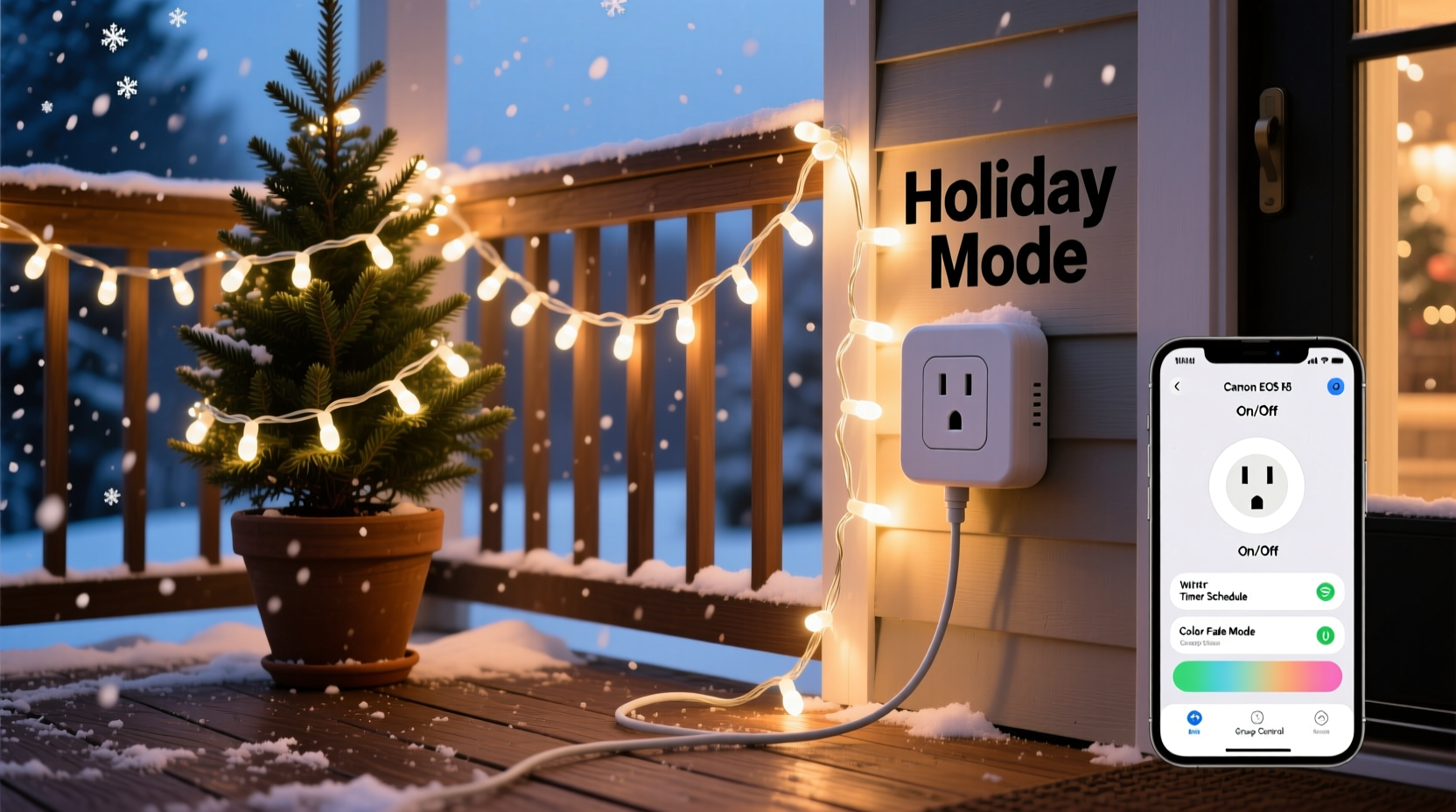
A smart plug functions as a digitally controlled outlet. You plug your Christmas light string (or a power strip feeding multiple strings) into the smart plug, which then connects to your home Wi-Fi network. Once paired with a mobile app—such as Kasa, Tapo, Wemo, or Apple Home—your phone becomes a remote interface. Unlike traditional timers, smart plugs support real-time commands, scheduling, voice integration (Alexa, Siri, Google Assistant), and automation rules. Crucially, they do not require special “smart” Christmas lights—standard incandescent or LED strings work perfectly, provided they meet basic electrical and thermal specifications.
The key technical distinction lies in load handling. Most consumer-grade smart plugs support up to 15 amps (1,800 watts at 120V). A typical 100-light mini LED string draws only 4–7 watts; even a 300-light set rarely exceeds 20 watts. Incandescent strings consume significantly more—up to 40 watts per 50-light strand—so stacking six or more incandescent sets on a single plug risks exceeding safe limits. Always calculate total wattage before connecting: add up each string’s label-rated wattage (not “equivalent” wattage), then leave a 20% safety margin below the plug’s maximum rating.
Compatibility Checklist: What Works (and What Doesn’t)
Not all Christmas lights integrate seamlessly with smart plugs. Compatibility hinges on three factors: electrical design, heat output, and physical placement. Below is a verified checklist for safe, reliable operation.
- ✅ Works reliably: UL-listed LED mini lights (indoor/outdoor), battery-to-AC adapter strings, C7/C9 LED retrofit bulbs on commercial-grade cords, and pre-wired net lights with integrated rectifiers.
- ⚠️ Use with caution: Older incandescent sets with fused plugs or non-UL wiring; multi-outlet light controllers (e.g., Light-O-Rama) that require dedicated timing circuits; strings with built-in remotes that draw standby power even when “off.”
- ❌ Avoid entirely: Non-UL or counterfeit lights (common on budget marketplaces); damaged cords with exposed copper or cracked insulation; lights marked “for indoor use only” deployed outdoors—even with a weatherproof smart plug; and any string with a ground-fault circuit interrupter (GFCI) plug, which may trip unpredictably under smart-switch cycling.
Crucially, avoid smart plugs marketed as “outdoor-rated” unless they carry both UL 1642 (for batteries) and UL 60730-1 (for automatic controls)—and verify the IP rating is at least IP44 (splash-resistant). Many budget “outdoor” plugs only meet IPX4, which fails under sustained rain or snowmelt infiltration.
Safety First: Preventing Overheating, Tripping, and Fire Risk
Christmas lights cause an estimated 770 home fires annually in the U.S., according to the National Fire Protection Association (NFPA). While smart plugs themselves pose minimal fire risk when used properly, misuse amplifies hazards. The primary danger isn’t the plug—it’s thermal buildup caused by poor ventilation, overloaded circuits, or degraded wiring hidden beneath layers of tinsel and garlands.
Smart plugs generate internal heat during switching cycles, especially when controlling high-resistance loads like older incandescent strings. If mounted behind furniture, inside enclosed eaves, or wrapped in insulation, that heat has nowhere to dissipate. One 2022 UL Fire Safety Lab test showed surface temperatures on improperly ventilated smart plugs spiking 32°C above ambient within 90 minutes—enough to ignite nearby pine needles or dried ribbon.
“Smart plugs are safe *only* when treated as active electrical components—not invisible magic boxes. They need airflow, load verification, and physical inspection every season.” — Dr. Lena Torres, Electrical Safety Researcher, Underwriters Laboratories
To mitigate risk, follow this evidence-based protocol:
- Mount smart plugs in open-air locations—never inside junction boxes, behind curtains, or inside plastic storage bins.
- Use a plug with real-time energy monitoring (e.g., TP-Link HS110, Belkin Wemo Insight) to detect abnormal current spikes or gradual wattage creep—a sign of failing diodes or corroded sockets.
- Unplug and inspect all light strings *before* connecting to a smart plug: check for brittle wires, melted sockets, or discoloration near plug bases.
- Never exceed 80% of the circuit’s rated capacity. A standard 15-amp residential circuit supports only 1,440 watts continuously—not the full 1,800.
Step-by-Step Setup: From Unboxing to Sunset Automation
Getting lights on app control takes under 12 minutes—if you avoid common pitfalls. Here’s the precise sequence professionals use:
- Verify outlet grounding: Use a $5 outlet tester to confirm correct hot/neutral/ground wiring. Smart plugs malfunction or fail certification if grounded improperly.
- Power down the circuit: Turn off the breaker serving the outlet—not just the switch—to prevent arcing during plug insertion.
- Connect hardware: Plug the smart plug directly into the wall. Then plug your light string (or heavy-duty outdoor-rated power strip) into the smart plug. Do not use adapters or Y-splitters.
- Download & pair: Install the manufacturer’s app (e.g., Kasa for TP-Link). Enable location and Bluetooth permissions. Follow in-app prompts to connect the plug to your 2.4 GHz Wi-Fi band only—5 GHz signals won’t reach most outdoor outlets reliably.
- Test manually: Toggle the plug on/off in-app. Confirm lights respond within 1.2 seconds (delays >2 seconds indicate signal interference or router congestion).
- Create automations: In the app, build routines like “Sunset On” (uses GPS-based sunset data), “Weekday Off at 11 PM,” or “Guest Mode: Lights brighten when front door opens.”
Pro tip: Name devices contextually—not “Plug 3,” but “Front Porch Garland” or “Tree Base String.” This prevents accidental toggling during group commands and simplifies voice requests (“Hey Siri, turn off the mantel lights”).
Real-World Case Study: The Anderson Family’s 3,200-Light Display
In suburban Minneapolis, the Andersons installed a synchronized outdoor display featuring 3,200 LED lights across rooflines, bushes, and a 12-foot tree. Previously, they used mechanical timers prone to daylight saving errors and manual overrides during late-night guests. In 2023, they upgraded to eight Kasa KP125 smart plugs—each managing 400 watts across dedicated circuits.
They discovered three critical lessons: First, grouping lights by zone (e.g., “North Eave,” “Garage Arch”) allowed granular control without overloading any single plug. Second, enabling the “Energy Monitoring” feature revealed two aging light strings drawing 3x their rated wattage—indicating failing capacitors. Replacing those prevented potential tripping during peak cold-weather usage. Third, integrating with Apple Shortcuts let them trigger a “Goodnight” routine that dimmed all lights to 30% brightness at 10:30 PM and fully powered them off at midnight—reducing energy use by 41% versus leaving them on until dawn.
Most importantly, when a December ice storm knocked out their internet for 36 hours, the plugs defaulted to last-known settings—keeping lights on via local network caching. No manual intervention was needed.
Smart Plug vs. Smart Lights: When to Choose Which
Consumers often conflate smart plugs with smart Christmas lights (like Philips Hue Lightstrips or Nanoleaf Shapes). While both enable app control, they serve fundamentally different purposes. The table below clarifies strategic use cases:
| Feature | Smart Plug + Standard Lights | Dedicated Smart Lights |
|---|---|---|
| Upfront Cost | $15–$35 per plug; lights reused from prior years | $40–$120 per string; no reuse of legacy lights |
| Color Control | No—only on/off/dimming (if plug supports it) | Full RGB spectrum + white temperature tuning |
| Music Sync | No native capability | Built-in microphones or audio-reactive APIs |
| Maintenance Burden | Low—replace bulbs or strings as needed | High—entire string fails if one IC chip dies |
| Best For | Families reusing decor, renters, budget-conscious users, large-scale static displays | Entertainment-focused setups, tech enthusiasts, small accent lighting, color storytelling |
Bottom line: Smart plugs maximize value from existing inventory. Smart lights unlock creative expression—but at premium cost and complexity.
FAQ: Addressing Common Concerns
Can I control multiple light strings with one smart plug?
Yes—if total wattage stays within 80% of the plug’s rated capacity. Use a UL-listed, outdoor-rated power strip (e.g., GE Enbrighten 6-Outlet) with individual switches and surge protection (minimum 1,000 joules). Never use dollar-store power strips—they lack thermal cutoffs and fail under sustained load.
Will my lights flicker or reset when the plug turns on?
Some LED strings exhibit a brief 0.5–1.2 second delay or soft-start ramp due to internal capacitors charging. This is normal and harmless. Persistent flickering indicates incompatible drivers or voltage drop—resolve by shortening cord runs or upgrading to 12-gauge outdoor extension cords.
Do smart plugs work during power outages?
No—they require continuous AC power and Wi-Fi connectivity. However, many models (e.g., Meross MSG100) retain schedules locally and auto-resume after brief outages (<5 minutes). For extended outages, pair with a UPS battery backup (rated ≥600VA) for critical zones like entryway lighting.
Conclusion: Your Lights, Your Rules—Starting Tonight
You don’t need new lights, a smart home hub, or technical expertise to reclaim control over your holiday lighting. A single smart plug—properly selected, safely installed, and thoughtfully automated—transforms seasonal chaos into calm intentionality. It means no more frozen fingers fumbling with timers at midnight. No more forgotten strings draining watts while you sleep. No more “good enough” compromises between festivity and responsibility. It means knowing your porch glows warmly as guests approach, your tree dims gently as bedtime nears, and your energy bill reflects mindful celebration—not careless excess.
This isn’t about gadgets. It’s about designing traditions that align with how you live now: connected, conscious, and uncompromising on safety. Your first smart plug installation will take less time than untangling last year’s lights. Your first sunset-activated glow will feel like magic—until you realize it’s simply physics, planning, and respect for the tools we already own.




 浙公网安备
33010002000092号
浙公网安备
33010002000092号 浙B2-20120091-4
Comments
No comments yet. Why don't you start the discussion?