
As the holiday season approaches, more homeowners are turning to smart technology to simplify their festive decor. One of the most popular questions is whether Alexa, Amazon’s virtual assistant, can control Christmas lights using just voice commands. The answer is a resounding yes — but only if the right setup is in place. With compatible smart plugs, Wi-Fi-enabled light strings, or smart controllers, you can turn your holiday display into a responsive, voice-activated spectacle. This guide walks through everything you need to know: from choosing the right equipment to setting up custom routines that bring seasonal magic to life — all without lifting a finger.
How Alexa Controls Christmas Lights
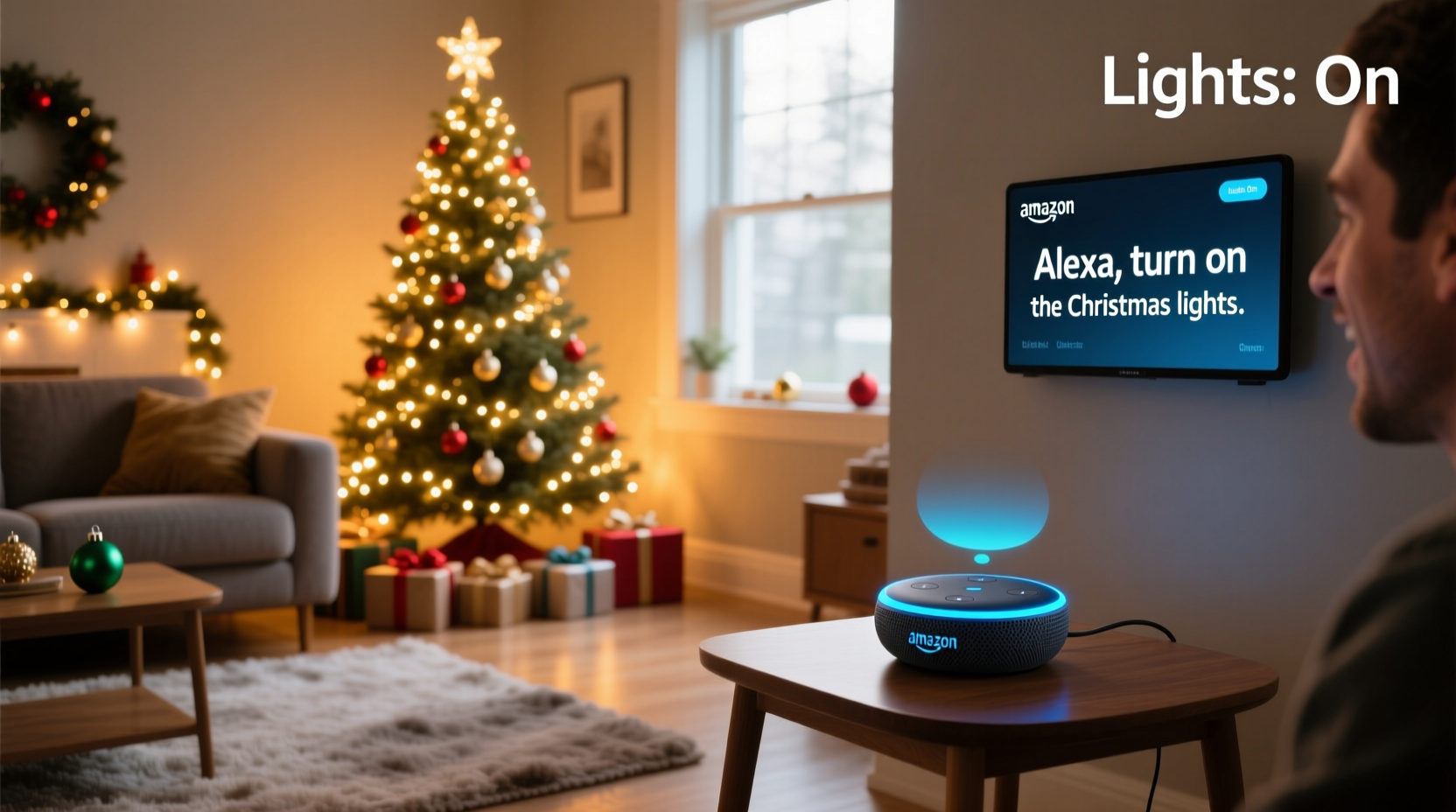
Alexa doesn’t directly power traditional Christmas lights. Instead, it communicates with smart devices connected to your home network. When you issue a voice command like “Alexa, turn on the Christmas lights,” the request travels from your Echo device to the cloud, where Alexa processes it and sends a signal to the designated smart device controlling the lights. That device — whether a smart plug or an addressable LED strip controller — then activates the physical circuit powering the lights.
This system relies on three key components:
- A compatible Alexa-enabled device (Echo Dot, Echo Show, etc.)
- A smart home hub or standalone smart device that controls the lights
- Wi-Fi connectivity across all components
Once linked through the Alexa app, these systems allow full voice control over brightness, color, scheduling, and effects — transforming static displays into dynamic, interactive experiences.
Compatible Devices for Voice-Controlled Holiday Lighting
Not all Christmas lights work with Alexa. You’ll need either smart lights or a smart intermediary device. Below is a breakdown of common options:
Smart Plugs
These are the simplest way to make any string of Christmas lights Alexa-compatible. Plug the lights into the smart plug, connect the plug to your Wi-Fi via the manufacturer’s app (e.g., TP-Link Kasa, Wemo, or Philips Hue), and then link that app to Alexa. Once synced, you can assign a name like “front porch lights” and control them by voice.
Wi-Fi Christmas Light Strings
Some manufacturers produce LED strings with built-in Wi-Fi modules. Brands like Govee, Twinkly, and Luminara offer lights that support millions of colors, music synchronization, and precise zone control. These connect directly to your network and integrate seamlessly with Alexa.
Smart Light Controllers (for Addressable LEDs)
If you're using programmable RGB strips (like WS2812B), a controller such as the Shelly RGBW PM or ESP-based solutions running WLED software can provide granular control. When paired with Alexa via Home Assistant or Alexa skills, they enable complex lighting scenes triggered by voice.
“Voice integration has transformed holiday lighting from a seasonal chore into an interactive experience. Users now expect not just automation, but personalization.” — Marcus Lin, Smart Home Product Designer at Govee
Step-by-Step Setup Guide
Follow this sequence to get your Christmas lights responding to Alexa commands:
- Purchase compatible hardware: Choose between smart plugs or Wi-Fi-enabled light strings based on your needs and budget.
- Install and power the device: Plug in the smart plug or light string and ensure it's within range of your Wi-Fi router.
- Download the companion app: Install the brand-specific app (e.g., Govee Home, Kasa Smart) and follow setup instructions to connect the device to your network.
- Link to Alexa: Open the Alexa app, go to Devices > + > Add Device > Smart Home, select the brand, and log in to authorize access.
- Discover devices: Ask Alexa to “discover new devices” or wait for automatic detection.
- Name your lights: In the Alexa app, rename the device to something intuitive like “tree lights” or “outdoor icicle lights.”
- Test voice control: Say, “Alexa, turn on the tree lights” to confirm functionality.
For best results, perform this setup before decorating so wires and placements don’t interfere with configuration.
Advanced Features: Routines, Scheduling, and Scenes
Voice commands go beyond simple on/off functions. With Alexa Routines, you can create sophisticated lighting behaviors activated by a single phrase or time-based triggers.
Create a “Holiday Mode” Routine
You can program a routine called “Holiday Mode” that turns on multiple light groups, sets specific colors, adjusts brightness, and even plays festive music. Here’s how:
- In the Alexa app, tap Routines > Create Routine.
- Set the trigger to a voice command like “Alexa, start Holiday Mode.”
- Add actions:
- Turn on “Tree Lights”
- Change “Porch Lights” to red and green
- Set “Living Room Strip” to 70% brightness
- Play “Christmas Jazz” playlist on Echo Dot
- Save and test the routine.
Schedule Automatic Operation
Use time-based routines to automate your display. For example:
- Daily at 5:00 PM: Turn on all outdoor lights
- Weekdays at 10:30 PM: Dim indoor lights
- Christmas Eve at 9:00 PM: Activate twinkling effect on the tree
This ensures your home stays festive without constant manual input.
| Feature | Supported Devices | Limitations |
|---|---|---|
| Voice On/Off | All smart plugs & Wi-Fi lights | Requires stable internet |
| Color Control | RGB Wi-Fi strings (Govee, Twinkly) | Not available on basic smart plugs |
| Dimming/Brightness | Select smart bulbs/plugs with dimming support | Many plug-in adapters lack dimming |
| Custom Effects (Twinkle, Fade) | Addressable LED strips with controllers | Requires third-party integrations (e.g., WLED + HA Bridge) |
Mini Case Study: A Fully Automated Front Yard Display
Consider Sarah, a homeowner in Denver who wanted to reduce the hassle of managing her elaborate holiday display. She had six separate light sets: roofline icicles, driveway reindeer, tree wraps, pathway stakes, window outlines, and a giant inflatable snowman.
Previously, she used multiple timers and manually turned each set on and off. After upgrading, here’s what changed:
- She replaced mechanical timers with TP-Link Kasa smart plugs for non-RGB lights.
- The inflatable snowman was powered through a Govee Wi-Fi plug with energy monitoring.
- Her roofline and tree lights were upgraded to Govee RGBIC LED strips for color-changing effects.
- All devices were grouped under “Front Yard Lights” in the Alexa app.
Now, with a single command — “Alexa, light up the holidays” — every fixture activates in sequence. A scheduled routine dims non-essential lights after 11 PM. During parties, she uses “Alexa, party mode” to activate synchronized color shifts across the RGB strips.
The result? A dramatic reduction in daily maintenance, increased neighborhood admiration, and a much more enjoyable holiday season.
Troubleshooting Common Issues
Even with proper setup, users may encounter problems. Here are frequent issues and how to resolve them:
Lights Not Responding to Alexa
- Check Wi-Fi signal strength at the device location.
- Reboot both the smart device and your Echo speaker.
- Ensure the skill or account linking is still active in the Alexa app.
Delayed Response or Lag
Delays often stem from poor internet bandwidth or overloaded networks. Move the router closer, reduce connected devices, or switch to a 2.4 GHz band for better range.
Partial Control (Only Some Lights Work)
If only certain fixtures respond, verify that all devices have been properly discovered and named. Grouping them incorrectly in Alexa can cause inconsistent behavior.
Checklist: Ready Your Christmas Lights for Alexa Control
Before the first snowfall, run through this checklist to ensure seamless voice operation:
- ☐ Identify which light strings will be automated
- ☐ Purchase appropriate smart plugs or Wi-Fi-enabled lights
- ☐ Test each device individually on your Wi-Fi network
- ☐ Link all brands to the Alexa app
- ☐ Assign clear, consistent names (e.g., “garage lights”)
- ☐ Set up at least one daily schedule (e.g., turn on at dusk)
- ☐ Create a master “Festive Mode” routine
- ☐ Share commands with household members
Frequently Asked Questions
Can I control different colors of Christmas lights with Alexa?
Yes, but only if you’re using RGB-capable smart lights such as Govee LED strips or Twinkly strings. Standard smart plugs can only turn multi-color sets on or off — they cannot change individual colors unless the lights themselves have built-in controls managed through their own app.
Do I need a hub to connect my Christmas lights to Alexa?
Most modern smart plugs and Wi-Fi light strings connect directly to Alexa without a hub. However, some advanced systems (like Philips Hue or Zigbee-based setups) require a central bridge. For simplicity and cost-effectiveness, opt for Wi-Fi-only devices unless you already have a smart home ecosystem in place.
Can Alexa turn on Christmas lights when I arrive home?
Absolutely. Using Alexa’s geofencing feature, you can create a routine that activates when your phone enters a defined perimeter around your home. Just enable “Location Services” in the Alexa app and set the trigger to “When I arrive home.” This works well for welcoming guests or creating a magical arrival after dark.
Conclusion: Bring Magic to Your Holidays with Voice Control
Using voice commands to control Christmas lights with Alexa is not only possible — it’s practical, fun, and increasingly accessible. From simple on/off toggles to immersive, scene-driven displays, the technology empowers homeowners to celebrate smarter and more creatively. By investing in the right gear and taking time to configure routines, you transform seasonal decoration from a task into an experience. Whether you're hosting gatherings, surprising family members, or simply enjoying a cozy evening, Alexa puts the spirit of the season literally at your command.




 浙公网安备
33010002000092号
浙公网安备
33010002000092号 浙B2-20120091-4
Comments
No comments yet. Why don't you start the discussion?