
As holiday decorating evolves, so do the tools we use to manage it. No longer limited to manual timers or physical switches, modern homeowners are turning to smart home technology to bring their Christmas displays to life—literally. One of the most exciting advancements? The ability to control multiple Christmas light zones using only your voice. Whether you're illuminating a modest porch or orchestrating a neighborhood-famous light show, voice-controlled zoning offers precision, convenience, and a touch of festive magic.
This capability isn’t science fiction—it’s accessible today through widely available smart devices, compatible lighting systems, and intuitive apps. But setting it up requires more than just plugging in a bulb and saying “turn on.” It demands planning, compatibility checks, and an understanding of how voice assistants interact with smart home ecosystems. This guide breaks down everything you need to know to successfully implement voice-controlled Christmas light zones that respond reliably and safely to your spoken commands.
How Voice Control Works with Smart Lighting Systems
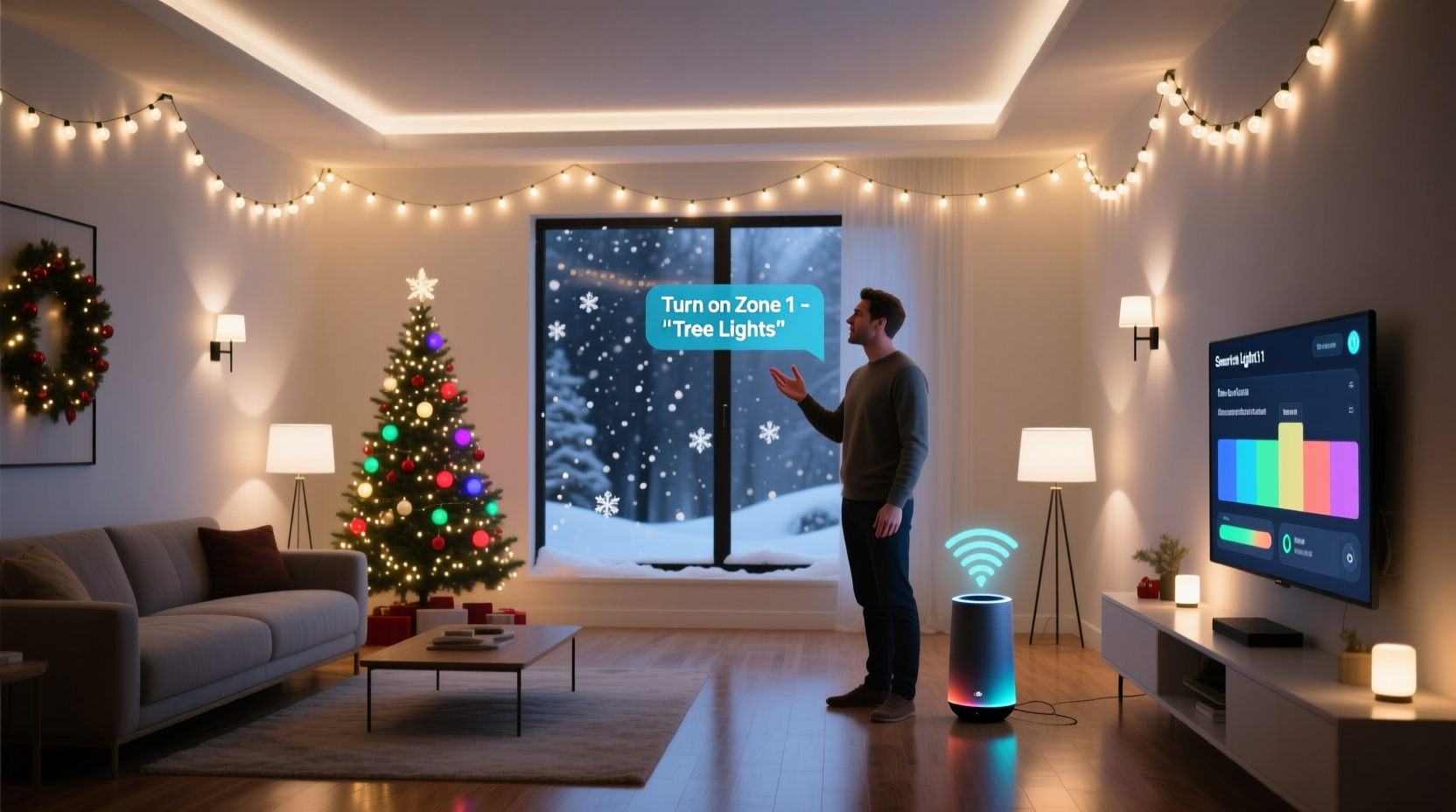
Voice command functionality relies on three core components: a smart speaker or display (such as Amazon Echo, Google Nest, or Apple HomePod), smart plugs or addressable LED strips, and a unified ecosystem that connects them all via Wi-Fi or Bluetooth. When you issue a voice command like “Hey Google, turn on the front yard lights,” the assistant interprets the request, identifies the correct device group (or zone), and sends a signal over your home network to activate the designated lights.
For multi-zone setups, each lighting area—say, the roofline, tree, driveway, and porch—must be assigned to a separate smart device or controller. These can be individual smart plugs, smart switches, or programmable LED strips managed by a hub. Once labeled properly in your smart home app (e.g., “Zone 1 – Roof,” “Zone 2 – Tree”), they become recognizable targets for voice commands.
The key is consistency in naming and grouping. If your devices are labeled generically like “Smart Plug 3,” voice assistants may struggle to distinguish between zones. But if they’re clearly named and organized into rooms or scenes within the app, precise control becomes possible.
Setting Up Multiple Light Zones: A Step-by-Step Guide
Creating distinct lighting zones under voice control involves both physical setup and digital configuration. Follow this timeline to ensure seamless integration:
- Plan Your Zones: Walk around your property and decide which areas will have independent lighting control. Common zones include roofline, trees, shrubs, walkways, garage, and indoor tree.
- Select Compatible Devices: Choose smart plugs, dimmers, or LED strip controllers that support your preferred voice assistant (Alexa, Google Assistant, or Siri/HomeKit).
- Install Hardware: Plug each lighting strand into its own smart plug or connect programmable LEDs to a Wi-Fi-enabled controller. Ensure outdoor-rated equipment is used for exterior zones.
- Connect to Network: Use the manufacturer’s app (e.g., Kasa, Tapo, LIFX, Nanoleaf) to connect each device to your home Wi-Fi.
- Label and Group in App: Assign clear names to each device and organize them into groups such as “Exterior Lights” or “Christmas Display.”
- Link to Voice Assistant: In the Alexa, Google Home, or Apple Home app, add your smart devices by linking the respective accounts.
- Test Voice Commands: Say phrases like “Alexa, turn on the porch lights” to confirm responsiveness. Adjust names if misfires occur.
- Create Scenes or Routines: Program complex actions like “Holiday Mode” that trigger multiple zones at once with a single command.
This process typically takes 2–4 hours depending on the number of zones and prior smart home experience. Patience during setup pays off in effortless control throughout the season.
Best Devices for Multi-Zone Voice Control
Not all smart lighting gear is created equal when it comes to multi-zone management. Some offer granular control, scheduling, color customization, and robust voice integration. Below is a comparison of top-performing options:
| Device Type | Best For | Voice Assistant Support | Zoning Capability | Outdoor Use? |
|---|---|---|---|---|
| TP-Link Kasa Smart Plugs | Budget-friendly zone separation | Alexa, Google Assistant | One zone per plug | Indoor models only; use weatherproof enclosure outdoors |
| Philips Hue Outdoor Lights + Bridge | Premium color lighting & effects | Alexa, Google, Siri | Up to 50 zones via Hue app | Yes, with outdoor-rated fixtures |
| Govee Wi-Fi LED Strips | Color-changing trim lighting | Alexa, Google Assistant | Multiple segments per strip | Some models rated for damp locations |
| Shelly Plus 1PM (Hardwired) | Permanent installations | All (via MQTT/Home Assistant) | Per-circuit control | Yes, with proper enclosure |
| Wiz Outdoor String Lights | Ease of setup, no hub needed | Alexa, Google Assistant | One zone per string | Yes, IP44 rated |
For large-scale displays, consider combining several types. Use smart plugs for basic on/off zones and supplement with addressable LED strips for animated effects like snowfall or twinkling stars—all still controllable via voice once properly grouped.
Real-World Example: The Johnson Family Light Show
The Johnsons live in a suburban neighborhood known for competitive holiday decorating. Each year, they expand their display, now spanning four roof sections, two trees, a nativity scene, and synchronized music. Managing it manually was overwhelming—until they upgraded to a voice-controlled system.
They started by installing eight Kasa KP125 smart plugs for major zones and added two Govee Wi-Fi LED strips along the staircase railing. Each device was labeled clearly: “Roof Front,” “Tree Large,” “Nativity Scene,” etc. They grouped related zones under routines like “Full Display On” and “Midnight Dim.”
After linking everything to Alexa, they could say, “Alexa, start Holiday Mode,” and watch their entire display come alive in sequence. They even created a “Guest Arrival” scene that activated pathway lights and dimmed the main display for better visibility.
“It used to take me ten minutes just to turn everything on,” said Mark Johnson. “Now I do it while taking off my coat. And the kids love yelling ‘Santa, turn on the lights!’ at the Echo.”
Their system reduced energy waste by allowing scheduled shutdowns at 11 PM and improved safety by eliminating trips outside in icy conditions.
Expert Insight: The Future of Voice-Controlled Holiday Lighting
“We’re moving toward context-aware lighting systems. Soon, your lights won’t just respond to ‘turn on’—they’ll know it’s snowing and switch to a winter wonderland animation automatically.” — Dr. Lena Patel, Smart Home Integration Researcher, MIT Media Lab
Experts agree that voice control is just the beginning. Next-generation systems integrate environmental sensors, geofencing, and AI-driven routines. For example, your lights might brighten when your phone detects you’re approaching the house, or dim when indoor noise levels drop, signaling bedtime.
Still, reliability remains critical. As Dr. Patel notes, “The best tech feels invisible. If users have to repeat commands or troubleshoot connectivity, the illusion breaks.” That’s why choosing stable, well-supported platforms matters more than chasing flashy features.
Tips for Reliable Voice Command Performance
To maximize success with voice-controlled lighting zones, follow these proven practices:
- Use a strong, dual-band Wi-Fi router positioned centrally to minimize dead zones.
- Assign static IP addresses to critical lighting controllers to prevent disconnections.
- Update firmware regularly on all smart devices.
- Position smart speakers strategically—avoid placing them near loud music or HVAC vents that can interfere with microphone sensitivity.
- Train your voice assistant by repeating commands during setup to improve recognition accuracy.
Frequently Asked Questions
Can I control different colors in each zone using voice?
Yes—if you're using color-capable smart lights like Philips Hue, Govee, or LIFX. You can say, “Hey Google, set the roof lights to blue,” or “Alexa, make the tree red and green.” Just ensure each zone uses RGB-enabled products and is correctly configured in the app.
What if I have both Alexa and Google Home? Will they conflict?
Generally, no. Devices can often be linked to multiple assistants, but it's best to designate one primary system for lighting control to avoid duplicate commands or timing issues. Use one assistant for lights and another for music or calendars to maintain clarity.
Are there security risks with Wi-Fi-connected holiday lights?
Potentially. Any internet-connected device can be a target. Minimize risk by using a guest Wi-Fi network for smart lights, changing default passwords, and disabling remote access when not needed. Avoid using the same network for lights and sensitive devices like computers or baby monitors.
Checklist: Launch Your Voice-Controlled Light Display
- ✅ Map out all desired lighting zones
- ✅ Purchase smart plugs or controllers for each zone
- ✅ Install hardware and connect to power
- ✅ Connect each device to your Wi-Fi network via its app
- ✅ Label each device clearly (e.g., “Garage Left”, “Front Tree”)
- ✅ Group devices into scenes (e.g., “All Lights Off”, “Evening Glow”)
- ✅ Link lighting system to your voice assistant
- ✅ Test every voice command individually
- ✅ Set up automatic schedules (on at dusk, off at midnight)
- ✅ Share control with family members via app permissions
Conclusion: Bring Your Holidays to Life—Hands-Free
Voice-controlled Christmas light zones are no longer a luxury reserved for tech enthusiasts—they’re a practical, accessible upgrade for any household. With the right planning and equipment, you can orchestrate a dazzling, multi-layered display that responds instantly to simple spoken words. Beyond convenience, it enhances safety, reduces energy use, and adds an interactive joy that both children and guests remember.
The holidays are about warmth, connection, and celebration. By automating the effort behind the sparkle, you reclaim time to focus on what truly matters: sharing moments with loved ones. Whether you're starting small with a single tree or building a spectacle that draws visitors from across town, voice control puts the magic literally at your fingertips—or rather, on the tip of your tongue.




 浙公网安备
33010002000092号
浙公网安备
33010002000092号 浙B2-20120091-4
Comments
No comments yet. Why don't you start the discussion?