
If you've ever been locked out of your X account—formerly known as Twitter—you're not alone. Millions of users face login problems daily, from forgotten passwords to mysterious authentication errors. Whether you're using a smartphone, tablet, or desktop, being unable to access your account disrupts communication, content sharing, and even business operations. The good news: most login issues are fixable with the right approach.
This guide walks through real-world-tested methods to regain access to your X account. From basic checks to advanced recovery steps, we’ll cover everything you need to know to get back online quickly and securely.
Common Causes of Login Failures on X
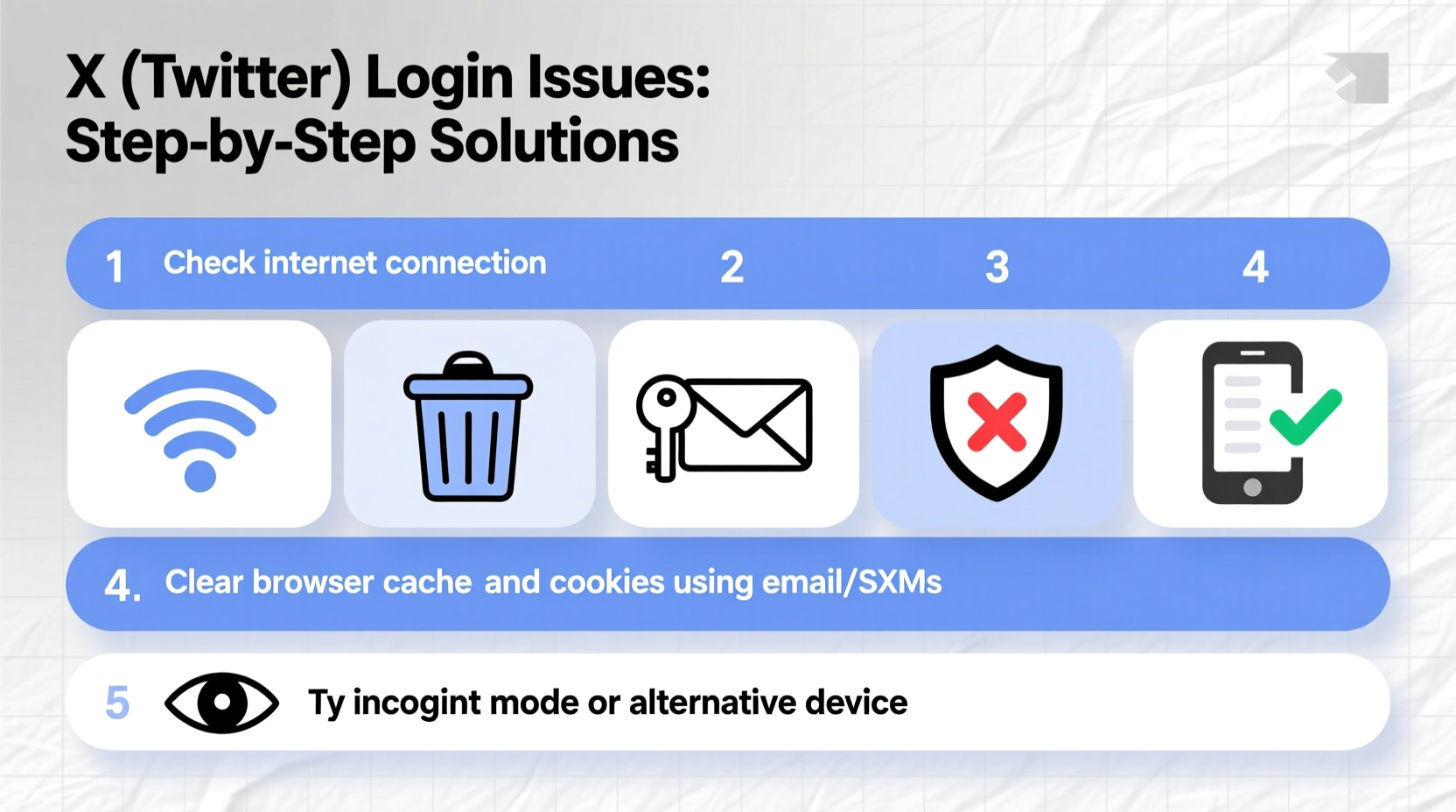
Before diving into fixes, it helps to understand what’s going wrong. X login issues typically stem from one of several root causes:
- Incorrect credentials: Typos in email, phone number, or password.
- Password reset delays: Not receiving or misplacing reset emails.
- Two-factor authentication (2FA) problems: Lost backup codes or inaccessible authenticator apps.
- Outdated app versions: Bugs in older versions of the X app.
- Browser or cache conflicts: Stored data interfering with login sessions.
- Suspended or restricted accounts: Violations triggering temporary lockouts.
- Network issues: Unstable internet preventing proper connection to X servers.
Identifying which category your issue falls into streamlines the solution process.
Step-by-Step Guide to Regain Access
Follow this logical sequence to troubleshoot your login problem systematically.
- Verify your internet connection. Try loading another site to confirm connectivity.
- Check X’s service status. Visit Downdetector or similar tools to see if X is experiencing outages.
- Attempt login via multiple devices or browsers. This helps isolate whether the issue is device-specific.
- Clear browser cache or reinstall the X app. Corrupted data can block successful authentication.
- Use “Forgot password?” to trigger a reset link to your registered email or phone.
- Confirm ownership via email or SMS verification. Follow prompts carefully.
- Disable third-party extensions or ad blockers temporarily. These may interfere with X’s login scripts.
- Contact X Support if all else fails, especially if your account appears compromised.
Most users resolve their issue within the first five steps.
Troubleshooting by Platform
Different platforms introduce unique quirks. Here’s how to adapt your approach based on where you’re trying to log in.
Mobile App (iOS/Android)
The X mobile app is convenient but prone to glitches after updates. If login fails:
- Force-close the app and reopen it.
- Go to device Settings > Apps > X > Clear Cache and Data.
- Update the app via the App Store or Google Play.
- Try logging in through the mobile browser as a workaround.
Desktop Browser
Browser-related issues are common. To fix them:
- Try an incognito/private browsing window.
- Disable browser extensions like uBlock Origin or privacy managers.
- Clear cookies and cached images for x.com.
- Test with a different browser (e.g., switch from Chrome to Firefox).
Do’s and Don’ts When Locked Out
| Do’s | Don’ts |
|---|---|
| Use the official \"Forgot password?\" flow | Share your password with anyone, even support staff |
| Check spam/junk folders for reset emails | Submit multiple password reset requests rapidly |
| Keep backup 2FA codes in a secure place | Use public Wi-Fi to recover sensitive accounts |
| Verify the URL is x.com (not a fake clone) | Click on unsolicited “account recovery” links |
Real Example: Recovering a Compromised Account
Lena, a digital marketer, couldn’t log in to her X account one morning. She received a notification that her password had been changed. Panicked, she tried resetting it—but the recovery email went to an old address she no longer used.
She followed these steps:
- Visited X Help Center and submitted an account recovery form.
- Provided her username, associated email, and phone number.
- Confirmed recent tweets and profile details to prove ownership.
- Waited 48 hours for a response.
X support verified her identity and restored access. She then updated her recovery email, enabled 2FA with Google Authenticator, and revoked third-party app access.
“I learned the hard way,” Lena said. “Now I treat my X account like a bank account—secure, backed up, and monitored.”
“We strongly recommend enabling two-factor authentication and keeping recovery options current. Over 70% of compromised accounts lack active 2FA.” — X Security Team, Official Blog Post (2023)
Advanced Fixes for Persistent Issues
If standard troubleshooting doesn’t work, consider these deeper interventions.
Revoke Third-Party App Access
Sometimes, a rogue connected app interferes with your session. To remove them:
- Log in to X via a working device or browser.
- Go to Settings and Privacy > Security and Account Access > Apps and Sessions.
- Select “Revoke Access” for any unfamiliar or outdated apps.
Use Backup 2FA Codes
If you set up two-factor authentication and saved backup codes, now is the time to use them. Enter one of the unused codes during login when prompted for a verification code.
Try DNS or Network Reset
In rare cases, ISP-level filtering or DNS misconfiguration blocks X. Try:
- Switching to mobile data from Wi-Fi.
- Changing DNS to Google (8.8.8.8) or Cloudflare (1.1.1.1).
- Restarting your router.
Frequently Asked Questions
What should I do if I no longer have access to my recovery email or phone?
Submit an account recovery request through X’s official help portal. You’ll need to provide identifying information such as past usernames, tweet history, or payment details (if applicable). Verification can take up to 72 hours.
Why does X say my password is incorrect when I’m sure it’s right?
This often happens due to hidden typos, auto-fill errors, or having Caps Lock enabled. Try typing the password slowly in a text editor first, then copy-paste it into X’s login field. Also, ensure you’re logging in with the correct email or phone number linked to the account.
Can I be permanently locked out of my X account?
Permanent lockouts are rare and usually only occur if the account violates X’s rules repeatedly or remains inactive for years. Most accounts can be recovered with patience and proper verification.
Essential Checklist for X Login Recovery
- ✅ Confirm internet connectivity
- ✅ Visit x.com directly (avoid phishing links)
- ✅ Click “Forgot password?” and follow instructions
- ✅ Check spam folder for reset email
- ✅ Clear app cache or browser data
- ✅ Disable ad blockers or extensions
- ✅ Try logging in from another device
- ✅ Enable 2FA once access is restored
- ✅ Update recovery email and phone number
- ✅ Contact X Support if unresolved
Conclusion: Stay Proactive, Stay In Control
Being unable to log in to X is frustrating, but rarely permanent. Most issues stem from simple oversights—expired sessions, mistyped passwords, or outdated apps. By following structured troubleshooting steps and maintaining strong account hygiene, you can prevent future lockouts and protect your digital presence.
Don’t wait until you’re locked out to act. Enable two-factor authentication today, update your recovery options, and store backup codes securely. A few minutes of preparation now can save hours of stress later.




 浙公网安备
33010002000092号
浙公网安备
33010002000092号 浙B2-20120091-4
Comments
No comments yet. Why don't you start the discussion?