
For photographers and digital artists, the monitor is more than a screen—it’s a precision instrument. Accurate color representation, consistent brightness, and reliable contrast are non-negotiable when editing images meant for print or professional presentation. Today, two dominant display technologies dominate the high-end market: OLED (Organic Light-Emitting Diode) and LED (Light-Emitting Diode), technically a type of LCD with LED backlighting. While both deliver crisp visuals, their underlying technologies create significant differences in performance that directly impact photo editing workflows.
Choosing between them isn't just about preference; it's about matching your editing needs to the strengths and limitations of each panel type. This guide breaks down the core technical distinctions, evaluates real-world performance in photo editing scenarios, and provides actionable insights to help you make an informed decision—whether you're a hobbyist refining portraits or a commercial photographer preparing files for high-end print.
Understanding the Core Technology Differences
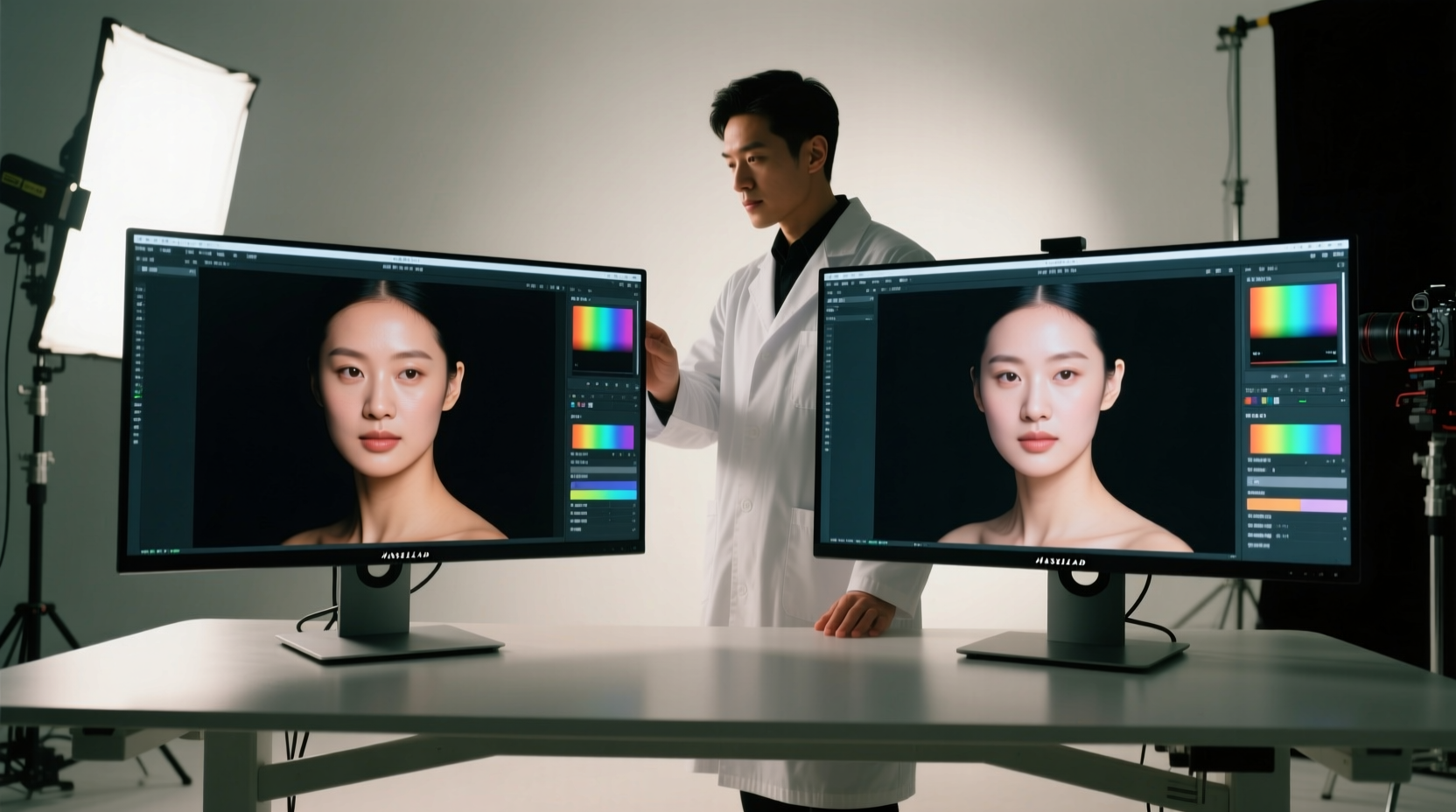
The fundamental distinction between OLED and LED monitors lies in how they produce light and manage pixels.
In LED monitors, a uniform backlight composed of LEDs shines through an LCD (liquid crystal display) layer. Liquid crystals act as shutters, blocking or allowing light to pass through red, green, and blue subpixels to create colors. Because the backlight is always on—even in dark scenes—achieving perfect black requires the crystals to block as much light as possible. However, some light inevitably bleeds through, resulting in \"grayish\" blacks rather than true black.
OLED panels operate differently. Each pixel is self-emissive, meaning it generates its own light when electric current passes through organic compounds. When a pixel needs to display black, it simply turns off completely. This results in infinite contrast ratios and perfectly deep blacks, a critical factor in accurately judging shadow detail and tonal transitions in photographs.
This difference affects more than just contrast. OLEDs typically offer wider viewing angles, faster response times, and richer color saturation out of the box. LED monitors, especially those using IPS (In-Plane Switching) panels, have improved significantly in color accuracy and viewing consistency but still rely on filters and backlight diffusion that can introduce slight color shifts at extreme angles.
Color Accuracy and Consistency: What Matters Most for Editing?
Professional photo editing demands precise color reproduction. A monitor must faithfully represent the RGB values in your image file without introducing tint, oversaturation, or gamma errors.
Many high-end LED monitors, particularly those labeled as “photo-grade” or “color-accurate,” come factory-calibrated with 100% sRGB and Adobe RGB coverage. Models with 99% or higher DCI-P3 coverage are increasingly common and suitable for wide-gamut workflows. These panels often support hardware calibration via external tools like X-Rite or Datacolor devices, ensuring long-term consistency.
OLEDs, while capable of exceptional color volume due to their deep blacks and vibrant output, can sometimes oversaturate colors if not properly managed. Early consumer OLEDs were prone to this, but modern professional models—such as those from Dell (UltraSharp), LG (UltraFine), and Apple (Pro Display XDR, which uses a variant of LED but incorporates local dimming)—have refined their color engines significantly. Still, OLEDs may require more frequent calibration to maintain neutrality, especially as pixels age unevenly over time.
“OLED’s dynamic range is unmatched, but its longevity and color shift over time mean serious editors should prioritize regular calibration.” — Dr. Lena Park, Imaging Scientist at the Rochester Institute of Photography
One challenge unique to OLED is ABL (Automatic Brightness Limiter), a feature that reduces overall screen brightness when large bright areas are displayed. This can subtly alter perceived exposure during editing, making it harder to judge highlights consistently across different images.
Contrast, Blacks, and Shadow Detail: Where OLED Excels
When editing low-light photography—nightscapes, indoor portraits, or moody fine art images—the ability to distinguish subtle gradations in shadows is essential. This is where OLED’s per-pixel lighting gives it a decisive advantage.
Because OLED pixels turn off completely for black, there is no light bleed or halo effect around dark objects. This allows editors to see genuine shadow separation and noise patterns without artificial lift from backlight glow. In contrast, even high-end LED monitors with full-array local dimming (FALD) can suffer from blooming—visible halos around bright objects on dark backgrounds—which distorts the perception of edge detail and dynamic range.
Consider a portrait with a subject against a dark backdrop. On an LED monitor, faint light spill might make the background appear slightly gray, leading the editor to crush the blacks too far in post-processing. On an OLED, the true depth of the background is visible, enabling more nuanced adjustments.
However, this strength comes with a caveat: OLEDs can sometimes make images look “too dramatic” due to their intense contrast. Editors accustomed to OLED may inadvertently underexpose images, assuming shadow details are lost when they’re actually recoverable. It’s crucial to cross-check final edits on a reference LED or calibrated print to ensure balanced output.
Longevity, Burn-In, and Real-World Durability
A major concern for professionals considering OLED is longevity. Unlike LED backlights, which degrade slowly and uniformly, OLED pixels degrade individually based on usage. Bright, static elements—like toolbars, menus, or watermark overlays—can cause burn-in over time, where ghost images remain faintly visible even when the screen displays other content.
While modern OLEDs include pixel-shifting, logo dimming, and refresh routines to mitigate this risk, the threat remains higher than with LED monitors. For photo editors who leave software interfaces open for hours, this is a legitimate consideration. Frequent UI changes, auto-hiding panels, and screen savers help reduce risk, but they don’t eliminate it.
LED monitors, particularly IPS and newer IGZO variants, are far less susceptible to permanent image retention. Their lifespan typically exceeds 50,000 hours of use with minimal degradation in brightness or color. This makes them a safer choice for long-term investment, especially in studio environments where monitors run daily for years.
| Feature | OLED | LED (IPS/FALD) |
|---|---|---|
| Black Level | Perfect (pixel-off) | Good (with FALD), fair (edge-lit) |
| Contrast Ratio | Infinite | 1000:1 to 1,000,000:1 (with FALD) |
| Color Accuracy (out of box) | Very Good | Excellent (high-end models) |
| Burn-In Risk | Moderate to High | Negligible |
| Lifespan | ~30,000 hours (typical) | ~50,000–100,000 hours |
| Viewing Angles | Excellent | Very Good |
| Calibration Stability | Requires frequent checks | Stable over time |
Real-World Workflow Example: A Portrait Photographer’s Dilemma
Sophie Chen, a commercial portrait photographer based in Vancouver, recently upgraded her editing setup. She shoots in RAW with a focus on skin tones and subtle gradients in clothing and backgrounds. Her previous 27-inch LED monitor with 99% Adobe RGB coverage served well, but she wanted deeper contrast for her editorial clients.
She tested a 32-inch 4K OLED monitor for two weeks. Initially, she was impressed by the clarity of shadow details in her low-key portraits. Skin textures appeared more defined, and she could adjust luminance sliders with greater confidence. However, after five consecutive days of editing in Photoshop with fixed panels, she noticed a faint outline of her toolbar along the right edge of the screen—early signs of image retention.
She also found that her edited images looked slightly over-contrasty when viewed on client laptops and prints. After consulting with a master printer, she learned that her OLED’s aggressive black levels had led her to preserve too much shadow data, resulting in muddy midtones in physical outputs.
Sophie ultimately returned the OLED and invested in a premium LED monitor with mini-LED backlighting and full-array local dimming. The balance of excellent contrast, proven color stability, and zero burn-in risk aligned better with her long-term workflow. She now cross-references critical edits on a calibrated iPad Pro with True Tone disabled—a hybrid solution that leverages OLED’s strengths without relying on it as her primary display.
Action Plan: How to Choose the Right Monitor for Your Needs
Selecting between OLED and LED isn’t about which is “better” overall, but which aligns best with your specific editing habits, environment, and goals. Follow this step-by-step guide to make a confident decision:
- Assess your typical content. If you edit high-dynamic-range landscapes, cinematic portraits, or HDR-ready images, OLED’s contrast may benefit you. If you work with product photography, flat graphics, or web-focused imagery, LED’s consistency may be preferable.
- Evaluate your workspace. OLED performs best in dim or controlled lighting. In brightly lit rooms, reflections and ambient light can wash out its advantages. LED monitors with anti-glare coatings often perform better in varied lighting.
- Consider your software interface. Do you keep panels, rulers, or thumbnails permanently visible? If so, OLED’s burn-in risk increases. Use auto-hide features or opt for LED.
- Factor in calibration routine. Are you willing to calibrate monthly or quarterly? OLED benefits from frequent profiling. If maintenance is a hurdle, choose a stable LED model with hardware calibration support.
- Set a timeline for replacement. If you plan to use the monitor for 5+ years, LED offers better longevity. OLED may need replacement sooner, especially under heavy daily use.
Essential Checklist Before Buying
- ✅ Confirm factory color accuracy (delta E < 2)
- ✅ Verify coverage of target color spaces (Adobe RGB, DCI-P3)
- ✅ Check for hardware calibration support (e.g., LUT tables)
- ✅ Test for uniformity issues (clouding, banding, tint shifts)
- ✅ Evaluate built-in calibration tools or compatibility with third-party sensors
- ✅ Review warranty terms, especially for OLED burn-in coverage
- ✅ Ensure connectivity matches your system (DisplayPort 1.4, HDMI 2.1, USB-C with power delivery)
Frequently Asked Questions
Can I use an OLED monitor for print-accurate photo editing?
Yes, but with caution. OLED excels in dynamic range, but its contrast and black levels exceed most print media. Always validate final edits using soft-proofing in Photoshop and cross-check on a calibrated LED or actual print sample before delivery.
Do all LED monitors have poor contrast compared to OLED?
No. High-end LED monitors with mini-LED backlights and hundreds of local dimming zones can achieve near-OLED contrast with minimal blooming. Models like the Dell UltraSharp U2723QE or Apple Pro Display XDR bridge much of the gap while avoiding burn-in risks.
Is OLED worth the extra cost for amateur photo editors?
For casual users, the answer is often no. The price premium, sensitivity to burn-in, and need for careful usage outweigh the benefits unless you're deeply invested in mastering shadow detail and HDR workflows. A quality IPS LED monitor offers excellent value and reliability for most enthusiasts.
Final Recommendation: Prioritize Stability Without Sacrificing Quality
For most professional photo editors, a high-tier LED monitor with full-array local dimming, wide color gamut, and hardware calibration support strikes the optimal balance. It delivers accurate colors, dependable longevity, and resistance to environmental wear—all critical for consistent, trustworthy editing.
OLED remains a compelling option for specialists working in HDR, cinematic grading, or environments where absolute contrast fidelity is paramount. However, its trade-offs in durability and calibration stability demand extra diligence.




 浙公网安备
33010002000092号
浙公网安备
33010002000092号 浙B2-20120091-4
Comments
No comments yet. Why don't you start the discussion?