
The holiday season is brighter than ever thanks to advancements in smart lighting technology. No longer limited to simple on-off switches or basic timers, today’s Christmas lights can be synchronized to music, animated in complex patterns, and controlled remotely from your smartphone. Whether you're decorating a small porch or orchestrating a full backyard spectacle, using a Christmas light controller app gives you precision, convenience, and creative freedom. The good news? Many of these apps work seamlessly across both Android and iOS devices, allowing users on any platform to design dazzling displays without compromise.
These apps connect to smart controllers via Wi-Fi, Bluetooth, or cloud-based systems, enabling real-time control and automation. From scheduling daily light shows to syncing colors with holiday playlists, modern solutions make festive decoration easier and more engaging. This guide explores the top apps available, their features, compatibility considerations, and practical tips for getting the most out of your smart lighting setup.
Top Christmas Light Controller Apps for Android and iOS
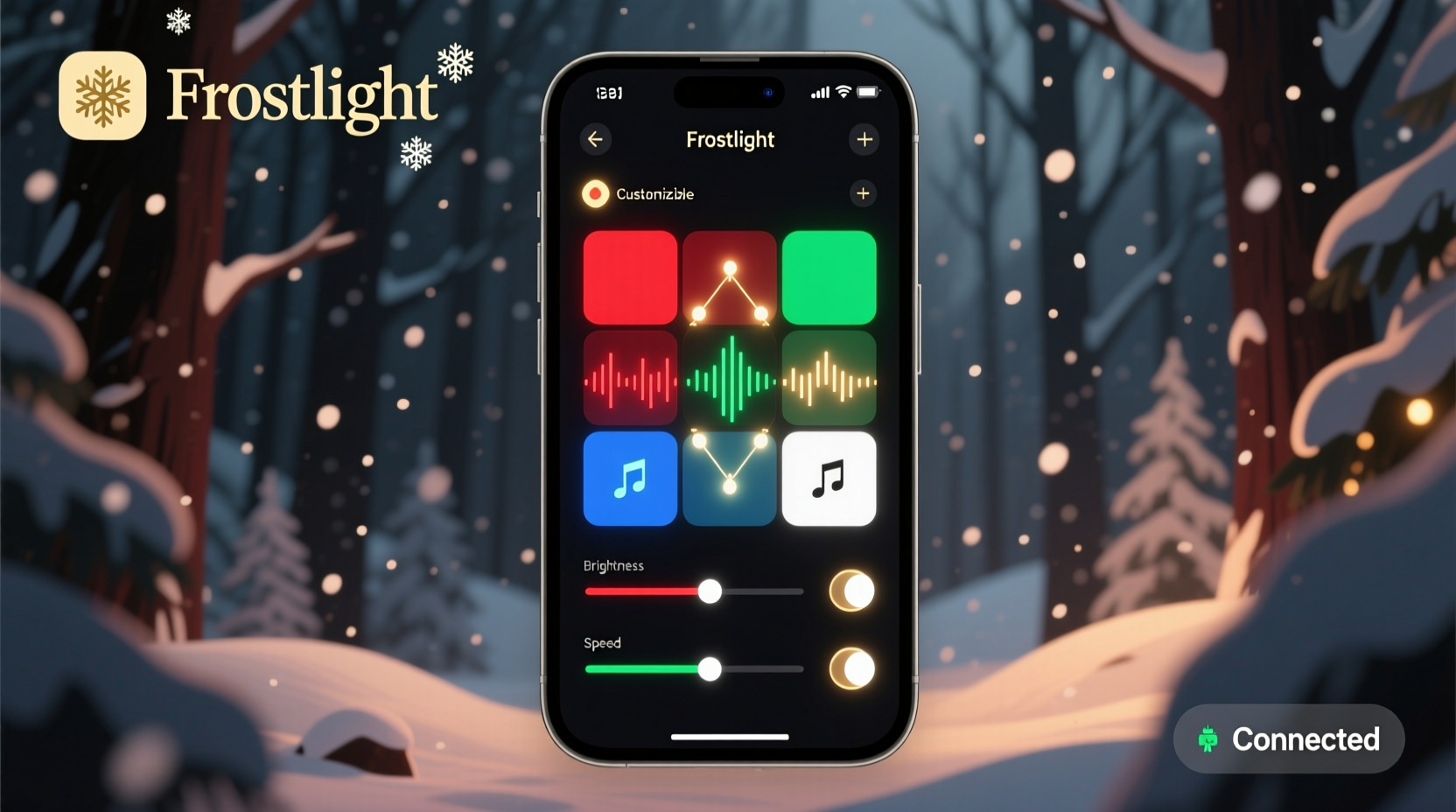
Not all smart lighting apps are created equal. Some focus on simplicity, while others offer advanced programming tools suitable for professional-grade displays. Below are five leading apps that deliver robust functionality across both mobile platforms.
- Lights by LIFX – Designed specifically for LIFX-branded smart bulbs, this app supports millions of color combinations, scheduling, and music synchronization. It works flawlessly on both Android and iOS, offering intuitive touch controls and voice assistant integration (Alexa, Google Assistant, Siri).
- Philips Hue – One of the most trusted names in smart lighting, Philips Hue provides a powerful ecosystem. Their official app allows granular control over individual lights or entire zones, including preset scenes like “Festive Reds” or “Winter Cool.” The app also integrates with Apple HomeKit and Google Home.
- Twinkly – Built for Twinkly LED strips and string lights, this app stands out for its 3D mapping feature, which lets you map lights around trees, windows, or rooftops and animate them in coordinated sequences. The interface includes drag-and-drop effects and beat detection for live music sync.
- Govee Home – Govee offers affordable RGBIC lights with strong app performance. The Govee Home app enables DIY animations, timer settings, and group control. It supports both local and remote access, making it ideal for managing outdoor displays even when you're away from home.
- Shelly Bulb – While Shelly primarily sells smart relays, their companion app supports third-party RGBW bulbs used in holiday setups. With no hub required and full MQTT support, tech-savvy users appreciate its flexibility and reliability across devices.
Key Features to Look for in a Controller App
When choosing a Christmas light controller app, several core features determine usability, scalability, and long-term satisfaction. Consider the following capabilities before committing to a brand or ecosystem.
- Cross-Platform Compatibility – Confirm that the app is available on both Google Play Store and Apple App Store. Some niche brands only support one platform, limiting household use if family members have different devices.
- Remote Access – The ability to turn lights on or off from anywhere via the internet adds convenience and energy efficiency. Remote access also enables last-minute adjustments during events or unexpected weather changes.
- Scheduling & Automation – Pre-programmed schedules let your lights turn on at dusk and off at bedtime. Advanced apps allow rules based on sunrise/sunset times or geolocation triggers.
- Music Synchronization – For dynamic holiday shows, look for built-in microphones or audio input options that react to sound frequencies. Some apps even support uploading MP3s for timed playback.
- Group Control and Zones – If you have multiple sets of lights, being able to organize them into groups (e.g., roof, tree, pathway) streamlines management and enhances visual storytelling.
- DIY Animation Tools – Creative users benefit from pixel-level editing, fade transitions, chases, twinkle effects, and custom pattern builders within the app.
“Modern smart lighting apps have transformed holiday decorating from a seasonal chore into an interactive experience families can enjoy together.” — Daniel Ruiz, Smart Home Lighting Consultant
Comparison Table: Leading Apps Across Key Metrics
| App Name | Android/iOS Support | Music Sync | Scheduling | DIY Effects Editor | Voice Control |
|---|---|---|---|---|---|
| Lights by LIFX | Yes / Yes | Yes | Yes | Limited | Yes |
| Philips Hue | Yes / Yes | Via third-party plugins | Yes | Yes (basic) | Yes |
| Twinkly | Yes / Yes | Yes (real-time and pre-loaded) | Yes | Yes (advanced 3D editor) | Yes |
| Govee Home | Yes / Yes | Yes (via microphone) | Yes | Yes (pattern builder) | Yes |
| Shelly Bulb | Yes / Yes | No | Yes (via scripts) | No | Yes (with integrations) |
Step-by-Step Setup Guide for Your First Smart Light Display
Getting started with a Christmas light controller app doesn’t require technical expertise, but following a clear process ensures optimal results. Use this timeline to install and configure your system efficiently.
- Choose Your Lights and Controller – Select a product line that matches your desired effect (e.g., addressable LEDs for animations, warm white for classic charm). Ensure the controller supports Wi-Fi or Bluetooth connectivity.
- Download the App – Visit the Google Play Store or Apple App Store and search for the manufacturer’s official app. Avoid third-party clones that may lack updates or security patches.
- Power and Connect Hardware – Plug in your lights and controller. Most devices enter pairing mode automatically; otherwise, press the setup button until indicator lights flash.
- Connect to Wi-Fi – Open the app and follow prompts to connect the device to your home network. Use a 2.4 GHz band—most smart lights do not support 5 GHz networks.
- Name and Organize Devices – Assign descriptive names (e.g., “Front Porch Lights”) and group them logically for easier control later.
- Test Basic Functions – Turn lights on/off, adjust brightness, and cycle through preset colors to confirm connectivity.
- Create a Schedule – Set automatic on/off times aligned with sunset and bedtime. Enable “astronomical timer” if available for adaptive scheduling.
- Design Custom Effects – Experiment with animation speed, direction, and color transitions. Save favorite themes for reuse next year.
- Enable Music Mode (Optional) – Allow microphone access and play a holiday track to see how lights respond. Fine-tune sensitivity settings for better rhythm accuracy.
- Share Access (Optional) – Invite family members to control lights via shared accounts or guest permissions, enhancing collaborative enjoyment.
Real-World Example: A Neighborhood-Wide Light Show
In Portland, Oregon, homeowner Maria Thompson turned her front yard into a holiday destination using Twinkly lights and the companion app. She began with two strands of programmable LEDs wrapped around her porch railing. Using the app’s 3D mapping tool, she defined the layout on her phone screen and applied a gentle snowfall animation that cascaded down the rails.
Encouraged by neighbors’ positive feedback, she expanded to include a six-foot tree lit with pixel-addressable bulbs. Through the app, she programmed a 90-second show synced to “Jingle Bell Rock,” complete with pulsing reds and greens and flashing white highlights on drum beats. By enabling remote access, she could start the show from inside her home as visitors arrived.
By the third year, three neighboring households joined her effort, synchronizing their Govee and LIFX systems to the same playlist using shared timing cues. Though the apps weren’t natively integrated, they used a master clock approach—starting each display manually at the same time—to create a cohesive block-wide experience. The result drew dozens of nightly visitors and raised $2,000 for a local food bank through voluntary donations.
Essential Checklist Before Launching Your Display
Before flipping the switch on your holiday lights, run through this final checklist to ensure safety, functionality, and maximum enjoyment.
- ✅ Verify all lights are rated for outdoor use if installed outside
- ✅ Confirm stable Wi-Fi signal near the controller location
- ✅ Test battery-powered components (e.g., sensors or remotes)
- ✅ Secure cords and connections to prevent tripping hazards
- ✅ Update app and firmware to the latest version
- ✅ Back up custom light programs in case of reset
- ✅ Share emergency shut-off instructions with household members
- ✅ Check local noise and light ordinances regarding public displays
Frequently Asked Questions
Can I use multiple brands of smart lights together?
Yes, but integration requires extra effort. While native apps don’t usually communicate across brands, platforms like Apple Home, Google Home, or Samsung SmartThings can unify devices under one interface. Alternatively, use IFTTT or Home Assistant for rule-based automation between ecosystems.
Do these apps work without Wi-Fi?
Basic functions like on/off or color change may work via Bluetooth when you’re nearby, but remote access, scheduling, and cloud backups require a constant Wi-Fi connection. Some apps cache settings locally, allowing limited control during brief outages.
Are Christmas light controller apps secure?
Reputable brands employ encryption and account authentication to protect user data. To enhance security, use strong passwords, enable two-factor authentication where available, and avoid public Wi-Fi when accessing your lighting system remotely.
Maximize Your Holiday Magic Today
Smart Christmas light controller apps have redefined what’s possible in seasonal decorating. With seamless Android and iOS compatibility, intuitive interfaces, and rich feature sets, anyone can create professional-quality light displays from their smartphone. Whether you're aiming for subtle elegance or a full neighborhood attraction, the right app empowers creativity, simplifies maintenance, and spreads joy with every flicker and fade.
The technology is accessible, affordable, and designed for real-world use. You don’t need engineering skills—just a vision and a few evenings to set it up. As you plan this year’s holiday presentation, consider stepping beyond traditional plugs and timers. Embrace intelligent control, personalized effects, and the delight of watching your home come alive in rhythm with the season.




 浙公网安备
33010002000092号
浙公网安备
33010002000092号 浙B2-20120091-4
Comments
No comments yet. Why don't you start the discussion?