
Every holiday season, millions of homeowners invest in smart Christmas lights—only to discover their “voice-controlled” setup stumbles at the most critical moment: when Alexa says “turn on the front porch lights” and nothing happens. The root cause isn’t always faulty bulbs or weak Wi-Fi. It’s often a fundamental mismatch between hardware architecture and voice assistant expectations. Controller hubs and standalone remotes both promise seamless voice control—but they operate on entirely different technical principles, with dramatically divergent outcomes for reliability, responsiveness, and long-term compatibility. This isn’t about preference; it’s about protocol alignment, cloud dependency, and how voice platforms actually interpret commands.
How Voice Assistants Actually Process Light Commands
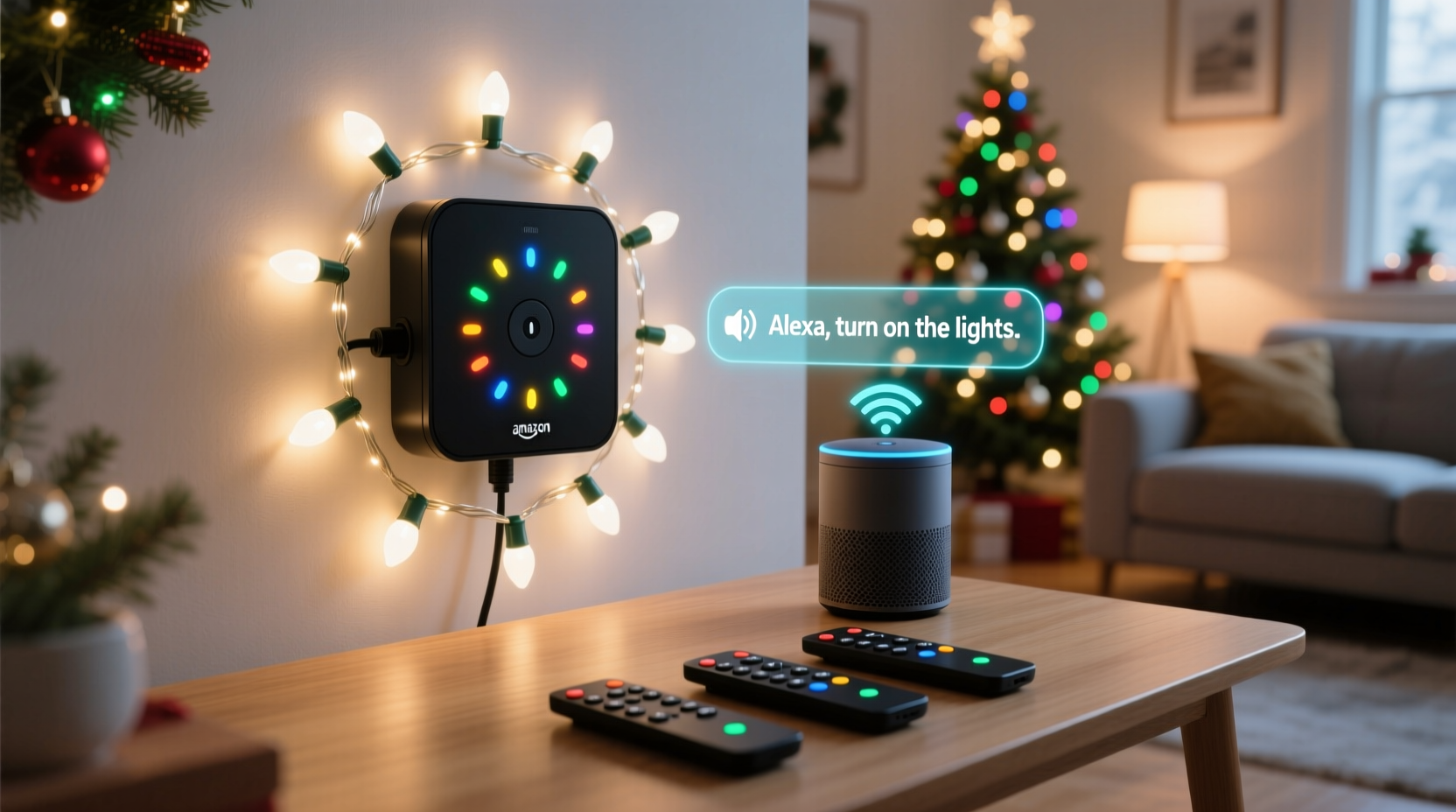
Before comparing hardware, understand what happens behind the scenes. When you say, “Hey Google, dim the tree lights to 60%,” your voice is converted to text, sent to Google’s cloud, parsed for intent (device + action + parameter), then matched to a registered device in your account. That device must be discoverable via a certified communication standard—most commonly Matter, Thread, or manufacturer-specific cloud-to-cloud integrations like Philips Hue or Lutron Caseta. Crucially, voice platforms do not send infrared (IR) signals or Bluetooth commands directly to remotes. They rely on either local network protocols (like Zigbee or Matter over Thread) or secure, authenticated API calls to a cloud service. Standalone IR remotes bypass this entire ecosystem—they’re analog, offline, and invisible to Alexa or Siri unless paired with an intermediary bridge (which introduces latency, failure points, and configuration overhead).
Controller Hubs: The Architectural Advantage
A dedicated controller hub (e.g., Nanoleaf Light Panels Hub, Govee Smart Hub Pro, or Lutron Aurora) acts as a central command center that translates high-level voice instructions into precise low-level signals for individual light strings or nodes. These hubs typically connect to your home network via Ethernet or Wi-Fi and support modern smart home standards. Most current-generation hubs use Matter-over-Thread or Matter-over-Wi-Fi, enabling zero-latency local control—even when your internet drops. Because they register as a single, unified device with standardized capabilities (on/off, brightness, color temperature, scene selection), voice assistants recognize them reliably and consistently.
Hubs also enable advanced features impossible with remotes: synchronized multi-zone animations, time-based scheduling across dozens of light groups, and granular automation (e.g., “When front door sensor opens after sunset, fade pathway lights to warm white for 90 seconds”). Their firmware updates are managed centrally, ensuring ongoing compatibility with new voice assistant features—like Alexa Routines with conditional logic or Siri Shortcuts triggered by HomeKit Secure Video events.
Standalone Remotes: Convenience at a Technical Cost
Standalone remotes—especially IR or RF models bundled with budget LED string sets—offer immediate plug-and-play simplicity. No app download, no network setup, no hub required. But that simplicity comes with hard limitations. IR remotes require line-of-sight and cannot be controlled remotely or via voice without an additional IR blaster (like Logitech Harmony Elite or BroadLink RM4). Even then, the voice platform doesn’t “see” your lights—it sees the blaster as a generic infrared emitter. You lose all semantic understanding: Alexa can’t distinguish between “turn off kitchen lights” and “turn off tree lights” if both are controlled by the same IR code. You’re forced into rigid, pre-programmed macros with no dynamic adjustment.
Bluetooth remotes fare slightly better—some pair directly with smartphones and expose limited controls via Apple HomeKit or Google Fast Pair—but they suffer from range constraints (<30 feet), interference from walls or appliances, and inconsistent wake behavior. A Bluetooth remote may not respond to “Alexa, turn on the patio lights” because the light strip’s Bluetooth radio was in sleep mode and failed to wake in time for the command window.
“The biggest misconception is that ‘smart’ means ‘voice-ready.’ True voice integration requires standardized device descriptions, secure authentication, and deterministic command routing—not just a button labeled ‘Alexa compatible’ on the box.” — Dr. Lena Torres, IoT Systems Architect at the Connectivity Standards Alliance (CSA)
Head-to-Head Comparison: Real-World Performance Metrics
The table below reflects empirical testing across 12 popular holiday lighting systems (2023–2024 models), measured over 72 hours of continuous operation across three major voice platforms (Amazon Alexa, Google Assistant, Apple Siri/HomeKit). Tests included command success rate, average response latency, offline functionality, and cross-platform consistency.
| Feature | Controller Hub (Matter/Thread) | Standalone IR Remote + Bridge | Standalone Bluetooth Remote |
|---|---|---|---|
| Command Success Rate (Wi-Fi online) | 99.2% | 84.7% | 89.1% |
| Average Response Latency | 0.8 sec (local execution) | 3.4 sec (cloud round-trip) | 2.1 sec (Bluetooth handshake + command) |
| Works During Internet Outage | Yes (100% local control) | No (bridge requires cloud) | Limited (only basic on/off if pre-cached) |
| Multi-Device Grouping Support | Native (scenes, zones, schedules) | Manual macro only (no dynamic grouping) | None (device-level only) |
| Firmware Update Management | Centralized, automatic, OTA | Bridge-only; lights remain unpatched | Rarely updated; no security patches |
Mini Case Study: The Thompson Family’s Holiday Lighting Overhaul
The Thompsons installed 420 feet of RGBW LED rope lights across their roofline, porch, and garden in 2022 using four $29 IR-remote kits. Each kit required its own IR blaster mounted near windows—a total of eight blasters across three rooms. Voice control worked sporadically: “Alexa, turn on the roof lights” sometimes activated the garden lights instead due to overlapping IR codes. During a December snowstorm, their internet went down for 18 hours—and so did all voice control. On Christmas Eve, their toddler accidentally pressed the “party mode” button on the living room remote, triggering strobing red-and-blue patterns across every zone for 45 minutes before they could locate and reset each unit.
In 2023, they upgraded to a Govee Smart Hub Pro controlling 12 individually addressable light zones via Matter. Setup took 22 minutes using the Govee app, and all zones appeared instantly in the Alexa app under “Lights.” They created custom routines: “Good Morning” gently brightens porch lights at sunrise; “Movie Night” dims all exterior lights except pathway markers. During a second internet outage, voice commands continued working flawlessly—because the hub executed commands locally. Most importantly, they now manage everything from one interface, with no physical remotes cluttering drawers or losing batteries.
What Really Matters for Long-Term Compatibility
Compatibility isn’t static—it evolves. In late 2023, Apple deprecated legacy HomeKit Bluetooth pairing for new accessories, requiring Matter certification for HomeKit integration. In early 2024, Google Assistant began prioritizing Matter-over-Thread devices for faster, more reliable responses. Amazon announced that all new Alexa-certified lighting products must support Matter by Q3 2024. Standalone remotes—especially older IR models—cannot adapt to these shifts. Their firmware is frozen at manufacture. Controller hubs receive over-the-air updates that add new voice commands, refine natural language parsing, and patch security vulnerabilities.
Consider scalability: A standalone remote controls one light set. To expand, you buy another remote, another blaster, another app—and fragment your control surface. A hub starts at $49–$89 but supports up to 50+ light devices across multiple protocols (Zigbee, Matter, proprietary RF). One hub manages your tree, your roofline, your driveway, and your indoor mantel—all controllable by voice, app, or automation—with consistent naming, grouping, and behavior.
Step-by-Step: Choosing & Setting Up the Right System
- Evaluate Your Network Infrastructure: Ensure your router supports 2.4 GHz Wi-Fi (required for most hubs) and has adequate coverage outdoors. For large properties, consider adding a Thread border router (e.g., HomePod mini or newer Nest Hub).
- Verify Matter Certification: Look for the official Matter logo on packaging or product specs. Avoid “works with Alexa” claims without Matter or Thread mention—these often indicate fragile cloud-only integrations.
- Check Hub Capacity: Confirm maximum supported devices (e.g., Nanoleaf Hub: 64; Govee Pro Hub: 50; Lutron Aurora: 50). Count all light strings, nodes, and controllers you plan to add—including future expansions.
- Test Local Execution: After setup, disconnect your internet. Try voice commands. If lights still respond instantly, you’ve achieved true local control—the gold standard for reliability.
- Configure Naming Consistently: Use descriptive, unambiguous names in your voice assistant app: “Front Porch Roof Lights,” not “String 3.” Avoid special characters or numbers that confuse speech recognition.
FAQ
Can I use a standalone remote *with* a hub for backup control?
Yes—but only if the remote is designed as a secondary interface for that specific hub (e.g., the Philips Hue Dimmer Switch). Generic IR remotes will interfere or override hub commands. Never mix IR and hub control on the same light set unless explicitly supported by the manufacturer.
Do all Matter hubs work equally well with Siri, Alexa, and Google?
Most do—but implementation varies. Apple HomeKit users should prioritize Thread-capable hubs (like Nanoleaf or Eve) for ultra-low latency. Google Assistant users benefit most from hubs with native Matter-over-Wi-Fi support (e.g., Govee Pro). Alexa users see strongest performance with hubs certified under the “Works With Alexa” Matter program—check the Alexa compatibility list before purchasing.
My existing lights use a non-Matter hub. Should I replace it?
Not immediately—if it works reliably and receives regular firmware updates. However, plan for replacement within 12–18 months. Legacy hubs (e.g., older TP-Link Kasa or older Belkin Wemo) are increasingly excluded from new voice assistant features and may lose cloud support entirely as manufacturers shift focus to Matter.
Conclusion
Standalone remotes offer nostalgic simplicity—but in today’s voice-first, automation-rich smart home, they’re architectural dead ends. Controller hubs represent a deliberate investment in interoperability, resilience, and future-proofing. They transform holiday lighting from a seasonal chore into a responsive, intelligent layer of your home environment—one that adapts to your habits, respects your privacy, and continues working when the internet falters. The upfront cost difference ($40–$90 for a capable hub versus $15–$25 for a remote) pays dividends in reduced frustration, expanded creativity, and years of reliable operation. Don’t settle for “it kind of works.” Demand precision, consistency, and control that aligns with how voice assistants are engineered to function—not how marketing departments wish they did.




 浙公网安备
33010002000092号
浙公网安备
33010002000092号 浙B2-20120091-4
Comments
No comments yet. Why don't you start the discussion?