
As holiday seasons roll around, homes across neighborhoods come alive with festive lights. While these displays bring joy, they also raise concerns about electricity consumption. With growing awareness of energy efficiency and rising utility costs, many homeowners are rethinking how they manage their Christmas lighting. Two popular solutions—motion sensors and timers—are often compared for their ability to reduce energy use. But which one actually performs better in real-world conditions? This article dives deep into both technologies, comparing their efficiency, cost savings, usability, and environmental impact to help you make an informed decision.
How Christmas Lights Impact Energy Consumption
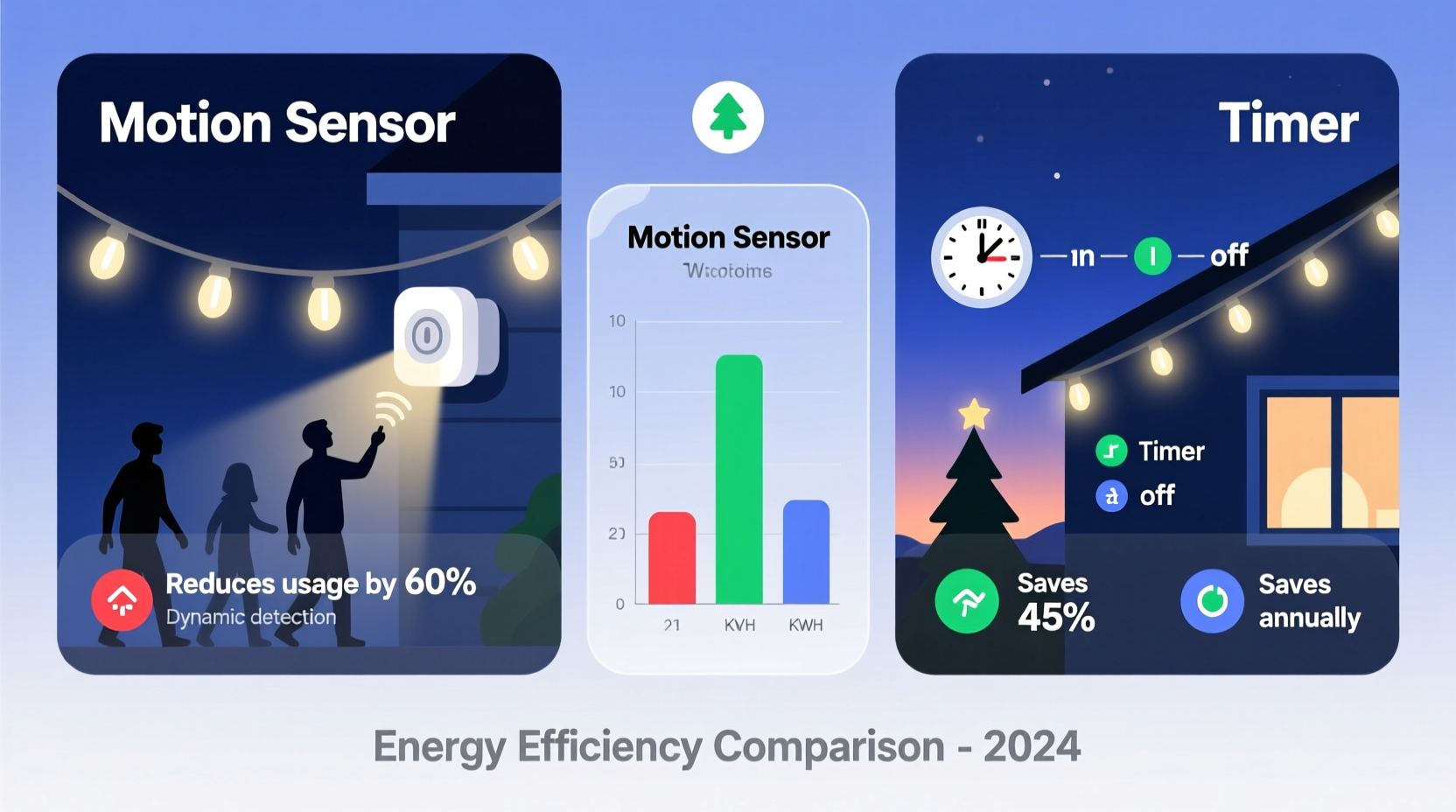
Traditional incandescent Christmas lights can consume significant power, especially when left on for hours each night. A single strand of 100 mini lights may draw up to 40 watts. If a display includes ten strands, that’s 400 watts—equivalent to running a small space heater at low power. Even LED lights, while far more efficient (typically 5–10 watts per 100 bulbs), can add up when used extensively.
The key to reducing energy waste lies not just in the type of bulb but in how long the lights remain illuminated. Leaving lights on from dusk to dawn—even when no one is outside to enjoy them—leads to unnecessary consumption. This is where automated controls like motion sensors and timers come into play.
Motion Sensors: Smart Activation Based on Presence
Motion sensor-equipped Christmas lights turn on only when movement is detected nearby—such as someone walking past the porch or approaching the front door. These systems use passive infrared (PIR) technology to detect body heat and motion within a set range, typically 10 to 30 feet.
Because the lights remain off until triggered, they drastically limit active runtime. For example, if your porch sees brief foot traffic three times per evening for two minutes each, the lights operate for only six minutes total instead of several hours.
This on-demand activation makes motion sensors highly effective in areas with intermittent visitor activity. They’re ideal for security-focused lighting, such as driveway markers or entryway accents, where illumination serves both decorative and functional purposes.
However, motion sensors have limitations. In high-traffic areas, frequent triggering could lead to longer cumulative runtimes. Conversely, in quiet neighborhoods or isolated yards, lights may rarely activate, diminishing the intended festive effect. Additionally, weather conditions like heavy snow or fog can sometimes interfere with sensor accuracy.
“Motion-based lighting systems can reduce operational time by 70–90% compared to all-night displays, making them among the most efficient options available.” — Dr. Alan Reeves, Energy Systems Engineer, National Lighting Research Institute
Timers: Scheduled Control for Predictable Savings
Timers offer a simpler, more predictable approach. A mechanical or digital timer allows users to set specific on and off periods—such as turning lights on at 5:00 PM and off at 11:00 PM daily. This ensures lights are only active during peak viewing hours, typically when family members are home or neighbors are out enjoying decorations.
Unlike motion sensors, timers do not rely on detection logic. Instead, they follow a fixed schedule, providing consistent performance regardless of outdoor activity levels. Most modern digital timers allow multiple daily cycles, randomization modes (to simulate occupancy), and seasonal adjustments.
For homeowners who want reliable nightly displays without manual intervention, timers strike a balance between aesthetics and efficiency. By limiting operation to 6–8 hours per night instead of 12+, energy use is nearly halved compared to uncontrolled setups.
One downside is inflexibility. If plans change—say, a late return home or an early guest arrival—the lights won’t adjust automatically unless manually overridden. Some smart timers connected to Wi-Fi networks can be controlled remotely via apps, mitigating this issue slightly.
Comparative Analysis: Motion Sensor vs Timer
To determine which system reduces energy use more effectively, we must compare real-world performance across several criteria. The table below summarizes key differences:
| Feature | Motion Sensor | Timer |
|---|---|---|
| Average Runtime per Night | 5–20 minutes (event-driven) | 6–10 hours (scheduled) |
| Energy Reduction Potential | Up to 95% | 30–60% |
| Festive Visibility | Low to moderate (only during motion) | High (consistent nightly display) |
| Best Use Case | Security accent lighting, low-traffic areas | Main displays, neighborhood visibility |
| Installation Complexity | Moderate (alignment and sensitivity tuning) | Low (plug-and-set) |
| Cost (Average) | $25–$50 | $10–$30 |
| Weather Resistance | Varies; some models degrade in snow/fog | Generally high |
From an energy-saving standpoint, motion sensors clearly outperform timers due to minimal runtime. However, this comes at the expense of visual continuity. If the goal is maximum efficiency, motion sensors win. But if the priority is maintaining a welcoming, visible holiday atmosphere, timers are more suitable.
Real-World Example: The Johnson Family’s Holiday Display
The Johnsons live in a suburban neighborhood known for its elaborate Christmas lights. For years, they ran their display from 5 PM to midnight using a basic outlet timer. After receiving a higher-than-expected December electric bill, they decided to experiment.
In Year One, they switched to a motion sensor setup for their walkway and tree lights. Over the holiday season, their lights activated only when someone approached the house—mainly during evening walks or package deliveries. On average, the system ran for less than 15 minutes per day.
Electricity usage dropped significantly. Their outdoor circuit’s consumption fell by 88% compared to the previous year. However, feedback from neighbors was mixed. Some appreciated the subtle, responsive lighting. Others missed seeing the full display and felt the yard looked “dark” most nights.
In Year Two, they adopted a hybrid strategy: using a timer for main decorative zones (roofline, lawn figures) set to operate from 6 PM to 10 PM, and motion sensors only for pathway and entrance lighting. This balanced energy savings with community enjoyment. Their final energy reduction was 62%, still substantial, while preserving the festive spirit.
Their experience illustrates a critical point: optimal energy efficiency must be weighed against user intent. Total savings matter, but so does purpose.
Step-by-Step Guide to Choosing and Installing the Right System
Follow this timeline to implement the most energy-efficient solution for your needs:
- Assess Your Display Goals (Week 1): Determine whether your lights are primarily decorative, security-oriented, or both. High-visibility areas favor timers; safety-focused zones benefit from motion sensors.
- Calculate Baseline Energy Use (Week 1): Add up the wattage of all lights in your display. Multiply by hours used per night to estimate current consumption.
- Select Control Type (Week 2): Choose based on your assessment. For pure efficiency, pick motion sensors. For consistency, go with timers. Consider hybrids for large displays.
- Purchase Compatible Equipment (Week 2): Ensure sensors or timers are rated for outdoor use and match your plug type (e.g., standard NEMA 5-15). Look for UL certification.
- Install and Test (Week 3): Mount motion sensors at optimal height (6–8 ft) and angle toward expected paths. Set timers according to desired on/off windows. Test over multiple evenings.
- Monitor and Adjust (Ongoing): Observe performance. Is the motion sensor missing triggers? Are lights on too long? Refine settings weekly.
- Evaluate Bill Impact (January): Compare December’s energy usage to prior years. Calculate cost savings and ROI on equipment.
Hybrid Solutions: Best of Both Worlds?
Emerging smart lighting systems combine motion sensing with programmable timers. These allow you to set default schedules (e.g., lights on from 6–10 PM) but override them dynamically—turning on briefly outside scheduled hours if motion is detected.
Such systems maximize visibility during peak times while retaining responsiveness for unexpected visitors. Though more expensive upfront ($40–$80), they offer superior flexibility and incremental energy savings over standalone devices.
Smart plugs integrated with voice assistants (like Alexa or Google Home) take this further, enabling remote scheduling changes, usage tracking, and integration with broader home automation routines.
FAQ
Can I use a motion sensor with string lights?
Yes, as long as the combined wattage of the lights does not exceed the sensor’s load rating (usually 600–1500 watts). Most LED string lights fall well below this threshold.
Do timers work with LED Christmas lights?
Absolutely. Timers are compatible with both incandescent and LED lights. Digital timers are recommended for LEDs to prevent flickering caused by low current draw in mechanical models.
Which option saves more money long-term?
Motion sensors save more energy and therefore more money in low-traffic scenarios. However, timers provide faster payback due to lower initial cost and broader applicability. In high-use displays, timers may offer better value despite lower efficiency.
Checklist: Optimizing Your Christmas Lighting for Energy Efficiency
- ✅ Replace incandescent bulbs with LED alternatives
- ✅ Audit total display wattage and estimated nightly runtime
- ✅ Decide primary goal: energy savings or visual impact
- ✅ Choose between motion sensor, timer, or hybrid controller
- ✅ Install outdoors-rated device with proper weather protection
- ✅ Position motion sensors to cover key approach paths
- ✅ Program timer to align with actual viewing hours
- ✅ Monitor usage and adjust settings mid-season if needed
- ✅ Consider solar-powered lights for zero-grid operation
- ✅ Store controllers properly after the season for reuse next year
Final Recommendation: Match Technology to Purpose
There is no universal answer to whether motion sensors or timers reduce energy use more effectively—the best choice depends on context. If minimizing electricity consumption is your top priority and your display doesn’t need constant visibility, motion sensors are the clear winner. They can slash runtime by over 90%, translating directly into lower bills and reduced carbon footprint.
However, if your goal is to create a warm, inviting holiday atmosphere visible to passing neighbors and visitors, a timer offers more reliable performance. It ensures your lights shine every evening during prime hours, supporting tradition and community spirit without the unpredictability of motion activation.
For many households, a blended strategy delivers the best outcome: use timers for central decorative elements and motion sensors for functional or accent lighting. This approach balances efficiency with aesthetic appeal, offering meaningful energy reductions without sacrificing the joy of the season.
“The future of holiday lighting isn’t just about brightness—it’s about intelligence. The most sustainable displays are those that illuminate only when needed.” — Sarah Lin, Sustainable Living Advocate, Green Homes Initiative
Take Action This Holiday Season
This year, go beyond tradition and rethink how your lights operate. Start by auditing your current setup. Then, choose a control method that aligns with your values—whether it’s cutting energy waste, enhancing safety, or spreading cheer. Small changes in how you manage your Christmas lights can lead to big savings and a lighter environmental impact. Implement one upgrade today, and make your holiday display smarter, greener, and more efficient than ever before.




 浙公网安备
33010002000092号
浙公网安备
33010002000092号 浙B2-20120091-4
Comments
No comments yet. Why don't you start the discussion?