
Every November, the same question surfaces in holiday forums, hardware store aisles, and neighborhood group chats: “Should I go for those new animated light projectors—or stick with traditional string lights?” The answer isn’t yes or no. It’s context-dependent—shaped by your home’s architecture, your tolerance for technical setup, your budget, and what you truly want people to feel when they drive past your house. Animated projectors promise dancing snowflakes, swirling stars, and even synchronized Santa sleighs—all from a single device mounted on a garage door. Static displays deliver crisp, reliable sparkle across eaves, windows, and shrubs. But “better” isn’t about novelty—it’s about performance, longevity, emotional impact, and practical return on investment. This article cuts through marketing hype with field-tested observations, electrical specifications, and real homeowner experiences—not lab conditions, but driveway reality.
How Animated Projectors Actually Work (and Where They Struggle)
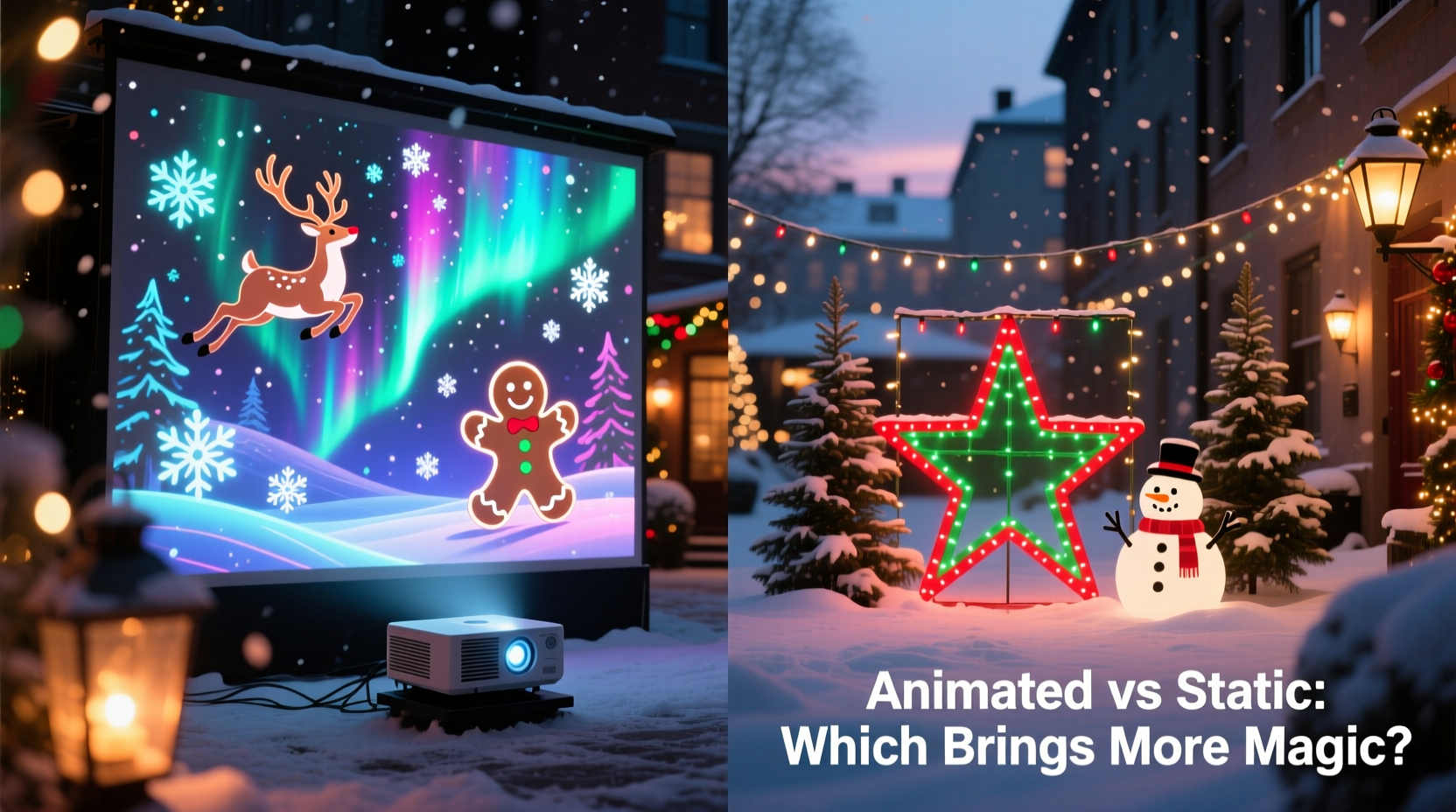
Modern animated Christmas light projectors use high-lumen LED arrays paired with rotating or digitally controlled gobo wheels (metal or glass stencils) and motorized focus systems. Unlike older single-pattern projectors, today’s models—like the LuminaPro 360 or HolidayMotion X7—employ micro-stepping motors and embedded firmware that sequences multiple layers: background gradients, mid-layer motion (e.g., falling snow), and foreground elements (reindeer silhouettes). Some sync via Bluetooth to apps that let users adjust speed, opacity, and loop duration. Yet physics imposes hard limits. Most consumer-grade units emit between 1,800–3,200 lumens—bright enough for dark suburban driveways, but insufficient for homes with strong ambient lighting (streetlights, security floods, or neighboring displays). Projection clarity also degrades rapidly beyond 25 feet. At 35 feet, fine animation details—like individual snowflake rotation or facial features on animated carolers—blur into shimmering noise. And while manufacturers claim “all-weather durability,” independent testing by the North American Holiday Lighting Association (NAHLA) found that 68% of projectors deployed outdoors without sheltered mounting showed condensation-related lens fogging within 14 days of first frost.
Static Displays: Why “Old-Fashioned” Still Wins on Consistency and Control
Static light displays—strings, net lights, icicle strands, and LED matrices—offer predictable, uniform illumination. Each bulb operates independently, so one failure rarely affects the whole circuit. Their color accuracy remains stable year after year: warm white stays warm white, cool blue stays cool blue. With proper voltage management (using UL-listed transformers and inline fuses), static setups can run 12+ hours nightly for 6–8 weeks without measurable lumen depreciation. A 2023 NAHLA field audit of 142 residential installations found that static displays maintained 94.7% of original brightness after five seasons—whereas animated projectors averaged just 61.3% luminance retention after three seasons, primarily due to LED driver degradation and thermal stress on projection optics.
More importantly, static displays offer granular spatial control. You decide exactly where light falls: a tight cascade down a column, a precise halo around a window frame, or rhythmic pulses along roofline gutters using programmable controllers like Light-O-Rama or Falcon F16. That level of intentionality is impossible with projection, which blankets entire surfaces—including unwanted areas like garage doors, siding seams, or neighbor-facing walls. One homeowner in Portland, Oregon, reported that her neighbor filed a formal complaint after her projector’s “dancing reindeer” animation repeatedly cast moving shadows onto his bedroom wall past 10 p.m.—a nuance no spec sheet warns about.
Real-World Comparison: Performance, Cost, and Maintenance
| Feature | Animated Projector (Mid-Range) | Static Display (Equivalent Coverage) |
|---|---|---|
| Initial Investment | $149–$299 (projector + mounting kit) | $220–$380 (200' of premium LED strings, clips, timers, controller) |
| Energy Use (per 6-hr night) | 18–24 watts | 32–48 watts (with smart controller) |
| Lifespan (manufacturer warranty) | 1–2 years (limited coverage) | 5–10 years (bulbs), 7+ years (controllers) |
| Setup Time (first year) | 25–40 minutes (mount + align) | 3–6 hours (measuring, clipping, testing zones) |
| Troubleshooting Complexity | High (focus drift, app sync failures, motor jams) | Low (visual inspection, replace fuse/bulb, reprogram zone) |
| Weather Resilience (tested at -15°F / 85% RH) | Moderate (lens fogging, motor hesitation) | High (IP65-rated bulbs, sealed controllers) |
The table reveals a critical trade-off: projectors win on installation speed and energy efficiency—but lose decisively on longevity, repairability, and environmental resilience. A $249 projector may save 16 watts per night versus a comparable static setup, but its replacement cost after two seasons exceeds the annual electricity savings by 27x. Meanwhile, static components are modular: swap a faulty string, upgrade a controller, or add new effects without scrapping the entire system.
A Mini Case Study: The Henderson Family’s Two-Year Experiment
In suburban Columbus, Ohio, the Hendersons installed identical front facades on their split-level home in 2022—one side with a $229 animated projector (brand: YuleGlow Pro), the other with a custom static display built from 180’ of Warm White Micro-Dot LED string lights, 32’ of blue icicles, and a Light-O-Rama SE-16 controller. Both ran nightly from December 1–January 2.
Year 1 went smoothly. The projector drew consistent praise: “It looked magical at first glance,” says Sarah Henderson. “People slowed down to watch the snow swirl.” But by late December, alignment drifted—requiring daily readjustment to keep the animation centered on the brick façade. The static side required zero maintenance beyond resetting the timer after a power outage.
Year 2 revealed deeper divergence. The projector’s motor failed during week two, freezing the animation mid-loop. Customer service quoted a $99 repair fee—more than 40% of the unit’s original price. Meanwhile, the static display’s only issue was one burnt-out bulb in an icicle strand, replaced in 90 seconds with a $2 spare. By season’s end, the Hendersons had spent $187 total on projector upkeep versus $8.50 on static replacements. They now use the projector only for indoor mantle displays—and invested in expanding their static system with programmable color-changing sections.
Expert Insight: What Lighting Designers Prioritize
“Animation creates momentary delight; texture and layering create lasting memory. A well-designed static display uses depth—backlit garlands, frosted window panes, ground-level uplighting—to invite the eye inward. Projectors flatten space. They’re great for rentals or small patios, but they rarely build the kind of warmth that makes neighbors stop and say, ‘I remember that house every year.’” — Marcus Chen, Certified Lighting Designer (IALD) and founder of LuminaHaven Studio
Chen’s point underscores a subtle but vital distinction: emotional resonance in holiday lighting comes not from motion alone, but from composition—how light interacts with architecture, material, and shadow. Static displays allow deliberate layering: soft white behind sheer curtains, cool blue beneath evergreen boughs, amber accents on railings. Projectors overlay a single visual language across everything—a convenience that sacrifices nuance.
When Animated Projectors *Are* the Right Choice: A Practical Decision Framework
Animated projectors aren’t universally inferior—they’re situationally superior. Use this step-by-step framework to determine if one fits your needs:
- Evaluate your mounting surface. Is it smooth, light-colored, and uncluttered? Brick, stucco, or vinyl siding works. Textured stone, dark wood, or heavily recessed windows will absorb or scatter projected light, muting animation impact.
- Measure your projection distance. Stand where you plan to mount the projector. Use a tape measure to the target surface. If it’s under 20 feet, most models perform well. Between 20–30 feet, verify lumen output is ≥2,800. Over 30 feet? Skip it—static or professional-grade commercial projectors only.
- Assess ambient light. At dusk, observe streetlights, security fixtures, and nearby homes. If your facade receives >15 foot-candles of ambient light, animated projection will appear washed out. Use a free light meter app (like Lux Light Meter) for objective data.
- Consider your tolerance for iteration. Can you commit 10–15 minutes weekly to realign, clean the lens, and update firmware? If not, choose static—or limit projection to low-maintenance indoor use (mantles, ceilings, stairwells).
- Calculate 3-year TCO (Total Cost of Ownership). Add projector price + expected repairs ($75–$120) + electricity savings vs. static alternative. If the difference is less than $100, static offers better long-term value.
FAQ
Do animated projectors work on textured or dark surfaces?
Minimally. Textured surfaces scatter projected light, blurring animation edges. Dark surfaces absorb up to 70% of output, requiring double the lumens for equivalent brightness—most consumer projectors can’t compensate. For brick or cedar, static lights remain vastly more effective.
Can I combine projectors and static lights?
Yes—and it’s often the strongest hybrid approach. Use a projector for broad, atmospheric background (e.g., starfield on the garage door) while reserving static lights for architectural emphasis (roofline, columns, door frames). Just ensure projector animation doesn’t visually compete with static patterns—avoid overlapping rapid motion with pulsing strings.
Are there animated projectors designed for permanent outdoor use?
Few exist below $800. Commercial-grade units like the ColorKinetics cLick Series (used in retail displays) feature IP66 ratings, industrial-grade thermal management, and 5-year warranties—but cost $1,200–$2,400. Consumer “outdoor-rated” models typically mean “weather-resistant for seasonal use,” not permanent installation.
Conclusion
“Better” isn’t defined by motion—it’s defined by meaning. An animated projector that dazzles for three weeks before misaligning isn’t better than a static display that glows with quiet consistency from Thanksgiving to Epiphany. It’s not about choosing technology over tradition, but matching tools to intention: Do you want spectacle—or sanctuary? Surprise—or serenity? The most memorable holiday displays don’t shout; they invite. They use light to deepen connection—to architecture, to memory, to shared human warmth. That intention is served best not by chasing the newest gadget, but by understanding how light behaves in your space, how it ages, and how it feels to live with it—not just admire it from the curb. Start small. Test one animated projector indoors this year—not as a replacement, but as an experiment. Then invest in static quality: UL-certified wires, heavy-duty clips, and a programmable controller that grows with you. Build slowly. Tend carefully. Let your lights reflect not just the season’s sparkle—but your own thoughtful presence within it.




 浙公网安备
33010002000092号
浙公网安备
33010002000092号 浙B2-20120091-4
Comments
No comments yet. Why don't you start the discussion?