
Every year, thousands of homeowners invest time, money, and holiday spirit into elaborate Christmas light displays—only to face the same frustrating technical hiccup: the front-yard sequence runs flawlessly while the backyard lights stutter, freeze, or fall completely out of sync. You press “play” on your controller, watch the first 30 seconds shine perfectly on the porch, then turn toward the deck to see strings flickering erratically—or worse, sitting dark while the rest of the show plays on. This isn’t a glitch in the matrix. It’s a predictable symptom of signal attenuation, electromagnetic interference, and repeater misconfiguration. And it’s fixable—not with guesswork, but with methodical range testing, intentional infrastructure design, and an understanding of how modern light controllers actually communicate.
How Christmas Light Controllers Actually Transmit Signals
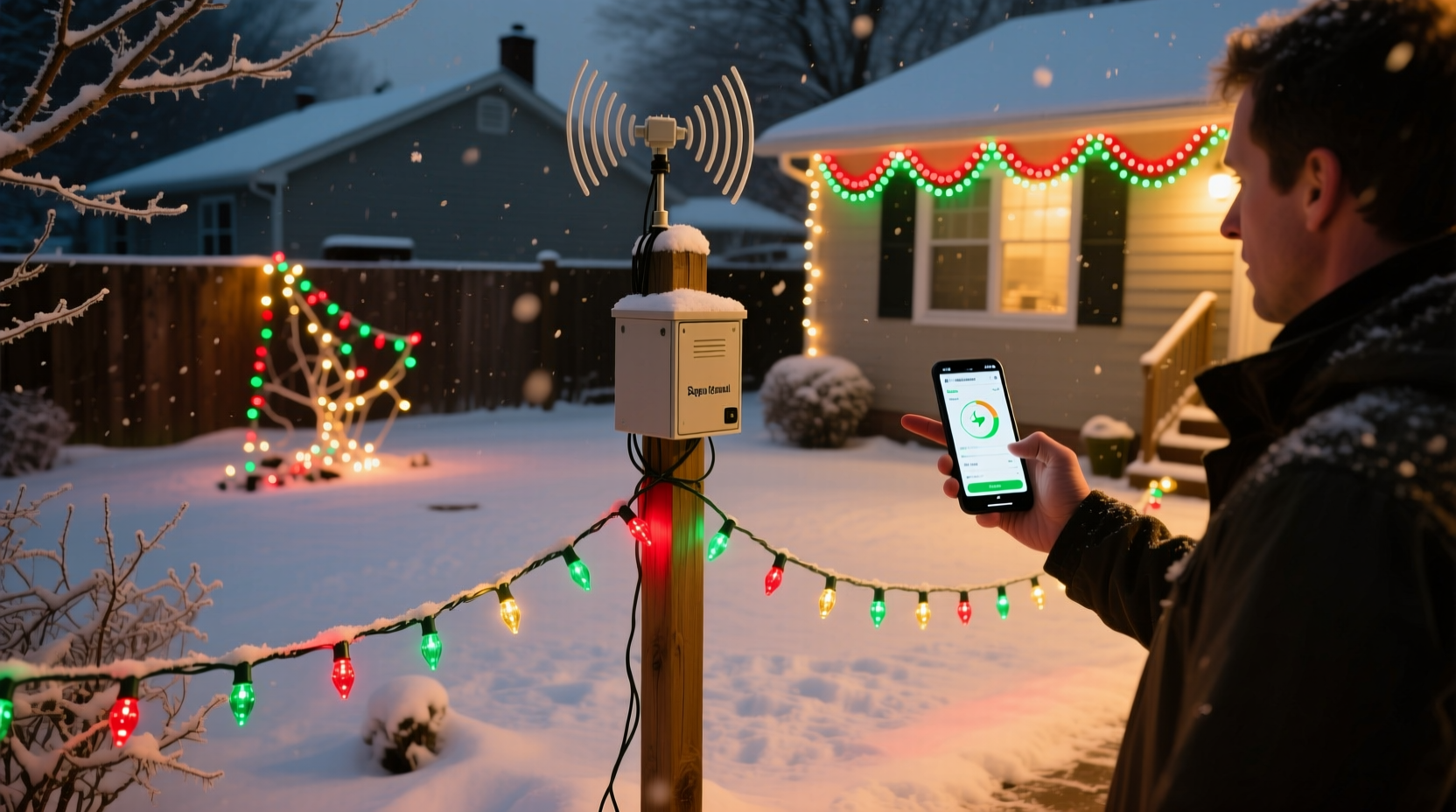
Most premium synchronized light systems—LOR (Light-O-Rama), Holiday Coro, xLights-compatible E68x or Falcon F16v3, and even newer smart Wi-Fi platforms like Twinkly Pro or BlinkHub—rely on one of three signal types: DMX512, RS-485, or proprietary wireless protocols (e.g., LOR’s RF remotes or BlinkHub’s 2.4 GHz mesh). Crucially, the controller does not broadcast “light on/off” commands to every bulb individually. Instead, it sends timing-critical data packets over a physical or wireless channel to a network of receivers—often called “nodes,” “controllers,” or “repeater boxes”—which then translate those signals into pixel-level instructions for LEDs.
In wired setups (the most common for large displays), the signal travels along twisted-pair cable—typically CAT5e/6 for DMX or RS-485, or proprietary shielded cable for older LOR AC controllers. Signal integrity degrades with distance due to capacitance, impedance mismatch, and noise coupling. The industry rule of thumb? For standard RS-485 (used by most LOR and Falcon controllers), the absolute maximum reliable distance is 4,000 feet at 9,600 bps, but that assumes ideal conditions: perfect termination, no splices, no parallel branches, and zero EMI sources. In real-world residential settings—with garden hoses coiled nearby, Wi-Fi routers humming in garages, and LED drivers leaking noise—the practical limit often collapses to 300–600 feet before timing skew becomes visible.
Wireless repeaters add another layer: they receive, amplify, and retransmit—but only if they decode the packet correctly. A marginal signal won’t just weaken; it may corrupt bits, causing dropped frames or misaligned timing clocks across zones. That’s why your front yard stays synced while the backyard drifts: the repeater isn’t amplifying—it’s guessing.
Range Testing: What You’re Really Measuring (and Why Most DIY Tests Fail)
“I tested my repeater and it worked fine at 200 feet in the driveway”—a common claim that misses the point entirely. Range testing for synchronized lighting isn’t about whether lights turn on or off. It’s about measuring timing fidelity: the consistency of frame-to-frame latency and clock synchronization across all receiving nodes.
A robust test requires three elements:
- Controlled load: All target lights must be connected and powered—not just one test string.
- Real-time monitoring: Use software like xLights’ “Network Monitor” or LOR’s Hardware Utility to observe packet loss %, jitter (ms variation between expected and received frame times), and node heartbeat status.
- Stress pattern: Run a high-frequency animation (e.g., 50 Hz strobe or rapid color chase) for ≥5 minutes—not a slow fade. Timing errors accumulate under load.
Without these, you’re measuring “presence,” not “precision.” Many users report “it works” after plugging in a repeater and seeing lights respond to a basic command—then wonder why their musical sequence desyncs during the chorus.
Signal Killers: The 5 Most Common Interference Sources (and How to Diagnose Them)
It’s rarely just distance. Real-world sync failure is usually compound: distance + interference + poor grounding. Here are the top culprits, ranked by frequency of occurrence in backyard installations:
| Interference Source | How It Disrupts Sync | Diagnostic Clue | Fix |
|---|---|---|---|
| LED Power Supplies | Switch-mode drivers emit broadband RF noise (3–30 MHz), coupling into unshielded control cables and overwhelming low-voltage data lines. | Sync loss worsens when other LED strips (e.g., house outline) are powered on—even if unrelated to the control network. | Use ferrite chokes (clip-on, 2+ turns) on all DC input cables near controllers; separate power and data runs by ≥12 inches. |
| Wi-Fi Routers & Smart Devices | 2.4 GHz band overlaps with many wireless repeaters and Bluetooth-based controllers, causing packet collisions and retries. | Worst sync issues occur during video streaming or Zoom calls in the home. | Switch router to 5 GHz band; relocate repeaters away from modems/routers; use wired Ethernet backhaul where possible. |
| Underground Conduit & Metal Objects | Metal pipes, rebar, or irrigation valves act as unintentional antennas, reflecting or absorbing RF signals and creating dead zones. | Sync fails only in specific backyard corners—even with line-of-sight to repeater. | Test with portable repeater moved 3–5 ft laterally; avoid routing cables within 18\" of metal structures. |
| Poor Termination & Ground Loops | Unterminated RS-485 lines cause signal reflections; shared neutrals between lighting and controller grounds induce noise currents. | Intermittent sync loss that improves when unplugging unrelated appliances (fridge, furnace). | Install 120Ω termination resistors at farthest node; use isolated DC-DC converters for remote controllers. |
| Cable Splices & Connectors | Each unshielded splice adds capacitance and impedance discontinuity—degrading rise/fall times critical for 500 kbps+ data rates. | Sync degrades after adding a new string mid-season; fixed by replacing one connector. | Use soldered, heat-shrink sealed connections or IP67-rated RJ45 couplers—not twist-on wire nuts. |
Mini Case Study: The Maple Street Backyard Desync
Mark in suburban Chicago installed a 120-channel LOR display across his split-level property: 48 channels on the front porch, 72 in the backyard—including trees, pergola, and garage wall. His controller sat in the basement. Initial setup used one LOR RFX-24 wireless repeater mounted on the rear eave. During testing, all lights responded to manual commands. But during his 15-minute musical show, the backyard began drifting at minute 7—first subtle lag, then full 2-second offset by minute 12.
He ran diagnostics: xLights Network Monitor showed 12% packet loss on Node 43 (backyard tree controller) and jitter spiking to 42 ms (vs. 3 ms front yard). He checked distance: 142 ft from controller to repeater, 88 ft from repeater to Node 43—well within spec. Then he noticed his Wi-Fi router sat 3 ft from the repeater’s antenna. Moving the repeater to the garage attic (far from router and LED drivers) cut packet loss to 0.3%. Still, occasional drift persisted.
Final discovery: his backyard power supply shared a circuit with the garage freezer. When the compressor cycled on, ground noise spiked. Installing a dedicated 12V DC-DC isolator for the backyard controller eliminated the last 0.1% jitter. Total resolution time: 3 evenings. Cost: $22 for isolator + $8 for ferrite cores.
Step-by-Step: Building a Reliable Backyard Signal Path (No Guesswork)
Follow this sequence—not as optional enhancements, but as interdependent requirements:
- Map Your Physical Layout: Sketch distances from controller → repeater(s) → each node. Note all metal objects, power sources, and Wi-Fi devices within 10 ft of any path segment.
- Calculate True Data Distance: For RS-485, treat each branch, T-connector, or splice as adding 25 ft of equivalent cable loss. If your run includes two splices and a 15-ft branch to a tree controller, add 70 ft to your measured length.
- Select Repeater Type Strategically: Wireless repeaters excel for quick fixes but suffer in dense RF environments. Wired repeaters (e.g., Falcon F16v3 with built-in RS-485 repeater mode) offer deterministic latency—ideal for critical zones. Use wireless only where trenching is impossible.
- Terminate & Shield Religiously: Install 120Ω resistors at the last node on every RS-485 daisy chain. Run control cables in separate conduit from AC power—or use shielded twisted pair (Belden 9841) with drain wire grounded at controller end only.
- Validate Under Load: Power all lights, run a 5-minute high-speed chase pattern, and monitor packet loss/jitter in real time. If >0.5% loss or >10 ms jitter occurs, revisit step 4 before adding more hardware.
“The biggest mistake I see isn’t using cheap gear—it’s treating data cables like extension cords. RS-485 isn’t ‘just power’; it’s a precision timing bus. A 10-cent resistor or $5 ferrite core often matters more than a $200 controller.” — David Lin, Firmware Engineer, Falcon Digital Electronics
FAQ: Quick Answers to Persistent Sync Questions
Can I use two repeaters in series to extend range further?
Yes—but only if both support true signal regeneration (not just amplification). Consumer-grade wireless repeaters often degrade timing with each hop. For RS-485, daisy-chaining two active repeaters is reliable up to ~5,000 ft total—but each must be powered independently and terminated properly. Avoid “passive” repeaters that merely boost voltage without cleaning signal edges.
Why do my lights sync fine during daytime testing but fail at night?
Nighttime brings two hidden variables: increased household electrical load (causing ground noise) and cooler temperatures (which change cable capacitance and semiconductor timing margins). Always test under final operating conditions—full power load, ambient temperature, and with all other holiday electronics active.
Does cable quality really matter for short runs?
Absolutely. Cheap CAT5e with inconsistent twist rates introduces skew between data pairs—critical for differential signaling. For runs >10 ft, use certified shielded cable (CAT6A or better) with verified 120Ω impedance. A $12 cable spool prevents $200 in debugging time.
Conclusion: Sync Is a System—Not a Setting
Your Christmas light display isn’t failing because it’s “too big” or “too complex.” It’s revealing where assumptions about signal behavior don’t match physics. Distance alone doesn’t break sync—it exposes weaknesses in grounding, shielding, power integrity, and protocol discipline. Every lost second of alignment is diagnostic data: a clue pointing to noise, reflection, or timing drift. Treat your light network like the real-time embedded system it is—not a holiday decoration. Measure jitter, not just brightness. Monitor packet loss, not just on/off states. Respect impedance, not just inches.
This season, don’t settle for “mostly synced.” Build with intention: terminate every bus, isolate every ground, choke every noise source, and validate under real load. Your backyard deserves the same precision as your front porch—not as an afterthought, but as a designed extension of your show’s timing architecture.




 浙公网安备
33010002000092号
浙公网安备
33010002000092号 浙B2-20120091-4
Comments
No comments yet. Why don't you start the discussion?