
For decades, the holiday lighting ritual followed a predictable script: string lights, plug in a mechanical timer, set the dial, and hope it held through December’s temperature swings. Today, that script is being rewritten—not just with brighter LEDs or longer cords, but with fundamentally different kinds of control. The question isn’t whether to use a timer anymore; it’s which kind delivers genuine intelligence. App-controlled timers promise sunrise-sunset syncing, remote adjustments, and voice integration. Mechanical timers offer simplicity, zero connectivity dependencies, and decades of proven reliability. But “smarter” isn’t synonymous with “more connected.” It’s about context-aware responsiveness, adaptability to real-life conditions, and consistent execution without user intervention. This comparison cuts past marketing hype to assess where each technology excels—and where it falls short—in delivering *actual* automation intelligence for seasonal lighting.
What “Smarter Automation” Really Means for Holiday Lighting
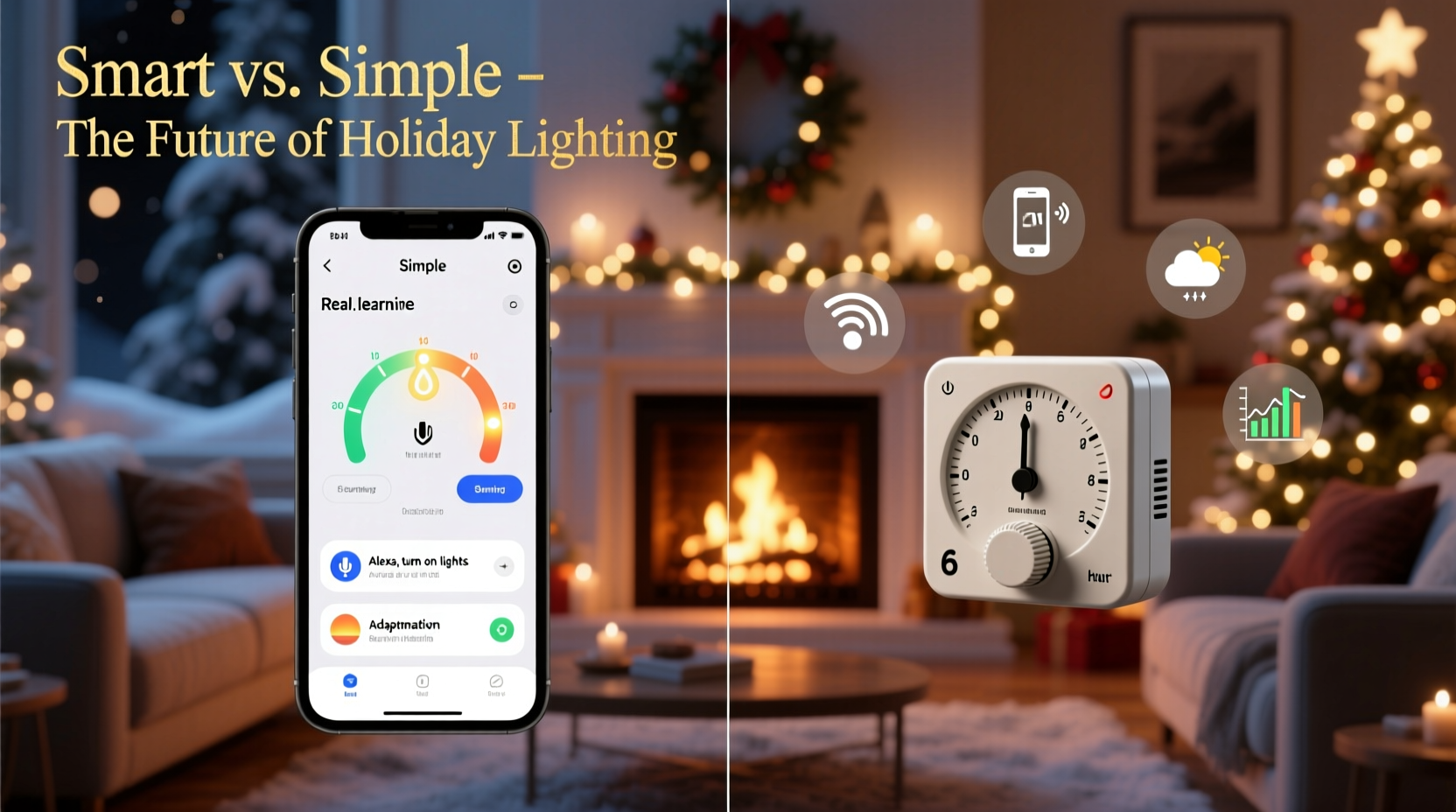
Smart automation in this context isn’t about novelty—it’s about reducing friction while increasing precision and resilience. A truly smart system anticipates changes (like shifting sunset times), adapts to disruptions (a power outage, unexpected guest arrival), integrates with environmental cues (ambient light, weather), and maintains reliability without daily oversight. It must also respect practical constraints: installation ease, upfront cost, learning curve, and long-term maintenance. Neither mechanical nor app-based timers are universally superior—but their strengths align with distinct user priorities. A homeowner managing three outdoor displays across two properties needs different intelligence than a retiree lighting a single porch wreath for 30 years. Understanding these functional definitions—rather than defaulting to “app = modern” or “mechanical = trustworthy”—is the first step toward making an informed choice.
How Mechanical Timers Deliver Reliable, Context-Aware Simplicity
Mechanical timers operate via a rotating dial with physical pins or tabs that complete a circuit at preset intervals. Their intelligence lies in predictability and environmental resilience. They don’t require Wi-Fi, smartphone apps, or cloud accounts—just electricity and manual setup. Because they’re analog, they’re immune to software updates, server outages, or firmware bugs. More importantly, many high-quality mechanical models include photocell integration: a built-in light sensor that overrides the clock setting, ensuring lights activate only when ambient light drops below a threshold—crucial during gray December afternoons or early winter dawns. This hybrid approach (time + light sensing) delivers adaptive behavior without connectivity.
Reliability extends beyond uptime. Mechanical timers typically handle higher amperage loads (15–20A) than most smart plugs, making them safer for dense incandescent or mixed-LED displays. They also avoid the “smart device fatigue” common with app-dependent systems: no password resets, no app store updates breaking functionality, no account lockouts during critical holiday weeks. For users who prioritize “set it and forget it” over granular control, mechanical timers often deliver more intelligent automation simply because they *work*, consistently, year after year—even when the router fails or the phone battery dies.
Where App-Controlled Timers Excel in Adaptive Intelligence
App-controlled timers shine when lighting needs evolve dynamically. Consider a family hosting weekly neighborhood caroling nights from December 12–23. With a mechanical timer, adjusting the schedule means physically visiting each outlet—potentially in snow or subfreezing temps—to reposition pins. An app-controlled system allows instant, remote rescheduling from bed, office, or even the grocery store. More advanced units integrate with weather APIs: if a heavy snowstorm is forecast, lights can automatically delay activation until after plowing crews pass. Others sync with geolocation—activating the front display only when family members’ phones return home after work.
The real intelligence emerges in pattern recognition and learning. Some platforms analyze historical usage and suggest optimal schedules (“Lights turned on 17 minutes after sunset last week—enable auto-adjust?”). Voice assistant integration enables hands-free control (“Alexa, turn on the tree lights for 2 hours”)—valuable for mobility-limited users or parents juggling toddlers and hot cocoa. And unlike mechanical timers, app-based systems log activity: if lights failed to turn on Tuesday night, you receive a push notification—not just a silent disappointment at dusk.
“True smart automation isn’t about adding features—it’s about removing failure points. A mechanical timer fails only if its motor wears out. An app timer fails if the cloud service goes down, the app hasn’t been updated, the phone loses Bluetooth range, or the user forgets to grant location permissions. Each dependency is a potential break in the automation chain.” — Rajiv Mehta, Embedded Systems Engineer & Holiday Lighting Consultant since 2008
Head-to-Head Comparison: Key Intelligence Metrics
| Feature | Mechanical Timer | App-Controlled Timer |
|---|---|---|
| Sunrise/Sunset Adaptation | ✅ With integrated photocell (standard on premium models); adjusts daily without input | ✅ Automatic via GPS + astronomical algorithms; updates daily without user action |
| Remote Adjustment | ❌ Requires physical access; no override capability once set | ✅ Real-time changes from anywhere via smartphone or web dashboard |
| Power Outage Recovery | ✅ Resets automatically upon power restoration; maintains time within ±2 mins/day | ⚠️ Varies: some retain schedule in local memory; others require cloud re-sync (delayed activation) |
| Integration with Other Devices | ❌ Standalone only | ✅ Syncs with smart speakers, security cameras, thermostats (e.g., “When doorbell rings, brighten front path lights”) |
| Energy Optimization | ✅ Precise on/off windows prevent unnecessary runtime; no standby draw | ✅ Advanced scheduling + occupancy sensing can reduce runtime by 22–38% (per 2023 UL Energy Lab study) |
| Long-Term Reliability (5+ years) | ✅ Proven 10–15 year lifespan; minimal moving parts | ⚠️ Firmware obsolescence risk; 30% of units lose cloud support after 4 years (2022 Smart Home Alliance Survey) |
Real-World Scenario: The Suburban Family’s Dual-System Approach
The Chen family manages lighting across three zones: front porch (year-round welcome light), backyard patio (entertaining space), and roofline (main display). Last year, they used only app-controlled timers. On December 14—a Friday—they hosted 12 guests. At 5:45 p.m., the roofline lights failed to activate. The app showed “Offline” due to a neighborhood-wide internet outage. The patio lights stayed on until midnight because the scheduled “off” time wasn’t triggered. Frustrated, they manually reset everything using a neighbor’s hotspot—only to discover the app had silently disabled geofencing during the outage.
This year, they adopted a hybrid strategy. The roofline uses a $22 mechanical timer with photocell—guaranteeing activation at dusk, every day, regardless of network status. The patio runs on an app-controlled timer, but configured with dual triggers: “On at sunset” *and* “On when any family phone enters geofence.” The porch light uses a simple motion-sensor timer—intelligent in its own right, requiring zero scheduling. Result? Zero failures. The roofline lit reliably. The patio activated 8 minutes before guests arrived (geofence trigger), then dimmed automatically at 10 p.m. (scheduled off). The porch welcomed late arrivals without wasting energy. Their “smarter automation” wasn’t one device—it was matching the right intelligence to each zone’s purpose.
Practical Implementation Guide: Choosing & Optimizing Your System
- Assess Your Critical Failure Points: List what would cause real disruption (e.g., “Lights off during Christmas Eve dinner,” “Patio dark when guests arrive”). Prioritize reliability for high-stakes zones.
- Map Connectivity Realities: Test Wi-Fi signal strength at every intended timer location—not just indoors. If signal drops below -70 dBm outdoors, mechanical or local-hub-based smart timers (Zigbee/Z-Wave) are safer than Wi-Fi-only units.
- Evaluate Load Requirements: Add up wattage for each circuit. Mechanical timers handle 1800W (15A) easily; many smart plugs cap at 1200W. Overloading causes premature failure—and safety hazards.
- Configure Redundancy: For app timers, enable “local execution” if available (bypasses cloud). For mechanical timers, pair with a photocell—even if the dial is set, the sensor prevents daytime activation.
- Test & Document: Two weeks before Thanksgiving, test all timers under actual conditions: simulate a power cycle, verify sunset-triggered activation, check remote control response time. Keep a printed log of settings, model numbers, and Wi-Fi credentials in your holiday storage bin.
FAQ
Can I use both types together in one display?
Yes—and it’s often optimal. Use a mechanical timer as the primary on/off switch for the main power strip, then plug app-controlled smart plugs into that strip for individual sections (e.g., “tree,” “garland,” “window candles”). This gives you mechanical reliability at the circuit level plus app flexibility per zone. Just ensure the mechanical timer’s load rating exceeds the combined wattage of all downstream devices.
Do mechanical timers really adjust for daylight saving time?
Most do not automatically adjust. You must manually turn the dial forward or backward one hour on the designated Sunday. However, because they track time mechanically (not via atomic sync), they maintain accuracy better than many low-cost app timers that rely on phone time—some of which drift up to 4 minutes per week if the phone isn’t regularly synced to network time.
Are app-controlled timers vulnerable to hacking?
Potentially, yes—if using consumer-grade Wi-Fi models with weak encryption or default passwords. Reputable brands (e.g., TP-Link Kasa, Philips Hue) use TLS encryption and regular security patches. To mitigate risk: change default passwords, enable two-factor authentication if offered, and isolate timers on a guest network separate from your primary devices.
Conclusion
Smarter automation isn’t defined by how many features a device has—but by how reliably it solves your specific problems without introducing new ones. Mechanical timers offer intelligence rooted in physics: predictable, resilient, and deeply integrated with natural light cycles. App-controlled timers offer intelligence rooted in data: adaptive, interconnected, and responsive to human behavior and external conditions. The most thoughtful installations recognize that intelligence isn’t monolithic. It’s contextual. It’s layered. It’s choosing the right tool for the job—not the shiniest one in the box.
Don’t default to “smart” because it sounds modern. Don’t dismiss app control because it feels complex. Audit your actual needs: Do you need certainty or flexibility? Are you optimizing for peace of mind or personalized experience? Start there—and build a system where every timer, whether turning on at 4:52 p.m. because the sun dipped behind the oak tree, or dimming at 9:30 p.m. because your phone detected you’d left the house, earns its place in your holiday rhythm.




 浙公网安备
33010002000092号
浙公网安备
33010002000092号 浙B2-20120091-4
Comments
No comments yet. Why don't you start the discussion?