
As holiday traditions evolve, so do the ways we celebrate them. One of the most visually striking trends in modern Christmas decorating is projection mapping on home exteriors. Unlike traditional string lights or inflatable yard displays, projection mapping transforms entire facades into dynamic storytelling canvases—think snowfall drifting across your roofline, Santa’s sleigh soaring over the chimney, or animated reindeer galloping across the garage wall.
The \"wow factor\" is undeniable. Videos of homes lit up with cinematic projections routinely go viral every December. But behind that magical glow lies a layer of technical complexity that many homeowners underestimate. Is it worth the effort? Can you pull it off without hiring a production team? The answer depends on understanding both the spectacle and the setup.
The Allure: Why Projection Mapping Delivers Unmatched Holiday Impact
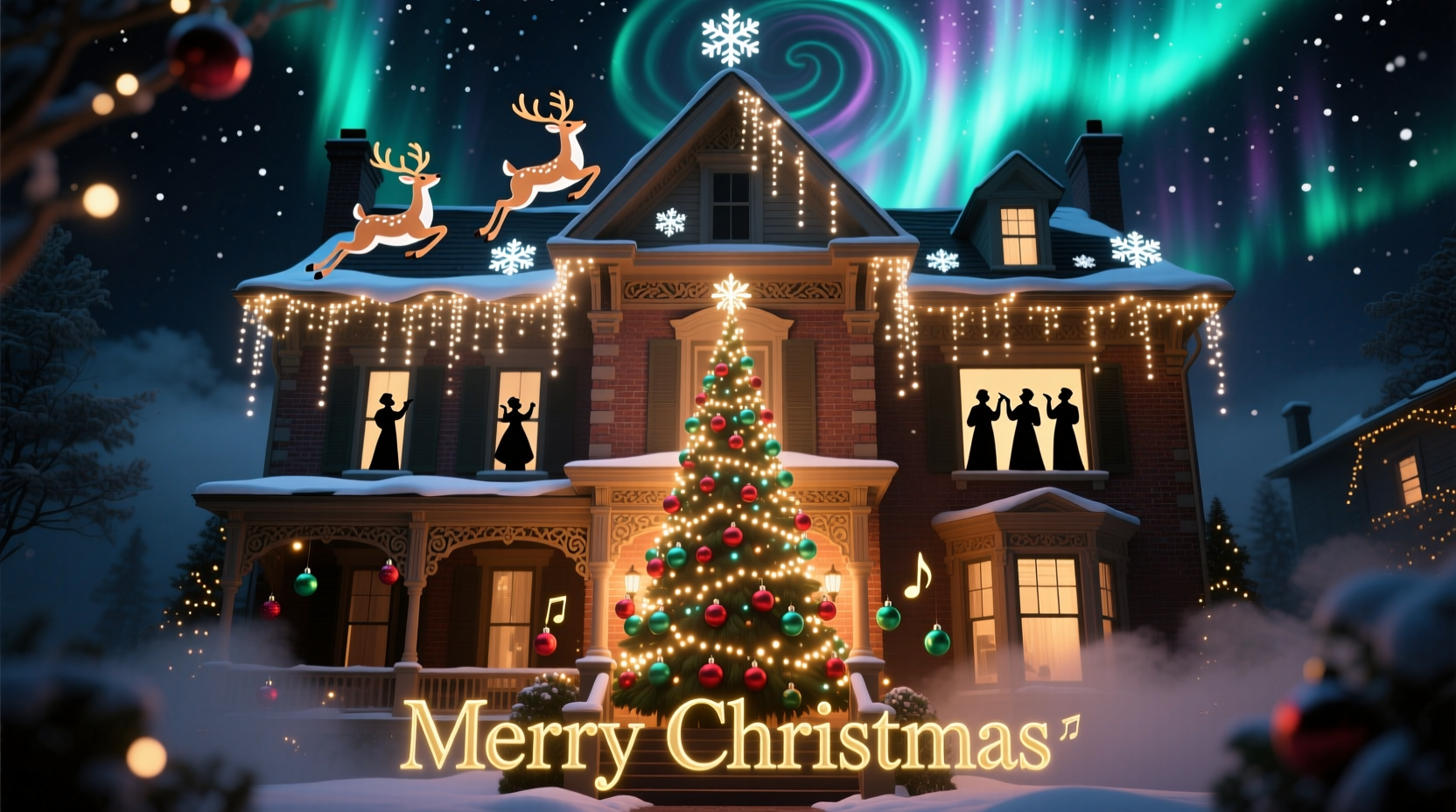
Projection mapping turns static architecture into immersive visual experiences. When done well, it creates a sense of wonder not just for passersby but for families gathered inside watching their home come alive from the outside.
Unlike flat light displays, projection mapping uses 3D spatial awareness to align animations precisely with architectural features. A gable becomes a mountain peak dusted with snow; windows transform into glowing presents unwrapping themselves. This level of integration elevates holiday decor from decoration to performance art.
“Projection mapping isn’t just lighting—it’s narrative design. You’re telling a story on the surface of your home.” — Daniel Reyes, Media Artist & Projection Designer
The emotional resonance is powerful. Neighbors stop walking their dogs. Families park across the street with hot cocoa. Social media tags multiply. For those aiming to spread joy beyond their front door, few methods are as effective.
Breaking Down the Complexity: What It Actually Takes to Pull Off
The magic on screen belies a multi-step technical process. Successful projection mapping requires hardware coordination, software expertise, environmental planning, and time investment.
At its core, projection mapping involves projecting video onto irregular surfaces using specialized calibration tools. On a house, this means dealing with angles, textures, obstructions (like trees or railings), and ambient light—all of which affect visibility and alignment.
Key Technical Components
- Projector(s): High-lumen outdoor-rated projectors (typically 3,000–5,000 lumens minimum) capable of wide throw distances.
- Media Player: A device (Raspberry Pi, mini PC, or dedicated player) to run looping content reliably.
- Software: Tools like MadMapper, HeavyM, or Lightform for warping and masking projections to fit architectural contours.
- Cabling & Power: Weatherproof extension cords, surge protectors, and secure cable routing to prevent tripping hazards or water damage.
- Content: Custom-designed or pre-made animations optimized for resolution, aspect ratio, and loop timing.
Each component introduces potential points of failure. A misaligned projector shifts the entire scene. Wind-blown tree branches cast distracting shadows. Moisture seeps into unsealed connections. And if your content isn’t properly masked, Santa might appear to be flying through your neighbor’s attic.
Do’s and Don’ts: Practical Guidelines for Homeowners
To balance ambition with feasibility, consider these real-world recommendations based on common pitfalls and successes.
| Action | Do | Don't |
|---|---|---|
| Site Selection | Choose a flat, light-colored wall with minimal obstructions | Attempt full-house mapping on a multi-gabled, dark brick façade without testing first |
| Projector Placement | Mount securely on a stable platform 15–25 feet back, angled slightly upward | Leave on unstable ground or where pets/children can bump it |
| Content Design | Use high-contrast visuals with defined edges for clarity at night | Assume daytime-visible animations will work equally well after dark |
| Weather Prep | Enclose electronics in ventilated, waterproof enclosures | Expose media players or power strips to rain or snow |
| Neighbor Relations | Notify nearby homes about brightness and sound levels | Blind adjacent bedrooms with direct beam spill |
A Realistic Timeline: From Idea to Installation
Even experienced DIYers should expect a week or more of preparation, depending on scope. Here’s a typical sequence for a mid-complexity residential setup:
- Week 1 – Planning & Research (Days 1–3): Assess your home’s exterior, identify ideal projection zones, measure distances, research compatible projectors, and determine power access points.
- Day 4 – Equipment Purchase or Rental: Decide whether to buy or rent gear. Renting high-lumen projectors ($75–$150/day) may be cost-effective for seasonal use.
- Day 5 – Content Acquisition: Download pre-mapped templates from marketplaces like Envato Elements or commission custom animations (~$100–$300). Alternatively, design simple scenes using free tools like Blender or DaVinci Resolve.
- Day 6 – Dry Run Setup: Assemble equipment indoors or in the garage. Test playback, focus, and basic warping. Confirm file compatibility.
- Day 7 – Outdoor Calibration: Set up projector outdoors at dusk. Use grid mode in mapping software to align corners and edges. Mask areas where light spills onto unwanted surfaces.
- Day 8 – Final Adjustments: Watch full loops under real conditions. Check for distortion, flicker, or audio sync issues. Secure all cables and housings.
- Ongoing – Maintenance: Inspect nightly for condensation, wildlife interference, or misalignment due to temperature shifts.
Mini Case Study: The Miller Family’s First Projection Project
The Millers in suburban Minneapolis wanted to elevate their already-popular Christmas display. Known for elaborate light shows synced to music, they decided to add projection mapping to their two-story colonial home for the first time in 2023.
They rented a 4,500-lumen outdoor projector and used HeavyM software to map a 90-second loop featuring falling snow, glowing ornaments, and a slow pan of a starry sky across their front wall. The total budget: $220 (rental + software subscription).
Challenges arose quickly. Initial tests showed severe keystone distortion because the driveway sloped downward. They solved it by building a wooden platform from treated lumber to raise the projector. Another issue: frost buildup on the lens during sub-zero nights. They addressed it by rigging a small fan inside a weatherproof box to circulate warm air gently around the unit.
In the end, the display ran smoothly for 38 nights. Local news covered it, and their street saw double the usual foot traffic. More importantly, their kids described it as “the most magical Christmas ever.”
Was it complex? Yes. Was it worth it? Unequivocally.
When Simplicity Wins: Alternatives for Lower Effort, High Impact
Not every homeowner has the time, budget, or technical appetite for full projection mapping. Fortunately, there are scaled-down options that still deliver visual punch.
- Static Gobo Projections: Use metal stencils (gobos) in standard outdoor projectors to cast fixed images like stars, snowflakes, or nativity silhouettes. Setup takes minutes, lasts all season.
- Pre-Mapped Video Loops: Buy ready-to-play videos designed for common house shapes (e.g., single-story ranch, split-level). These require no calibration—just aim and play.
- Smart Lighting Integration: Combine limited projections with addressable LED strips (e.g., Philips Hue or Kasa Smart) along eaves and windows to enhance depth and movement.
These hybrid approaches maintain the festive atmosphere while reducing troubleshooting load. For many, this balanced strategy offers the best return on investment—both financial and emotional.
Expert Insight: Managing Expectations in Residential Projection
While consumer technology has made projection more accessible, professionals caution against equating availability with ease.
“Just because you can buy a bright projector doesn’t mean you can turn your house into a Disney experience. True mapping requires patience, iteration, and acceptance that perfection is fleeting—especially outdoors.” — Lena Park, Immersive Experience Designer
Park emphasizes that environmental variables—humidity, wind, thermal expansion of materials—are often underestimated. She advises starting with one-night trials before committing to month-long runs.
Frequently Asked Questions
Can I use a regular indoor projector outdoors?
No. Indoor projectors lack weather resistance and sufficient brightness for nighttime outdoor viewing. Even brief exposure to dew or cold can damage internal components. Always use outdoor-rated or properly enclosed systems.
How much does a basic setup cost?
A functional entry-level system (projector rental, media player, software, cabling) ranges from $150–$400 for the season. Buying outright pushes costs to $800–$1,500+, depending on quality and lumen output.
Do I need special permission to run a projection show?
In most U.S. municipalities, no formal permit is required for holiday displays. However, check local ordinances regarding light pollution, noise (if playing audio), and electrical safety. Some HOAs restrict commercial-grade equipment or set curfews.
Conclusion: Weighing Magic Against Mechanics
Christmas projection mapping stands at the intersection of artistry and engineering. Its ability to captivate audiences is unmatched in the world of seasonal décor. Yet, the journey from concept to execution demands respect for the technical hurdles involved.
The true measure of success isn’t just visual impact—it’s sustainability. A display that dazzles for three nights but fails by week two due to poor planning delivers less joy than a simpler, reliable alternative.
For those willing to learn, test, and adapt, projection mapping can become a cherished family tradition. For others, integrating partial effects or leveraging pre-built solutions offers a pragmatic middle ground.
Ultimately, the goal isn’t technological perfection. It’s shared moments of wonder—the gasp of a child seeing snow fall on their bedroom window from the outside, the wave from a stranger bundled in a coat pausing to smile. If your setup fosters that, then the complexity fades into the background, leaving only the glow.




 浙公网安备
33010002000092号
浙公网安备
33010002000092号 浙B2-20120091-4
Comments
No comments yet. Why don't you start the discussion?