
The rise of cloud gaming has reignited the debate between local hardware performance and streaming-based play. Services like Xbox Cloud Gaming, NVIDIA GeForce NOW, and PlayStation Plus Premium promise console-quality experiences on low-end devices—no high-end PC or next-gen console required. On the surface, it seems simple: if you have a fast enough internet connection, you can play AAA games seamlessly from any screen. But is internet speed really the only factor holding cloud gaming back? The reality is far more nuanced.
While bandwidth is critical, it's just one piece of a complex puzzle. Latency, video encoding, server proximity, display technology, and even human perception all influence whether cloud gaming feels smooth or frustrating. Meanwhile, local hardware continues to evolve with faster SSDs, ray tracing, and AI upscaling, offering unmatched fidelity and responsiveness—for those who can afford it. To understand where each model excels, we need to go beyond the headline claim and examine the full stack of technical and practical constraints.
The Role of Internet Speed in Cloud Gaming
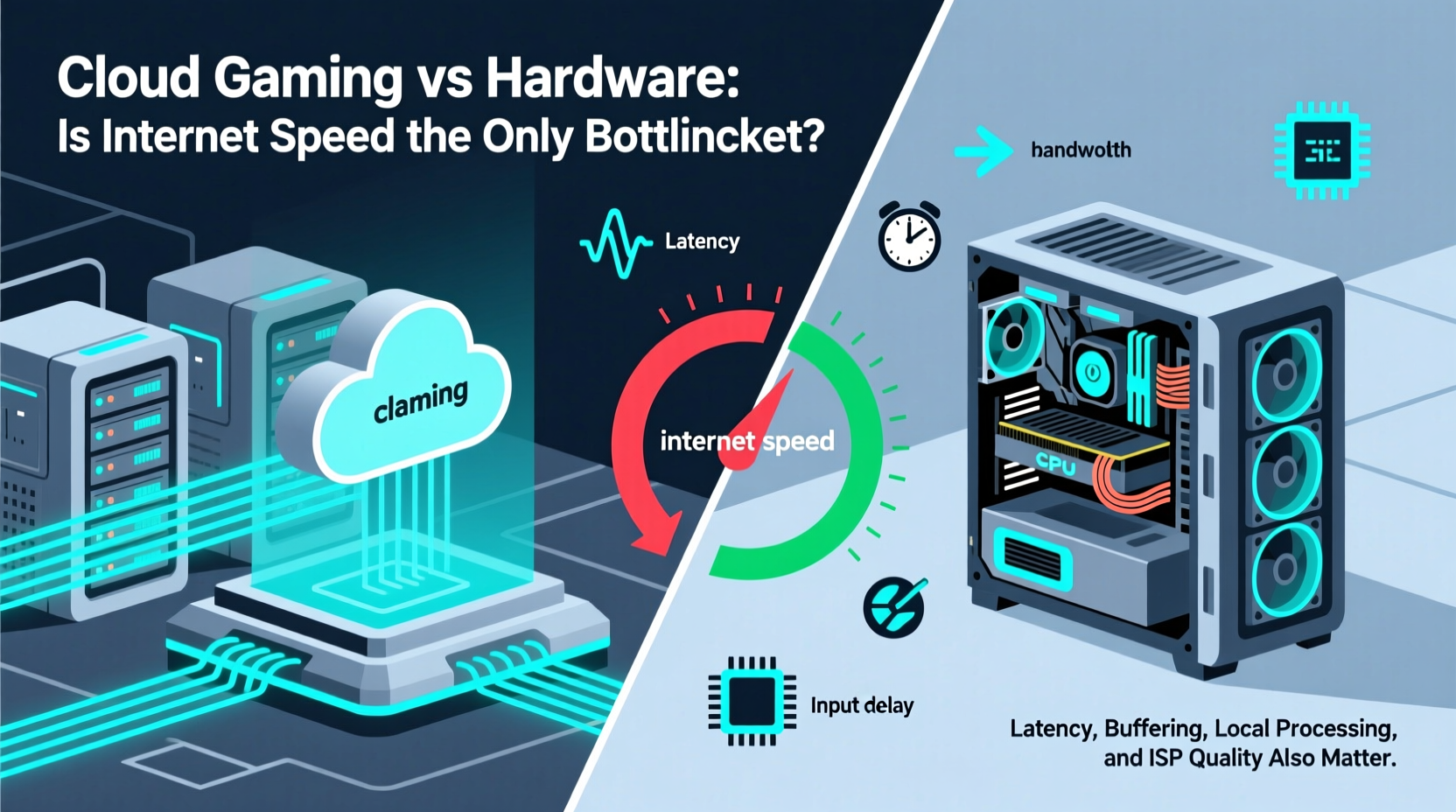
Internet speed is often cited as the make-or-break factor for cloud gaming. And rightly so. Most providers recommend minimum download speeds of 15–25 Mbps for 1080p at 60fps, and up to 50 Mbps for 4K streams. These numbers reflect the data needed to continuously deliver compressed video frames from remote servers to your device.
However, raw bandwidth alone doesn’t guarantee a good experience. A stable, low-jitter connection matters more than peak speed. For example, a 100 Mbps fiber line with high packet loss or fluctuating latency will perform worse than a consistent 30 Mbps cable connection. Cloud gaming is sensitive to network consistency because every millisecond of delay affects input responsiveness.
Moreover, upload speed and ping time are equally important. While download speed delivers the video stream, upload speed carries your controller inputs back to the server. High ping (above 40ms) introduces noticeable lag, especially in fast-paced games like shooters or racing titles. Even with gigabit internet, physical distance from the game server can add unavoidable latency due to the speed of light in fiber optics.
Beyond Bandwidth: The Hidden Bottlenecks
If internet speed were the only constraint, cloud gaming would already be flawless for millions. Yet users still report stuttering, ghosting, and unresponsive controls—even with ideal bandwidth. Several less-discussed factors contribute to this:
- Latency (Round-Trip Time): The total time it takes for your input to reach the server, be processed, rendered, encoded, and streamed back. Anything over 50ms becomes perceptible.
- Video Encoding Efficiency: Cloud platforms compress rendered frames using codecs like H.264 or AV1. Compression reduces quality and introduces artifacts, especially during fast motion.
- Server Load and Resource Sharing: Many cloud services use shared GPU instances. During peak hours, performance may degrade due to resource contention.
- Client-Side Decoding: Your device must decode the video stream in real time. Older phones, tablets, or budget laptops may struggle, causing dropped frames.
- Display Refresh Synchronization: Mismatches between stream frame rate and display refresh rate can cause judder or tearing.
“Even with perfect bandwidth, the laws of physics limit how fast data can travel. You can't stream a game from Virginia to Sydney with sub-20ms latency—it’s physically impossible.” — Dr. Lena Patel, Network Engineer at CloudStream Labs
Local Hardware: Performance Without Compromise
Local gaming hardware—whether a high-end PC, PlayStation 5, or Xbox Series X—avoids many of the pitfalls inherent in streaming. All rendering happens locally, eliminating round-trip latency. Inputs are processed instantly, and output is displayed without compression artifacts.
Modern GPUs support advanced features like variable refresh rate (VRR), ultra-low latency modes (e.g., AMD Anti-Lag, NVIDIA Reflex), and AI-driven upscaling (DLSS, FSR). These technologies reduce perceived input lag and boost frame rates without sacrificing visual quality—something cloud platforms can't fully replicate due to encoding overhead.
Additionally, local hardware allows full control over graphical settings. Want ray tracing, 4K resolution, and 120fps? With sufficient investment, it’s achievable. Cloud gaming typically caps settings based on subscription tier, and even premium tiers rarely match the fidelity of a top-tier local rig.
But hardware isn’t without drawbacks. High-performance systems are expensive, require maintenance, generate heat and noise, and quickly become obsolete. They also tie gameplay to a single location unless paired with local streaming solutions like Moonlight or Steam Remote Play.
Comparative Analysis: Cloud vs Local Gaming
| Factor | Cloud Gaming | Local Hardware |
|---|---|---|
| Initial Cost | Low (subscription-based) | High ($500–$3000+) |
| Internet Dependency | Required (25+ Mbps recommended) | Only for downloads/updates |
| Latency | 50–100ms (highly variable) | 10–20ms (consistent) |
| Visual Quality | Compressed (artifacts common) | Native resolution, HDR, VRR |
| Game Library Access | Limited to service catalog | Full ownership or digital purchases |
| Mobility | Playable on phones, tablets, smart TVs | Tied to physical device |
| Long-Term Value | Ongoing cost; no asset retention | Durable investment (3–5 years) |
Real-World Example: Competitive Gaming on the Go
Consider Alex, an avid player of first-person shooters like *Apex Legends* and *Counter-Strike 2*. Living in a city with reliable 100 Mbps fiber, he decided to try GeForce NOW while traveling. On his iPad, the visuals looked impressive, and casual matches felt acceptable. But during ranked play, he noticed subtle delays between aiming and on-screen response. Opponents seemed to react faster, and he frequently lost gunfights despite accurate shots.
Back home, playing the same games on his RTX 4070-powered PC, the difference was stark. Inputs felt immediate, and the 144Hz monitor delivered buttery-smooth motion. He recorded his reaction times using in-game tools and found that cloud gaming added an average of 65ms of end-to-end latency compared to 18ms locally.
This case illustrates a key truth: for competitive players, milliseconds matter. Even with excellent internet, cloud gaming introduces systemic delays that skilled players can detect and are penalized by. In fast reflex-based genres, local hardware remains the gold standard.
Step-by-Step: Choosing the Right Model for Your Needs
Deciding between cloud and local gaming depends on your priorities, lifestyle, and technical environment. Follow this decision framework:
- Assess Your Internet Stability: Run multiple speed tests at different times of day. Look for consistent ping (under 30ms to provider servers), low jitter, and minimal packet loss.
- Determine Your Game Types: If you play rhythm games, fighting games, or competitive shooters, lean toward local hardware. For story-driven RPGs or turn-based games, cloud is often sufficient.
- Evaluate Device Capabilities: Ensure your client device supports HEVC or AV1 decoding and has Bluetooth for controllers. Older smartphones may not handle high-bitrate streams well.
- Calculate Long-Term Costs: Compare the total cost of a gaming PC over five years ($1,500 upfront + upgrades) versus a cloud subscription ($15/month = $900 over five years).
- Test Before Committing: Use free trials from cloud services to test performance with your actual setup before canceling hardware plans.
Expert Insight: The Future Isn’t Either/Or
The divide between cloud and hardware may be blurring. Emerging hybrid models suggest a future where both coexist. For instance, Microsoft’s vision with Xbox Cloud Gaming integrates streaming into a broader ecosystem that includes local consoles and PC Game Pass.
“The next generation won’t choose between cloud and hardware—they’ll use both. Imagine starting a game on your phone during commute, then resuming instantly on your home console without loading.” — Rajiv Mehta, Senior Product Lead at a major gaming platform
Technologies like edge computing aim to place game servers closer to users, reducing latency. Meanwhile, improvements in video codecs (AV1, VVC) promise higher quality at lower bitrates. On the hardware side, AI upscaling and predictive input rendering could further narrow the gap.
Frequently Asked Questions
Can I use mobile data for cloud gaming?
Technically yes, but not practically. Even 5G networks suffer from variable latency and data caps. Streaming a single hour at 1080p can consume 2–3 GB. Frequent disconnections and throttling make mobile data unreliable for sustained play.
Does cloud gaming work offline?
No. Cloud gaming requires continuous two-way communication with remote servers. Unlike downloaded games, there is no offline mode. Some platforms allow downloading select titles to local devices, but these are exceptions.
Is local gaming becoming obsolete?
Not in the foreseeable future. Enthusiasts, developers, and competitive players still demand the precision and control that only local rendering provides. While cloud gaming expands access, it complements rather than replaces dedicated hardware.
Actionable Checklist: Optimize Your Setup Today
- ✅ Test your internet connection using tools like Fast.com or Cloudflare Speed Test
- ✅ Enable QoS (Quality of Service) on your router to prioritize gaming traffic
- ✅ Use Ethernet over Wi-Fi for cloud sessions when possible
- ✅ Choose a cloud provider with regional servers near your location
- ✅ Match your display’s refresh rate to the stream (e.g., 60Hz for 60fps)
- ✅ Invest in a responsive Bluetooth controller with low input latency
- ✅ Monitor session statistics within your cloud app (if available) for packet loss or rebuffering
Conclusion: It’s Not Just About Speed—It’s About Experience
Internet speed is a necessary condition for cloud gaming, but it is far from the only bottleneck. Latency, encoding trade-offs, server infrastructure, and human perception all shape the final experience. While cloud gaming democratizes access to high-end titles, it does so with compromises that matter most in demanding scenarios.
Local hardware, though costly and less portable, delivers unmatched responsiveness and visual fidelity. The best choice depends not on technology alone, but on how you play, where you play, and what you value in a gaming experience.




 浙公网安备
33010002000092号
浙公网安备
33010002000092号 浙B2-20120091-4
Comments
No comments yet. Why don't you start the discussion?