
Modern homes demand reliable, high-speed internet. Streaming, remote work, smart home devices, and online gaming all strain wireless networks. While Wi-Fi has improved, nothing beats a wired Ethernet connection for speed, stability, and low latency. Rewiring your home with Cat 6 Ethernet cables is one of the most impactful upgrades you can make. But doing it safely and correctly requires careful planning, proper tools, and adherence to best practices. This guide walks you through every step—from assessing your needs to testing your new network—with real-world insights and actionable advice.
Why Upgrade to Cat 6 Ethernet?
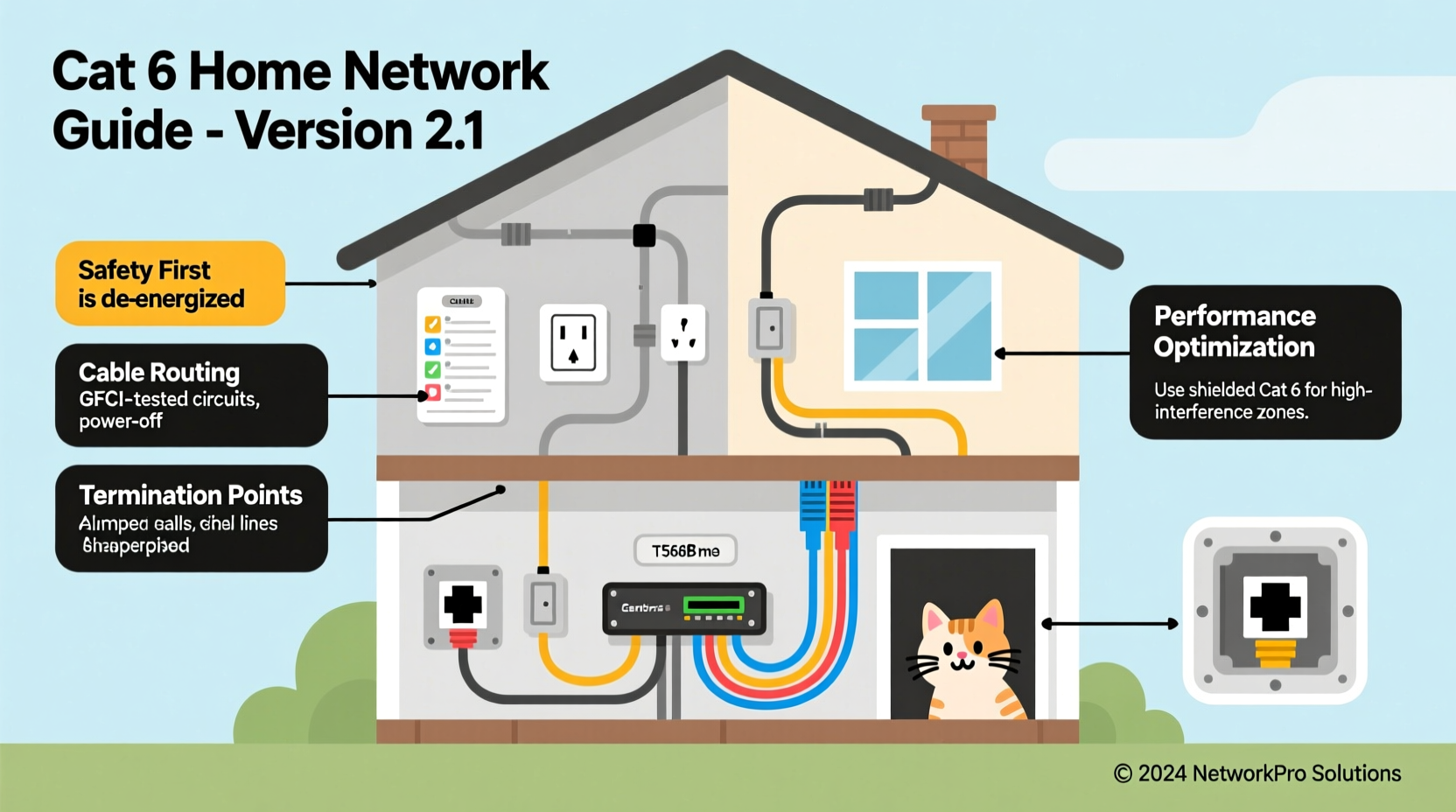
Cat 6 (Category 6) Ethernet cable supports speeds up to 10 Gbps at distances up to 55 meters (180 feet), and 1 Gbps up to 100 meters (328 feet). It also features better crosstalk and system noise reduction than older standards like Cat 5e. For most residential applications, Cat 6 future-proofs your network for years, supporting 4K streaming, large file transfers, and multiple connected devices without lag.
Unlike Wi-Fi, which can suffer from interference, congestion, and signal degradation through walls, Ethernet delivers consistent performance. By installing Cat 6 cables to key locations—home offices, entertainment centers, security systems, and gaming consoles—you eliminate bottlenecks and create a robust backbone for your digital life.
“Wired networks are the foundation of any high-performance smart home. If you’re serious about reliability, there’s no substitute for structured cabling.” — James Rutherford, Network Infrastructure Consultant
Planning Your Home Wiring Project
Before cutting drywall or running cables, invest time in planning. A well-designed layout prevents costly rework and ensures every room has adequate connectivity.
Map Your Needs
- Identify rooms requiring hardwired connections: home office, living room (TV/streaming box), basement media server, security hub, gaming setup.
- Determine how many drops (individual cables) each location needs. Two per room is ideal—one for backup or future expansion.
- Choose a central location for your network closet or rack, ideally near your electrical panel and internet service entry point.
Select the Right Cable Type
| Cable Type | Max Speed | Max Distance (10GBASE-T) | Shielding | Best Use Case |
|---|---|---|---|---|
| Cat 6 UTP | 1 Gbps (up to 100m) | 55m | No | General home use |
| Cat 6 S/FTP | 10 Gbps | 100m | Yes | Noisy environments, long runs |
| Cat 6a | 10 Gbps | 100m | Recommended | Future-proof installations |
Step-by-Step Installation Guide
Follow this sequence to install Cat 6 cabling safely and efficiently.
- Turn off power at the breaker. Even if you're not working near electrical lines, safety first. Shut off circuits affecting areas where you’ll be drilling or accessing walls.
- Gather tools and materials: Cat 6 bulk cable, RJ45 connectors, patch panel, wall plates, keystone jacks, cable stripper, crimping tool, fish tape, stud finder, drill, labels.
- Run cables from the network hub to each room. Use existing chases, attic spaces, or basements when possible. Drill through top plates between studs rather than through studs themselves.
- Avoid interference sources. Keep Ethernet cables at least 6 inches away from electrical wiring. Cross power lines at 90-degree angles if necessary.
- Leave slack at both ends. Pull an extra 3–4 feet at the patch panel end and 1–2 feet at the wall outlet for termination and troubleshooting.
- Terminate cables at patch panel and wall jacks. Use punch-down tools for IDC terminations. Follow T568B wiring standard consistently across all connections.
- Test each line with a cable certifier or basic continuity tester. Verify all eight pins are connected and there are no shorts or crosstalk issues.
- Connect patch panel to managed switch. Install a gigabit or multi-gig switch in your network cabinet and link it to your router via a short Ethernet cable.
Real-World Example: A Family Home Retrofit
The Thompsons, a family of five in Portland, struggled with spotty Zoom calls and buffering 4K streams. Their 2,200 sq ft home relied solely on Wi-Fi extenders. After consulting a network technician, they decided to rewire with Cat 6.
They mapped six drops: two in the primary bedroom (office + TV), two in the living room (TV and gaming console), one in the basement (security NVR), and one in a spare bedroom (guest office). Using attic access, they ran cables down interior walls, avoiding insulation and electrical lines. All cables terminated in a closet-mounted patch panel connected to a 10-port Unifi switch.
Post-installation, their average latency dropped from 45ms to under 5ms on wired devices, and streaming never buffers. They now use VLANs to segment guest traffic and IoT devices, improving both performance and security.
Safety and Code Compliance
Electrical and low-voltage work must comply with local building codes. While Ethernet operates at safe voltages (under 5V), improper installation can still pose fire or structural risks.
- Use only plenum-rated (CMP) or riser-rated (CMR) cables if running through air-handling spaces. Standard CM cables are acceptable within walls but not above drop ceilings used for ventilation.
- Seal wall penetrations with fire-rated caulk to maintain fire barriers between floors.
- Do not staple or nail cables tightly. Use insulated J-hooks or Velcro straps for support every 4–5 feet.
- Hire a licensed electrician if you need to cut into load-bearing walls or if your project involves major drywall repair.
“The National Electrical Code doesn’t regulate Ethernet wiring directly, but general safety principles apply. If you’re unsure, get a permit and have it inspected.” — Lisa Nguyen, Building Inspector, King County
Checklist: Pre-Wiring Preparation
- ☐ Audit current and future network needs
- ☐ Sketch floor plan with drop locations
- ☐ Choose cable type (Cat 6 UTP vs. shielded)
- ☐ Select central networking location
- ☐ Buy sufficient cable (add 20% extra length)
- ☐ Acquire tools: fish tape, punch-down tool, tester
- ☐ Turn off relevant circuit breakers
- ☐ Notify household members of construction schedule
Frequently Asked Questions
Can I run Cat 6 alongside electrical wires?
You should avoid parallel runs. If crossing is unavoidable, do so at right angles. Maintain at least 6 inches of separation from high-voltage lines to prevent electromagnetic interference.
Is Cat 6 backward compatible with older devices?
Yes. Cat 6 works with any device that has an Ethernet port, including routers, switches, and computers using older Cat 5e or even Cat 5 standards. You’ll simply operate at the lowest common speed supported by the hardware.
Should I hire a professional or DIY?
If you're comfortable drilling, fishing cables through walls, and terminating jacks, a DIY approach can save thousands. However, for multi-story homes, complex layouts, or if you lack tools, hiring a certified low-voltage contractor ensures compliance and performance guarantees.
Final Steps and Optimization
After installation, optimize your network:
- Label all ports on the patch panel and switch.
- Assign static IPs or use DHCP reservations for critical devices.
- Update firmware on your switch and router.
- Enable Quality of Service (QoS) settings to prioritize video conferencing or gaming traffic.
- Consider adding a second SSID for Wi-Fi clients bridged to the wired backbone.
Conclusion
Installing Cat 6 Ethernet throughout your home transforms your digital experience. With faster speeds, reduced latency, and greater reliability, you unlock the full potential of your internet service. The process requires effort and attention to detail, but the payoff lasts decades. Whether you handle it yourself or work with a pro, structured cabling is not just a tech upgrade—it’s essential infrastructure for modern living.




 浙公网安备
33010002000092号
浙公网安备
33010002000092号 浙B2-20120091-4
Comments
No comments yet. Why don't you start the discussion?