
Creating a realistic mobile phone model from EVA rubber foam offers an accessible yet detailed way to explore product design, prototyping, or artistic expression. Unlike rigid materials, EVA foam is lightweight, easy to cut, and forgiving for beginners while still allowing advanced modelers to achieve clean edges, accurate proportions, and convincing surface details. Whether you're a hobbyist, educator, or aspiring industrial designer, this guide walks through the process of transforming simple foam sheets into a lifelike smartphone replica—complete with buttons, camera modules, and screen detailing.
Selecting the Right Materials and Tools
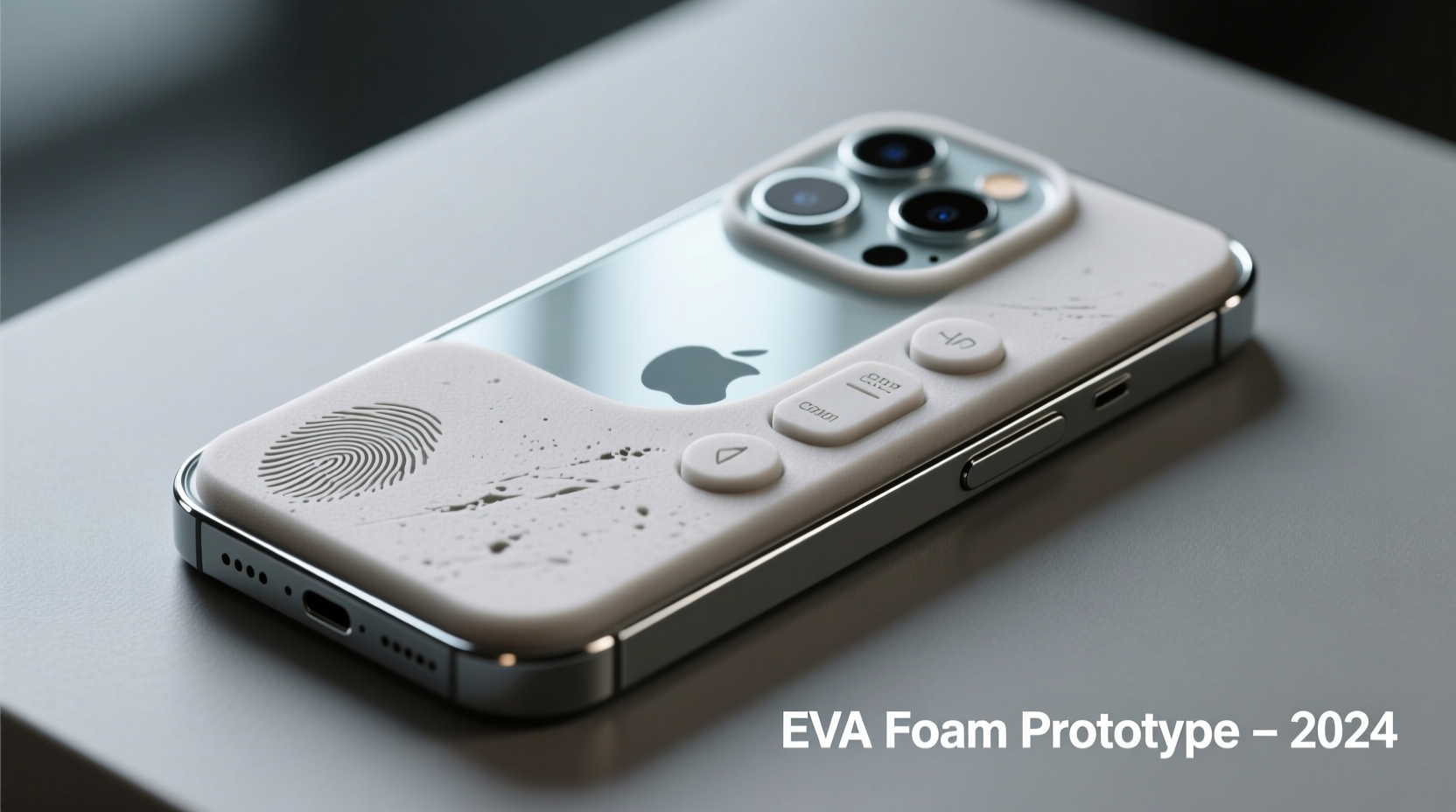
EVA (ethylene-vinyl acetate) foam is commonly found in craft stores as floor mats or puzzle pieces, typically 5mm to 10mm thick. For a mobile phone model, choose high-density EVA foam in 5mm thickness for structural integrity without excessive bulk. Black or gray foam works best to mimic modern device finishes, though paint can be applied later for color accuracy.
Beyond foam, gather these essential tools:
- Sharp hobby knife (X-Acto or scalpel)
- Self-healing cutting mat
- Steel ruler
- Sandpaper (200–600 grit)
- Pencil and digital calipers (for precise measurements)
- White glue or contact cement
- Printed reference images of your target phone model
Design and Measurement Phase
Accuracy begins with measurement. Use a real smartphone or official specifications (available from manufacturer websites) to determine exact dimensions. For example, an iPhone 14 Pro measures 147.5 mm × 71.5 mm × 7.85 mm. Transfer these to paper or sketch digitally, breaking the phone into three main components: front face, back panel, and side frame.
Consider scaling if needed—for educational models, a 1:1 scale is ideal, but larger versions help showcase internal features. Always double-check proportions; even minor discrepancies make models look unrealistic.
“Precision in early stages eliminates rework later. Measure twice, cut once—especially when replicating tight tolerances like speaker grills or lens rings.” — Lena Torres, Industrial Design Educator
Step-by-Step Guide to Assembly
- Trace and Cut Outer Panels: Using your measurements, trace the front and back outlines onto the EVA foam. Score lightly first, then make deeper passes with the knife. Avoid sawing motions—use straight, single-direction cuts.
- Create the Side Frame: Measure the phone’s thickness and cut a long strip of foam to wrap around the edge. This will bond the front and back panels. Ensure the strip’s inner width matches the foam thickness exactly.
- Sand All Edges: Smooth corners and seams with fine-grit sandpaper. Rounded edges are common on modern phones—gently sand at a 45° angle to simulate chamfers.
- Assemble the Shell: Apply a thin layer of contact cement to both the side strip and the outer panels. Press firmly and clamp with binder clips for 10–15 minutes until set.
- Add Depth with Layering: Use additional foam layers to build up camera bumps, volume buttons, or power keys. These should be glued incrementally and sanded flush where needed.
Detailing for Realism
The difference between a rough prototype and a convincing model lies in surface details. Begin by printing a scaled version of the phone’s display and applying it to the front panel with a light adhesive. Laminate with clear tape to prevent wrinkling and add screen shine.
For camera modules:
- Cut small circles from white or metallic foam to represent lens surrounds.
- Use a pin to etch concentric rings around each lens for depth.
- Glue tiny black dots (from punched paper or paint) in the center to simulate lenses.
Buttons can be formed by cutting thin rectangles, angling the ends, and gluing them to the side frame. Sand gently to match the phone’s curvature.
| Feature | Technique | Tool/Tip |
|---|---|---|
| Screen Display | Printed overlay | Laminate with clear tape |
| Camera Bump | Layered foam discs | Sand smooth between layers |
| Speaker Grills | Parallel line scoring | Ruler + scalpel, spaced 0.5mm apart |
| Logo/Text | Freehand engraving or sticker | Use magnifier for precision |
Painting and Finishing Touches
If your foam isn’t the right color, acrylic paints work well on EVA. Use matte black for dark devices or mix gray tones for silver finishes. Apply thin coats with a fine brush or airbrush to avoid texture buildup. For glossy finishes, seal with a water-based polyurethane varnish.
Avoid painting over glued seams until fully cured—moisture can weaken bonds. Test paint on a scrap piece first to ensure adhesion.
“EVA foam accepts paint better when lightly scuffed. A quick pass with 200-grit paper creates ‘tooth’ for paint to grip.” — Marcus Reed, Prop Model Maker
Mini Case Study: Classroom Prototype Project
In a high school design class in Portland, students were tasked with building functional phone models using only EVA foam and basic tools. One student replicated a Samsung Galaxy S23 Ultra, including a working pop-out stylus compartment made from folded foam and a hidden magnet. The project emphasized spatial reasoning and attention to detail. After two weeks of iterative refinement, all models were displayed in a mock tech expo. Teachers noted significant improvement in students’ understanding of industrial design principles—from symmetry to user interface placement.
Common Pitfalls and How to Avoid Them
Even experienced crafters encounter issues. Here are frequent challenges and solutions:
- Uneven edges: Caused by dull blades or inconsistent pressure. Replace blades frequently and use a metal ruler as a guide.
- Warping during glue application: Contact cement expands foam slightly. Apply thinly and allow brief drying time before joining.
- Flat appearance: Lack of depth makes models look cartoonish. Use layered construction for camera arrays and ports.
Checklist: Building Your Foam Phone Model
- ☐ Gather EVA foam (5mm, black/gray preferred)
- ☐ Measure target phone or obtain specs
- ☐ Trace front, back, and side profiles
- ☐ Cut and sand all pieces
- ☐ Assemble shell with contact cement
- ☐ Add buttons, camera bump, and cutouts
- ☐ Apply display graphic and protective layer
- ☐ Paint and seal if desired
- ☐ Inspect under bright light for imperfections
Frequently Asked Questions
Can I make a working phone case from EVA foam?
No—while durable, EVA foam lacks the structural rigidity and precision needed for functional electronics housing. However, it's excellent for non-working prototypes, cosplay props, or educational displays.
How do I fix mistakes on painted surfaces?
Lightly sand the area and reapply paint in thin layers. For deep errors, patch with a small foam piece, blend edges, and repaint the entire section for consistency.
Is EVA foam safe to use indoors?
Yes. High-quality EVA foam is non-toxic and low-odor. Work in a ventilated space when using adhesives or spray sealants.
Final Thoughts and Creative Expansion
Crafting a realistic mobile phone model from EVA rubber foam blends artistry with technical discipline. What begins as a simple cut-and-assemble project evolves into a study of form, proportion, and surface language. Once mastered, these skills transfer to larger-scale models—tablets, wearables, or even conceptual gadgets.
Experiment with textures, integrate LED strips for glowing screens, or combine multiple models into a timeline of device evolution. The accessibility of EVA foam makes it ideal for classrooms, DIY workshops, or portfolio development.




 浙公网安备
33010002000092号
浙公网安备
33010002000092号 浙B2-20120091-4
Comments
No comments yet. Why don't you start the discussion?