
A cluttered desk doesn’t just look unprofessional—it can hinder focus, reduce efficiency, and drain mental energy. Whether you're working from home, studying, or managing a small office, the way you organize your workspace directly impacts your daily performance. The good news? You don’t need more square footage to gain functional space. With smart, creative storage solutions, even the smallest desk can be transformed into an efficient, clutter-free command center.
The key lies in rethinking how you use vertical space, repurposing overlooked items, and designing systems that align with your workflow. Below are proven strategies to help you reclaim your desk, boost productivity, and create a workspace that supports—not sabotages—your goals.
Leverage Vertical Space with Wall-Mounted Organizers
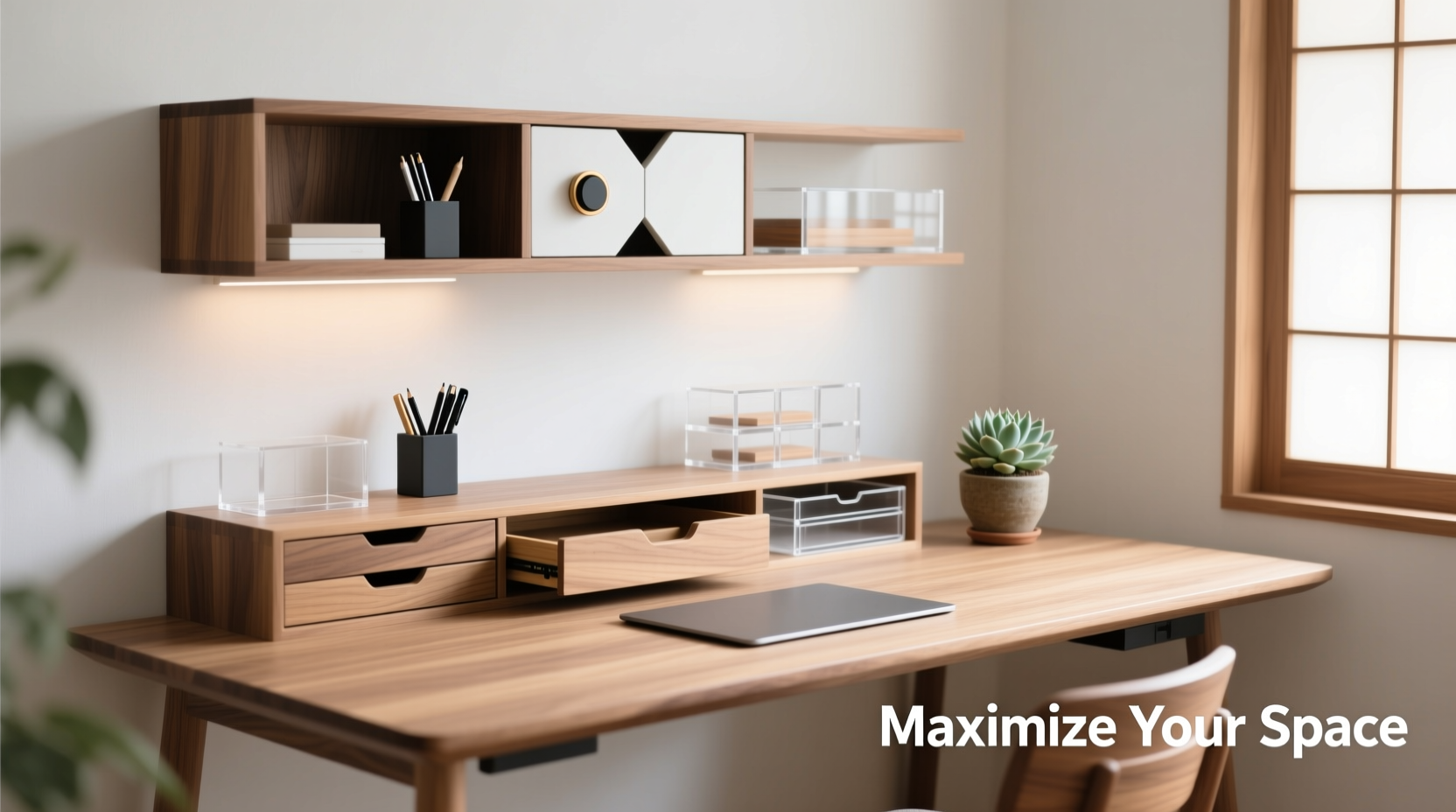
Most people focus on what’s on the desk, but the real opportunity lies above it. Walls around your desk are underutilized real estate. Installing floating shelves, pegboards, or magnetic strips frees up valuable surface area while keeping essentials within reach.
- Floating Shelves: Ideal for storing notebooks, decorative items, or less frequently used supplies.
- Pegboards: Customizable with hooks, bins, and trays—perfect for tools, headphones, pens, and cords.
- Magnetic Strips: Great for holding metal scissors, knives, paper clips, or even smartphone mounts.
Designer Sarah Lin, known for her minimalist home offices, explains:
“The most effective desks aren’t the biggest—they’re the ones where everything has a place, and nothing competes for surface space.” — Sarah Lin, Interior Designer & Workspace Consultant
Use Multi-Tiered Desk Organizers Strategically
Traditional desk trays only solve part of the problem. Multi-tiered organizers add depth without spreading out. These are especially useful for those who handle documents, sticky notes, or multiple devices regularly.
Consider stacking:
- A lower tier for notebooks and tablets
- A middle level for notepads and pens
- An upper shelf for frequently used items like calculators or phones
This layered approach reduces horizontal sprawl and keeps related items grouped. Look for models with adjustable compartments so you can customize them as your needs evolve.
Do’s and Don’ts of Tiered Organizers
| Do’s | Don’ts |
|---|---|
| Group similar items together (e.g., writing tools, tech accessories) | Overload shelves beyond their weight capacity |
| Choose materials that complement your desk (wood, metal, acrylic) | Place heavy items on top tiers, which can make the unit unstable |
| Leave clearance behind for cable access | Use mismatched organizers that create visual chaos |
Repurpose Everyday Items into Storage Tools
You don’t always need to buy new products. Many household objects double as clever desk organizers when given a second life.
For example:
- Mug or cup: Holds pens, rulers, and scissors upright.
- Ice cube tray: Perfect for sorting small electronics like USB drives, earbuds, or SD cards.
- Shoebox + wrapping paper: Turn into a chic drawer insert for cables or sticky notes.
- Spice rack: Mount inside a cabinet door or under a shelf to store slim items like flash drives or business cards.
This approach is budget-friendly, sustainable, and encourages creative problem-solving. It also personalizes your workspace with unique touches that reflect your style.
Mini Case Study: Transforming a College Student’s Dorm Desk
Jamal, a sophomore majoring in engineering, struggled with a cramped dorm desk overwhelmed by textbooks, chargers, and loose papers. After applying several creative storage hacks, he reclaimed over 60% of his surface area. He mounted a pegboard behind his monitor for headphones and keys, used an old baking tin as a catch-all tray, and stored textbooks vertically using a repurposed wine crate. Within one weekend, his desk shifted from chaotic to calm—helping him focus better during late-night study sessions.
Optimize Drawer and Underside Space
Drawers and the underside of your desk are often neglected. Yet both offer significant potential for hidden storage.
Start by auditing what’s currently in your drawers. Remove duplicates and expired items. Then implement a system:
- Divide drawers using cardboard dividers or modular inserts.
- Dedicate zones: one for stationery, another for tech gear, and a third for personal items.
- Label each section for quick identification.
Under-desk solutions include:
- Rolling keyboard trays converted into supply drawers
- Adhesive hooks for holding headphones or lanyards
- Mountable power strips to keep cords off the floor
Step-by-Step Guide: Declutter & Reorganize Your Desk in One Hour
Follow this timeline to reset your workspace efficiently:
- Minute 0–10: Remove everything from the desk and wipe down surfaces.
- Minute 11–25: Sort items into categories: Keep, Relocate, Discard, Donate.
- Minute 26–40: Assign homes for “Keep” items using organizers, shelves, or drawers.
- Minute 41–50: Install wall-mounted or under-desk solutions.
- Minute 51–60: Place essential items back neatly and test accessibility.
This method ensures rapid transformation without decision fatigue. Repeat monthly to maintain order.
Smart Tech Integration for Cord and Device Management
Cables are the silent invaders of desk space. A single tangle can undo hours of organization. Tackle this with intentional cord control.
Solutions include:
- Binder clips clipped to the desk edge to route cords neatly
- Cable sleeves that bundle multiple wires into one streamlined line
- Wireless charging pads to reduce plug dependency
- Desk grommet kits that feed cords through a hole in the desktop to a bin below
For multi-device users, consider a docking station that consolidates laptop, phone, and tablet charging into one compact hub. This reduces clutter and streamlines your morning setup.
Checklist: Essential Desk Storage Upgrades
- ✅ Install at least one wall-mounted organizer (pegboard, shelf, or rail)
- ✅ Use tiered trays for frequently accessed tools
- ✅ Repurpose household items for custom storage
- ✅ Organize drawers with labeled dividers
- ✅ Add adhesive hooks or mounts under the desk
- ✅ Bundle cords with sleeves or clips
- ✅ Dedicate a container for daily “in-tray” items
FAQ
How do I organize a small desk for dual work and study use?
Divide your desk into zones: a primary work zone with your laptop and notebook, a secondary study zone with books stored vertically or on a nearby shelf, and a utility zone for chargers and supplies. Rotate focus depending on the task, and use stackable containers to shift materials quickly.
What are the best materials for durable desk organizers?
Acrylic offers clarity and modern appeal, metal provides strength, wood adds warmth and longevity, and recycled cardboard is eco-friendly for temporary setups. Choose based on durability needs and aesthetic preference.
Can I organize a shared desk effectively?
Yes. Use color-coded containers or labeled sections for each user. Establish shared rules—like no overnight food or mandatory end-of-day cleanup—to maintain harmony and consistency.
Transform Your Desk, Transform Your Workday
Your desk should serve you, not stress you. By embracing creative storage—from wall-mounted pegboards to repurposed household items—you unlock both physical and mental space. Organization isn’t about perfection; it’s about creating systems that make your daily routine easier, faster, and more enjoyable. Start small: clear your surface tonight, add one new organizer tomorrow, and build momentum from there.




 浙公网安备
33010002000092号
浙公网安备
33010002000092号 浙B2-20120091-4
Comments
No comments yet. Why don't you start the discussion?