
In an age where connectivity is nearly essential for work, education, and social life, relying solely on traditional internet service providers (ISPs) can be costly or impractical—especially in remote areas, while traveling, or during financial constraints. While most assume that going online requires a monthly bill from a telecom giant, there are numerous alternative methods to get online without signing a contract or paying recurring fees. These solutions range from leveraging public infrastructure to low-tech ingenuity, all offering varying degrees of speed, privacy, and reliability.
Public Wi-Fi Networks: The Most Accessible Option
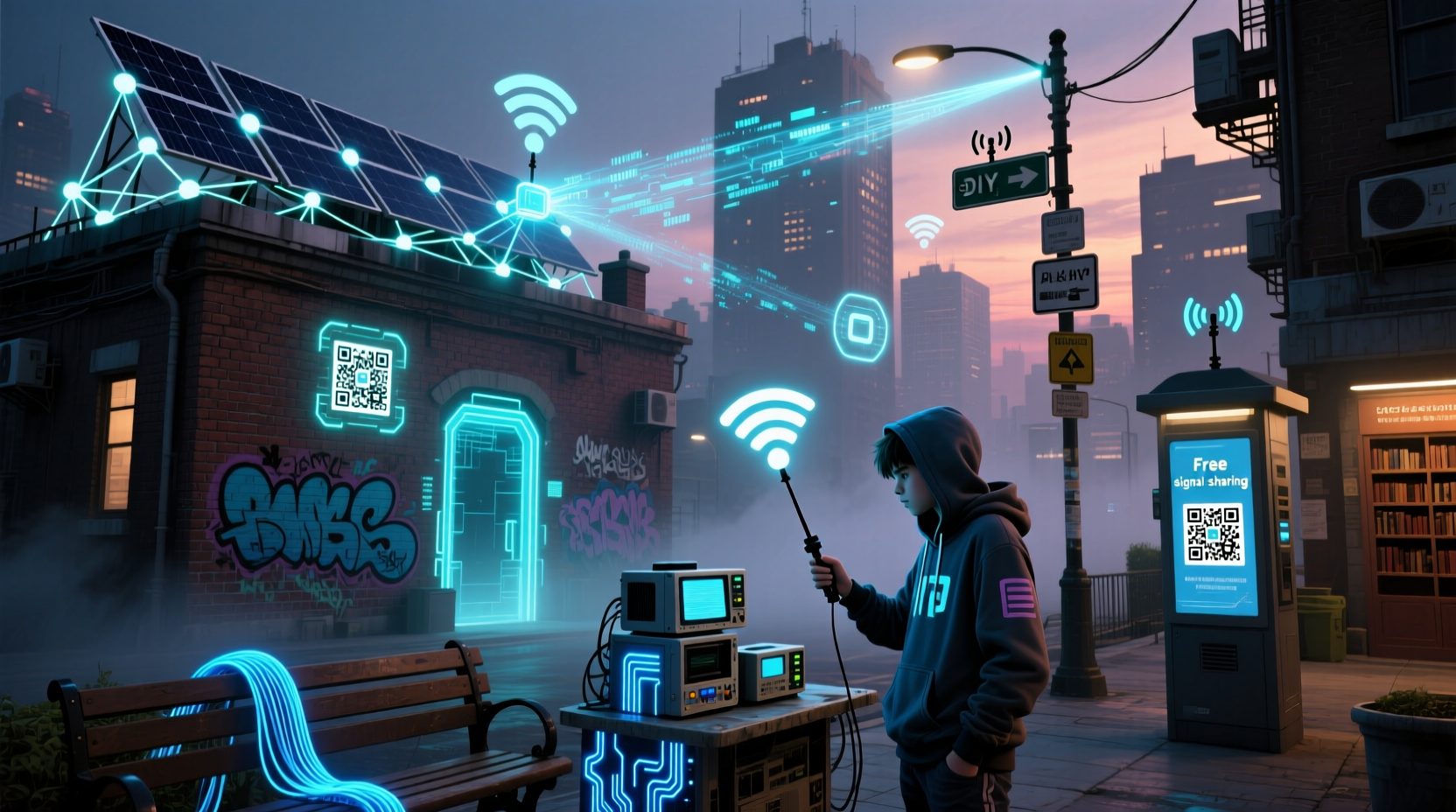
One of the simplest and most widely available ways to go online without a personal ISP is through public Wi-Fi networks. Libraries, cafes, community centers, airports, and even municipal zones often offer free wireless access.
Many cities have invested in public internet kiosks or city-wide Wi-Fi initiatives. For example, New York City’s LinkNYC program has replaced old payphones with high-speed Wi-Fi hubs that offer free gigabit internet, charging ports, and emergency services access.
To maximize this method:
- Use apps like Wi-Fi Map or Instabridge to locate nearby open hotspots.
- Visit locations during off-peak hours for faster speeds.
- Carry a portable power bank to stay connected longer.
Leveraging Community and Shared Resources
Internet access doesn’t always have to be individual. Communities around the world have developed cooperative models to share bandwidth and reduce costs.
Examples include:
- Mesh networks: Decentralized networks built by neighbors sharing nodes. Projects like NYC Mesh or Guifi.net in Spain allow participants to connect via rooftop antennas and routing devices, forming resilient local webs independent of ISPs.
- Co-working spaces: Many offer day passes that include internet access—ideal for freelancers needing temporary connectivity.
- Schools and universities: Alumni or guest access may be available at educational institutions, especially in libraries or student lounges.
“We’re not just building networks—we’re rebuilding trust in how people connect.” — Sasha Costanza-Chock, MIT Media Lab researcher on community networking
How a Rural Community Built Its Own Internet
In Red Hook, Brooklyn, residents established their own mesh network after Hurricane Sandy knocked out commercial services. Using donated equipment and volunteer labor, they created a resilient system that now supports email, VoIP, and emergency alerts—even during blackouts. This model has since inspired similar projects across rural Appalachia and Puerto Rico.
Using Mobile Data Creatively
While mobile data typically involves a carrier plan, there are ways to access it without a long-term subscription.
Prepaid SIM cards from carriers like T-Mobile, Mint Mobile, or regional MVNOs (Mobile Virtual Network Operators) offer flexible no-contract options. Some providers even give limited free data trials. Additionally, certain apps and platforms reward users with data:
- Google Opinion Rewards: Answer surveys and earn Google Play credit to buy data packages.
- FreedomPop: Offers a small amount of free 4G data monthly using Sprint’s network (availability varies).
- Tethering from friends: Borrow a smartphone hotspot temporarily—many modern phones allow several hours of shared data before depleting a plan.
| Method | Data Speed | Cost | Best For |
|---|---|---|---|
| Public Library Wi-Fi | Moderate (5–25 Mbps) | Free | Students, job seekers |
| Prepaid Mobile Hotspot | High (10–50 Mbps) | $20–$30/month | Travelers, remote workers |
| Community Mesh Network | Low to Moderate (3–15 Mbps) | Free or one-time fee | Local residents, activists |
| App-Based Free Data | Variable | Free | Casual browsing, messaging |
Offline-First Tools and Delayed Connectivity
Not all internet needs require real-time access. For research, communication, or media consumption, consider strategies that minimize constant connectivity.
Many services support offline functionality:
- Download Google Maps areas for navigation without data.
- Use Pocket or Instapaper to save articles for later reading.
- Sync emails in advance using IMAP clients like Thunderbird or Outlook.
- Store educational content from Khan Academy or Wikipedia via Kiwix on USB drives.
Step-by-Step: Maximizing Limited Internet Access
- Identify your primary need: Is it email, job applications, video calls, or software updates?
- Find the nearest reliable free access point: Use Wi-Fi finder tools or call ahead to confirm availability.
- Prepare offline: Write emails locally, download necessary files, and queue messages.
- Connect efficiently: Limit background apps, disable auto-play videos, and prioritize tasks.
- Disconnect and continue working offline: Use saved content until your next access window.
Alternative Technologies and Experimental Methods
Beyond conventional Wi-Fi and cellular networks, emerging and niche technologies offer unconventional pathways online.
- TV White Space (TVWS): Uses unused broadcast frequencies to deliver internet over long distances—piloted in rural Washington State and South Africa.
- Loon Balloons (historical but instructive): Google’s defunct Loon project used stratospheric balloons to beam LTE signals to remote regions. Though discontinued, it demonstrated viable aerial delivery models.
- Amateur Radio Digital Modes: Licensed ham radio operators can transmit data over HF/VHF bands using protocols like Winlink for email over radio—a lifeline during disasters.
- Laser-based optical links: Experimental point-to-point systems like those from Facebook’s former Terragraph project use infrared lasers between buildings.
While not consumer-ready, these innovations highlight that internet access can exist outside corporate infrastructure.
Frequently Asked Questions
Is it legal to use someone else’s Wi-Fi without permission?
No. Unauthorized access to a private network is illegal in most jurisdictions under computer fraud laws. Always seek permission or use openly provided public networks.
Can I get high-speed internet without paying a provider?
Yes, but with trade-offs. Public hotspots, mesh networks, and prepaid mobile plans can offer high speeds temporarily or regionally. True high-speed, unlimited access usually requires some form of payment or resource contribution.
Are offline internet tools secure?
Generally yes—offline tools like Kiwix or local email clients store data on your device, reducing exposure to external threats. However, ensure your device has updated antivirus software and avoid syncing with untrusted networks.
Checklist: How to Stay Connected Without a Traditional ISP
- ✅ Locate three free Wi-Fi spots within 5 miles (library, café, park)
- ✅ Install a Wi-Fi mapping app (e.g., Wi-Fi Map)
- ✅ Set up a portable browser profile with offline extensions
- ✅ Download offline versions of frequently used sites (via Kiwix or HTTrack)
- ✅ Join a local mesh network or community tech group
- ✅ Purchase a prepaid SIM card with hotspot capability
- ✅ Enable two-factor authentication on critical accounts to protect against session hijacking on public networks
Conclusion
The assumption that internet access requires a monthly bill from a major provider is increasingly outdated. From grassroots mesh networks to smart use of public resources and offline tools, individuals have more control than ever over how—and whether—they connect. These alternatives are not just stopgaps; they represent a shift toward decentralized, user-owned digital ecosystems. Whether you're minimizing expenses, living off-grid, or advocating for digital equity, exploring these methods empowers greater autonomy in an interconnected world.




 浙公网安备
33010002000092号
浙公网安备
33010002000092号 浙B2-20120091-4
Comments
No comments yet. Why don't you start the discussion?