
For developers spending eight to twelve hours a day in front of screens, choosing the right monitor isn't just about aesthetics—it's a long-term investment in productivity, eye health, and physical comfort. The debate between curved and flat monitors has intensified as curved displays have become more affordable and widespread. But when it comes to coding—where precision, readability, and workspace efficiency matter most—is the curve a genuine ergonomic upgrade, or just a distracting gimmick?
The answer isn’t binary. It depends on your setup, workflow, screen size, viewing distance, and personal physiology. This article breaks down the real-world implications of each option, backed by ergonomics research, user experience reports, and practical testing.
Ergonomic Principles Behind Monitor Design
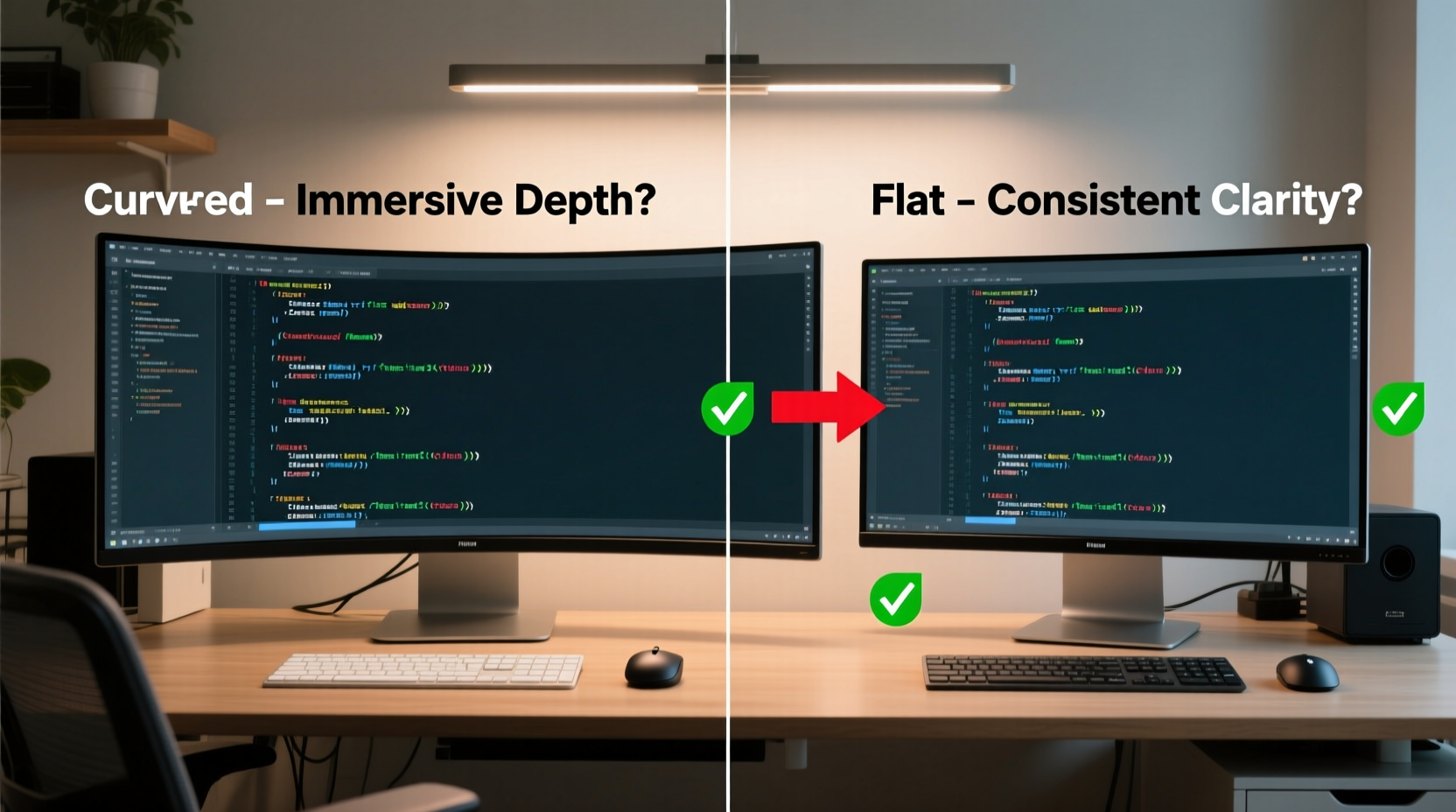
Ergonomics in monitor selection revolves around minimizing strain on the eyes, neck, and shoulders. Key factors include viewing angle, screen curvature radius, distance from the user, and how well the display supports natural head and eye movement.
A flat monitor provides a uniform surface with consistent focal depth across the entire screen. A curved monitor, typically designed with a radius like 1800R or 1500R, aims to match the natural curvature of the human field of vision. Proponents argue this reduces eye movement and creates a more immersive feel. However, immersion doesn’t always translate to efficiency—especially when you're debugging code or comparing multiple files side by side.
“Monitor curvature can reduce peripheral distortion, but only if the curve matches the user’s seating position and screen size.” — Dr. Lena Torres, Human Factors Engineer at the Institute for Workplace Health
The central idea behind curved screens is that they bring the edges closer to your central line of sight, reducing saccadic eye motion—the rapid movement your eyes make when scanning across a flat plane. In theory, this should reduce fatigue. In practice, the benefit diminishes if the curve is too shallow or too deep for your desk setup.
Visual Clarity and Code Readability
Coders rely heavily on text clarity. Small fonts, syntax highlighting, and long lines of code demand crisp rendering and minimal distortion. Let’s compare how each monitor type performs:
- Flat Monitors: Offer pixel-perfect consistency across the entire screen. No warping, no refraction issues at the edges. Ideal for dual-monitor setups where alignment matters.
- Curved Monitors: Can introduce slight text distortion at the far edges, especially on ultrawide models (34-inch+). While modern panels minimize this, developers working with dense IDEs may notice characters appearing slightly stretched or skewed when glancing sideways.
One developer at a mid-sized fintech company reported switching back to a flat 32-inch 4K monitor after three months with a 34-inch ultrawide curved display. “I kept misreading variable names near the edges,” he said. “It wasn’t dramatic, but over time, it caused subtle cognitive friction.”
Workspace Efficiency and Multitasking
Coding often involves multitasking: an IDE on one side, terminal on the other, documentation in a browser tab, and maybe a video tutorial floating nearby. How do curved and flat monitors handle this?
Curved ultrawide monitors (typically 21:9 or 32:9 aspect ratios) excel at providing expansive horizontal space without requiring multiple monitors. This eliminates bezel interruptions and offers a seamless canvas for tiling windows. For developers using virtual desktops or split-screen layouts, this can be a major advantage.
However, flat monitors—especially high-resolution 4K models—offer superior vertical space, which is crucial for reading long code files, stack traces, or API documentation without constant scrolling. Additionally, pairing two flat monitors allows for better orientation flexibility (e.g., one vertical, one horizontal), which many coders prefer for reference materials.
Comparison: Curved vs Flat for Developer Workflows
| Feature | Curved Monitor | Flat Monitor |
|---|---|---|
| Peripheral Visibility | Better due to wrap-around design | Requires more head/eye movement |
| Text Distortion | Possible at edges on large screens | Negligible across screen |
| Multimonitor Compatibility | Poor—curvature disrupts alignment | Excellent—easy to tile and align |
| Immersion & Focus | Higher—less visual distraction | Neutral—depends on environment |
| Viewing Sweet Spot | Narrow—must be centered | Wide—consistent from various angles |
| Ideal Use Case | Single-screen ultrawide development | Dual-monitor or vertical coding setups |
Real-World Case Study: Transitioning from Flat to Curved
Jamal, a full-stack developer based in Vancouver, upgraded from dual 27-inch flat 1440p monitors to a single 34-inch ultrawide curved 1440p display. His goal was to eliminate bezel interruption and gain a wider workspace.
Initial impressions were positive. The panoramic view made it easier to keep his IDE, terminal, and browser open simultaneously. He appreciated the reduced need to switch between virtual desktops. However, within two weeks, he noticed discomfort during long debugging sessions. “I found myself leaning forward to read the far-right edge of the screen,” he explained. “The curve made it feel closer, but the font looked slightly compressed.”
He also missed the ability to rotate one monitor vertically for GitHub diffs and database schemas. After a month, Jamal returned to his dual-flat setup, keeping the curved monitor as a secondary display for monitoring logs and CI/CD pipelines.
His takeaway? “The curve works great for media and light coding, but for intensive development, I need precision and flexibility. Flat monitors gave me both.”
Eyestrain and Long-Term Comfort
One of the biggest claims in favor of curved monitors is reduced eyestrain. The logic is sound: if the screen follows the curvature of your retina, your eyes don’t have to refocus as much when moving from center to edge.
However, studies show mixed results. A 2022 study published in *Ergonomics in Design* found that while users reported feeling less eye fatigue on curved screens during extended use, measurable differences in blink rate, pupil dilation, and focus shifts were negligible. The perceived comfort may stem more from psychological immersion than physiological benefit.
More impactful than curvature are factors like blue light emission, refresh rate, brightness, and anti-glare coating. A flat monitor with matte finish and adjustable color temperature may offer greater eye protection than a glossy curved panel, regardless of shape.
Who Should Consider a Curved Monitor?
Not all developers will benefit equally from a curved display. Here’s a checklist to help determine if it’s right for you:
- You work primarily with a single, wide workspace (e.g., data visualization, video editing alongside coding)
- Your desk setup allows for a centered, direct viewing position
- You value immersion and minimal distractions
- You use a large screen (34-inch or larger) and want to reduce eye travel
- You don’t frequently use multiple monitors side by side
If instead you:
- Rely on dual or triple monitor setups
- Prefer rotating one screen vertically
- Work in environments where seating position varies
- Need pixel-perfect accuracy at screen edges
…then a high-resolution flat monitor remains the safer, more versatile choice.
Step-by-Step: Choosing the Right Monitor for Your Coding Setup
- Assess your desk space and viewing distance. Measure from your eyes to the screen. If less than 70 cm, even a mild curve may feel exaggerated.
- Determine your primary workflow. Do you split windows horizontally or vertically? Ultrawide curved screens favor horizontal expansion.
- Test resolution and pixel density. Aim for at least 110 PPI (pixels per inch). On a 34-inch 1440p screen, this is ~96 PPI—acceptable but not razor-sharp. A 32-inch 4K flat monitor hits ~140 PPI, offering superior clarity.
- Check compatibility with mounting options. Curved monitors often can’t be rotated to portrait mode and may not fit standard VESA arms perfectly.
- Try before you buy—or return quickly. Many retailers offer 14–30-day return policies. Use this to test real-world coding tasks, not just web browsing.
Frequently Asked Questions
Does a curved monitor reduce neck strain?
Potentially, yes—but only if you’re using a single large screen. By bringing the edges into your peripheral vision, you may turn your head less. However, if you’re off-center or using multiple monitors, the benefit disappears. Proper monitor height and alignment matter more than curvature.
Can I use a curved monitor for dual-display setups?
Technically yes, but it’s not recommended. The curvature creates visual discontinuity between screens, making window dragging and eye tracking awkward. Most users report a jarring experience when combining curved and flat, or two curved monitors side by side.
Is screen burn-in a concern with curved monitors for coding?
Most modern curved monitors use VA or IPS LCD panels, not OLED, so permanent burn-in is rare. However, static UI elements (like IDE toolbars) can cause temporary image retention on VA panels. Using screen savers or auto-dimming during idle periods helps mitigate this.
Final Verdict: Ergonomic Advantage or Gimmick?
The curve is neither universally ergonomic nor inherently annoying. It’s a design trade-off. For some developers—particularly those working solo with expansive horizontal workflows—a curved ultrawide monitor can enhance focus and reduce eye movement. For others, especially those relying on multi-monitor precision or vertical space, the curve introduces subtle distortions and rigidity that hinder productivity.
Ergonomics isn’t just about the shape of the screen; it’s about the entire ecosystem: chair height, desk depth, lighting, posture, and software environment. A curved monitor might look futuristic, but it won’t fix poor posture or compensate for inadequate lighting.
In coding, where small inefficiencies compound over hours, the best monitor is the one that disappears into the background—letting you focus on the logic, not the display.




 浙公网安备
33010002000092号
浙公网安备
33010002000092号 浙B2-20120091-4
Comments
No comments yet. Why don't you start the discussion?