
For developers spending 8 to 12 hours a day in front of a screen, monitor choice isn’t just about resolution or refresh rate—it’s a critical factor in long-term comfort, focus, and even musculoskeletal health. As curved monitors have gained popularity across gaming and design communities, many coders are asking: does a curved display offer real ergonomic benefits over traditional flat panels, or is it just aesthetic appeal?
The answer isn’t straightforward. While curvature can reduce eye strain and improve peripheral visibility for some users, it may introduce distortion or workflow inefficiencies for others—especially those relying on multiple windows, dual-monitor setups, or precise alignment in code editors. This article examines both sides of the debate with practical insights, expert opinions, and real-world considerations to help you make an informed decision.
Ergonomics Beyond the Curve: What Really Matters
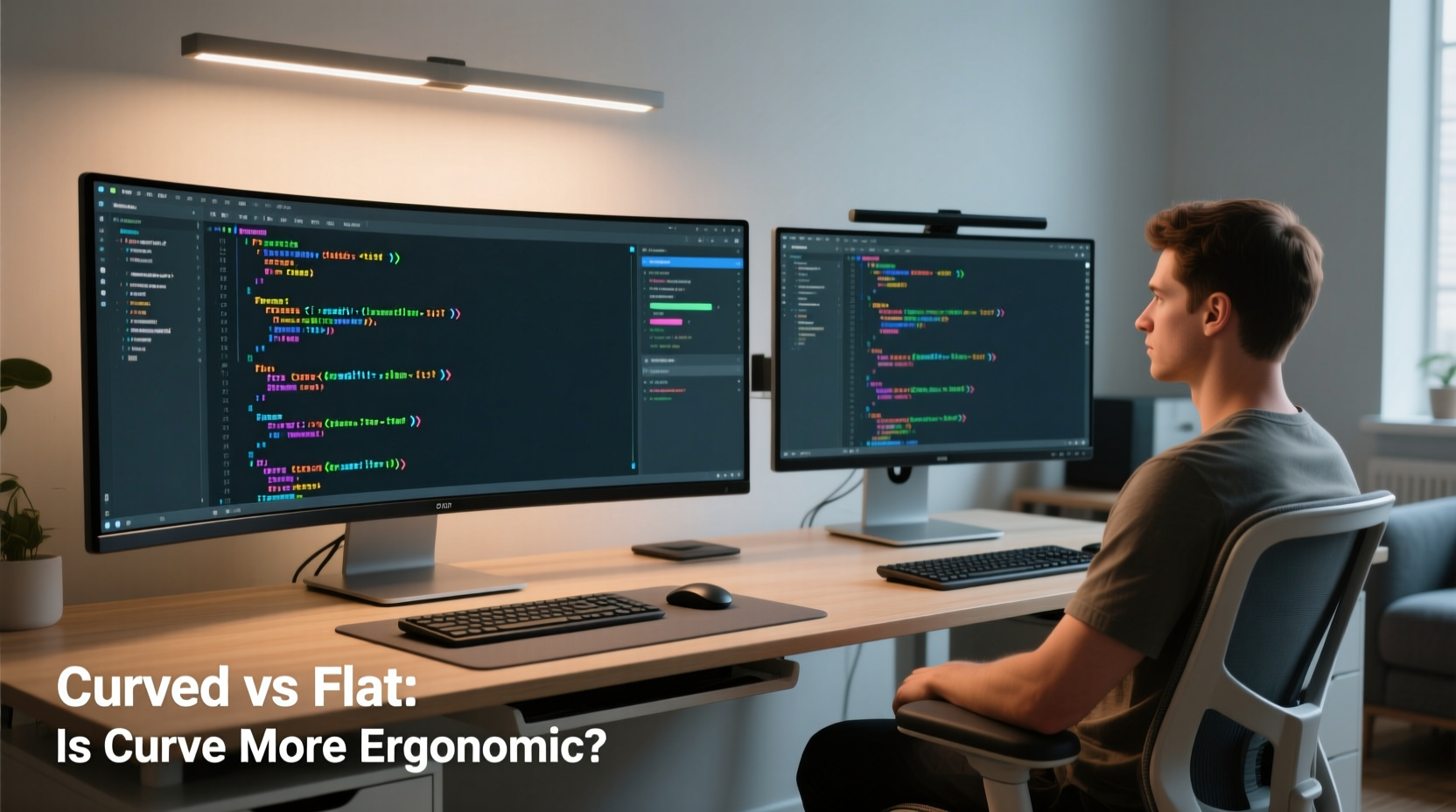
Ergonomics in monitor selection goes beyond shape. Key factors include viewing distance, screen height, glare reduction, and how well the monitor supports natural eye movement and neck positioning. The human field of vision is naturally curved, which is why proponents of curved displays argue they align better with how we see the world.
A curved monitor aims to keep all parts of the screen equidistant from the eyes, reducing the need for constant refocusing as your gaze moves from edge to center. This could theoretically lower eye fatigue during extended coding sessions. However, this benefit depends heavily on curvature radius, screen size, and seating position.
According to Dr. Sarah Lin, an occupational optometrist specializing in digital eye strain:
“The ideal monitor setup minimizes saccadic eye movements and accommodates the natural arc of visual attention. Curved screens can support this—if properly sized and positioned. But for smaller screens under 27 inches, the advantage diminishes significantly.” — Dr. Sarah Lin, OD, Occupational Vision Consultant
Flat Monitors: The Coding Standard for a Reason
Flat monitors remain the default choice for most software developers—and for good reason. They offer consistent image geometry, predictable scaling, and seamless integration in multi-monitor environments. When working with terminal windows, IDEs like VS Code or IntelliJ, and browser-based debugging tools side by side, flat panels ensure straight lines stay straight and alignment remains intact.
Many developers use tiling window managers or split-screen layouts where pixel-perfect alignment matters. On a curved screen, vertical lines may appear slightly bent at the edges, which can be distracting when scanning through indented code blocks or reviewing diffs in version control.
Additionally, flat monitors are generally more affordable, widely available, and easier to calibrate—important considerations for remote workers setting up home offices on a budget.
When Curved Monitors Shine: Use Cases That Justify the Bend
Curved monitors aren’t inherently bad for coding—they simply serve different needs. For developers who prioritize immersion, work with data-heavy dashboards, or spend significant time reading long documents or logs, a well-chosen curved display can enhance readability and reduce mental fatigue.
Larger ultrawide models (34-inch and above, often with a 1500R or 1800R curvature) wrap gently around the user’s peripheral vision, minimizing head movement when switching between open applications. This can be particularly effective for:
- Data scientists analyzing spreadsheets and visualization tools simultaneously
- DevOps engineers monitoring multiple server logs and dashboards
- Full-stack developers toggling between frontend UIs and backend APIs
In these scenarios, the curve helps maintain focus within a single expansive workspace without constantly panning the head left or right.
Real Example: A Backend Developer’s Setup Shift
Jamal, a senior backend engineer based in Austin, spent years using dual 24-inch flat monitors. After developing chronic neck stiffness, he consulted an ergonomics specialist who recommended consolidating into a single 34-inch ultrawide curved monitor (3440x1440 resolution, 1500R curve).
“At first, I missed having two separate screens,” Jamal said. “But after two weeks, I realized I was turning my head less and scrolling fewer times. My IDE, terminal, and API tester all fit side-by-side without overlap. The curve made the outer edges feel closer, so I wasn’t squinting to read log outputs on the far right.”
Within a month, his reported neck discomfort dropped by 70%, and he found himself more focused during debugging sessions. He did note one trade-off: color accuracy varied slightly at the edges, which mattered when occasionally reviewing design mockups.
Comparative Analysis: Curved vs Flat for Developers
| Feature | Curved Monitor | Flat Monitor |
|---|---|---|
| Eye Movement | Reduced saccades; more uniform focal distance | Greater eye refocusing needed across wide screens |
| Multitasking | Excellent on ultrawides; limited on single standard aspect ratios | Easier window snapping and alignment |
| Dual-Monitor Setup | Poor compatibility due to edge warping | Ideal; seamless transition between screens |
| Code Alignment | Slight edge distortion may affect perception of indentation | Precise, linear rendering of text and UI elements |
| Immersiveness | Higher; feels more enveloping during long sessions | Neutral; functional but less engaging |
| Cost & Availability | Generally higher price; fewer options in mid-range | Widely available; competitive pricing |
| Ease of Calibration | More complex due to curvature effects | Simple and standardized |
Choosing the Right Monitor: A Step-by-Step Decision Guide
Selecting between curved and flat isn’t about trends—it’s about matching technology to your specific workflow and physical environment. Follow this sequence to make a confident choice:
- Assess Your Workload: Do you primarily write code in a single editor, or do you juggle multiple apps? If multitasking dominates, consider an ultrawide curved panel or dual flats.
- Measure Your Desk Space: Curved monitors often require deeper desks. Ensure you have at least 24–30 inches of depth for comfortable viewing.
- Determine Viewing Distance: Sit approximately 24–36 inches from the screen. If you're closer than 24\", curvature benefits decrease.
- Check Screen Size and Curve Radius: For curvature to matter, aim for 30-inch or larger with a radius of 1500R–1800R. Smaller curves (e.g., 3000R) are barely perceptible.
- Test Before You Buy: Visit a store or borrow a unit. Spend 20 minutes writing actual code on it to evaluate comfort and clarity.
- Consider Future Scalability: Will you add a second monitor later? If yes, flat is likely the safer path.
- Adjust Ergonomic Accessories: Pair your monitor with an adjustable arm, anti-glare coating, and proper chair height to maximize any setup’s effectiveness.
Common Misconceptions About Curved Displays
Several myths persist about curved monitors that can mislead buyers:
- “Curved means better for eyes” – Not necessarily. Only larger, appropriately curved screens at optimal distances provide measurable reductions in eye fatigue.
- “All ultrawides are curved” – False. Many 21:9 flat ultrawide monitors exist and offer excellent multitasking without distortion.
- “Curvature improves productivity” – Evidence is anecdotal. Some users report increased focus; others find the curve distracting during precision tasks.
- “You’ll get used to the curve” – While adaptation occurs, persistent visual distortions (like bent borders) don’t disappear and may impair usability over time.
Frequently Asked Questions
Is a curved monitor better for long coding sessions?
It can be, but only under specific conditions: if the screen is large enough (34\" or wider), the curvature is moderate (1500R–1800R), and you sit at the correct distance (24–36 inches). For smaller or tighter curves, the ergonomic advantage is negligible.
Can I use a curved monitor with tiling window managers?
Possible, but not ideal. Tools like i3, dwm, or bspwm rely on clean geometric divisions. On a curved screen, tiles near the edges may appear skewed, disrupting spatial awareness and workflow rhythm.
Do professional developers prefer curved or flat monitors?
Most still prefer flat. Industry surveys from Stack Overflow and Blind indicate that over 70% of developers use flat screens, citing reliability, compatibility, and cost as primary reasons. Curved adoption remains niche, mostly among those using ultrawide formats for immersive workflows.
Action Plan: Optimizing Your Coding Environment
Instead of focusing solely on curvature, adopt a holistic approach to monitor ergonomics. Use this checklist to build a sustainable, high-performance setup:
- ✅ Position the monitor so the top line of text is at or slightly below eye level
- ✅ Maintain a viewing distance of 24–36 inches (60–90 cm)
- ✅ Use a matte or anti-glare screen to reduce reflections
- ✅ Enable dark mode or blue light filters during evening hours
- ✅ Take breaks every 60 minutes using the 20-20-20 rule (every 20 minutes, look at something 20 feet away for 20 seconds)
- ✅ Adjust brightness to match ambient lighting—avoid overly bright screens in dark rooms
- ✅ Consider a vertical secondary monitor for documentation or chat windows
Final Verdict: Is the Curve Actually Ergonomic?
The ergonomic value of a curved monitor for coding is conditional. For users working on expansive, single-screen workflows with large ultrawide displays, the curve can reduce eye strain and create a more immersive experience. However, for the majority of developers—especially those using multiple monitors, precise layout tools, or smaller screens—the practical drawbacks outweigh the theoretical benefits.
Flat monitors continue to dominate professional coding environments because they deliver consistency, accuracy, and flexibility. Curved models have their place, but they should be chosen deliberately, not reflexively.
Ultimately, ergonomics isn’t about chasing the latest tech trend. It’s about creating a workspace that supports sustained focus, physical comfort, and long-term health. Whether flat or curved, the best monitor is the one that disappears into your workflow—so you can concentrate on what matters: writing great code.




 浙公网安备
33010002000092号
浙公网安备
33010002000092号 浙B2-20120091-4
Comments
No comments yet. Why don't you start the discussion?