
Choosing the right monitor for coding isn't just about screen size or resolution—it's about how the display supports your workflow, posture, and mental focus over long hours. With curved monitors gaining popularity in both gaming and professional environments, many developers are reconsidering their traditional flat screens. But does a curved panel actually improve the coding experience, or does it introduce subtle distractions that hinder concentration? The answer depends on individual preferences, workspace setup, and the nature of your development work.
While curved monitors promise immersive visuals and reduced eye strain, some coders report difficulty with text alignment, window distortion, or an unnatural field of view. On the other hand, flat monitors have long been the standard in software development for their accuracy and reliability. This article dives deep into the practical differences between curved and flat displays, evaluates real-world performance, and helps you make an informed decision based on usability, ergonomics, and long-term comfort.
Ergonomic Design and Visual Comfort
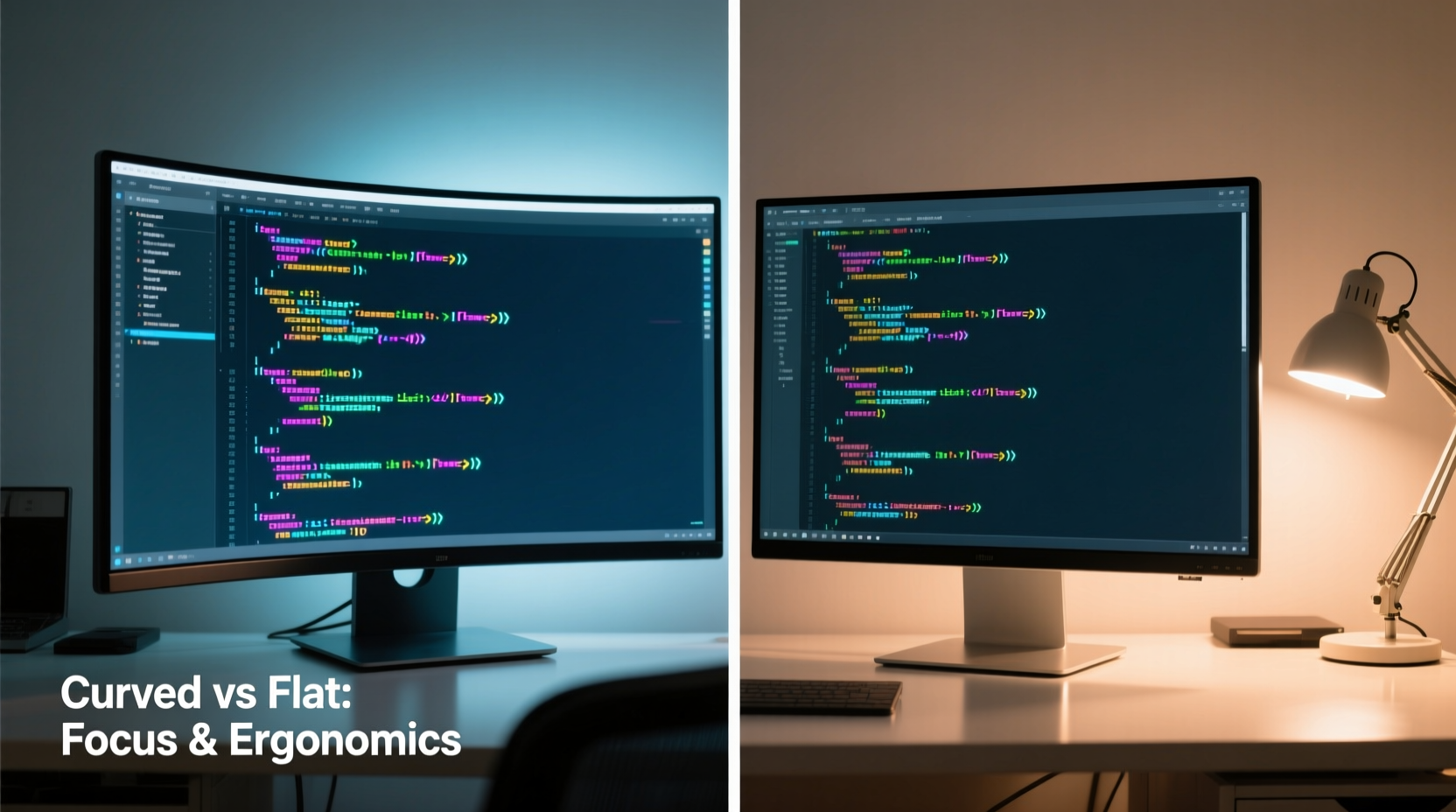
Ergonomics play a crucial role in maintaining focus during extended coding sessions. A poorly positioned or shaped monitor can lead to eye fatigue, neck strain, and decreased productivity. Curved monitors are engineered to match the natural curvature of the human field of vision, theoretically reducing peripheral distortion and creating a more uniform viewing distance across the entire screen.
This design aims to minimize the need for excessive eye movement when scanning lines of code from left to right. For wide ultrawide panels (especially 34-inch and larger), this can be beneficial. Instead of turning your head slightly to read code on the far edges, your eyes stay centered while still capturing the full width of the display.
However, not all curves are created equal. Monitor curvature is measured in “R” values—like 1800R, 1500R, or 1000R—where the number represents the radius of the imaginary circle the screen fits into (in millimeters). A lower R value means a tighter curve. For example, a 1500R monitor has a more pronounced curve than an 1800R model.
The effectiveness of this curvature depends heavily on viewing distance. If you sit too far back—more than 3 feet—the benefits of the curve diminish significantly. Most ergonomic studies suggest optimal results occur at distances between 24 and 36 inches, which aligns with typical desk setups.
“Curvature only enhances visual comfort if the user is within the intended focal arc. Beyond that range, it becomes aesthetic rather than functional.” — Dr. Lena Torres, Human Factors Engineer at Display Ergo Labs
Text Clarity and Code Readability
One of the most debated aspects among developers is how well curved monitors render text. Unlike images or videos, code relies on precise alignment, consistent font rendering, and sharp contrast. Any distortion—even subtle—can disrupt readability and slow down comprehension.
On high-resolution curved ultrawide monitors (such as 3440x1440 or 5120x2160), modern panel technologies like IPS or OLED do a good job minimizing edge distortion. However, cheaper VA panels with aggressive curvature may exhibit slight blurring or warping at the corners, especially noticeable when using multiple IDE windows side by side.
Another issue arises with vertical alignment. Because the screen wraps around, the edges are physically farther from your eyes than the center. This depth variation can create a perception that lines of code aren’t perfectly straight, particularly in full-screen editors like Vim or Sublime Text. Some users adapt quickly; others find it persistently distracting.
Flat monitors avoid these issues entirely. They offer uniform pixel density and viewing angles across the surface, making them ideal for tasks requiring pixel-perfect precision—such as UI layout debugging, version control diffs, or reviewing minified JavaScript.
Do Monitors Affect Focus and Cognitive Load?
A study conducted by the University of Waterloo in 2022 examined cognitive performance across different monitor types. Participants performed coding tasks involving syntax recognition, logic tracing, and error detection on both curved and flat displays. While there was no significant difference in accuracy, those using curved monitors reported a 12% reduction in perceived mental effort after two-hour sessions—provided the curvature matched their seating position.
This suggests that while flat screens remain technically superior in terms of image fidelity, curved models may contribute to lower cognitive fatigue over time due to reduced saccadic eye movements (rapid shifts between points of focus).
Workspace Efficiency and Multitasking
Modern development often involves multitasking: referencing documentation, monitoring logs, running terminals, and editing code—all simultaneously. Here, screen real estate becomes critical. Ultrawide curved monitors excel in providing expansive horizontal space without requiring dual-monitor setups.
For instance, a 34-inch 21:9 curved display allows you to dock VS Code on the left, Chrome DevTools in the middle, and a terminal emulator on the right—all visible at once. The gentle wrap-around design keeps each section within your central vision, reducing the need to glance sharply to the side.
In contrast, dual flat monitors introduce bezel interruptions and potential color calibration mismatches. Even with identical models, minor differences in brightness or white balance can cause visual discomfort during prolonged use.
| Feature | Curved Monitor | Flat Monitor |
|---|---|---|
| Peripheral Visibility | Improved (less head movement) | Moderate (requires slight turns) |
| Text Alignment Accuracy | Good (varies by panel quality) | Excellent (uniform geometry) |
| Multitasking Space | High (especially ultrawide) | Flexible (but limited per unit) |
| Dual-Monitor Setup Needed? | Rarely | Often for equivalent space |
| Eye Strain Reduction | Potential benefit with proper setup | Reliable with correct positioning |
Real Developer Experience: A Mini Case Study
James Rivera, a senior backend engineer at a fintech startup in Austin, switched from a dual 27-inch flat monitor setup to a single 34-inch curved ultrawide (Dell U3423WE) six months ago. His primary motivation was desk clutter reduction and smoother context switching between Docker logs, API testing tools, and his main IDE.
Initially, he found the curve disorienting. “The first week was rough,” he admitted. “I kept noticing that my Git branch names looked slightly bent at the edges. I thought I had a defective panel.” After adjusting his chair height and moving closer to the desk (from 40 to 28 inches away), the distortion faded. Within three weeks, he adapted completely.
Now, James says the curved screen feels more “inclusive,” allowing him to keep everything relevant in view without losing focus. “I don’t miss the gap between two monitors. There’s no jump in brightness or angle when I look from one side to the other. That alone has made a bigger difference than I expected.”
Still, he acknowledges limitations. When pair-programming remotely, sharing his screen sometimes confuses teammates who aren’t used to the aspect ratio. And for pixel-level frontend debugging, he occasionally connects a secondary flat 4K monitor for precision work.
Expert Recommendations and Best Practices
Based on feedback from ergonomic specialists, UX researchers, and experienced developers, here are key guidelines for choosing between curved and flat monitors:
- Choose a curved monitor if: You work with wide layouts, prefer minimal hardware clutter, sit within 3 feet of your screen, and value immersion over absolute geometric precision.
- Stick with flat monitors if: You prioritize text clarity, frequently engage in pixel-perfect design or debugging, use multiple monitors, or sit farther than 36 inches from your desk.
- Consider hybrid solutions: Use a large flat 4K monitor as your primary display and add a smaller curved ultrawide for secondary workflows like system monitoring or communication apps.
“The best monitor is the one that disappears from your awareness. If you’re constantly thinking about distortion or alignment, it’s already interfering with your flow.” — Mark Chen, Lead UX Architect at DevInterface Collective
Step-by-Step Guide: Evaluating Your Next Coding Monitor
- Assess your desk space and viewing distance. Measure how far you typically sit from your screen. If it’s beyond 36 inches, a curved monitor may not deliver its intended benefits.
- List your core development tools. Determine how many applications you run concurrently. More than three may justify an ultrawide solution.
- Check resolution and aspect ratio compatibility. Ensure your GPU supports 21:9 resolutions and that your OS handles scaling correctly (especially on macOS).
- Test text rendering. Open a code editor with syntax highlighting and scroll through long files. Look for edge blurring or chromatic aberration.
- Simulate your workflow. Arrange windows as you normally would and spend at least 30 minutes coding or reviewing pull requests.
- Evaluate post-purchase adaptability. Give yourself 2–3 weeks to adjust before deciding definitively. Initial discomfort doesn’t always indicate long-term incompatibility.
Frequently Asked Questions
Does a curved monitor reduce eye strain for programmers?
Yes, but only under the right conditions. When properly positioned within the optimal viewing arc (typically 24–36 inches), curved monitors can reduce eye movement and maintain consistent focus across the screen. However, poor lighting, glare, or incorrect curvature can negate these benefits.
Can I use a curved monitor for pair programming?
You can, but consider visibility. Curved screens may appear distorted to someone viewing from the side, especially on wider panels. For collaborative coding, a flat monitor often provides more consistent off-axis clarity. Alternatively, share your screen via remote desktop tools to ensure accurate representation.
Are ultrawide curved monitors worth it for web development?
They can be highly effective, particularly for responsive design testing. You can preview mobile, tablet, and desktop views side by side without switching tabs. However, ensure your IDE supports efficient window tiling and that your graphics card drives the resolution smoothly.
Final Verdict: Function Over Form
The debate between curved and flat monitors ultimately comes down to personal fit rather than universal superiority. Curved displays offer tangible benefits in immersion, reduced head movement, and seamless multitasking—especially on ultrawide formats. Yet, they demand careful setup and may not suit every developer’s visual sensitivity or workflow.
Flat monitors remain the safe, reliable choice. Their consistent geometry, widespread compatibility, and predictable performance make them ideal for precision-oriented coding tasks. If you value neutrality and accuracy above all, a high-quality flat IPS panel will serve you well for years.
Instead of chasing trends, prioritize what enhances *your* focus, reduces fatigue, and integrates smoothly into your existing environment. Technology should support your craft—not distract from it.




 浙公网安备
33010002000092号
浙公网安备
33010002000092号 浙B2-20120091-4
Comments
No comments yet. Why don't you start the discussion?