
Choosing the right dash cam setup can significantly impact your driving experience, insurance claims, and peace of mind. While front-only dash cams have long been the standard, dual-channel systems that record both front and rear views are gaining popularity. But is the added cost and complexity of a rear camera justified? For many drivers, the answer depends on their driving habits, vehicle type, and risk exposure. This article examines the practical differences between front-only and front-and-rear dash cams, evaluates real-world scenarios, and helps you determine whether rear coverage is essential or just an extra feature.
Understanding the Basics: What Each System Records
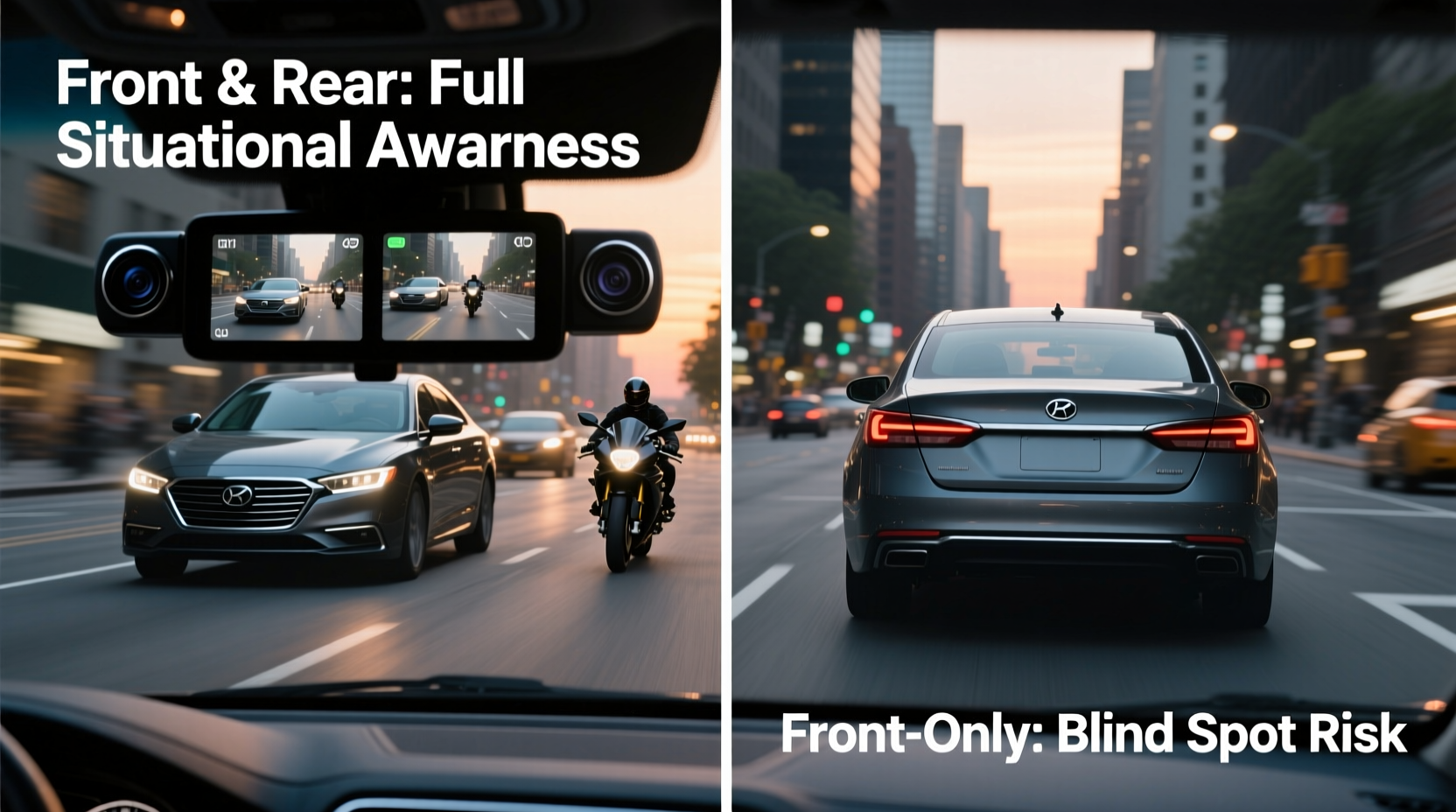
A front-only dash cam captures footage from the windshield, focusing on what’s ahead—traffic signals, vehicles in front, pedestrians, and road conditions. It activates when the car starts and continuously records in a loop, saving critical moments during sudden braking, collisions, or near-misses.
In contrast, a dual dash cam system includes a second camera mounted at the rear of the vehicle. This rear camera monitors activity behind the car, including tailgating vehicles, reversing incidents, and hit-and-run attempts from the back. Both cameras typically save synchronized video files, allowing for a complete picture of multi-directional events.
The fundamental question isn’t just about recording more angles—it’s about whether the additional data translates into tangible benefits like stronger insurance evidence, improved security, or accident prevention.
When a Rear Camera Adds Real Value
Certain driving environments and vehicle types make rear coverage far more valuable than others. Consider these high-impact scenarios where a rear-facing camera proves indispensable:
- Rear-end collisions: Despite being common, proving fault isn’t always straightforward. A rear camera can capture aggressive tailgating or sudden impacts from behind, providing indisputable evidence if the other driver denies responsibility.
- Parking lot incidents: Scrapes, dings, and hit-and-runs often occur while parked. A rear camera with parking mode can record unauthorized contact, especially when backing out or when another vehicle backs into yours.
- Towing or hauling: Drivers with trailers, RVs, or cargo boxes benefit from rear visibility. A rear dash cam acts as a supplementary backup camera, helping monitor blind spots during maneuvers.
- Urban driving: In dense city traffic, vehicles frequently approach from behind in unpredictable ways. Cyclists, scooters, and impatient drivers weaving through lanes increase the risk of rear contact.
“Over 30% of all auto insurance claims involve rear-end collisions. Having rear footage shifts the burden of proof and reduces fraudulent claims.” — Mark Reynolds, Auto Claims Adjuster with 15 years of experience
Front-Only Systems: Still Viable for Many Drivers
Despite the advantages of dual recording, a front-only dash cam remains sufficient—and even preferable—for certain users. These include:
- Drivers who mostly travel on highways with minimal rear traffic interaction.
- Those with budget constraints, as dual systems typically cost 30–60% more.
- Owners of compact cars without hatchbacks or trucks, where rear damage is less frequent.
- Individuals prioritizing simplicity in installation and maintenance.
Modern front dash cams offer advanced features like AI-powered collision detection, GPS tracking, and cloud storage—many of which deliver substantial protection without requiring a second camera. For example, a high-resolution front camera with wide dynamic range (WDR) can capture license plates clearly even in low light, addressing one of the most common evidentiary needs.
Moreover, some front-only models now include cabin-facing lenses to monitor driver behavior or deter theft, offering alternative forms of protection beyond external views.
Comparing Costs, Installation, and Practical Trade-offs
Choosing between systems involves evaluating not just performance but also logistics. The following table outlines key differences between front-only and front-and-rear setups:
| Feature | Front-Only Dash Cam | Front & Rear System |
|---|---|---|
| Average Cost | $80–$150 | $130–$250+ |
| Installation Time | 15–30 minutes | 45–90 minutes |
| Wiring Complexity | Simple (usually plug-and-play) | Moderate (requires rear cable routing) |
| Storage Usage | 16–32GB card lasts ~4 hours | Doubles usage (same capacity = ~2 hours) |
| Parking Mode Effectiveness | Limited to front view | Full 360° monitoring (with hardwiring) |
| Maintenance Needs | Low (single lens cleaning) | Moderate (clean two lenses, check rear connection) |
While dual systems provide broader coverage, they demand more from the user. Routing the rear camera cable through door seals and trim panels can be time-consuming and may require professional help. Additionally, increased power draw in parking mode raises concerns about battery drain unless a hardwiring kit with voltage cutoff is used.
Real-World Case: Did the Rear Camera Save the Day?
Jamie L., a rideshare driver in Chicago, installed a front-and-rear dash cam after a minor scrape in a downtown garage. Three months later, while parked during a fare break, her SUV was struck from behind by a delivery van that fled the scene. The front camera captured nothing, but the rear unit recorded the entire incident—including the van’s logo, partial plate, and the driver exiting briefly to inspect damage before leaving.
She filed a claim with her insurer, who used the footage to identify and contact the delivery company. Within ten days, Jamie received full compensation for repairs. “Without that rear video,” she said, “I’d have been stuck paying $1,200 out of pocket for something I didn’t cause.”
This case illustrates a critical point: rear incidents often happen when the driver is absent or unaware. The ability to document such events retroactively adds significant value, especially for those who park in public areas regularly.
Step-by-Step Guide: Choosing the Right Setup for Your Needs
Follow this decision-making process to determine whether you truly need a rear camera:
- Assess your driving environment: Do you drive primarily in cities, suburbs, or rural areas? Urban and mixed-use zones increase exposure to rear threats.
- Evaluate parking habits: Do you leave your car on the street overnight? Frequent off-premise parking raises the risk of undetected damage.
- Consider vehicle type: SUVs, trucks, and vans have larger blind spots and higher rear profiles, making them more prone to rear impacts.
- Review past incidents: Have you experienced rear-end collisions or parking disputes before? History often predicts future risk.
- Set a budget: Determine how much you’re willing to invest. If cost is a major factor, prioritize a high-quality front camera over a lower-tier dual system.
- Plan for installation: Are you comfortable running cables through interior panels? If not, factor in professional installation costs.
- Decide on parking mode: If you want 24/7 protection, ensure your chosen system supports safe parking mode operation with battery monitoring.
Frequently Asked Questions
Can I add a rear camera to my existing front dash cam?
Yes, but only if your current model supports dual-channel recording. Some brands offer compatible rear camera kits (e.g., Garmin, BlackVue). Otherwise, you’ll need to replace the entire system.
Do rear dash cams work in low light?
Most modern rear cameras include infrared or low-light sensors, though image quality varies. Look for units with WDR (Wide Dynamic Range) and night vision specs of at least 1080p for usable footage after dark.
Is a rear dash cam legal everywhere?
In most countries, including the U.S. and Canada, rear dash cams are legal as long as they don’t obstruct the driver’s view or record audio without consent (check local eavesdropping laws). Always verify regulations in your state or province.
Final Checklist Before Buying
Use this checklist to ensure you select the best system for your situation:
- ✅ Define your primary use case: daily commute, rideshare, family vehicle, or commercial use.
- ✅ Decide whether rear incidents are a realistic threat based on your routine.
- ✅ Compare resolution: Aim for at least 1440p front and 1080p rear for clear detail.
- ✅ Confirm compatibility: Ensure front and rear units are designed to work together.
- ✅ Check power options: Hardwiring is recommended for parking mode to prevent battery drain.
- ✅ Verify storage: Use a high-endurance microSD card (64GB or higher) for reliable loop recording.
- ✅ Read reviews: Focus on feedback about rear camera clarity, ease of installation, and reliability.
Conclusion: Making the Right Call for Your Safety
The decision between a front-only and a front-and-rear dash cam ultimately hinges on risk assessment and personal priorities. For drivers in high-density areas, those who park on busy streets, or anyone towing trailers, the rear camera is more than a luxury—it’s a strategic safeguard. The footage it captures can protect your insurance record, support claims, and deter dishonest actors.
However, if your driving is mostly predictable, your vehicle stays in secure locations, and your budget is tight, a well-chosen front dash cam still offers powerful protection. Modern models deliver exceptional clarity, intelligent alerts, and robust evidence-gathering capabilities that address the majority of common driving risks.
Technology should serve your lifestyle—not complicate it. Evaluate your real-world needs, weigh the trade-offs, and choose a system that aligns with how and where you drive. Whether you opt for dual coverage or stick with a single lens, the most important step is installing a reliable dash cam at all. That simple act could save you time, money, and stress when you need it most.




 浙公网安备
33010002000092号
浙公网安备
33010002000092号 浙B2-20120091-4
Comments
No comments yet. Why don't you start the discussion?