
More drivers are turning to dash cams as essential tools for protection, evidence collection, and peace of mind on the road. While a front-facing camera has long been the standard, dual-channel systems—recording both front and rear—have surged in popularity. But with added complexity in wiring, mounting, and setup, many wonder: Is the rear camera truly worth the installation hassle? The answer depends on your driving habits, environment, and risk tolerance.
Understanding the trade-offs between a single front-facing unit and a dual front-and-rear system can help you make an informed decision that aligns with your needs—not just marketing hype.
The Case for Front-Only Dash Cams
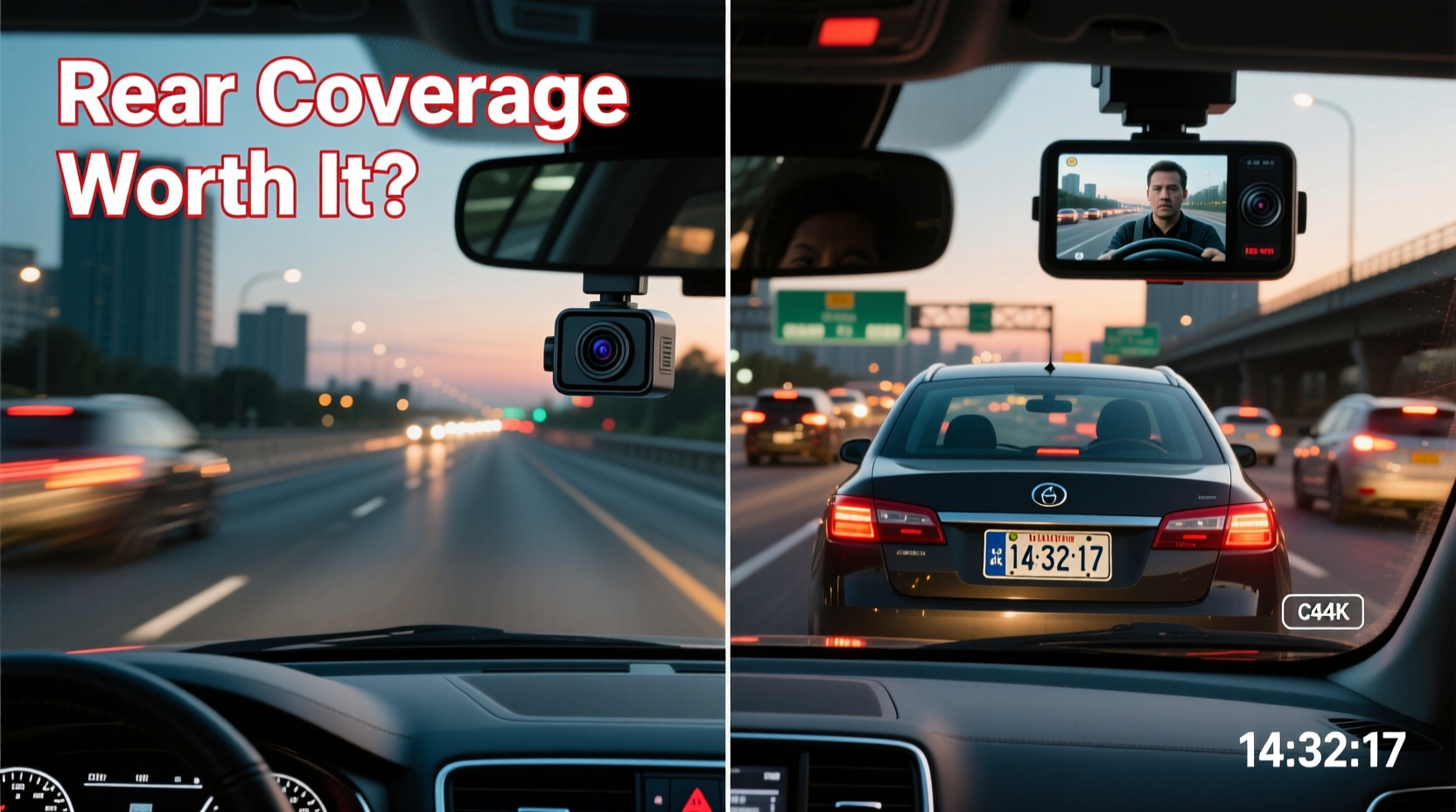
A front-only dash cam remains the most common choice among consumers—and for good reason. These units are straightforward to install, typically requiring only a power source (usually via the OBD-II port or 12V socket) and a windshield mount. Most models plug and play, offering high-resolution video, GPS tagging, and loop recording with minimal configuration.
Since the majority of collisions occur from the front or sides—such as red-light runners, sudden stops, or lane drifts—the front camera captures the most critical incidents. According to the National Highway Traffic Safety Administration (NHTSA), over 70% of car accidents involve forward-facing impact zones, making front coverage highly effective for primary documentation.
Front-only systems also tend to be more affordable. Entry-level models start under $50, while premium versions with advanced driver assistance features (like lane departure warnings or forward collision alerts) rarely exceed $200. This cost efficiency makes them ideal for budget-conscious buyers who want basic incident recording without technical complications.
Why Rear Coverage Adds Value
While front cameras dominate accident footage, rear impacts are far from rare. Rear-end collisions account for nearly 30% of all traffic crashes in urban environments, according to IIHS data. Additionally, parking lot dings, hit-and-runs, and tailgating incidents often go unrecorded when only a front camera is present.
A rear-facing camera closes this blind spot. Mounted near the license plate or integrated into a rear window trim, it continuously records activity behind the vehicle. This is especially valuable when reversing, but its real strength lies in parking mode functionality. With a hardwired connection and supplemental battery or capacitor, dual-channel systems can activate upon motion or impact detection—even when the car is off.
“Having rear footage changed everything during a recent insurance claim. The other driver reversed into my parked SUV and denied responsibility. My rear cam showed clear timestamped proof.” — Mark T., rideshare driver, Chicago
This kind of evidence can expedite claims, prevent fraudulent accusations, and protect no-fault drivers. For fleet operators, rideshare drivers, or parents lending cars to teens, rear coverage offers a layer of accountability that front-only systems simply cannot match.
Installation Challenges: What You’re Really Signing Up For
The main deterrent to dual dash cams isn’t price—it’s installation complexity. A front-only unit takes minutes: peel, stick, plug in, and go. Adding a rear camera means routing a cable from the trunk or rear bumper through the interior trim, along door seals, and into the cabin to connect with the main recorder.
This process varies by vehicle but generally involves:
- Removing interior panels (trunk liner, rear door trim)
- Feeding the coaxial or flat cable through tight channels
- Securing the cable to avoid rattles or pinching
- Connecting to the reverse light circuit for automatic activation when backing up
- Routing power to a constant + switched source for parking mode
For DIYers, this can take 1–3 hours depending on experience and car model. Sedans often require more disassembly than hatchbacks or SUVs due to enclosed trunk designs. Mistakes—like damaging trim clips, improper grounding, or voltage drops—can lead to flickering footage or system failure.
Many users opt for professional installation, which adds $100–$200 to the total cost. However, this ensures proper wire concealment, stable power delivery, and correct alignment of the rear lens. If you're not comfortable working with electrical connections or plastic fasteners, professional help is strongly recommended.
Comparing Performance and Practicality
Beyond installation, consider how each system performs in daily use. Below is a comparison of key factors between front-only and front-and-rear dash cams:
| Feature | Front-Only System | Front & Rear System |
|---|---|---|
| Installation Time | 5–15 minutes | 1–3 hours (or longer if hardwiring) |
| Cost (Average) | $60–$150 | $150–$300+ |
| Parking Mode Support | Limited (requires internal battery) | Full (with hardwire kit and rear motion detection) |
| Incident Coverage | Front/side collisions, traffic violations | Front, rear, and parking incidents |
| Storage Usage | Moderate (single stream) | High (dual streams, faster SD card fill-up) |
| Ideal For | Casual drivers, city commuters | Rideshare, fleet, frequent parkers, high-risk areas |
Note that dual systems consume significantly more storage. A 64GB card might last 6–8 hours with a front-only 1080p cam but only 3–4 hours with two 1080p streams. Larger capacity cards (128GB or 256GB) are advisable, though compatibility should be verified with your model.
Real-World Scenario: When Rear Coverage Made the Difference
Sophia R., a delivery driver in Miami, installed a front-and-rear dash cam after her SUV was damaged twice in one month while parked at curbside drop-off points. The first incident—a shopping cart rolling into her bumper—was minor but annoying. The second involved a distracted driver backing out of a driveway who struck her rear quarter panel and drove off.
Her front camera captured nothing. But the rear unit recorded the entire event: timestamp, license plate, and the driver’s attempt to flee. She filed a police report and shared the footage with her insurer, resulting in a swift settlement without increased premiums. “I almost skipped the rear cam because of the wiring,” she said. “Now I tell everyone: if you park on the street, you need eyes in the back.”
This case highlights a crucial point: damage doesn’t always happen while driving. And when it does, having complete visual coverage shifts the burden of proof away from your word and onto undeniable video evidence.
Expert Insight: What Industry Professionals Recommend
Automotive security specialists emphasize context when recommending dash cam setups. David Lin, a vehicle electronics installer with over 15 years of experience, explains:
“For 80% of customers, a front dash cam covers their core needs. But once they start parking in public lots, driving for Uber, or living in dense urban areas, the calculus changes. The rear camera isn’t about catching every fender bender—it’s about creating a complete record of your vehicle’s surroundings. That’s invaluable in disputes.” — David Lin, Certified Auto Electronics Technician
He notes that modern dual systems have improved dramatically in ease of use. Wireless rear cameras, magnetic mounts, and AI-powered event tagging reduce friction. Still, he cautions against cutting corners: “A poorly installed rear cam with exposed wires or misaligned power draws can drain your battery or fail when needed most.”
Step-by-Step Guide to Evaluating Your Needs
Deciding whether rear coverage is worth the effort doesn’t have to be guesswork. Follow this practical evaluation process:
- Assess Your Parking Environment: Do you regularly leave your car unattended in public spaces? If yes, rear coverage becomes more important.
- Review Past Incidents: Have you experienced rear-end collisions or parking damage before? History often repeats itself.
- Calculate Installation Feasibility: Can you route wires safely through your vehicle type? Check online forums for your make/model.
- Determine Budget: Include potential labor costs. Is the added protection worth $200+ in time and money?
- Test Alternatives: Consider a rear window dash cam with adhesive cable routing or a wireless backup camera repurposed as a rear recorder.
If three or more answers lean toward higher risk or value in surveillance, a dual system is likely justified.
Frequently Asked Questions
Can I add a rear camera to my existing front dash cam later?
Yes, but only if your current unit supports external camera input. Many entry-level models do not. Check manufacturer specifications before purchasing a standalone rear module.
Do rear dash cams work in low light?
Most modern rear cameras include infrared or low-light sensors, but quality varies. Look for units advertising “night vision” or “starlight sensor” technology, especially if you park in dark areas.
Will a rear dash cam void my warranty?
No, installing a dash cam does not void vehicle warranties under the Magnuson-Moss Warranty Act, as long as no factory components are damaged. However, improper installation causing electrical issues may not be covered.
Final Verdict: Is the Pain Worth the Gain?
For casual drivers who park in garages or secure driveways and mainly commute short distances, a front-only dash cam delivers strong value with minimal effort. It captures the vast majority of relevant driving events and avoids the headaches of complex installation.
However, if you frequently park on busy streets, operate a commercial vehicle, live in an area with high rates of hit-and-runs, or simply want comprehensive protection, the rear camera is worth the investment. The installation challenge is real—but manageable with planning, patience, or professional help. The peace of mind from knowing your vehicle is monitored 360 degrees, even when you’re not inside, often outweighs the temporary inconvenience.
Technology exists to serve you, not complicate your life. Choose a system that matches your actual risks, not just theoretical benefits. In the end, the best dash cam is the one that works reliably when you need it most—whether it records one angle or two.




 浙公网安备
33010002000092号
浙公网安备
33010002000092号 浙B2-20120091-4
Comments
No comments yet. Why don't you start the discussion?