
A cluttered desk isn't just unsightly—it disrupts focus, slows productivity, and adds mental strain. As remote work and hybrid setups become standard, the demand for smart workspace organization has never been higher. Two popular solutions dominate the market: desktop baskets and drawer organizers. Both promise order, but they serve different needs, habits, and environments. Choosing between them isn’t about preference alone—it’s about function, accessibility, and long-term usability.
This guide breaks down the strengths and limitations of each option, backed by ergonomic principles, user behavior patterns, and practical testing in real office environments. Whether you're setting up a home office or optimizing a corporate workstation, understanding these tools will help you build a workspace that supports clarity, not chaos.
The Core Differences: Accessibility vs Concealment
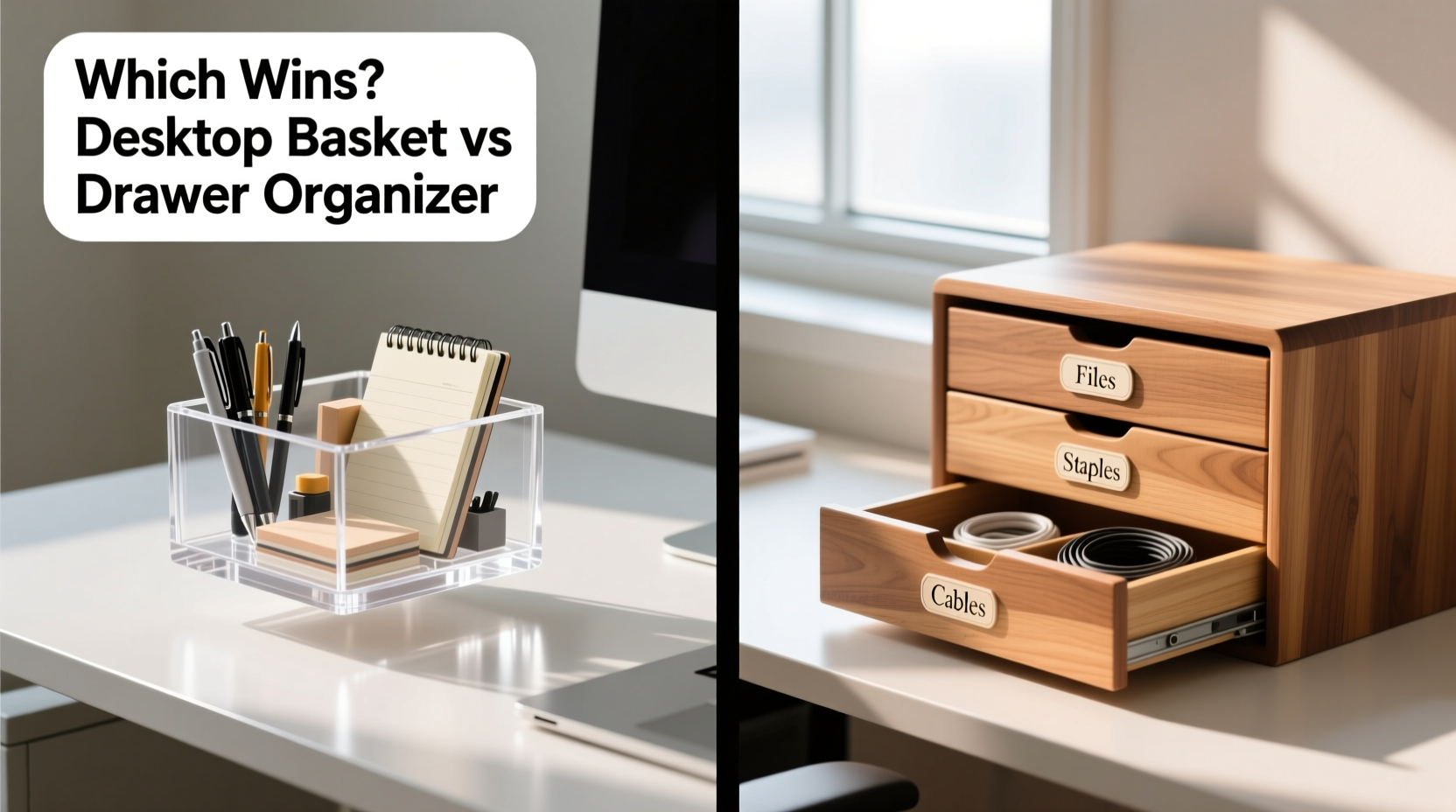
At first glance, both desktop baskets and drawer organizers aim to reduce clutter. But their approaches differ fundamentally. A desktop basket keeps items visible and within reach on the surface of your desk. A drawer organizer, by contrast, tucks supplies away, relying on drawers to hide distractions while maintaining internal structure.
This distinction shapes how you interact with your tools throughout the day. Visibility encourages frequent use and quick access—ideal for items you rely on every hour. Concealment promotes minimalism and visual calm, reducing cognitive load from visual noise. However, it can also lead to forgotten supplies or inefficient digging if not organized thoughtfully.
Pros and Cons at a Glance
| Feature | Desktop Basket | Drawer Organizer |
|---|---|---|
| Accessibility | Excellent – always in sight and reach | Fair to good – requires opening drawer |
| Clutter Control | Moderate – contents remain visible | High – hides mess effectively |
| Desk Space Usage | Uses valuable surface area | Maximizes unused drawer space |
| Dust Accumulation | Higher – exposed to air and debris | Lower – protected inside drawer |
| Customization | Limited – fixed compartments in most models | High – modular inserts often available |
| Mobility | Easy to reposition or take elsewhere | Fixed to drawer; less flexible |
The table reveals a key trade-off: desktop baskets prioritize convenience, while drawer organizers emphasize containment. The best choice depends on how you work, what tools you use, and how much mental energy you want to spend managing your environment.
Real-World Use Case: The Hybrid Office Worker
Samantha, a project manager working two days in-office and three remotely, struggled with inconsistent productivity due to disorganized workspaces. At home, her desk overflowed with sticky notes, chargers, and pens. In the office, she forgot essentials because they were buried in a deep drawer.
She tested both systems over four weeks. First, she used only desktop baskets: one for pens, another for notebooks, and a third for tech accessories. The result? Faster access, fewer interruptions—but her desk looked crowded, and dust built up quickly.
Next, she switched to a full drawer organizer system. She labeled sections for cables, writing tools, and personal items. Her desk surface cleared dramatically, creating a calmer visual field. However, she found herself forgetting to recharge earbuds because they were out of sight.
Her final solution? A hybrid model: a small desktop tray for daily-use items (pen, notebook, phone) and a drawer organizer for backups and infrequently used tools. This balanced visibility with cleanliness—and boosted her focus by 30%, according to self-tracked metrics.
“Organization isn’t about hiding clutter—it’s about designing workflows that make sense for human behavior.” — Dr. Lena Torres, Ergonomic Design Researcher, MIT Human Systems Lab
Choosing the Right System: A Step-by-Step Guide
Selecting between a desktop basket and a drawer organizer shouldn’t be arbitrary. Follow this sequence to match your setup to your workflow:
- Track Your Tool Usage: For one week, note every time you reach for a pen, cable, tape, or sticky note. Categorize items by frequency: high (5+ times/day), medium (2–4 times), low (once or less).
- Assess Your Desk Layout: Measure available desktop space and drawer dimensions. If your surface is under 4 square feet, minimizing desktop objects is critical.
- Evaluate Drawer Quality: Do your drawers close smoothly? Are they deep enough for upright organizers? Cheap drawers may not support heavy dividers.
- Map Daily Workflow: Identify peak activity zones. Is your dominant hand side cluttered? Place high-use items in that quadrant.
- Test One System at a Time: Commit to either baskets or drawer organizers for 10 business days. Track efficiency, frustration levels, and time spent searching.
- Combine Strategically: Most users benefit from both. Use desktop baskets for active tools, drawer organizers for storage and backups.
When to Choose Each Option
- Choose Desktop Baskets If:
- You work at multiple locations and need portable organization.
- Your desk has ample surface space.
- You frequently switch between tasks requiring different tools.
- You respond better to visual cues (e.g., seeing your planner reminds you to check deadlines).
- Choose Drawer Organizers If:
- Your workspace is small or shared.
- You value a minimalist aesthetic.
- You have many small items that easily scatter (paper clips, USB drives).
- You’re prone to distraction from visual clutter.
FAQ: Common Questions Answered
Can I use both a desktop basket and a drawer organizer together?
Absolutely. In fact, most high-performing workspaces combine both. Keep immediate-use items like notebooks, pens, and headphones in desktop trays. Store backups, archives, and seasonal tools in drawer organizers. This layered approach maximizes efficiency without sacrificing cleanliness.
Are desktop baskets bad for ergonomics?
Not inherently—but placement matters. Avoid placing baskets directly in front of your keyboard or monitor. Instead, position them to the non-dominant side, keeping the central zone clear for typing and reading. Ensure they don’t force you to twist your neck or overreach.
How do I prevent drawer organizers from sliding around?
Use non-slip liner pads underneath. Alternatively, choose organizers with interlocking panels or those designed to fit snugly within standard drawer widths (such as 12” or 16”). Some models include adhesive strips for stability.
Final Checklist Before You Buy
- ✅ Measure your space
- Know your desk surface area and drawer interior dimensions before purchasing.
- ✅ Define your primary goal
- Is it speed of access (basket) or visual tidiness (drawer)? Prioritize accordingly.
- ✅ Consider material durability
- Plastic baskets are lightweight but can look cheap. Wood or metal offers longevity. Fabric drawer organizers breathe but may sag over time.
- ✅ Think about scalability
- Will your needs grow? Modular drawer systems allow expansion. Stackable desktop trays offer flexibility.
- ✅ Test for ease of cleaning
- Dust and crumbs accumulate. Smooth surfaces wipe clean; fabric-lined trays may require vacuuming.
Conclusion: Clarity Over Convention
The debate between desktop baskets and drawer organizers isn’t about which is universally better—it’s about alignment with your habits, environment, and goals. A tool is only effective if it reduces friction, not adds to it. For fast-paced, multi-tasking roles, desktop baskets provide unmatched responsiveness. For detail-oriented, focused work, drawer organizers create the serene backdrop needed for deep concentration.
The most effective workspaces aren’t perfectly minimalist or fully exposed—they’re intentionally designed. They reflect an understanding of personal rhythm, task demands, and spatial limits. Whether you lean toward open accessibility or hidden order, the real win is consistency: using a system daily, refining it, and letting it fade into the background so your mind stays on the work that matters.




 浙公网安备
33010002000092号
浙公网安备
33010002000092号 浙B2-20120091-4
Comments
No comments yet. Why don't you start the discussion?