
The debate between digital art tablets and traditional sketching is more than a matter of preference—it’s a question of skill development, discipline, and long-term artistic growth. While digital tools offer speed, flexibility, and endless undo options, traditional media demand precision, patience, and tactile awareness. For emerging artists and seasoned creators alike, understanding how each medium shapes fundamental abilities is essential. The answer isn’t binary; it lies in how each approach contributes uniquely to the artist’s journey.
The Foundation of Artistic Skill
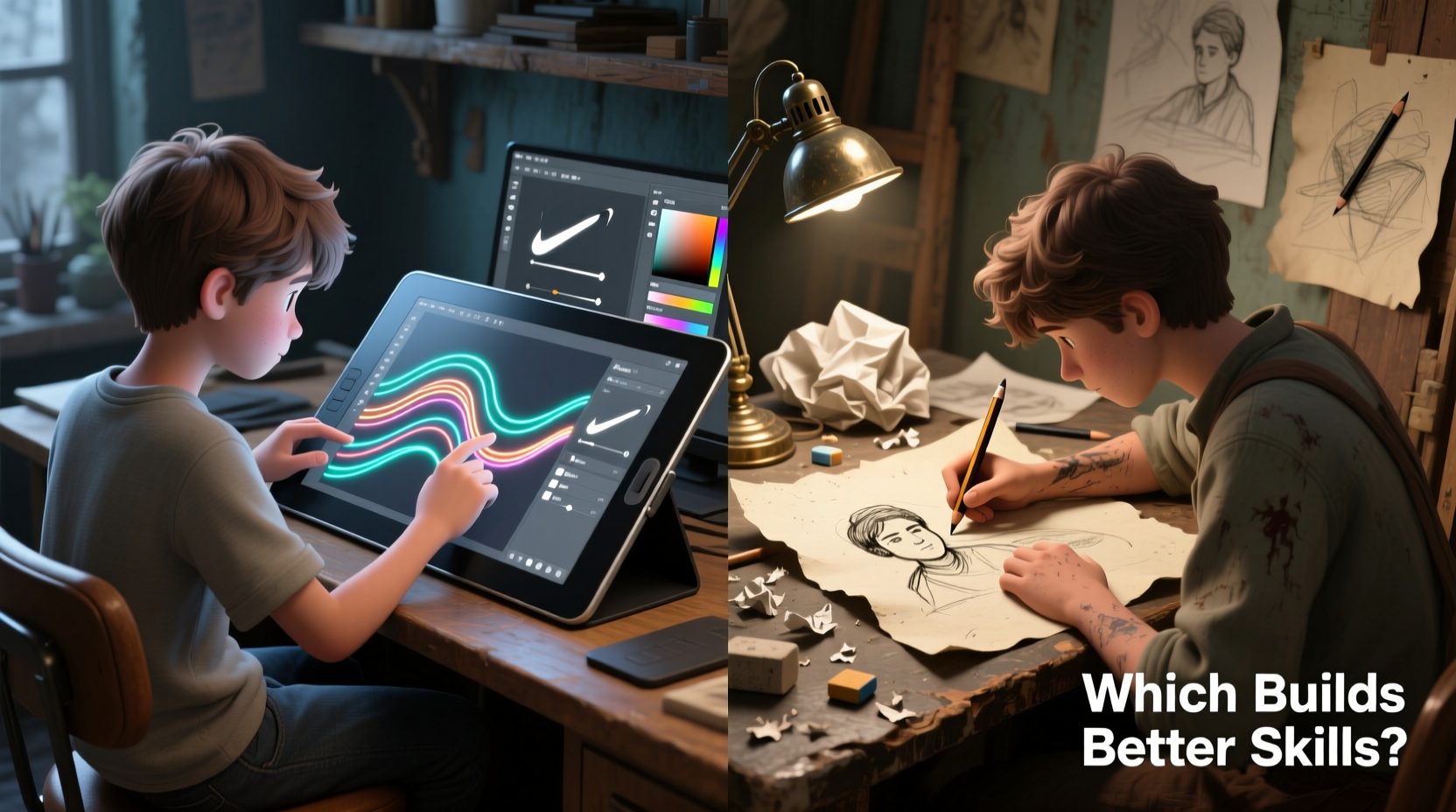
Artistic skill begins with observation, hand-eye coordination, spatial reasoning, and muscle memory. These core competencies are developed through consistent practice and direct interaction with materials. Traditional sketching—using pencil, charcoal, or ink on paper—forces immediate decisions. Every stroke counts. There is no “Ctrl+Z” to correct a misplaced line or smudged shading. This constraint fosters greater focus and intentionality.
Drawing by hand trains the brain to anticipate outcomes. When shading a sphere, for example, an artist learns to visualize light direction, pressure variation, and texture buildup before touching the surface. This predictive thinking strengthens observational skills and deepens understanding of form and volume.
“Mastery in art comes from limitation. The fewer tools you have, the more you rely on your eye and hand.” — David Hockney
In contrast, digital drawing often masks imperfection. Layers, erasers, and symmetry tools reduce the cognitive load of making irreversible choices. While this lowers the barrier to entry, it can also delay the internalization of foundational techniques if used too early or exclusively.
Control, Precision, and Tactile Feedback
One of the most significant differences between mediums is physical feedback. Traditional sketching provides resistance—the grain of paper, the drag of graphite, the softness of charcoal. This tactile experience teaches control. Artists learn how much pressure alters tone, how blending tools affect texture, and how different surfaces respond to various media.
Digital tablets simulate these effects through software, but the sensation remains artificial. Even with advanced haptic feedback models, the stylus glides over smooth glass without texture. This disconnect can lead to over-reliance on visual correction rather than kinesthetic learning. An artist might fix a wobbly line digitally instead of practicing steady strokes until they become second nature.
However, digital tools excel in precision. Zoom functions allow micro-adjustments impossible by hand. Grids, rulers, and perspective guides help maintain accuracy across complex compositions. For technical illustration, concept design, or animation, these features are invaluable. But again, relying on them too soon may hinder the development of innate spatial judgment.
Comparative Analysis: Strengths and Limitations
| Skill Area | Traditional Sketching Benefits | Digital Tablet Benefits |
|---|---|---|
| Hand-Eye Coordination | High—direct link between mind, hand, and visible result with no latency. | Moderate—requires adaptation to screen/stylus disconnect (on non-screen tablets). |
| Error Management | Forces problem-solving; mistakes must be worked into or corrected manually. | Instant erasure and undo history reduce consequences of errors. |
| Texture & Material Understanding | Deep experiential knowledge of paper, graphite, charcoal, etc. | Limited; relies on simulated brushes and textures. |
| Speed & Iteration | Slower due to physical process; multiple sheets needed for versions. | Fast—layers, copy-paste, and quick color changes enable rapid iteration. |
| Creativity Under Constraints | Encourages innovation within physical limits. | Can encourage over-editing and indecision due to infinite options. |
| Portability & Setup | Simple—just paper and pencil—but messy with charcoal or ink. | Compact and clean, but requires charging and software setup. |
This table illustrates a key insight: traditional methods cultivate resilience and adaptability, while digital tools enhance efficiency and scalability. Neither is inherently superior, but their impact on skill-building varies depending on the stage of the artist’s development.
A Balanced Approach: Integrating Both Mediums
The most effective path to strong artistic ability often involves both traditional and digital practices. Many professional illustrators begin sketches on paper to harness the benefits of tactile feedback and unrestricted ideation, then digitize and refine the work using a tablet.
Consider the workflow of concept artist Syd Mead, known for his designs in *Blade Runner*. He sketched extensively by hand, leveraging the spontaneity and organic flow of pencil on paper. Only after establishing composition and form would he move to digital enhancement. His process respected the strengths of each medium without letting technology override intuition.
For students, a structured integration plan yields the best results:
- Begin with traditional sketching for at least six months—focus on gesture drawing, contour lines, value studies, and perspective.
- Practice daily observational drawing from life or reference photos without tracing. <3> Introduce digital tools gradually, starting with basic line art and simple coloring to avoid dependency on automation.
- Use digital layers strategically—one for sketch, one for cleanup, one for color—to mimic sequential decision-making.
- Alternate weekly projects between fully analog and fully digital formats to maintain balance.
Real-World Case: From Sketchbook to Studio Success
Jessica Lu, a freelance illustrator based in Portland, started her journey with a $5 sketchpad and a mechanical pencil. She spent her first year drawing only from life—coffee shops, parks, subway commuters. “I hated how my hands shook,” she recalls. “But I learned to accept imperfection and keep going.”
After building confidence in proportion and gesture, she purchased an entry-level graphics tablet. At first, she struggled with parallax and pressure sensitivity. Her early digital pieces lacked the fluidity of her sketches. Instead of abandoning traditional work, she used it as a diagnostic tool. If a digital portrait felt stiff, she’d redraw it on paper to identify where her understanding of anatomy broke down.
Within two years, Jessica was commissioned for editorial illustrations by major publishers. Her signature style blends the looseness of hand-drawn linework with vibrant digital color. “The tablet didn’t make me better,” she says. “It just helped me share what I’d already learned the hard way.”
Her story underscores a vital principle: digital tools amplify existing skill—they don’t replace its development.
Common Pitfalls and How to Avoid Them
- Overusing digital aids: Relying on symmetry tools, auto-smooth lines, or AI-assisted sketching can stunt growth in freehand accuracy.
- Neglecting fundamentals: Jumping into character design or digital painting without mastering light, shadow, and form leads to shallow results.
- Isolating one medium: Sticking only to digital may weaken tactile sensitivity; ignoring digital limits career opportunities in modern creative fields.
“The best artists aren’t defined by their tools, but by their ability to see clearly and translate truthfully.” — James Gurney, author of Color and Light
Actionable Checklist for Skill Development
To ensure balanced growth, follow this checklist monthly:
- ✅ Complete 30 minutes of blind contour drawing (traditional)
- ✅ Draw five gesture figures from live references (paper or digital, but no undo)
- ✅ Practice value scales using only a 2B pencil and blending stump
- ✅ Recreate one master study digitally, focusing on brush technique, not shortcuts
- ✅ Digitize a traditional sketch and complete coloring/inking digitally
- ✅ Critique one old piece (from 3+ months ago) to assess progress
- ✅ Share work publicly—at least once a month—for external feedback
Frequently Asked Questions
Can I become a skilled artist using only a digital tablet?
Yes, but with caveats. You can achieve technical proficiency, especially in commercial art, UI design, or animation. However, skipping traditional training may leave gaps in observational accuracy, material understanding, and confidence in unassisted drawing. Supplement digital practice with occasional analog exercises to strengthen core skills.
Is traditional sketching outdated in the digital age?
No. Traditional sketching remains a cornerstone of art education because it develops irreplaceable cognitive and motor skills. Museums, art schools, and studios still emphasize drawing from life. The principles learned on paper—proportion, perspective, lighting—are universal and directly applicable to digital work.
What’s the best way to transition from traditional to digital?
Start by replicating your analog workflow digitally. Use a single layer, disable stabilizers, and limit your brush set to pencil and eraser. Import your scanned sketches as base layers and trace over them digitally to get comfortable with the stylus. Gradually introduce layers and tools as you gain confidence.
Conclusion: Building Skills That Last
The choice between digital art tablets and traditional sketching isn’t about picking a winner—it’s about recognizing what each contributes to long-term artistic development. Traditional methods build discipline, tactile intelligence, and observational depth. Digital tools offer efficiency, versatility, and access to modern creative industries. The strongest artists are not those who favor one over the other, but those who use both intentionally.
If you're beginning your journey, invest time in traditional sketching. Let your hand learn the weight of a line, the rhythm of a curve, the patience required when there’s no undo button. Later, bring that foundation into the digital realm, where it will elevate your work beyond mere technical execution.




 浙公网安备
33010002000092号
浙公网安备
33010002000092号 浙B2-20120091-4
Comments
No comments yet. Why don't you start the discussion?