
In dimly lit restaurants, nighttime cityscapes, or indoor family gatherings, capturing a clear, noise-free photo can be a challenge. As camera technology evolves, the line between digital cameras and smartphones continues to blur—especially in low light conditions. While smartphones have made remarkable strides with computational photography, traditional digital cameras still rely on superior hardware. The real question isn’t just about megapixels or brand reputation—it’s about which device actually delivers better image quality when light is scarce.
This article breaks down the technical and practical differences between digital and smartphone cameras in low-light scenarios, helping you understand not only which performs better but also why—and under what circumstances.
Sensor Size and Light Gathering: The Core Advantage
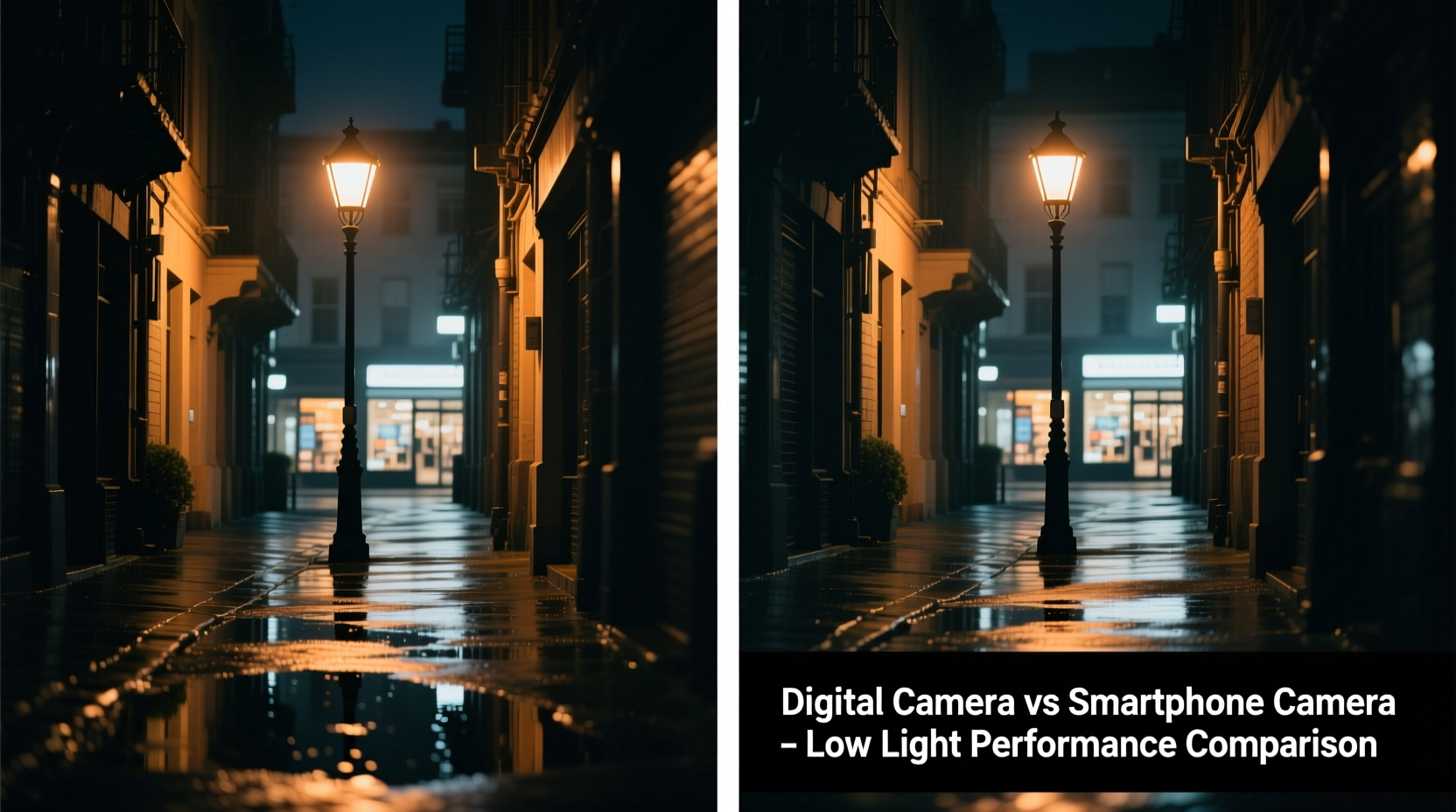
The most critical factor in low-light photography is the camera sensor’s ability to gather light. Larger sensors capture more photons, resulting in brighter images with less digital noise. Digital cameras—especially DSLRs and mirrorless models—typically feature significantly larger sensors than smartphones.
A full-frame sensor (36mm x 24mm) found in high-end digital cameras offers over 20 times the surface area of a typical smartphone sensor. Even APS-C and Micro Four Thirds sensors outperform phone sensors in physical size. This difference directly impacts dynamic range, shadow detail, and high ISO performance.
Smartphones, constrained by their slim form factors, use tiny sensors. To compensate, manufacturers stack advanced image processing algorithms. But while software can enhance an image, it cannot create light that wasn’t captured initially. In very dark environments, this limitation becomes evident as grainy shadows and smudged details.
Aperture and Lens Quality: Controlling Light Entry
Beyond the sensor, the lens plays a vital role. Digital cameras offer interchangeable lenses with wide apertures—such as f/1.4 or f/1.8—that allow maximum light intake. These fast lenses are specifically designed for low-light performance and produce beautiful background blur (bokeh), enhancing subject isolation.
In contrast, smartphone lenses are fixed and typically range from f/1.5 to f/2.4. While some flagship phones boast impressively wide apertures, their short focal lengths limit depth-of-field control. Additionally, plastic lens elements and compact designs reduce optical clarity compared to multi-element glass lenses in digital cameras.
Moreover, digital cameras allow manual control over shutter speed and aperture, enabling long exposures without motion blur when mounted on a tripod. Smartphones attempt similar results through “Night Mode,” but they rely heavily on stacking multiple frames—a process that fails with moving subjects.
“Hardware determines potential; software determines how much of that potential you can extract.” — Dr. Alan Zhou, Imaging Scientist at MIT Media Lab
Computational Photography: The Smartphone’s Secret Weapon
Where smartphones shine is in computational photography. Through techniques like HDR merging, noise reduction, and AI-based sharpening, phones can produce bright, balanced images even in near-darkness. Google Pixel’s Night Sight and Apple’s Deep Fusion are prime examples of software pushing hardware limits.
These systems take multiple rapid shots at different exposures, align them using motion detection, and merge them into a single optimized image. The result often looks impressive straight out of the camera—clean, vibrant, and well-exposed.
However, this approach has trade-offs. Over-sharpening can create unnatural textures. Excessive noise reduction may erase fine details like hair or fabric patterns. And because the process takes seconds, any movement during capture leads to ghosting or blurring.
Digital cameras, especially higher-end models, now incorporate some computational features—like in-body stabilization and AI autofocus—but they remain primarily hardware-driven tools. Their RAW output preserves maximum data, giving photographers greater flexibility in post-processing.
Real-World Performance Comparison
To illustrate the differences, consider a realistic scenario: photographing a live jazz band in a dimly lit club.
- Smartphone: Using Night Mode, the phone brightens the scene, making faces visible. However, musicians’ hands on instruments appear blurred due to long exposure averaging. Background lights become oversaturated, and skin tones look slightly plastic from aggressive tone mapping.
- Digital Camera: With a fast prime lens (e.g., 50mm f/1.8) and ISO set to 3200, the camera captures sharp facial expressions, instrument textures, and natural color gradients. Slight noise is present but manageable in editing. The shallow depth of field isolates the lead singer effectively.
In static scenes—like a candlelit dinner or a city skyline at dusk—smartphones can match or even surpass older digital cameras thanks to intelligent exposure blending. But in dynamic or extremely dark environments, digital cameras maintain consistency and fidelity.
Low-Light Camera Comparison Table
| Feature | Digital Camera | Smartphone Camera |
|---|---|---|
| Sensor Size | Large (APS-C, Full Frame) | Very Small (1/1.3\" – 1\") |
| Max Aperture | f/1.2 – f/2.8 (interchangeable) | f/1.5 – f/2.4 (fixed) |
| Low-Light ISO Range | 3200–12800+ (usable) | 800–3200 (software-enhanced) |
| Noise Handling | Natural grain, editable in RAW | Aggressive smoothing, detail loss |
| Motion Capture | Excellent (fast shutter possible) | Poor (requires stillness) |
| Dynamic Range | High (12–14 stops) | Moderate (8–10 stops, boosted by HDR) |
| User Control | Full manual settings | Limited (mostly automatic) |
When Does Each Device Excel?
Understanding context is key. Neither device universally wins—it depends on your needs.
Choose a Digital Camera If You:
- Shoot in unpredictable or very dark lighting
- Photograph moving subjects (concerts, pets, children)
- Want full creative control over exposure and focus
- Plan to edit photos professionally in Lightroom or Photoshop
- Value optical quality over instant sharing
Choose a Smartphone If You:
- Take casual night shots of food, scenery, or friends
- Prioritize convenience and instant social media sharing
- Prefer point-and-shoot simplicity
- Shoot mostly static scenes where you can hold still for 2–5 seconds
- Don’t plan to print large images or zoom deeply
Step-by-Step: Getting the Best Low-Light Photos from Either Device
Follow this universal workflow to maximize image quality regardless of your gear:
- Stabilize the Camera: Use a tripod, lean against a wall, or place the device on a flat surface. Even slight hand movement ruins low-light shots.
- Use Manual or Pro Mode: On smartphones, switch to Pro mode if available. Set ISO manually to avoid auto-boosting. On digital cameras, select Aperture Priority or Manual mode.
- Lower ISO When Possible: Keep ISO as low as feasible. For smartphones, stay under ISO 800. For digital cameras, push up to 3200–6400 depending on model.
- Maximize Aperture: Use the widest aperture setting (lowest f-number). On phones, ensure Night Mode activates automatically.
- Extend Exposure Time: Allow shutter speeds of 1/15s or longer (with support). Avoid going below 1/4s handheld.
- Shoot in RAW (if available): Digital cameras should use RAW format. Some Android phones support RAW capture via Pro mode—use it for serious work.
- Edit Thoughtfully: Reduce noise gently, recover shadows, and avoid over-brightening blacks.
Frequently Asked Questions
Can a smartphone ever beat a DSLR in low light?
In highly controlled, static scenes with good contrast, modern flagship smartphones can produce visually pleasing low-light images that rival entry-level DSLRs—especially when viewed on small screens. However, in terms of true dynamic range, color depth, and flexibility in editing, DSLRs and mirrorless cameras still hold a decisive edge.
Why do my night photos look grainy even with Night Mode?
Night Mode works best in partial darkness, not total blackness. If ambient light is extremely low, even stacked exposures won't gather enough data, leading to residual noise. Also, movement during capture disrupts frame alignment, causing blur and artifacts that resemble grain.
Is a larger smartphone camera bump a sign of better low-light performance?
Not necessarily. While a larger bump may indicate a bigger sensor or wider lens, it doesn’t guarantee better performance. Software tuning, pixel binning, and image processing play equally important roles. Compare sample images rather than relying on hardware specs alone.
Conclusion: Choosing Based on Purpose, Not Hype
The debate between digital cameras and smartphones in low-light photography isn’t about declaring a single winner—it’s about matching the tool to the task. For professional work, artistic expression, or challenging lighting, digital cameras offer unmatched control and image integrity. Their large sensors and fast lenses capture light in ways no smartphone can replicate physically.
Yet, for everyday users who value immediacy and shareability, smartphones deliver astonishing results with minimal effort. Advances in AI and multi-frame processing have closed the gap dramatically in common situations.
If you're serious about photography, consider carrying both: use your phone for quick snapshots and your digital camera when quality matters most. Understanding the strengths and limitations of each empowers you to make better creative decisions—not just in low light, but in every lighting condition.




 浙公网安备
33010002000092号
浙公网安备
33010002000092号 浙B2-20120091-4
Comments
No comments yet. Why don't you start the discussion?