
In an era where digital tools dominate nearly every aspect of our lives, the humble paper planner remains a steadfast companion for millions. Yet, with powerful tablets like the iPad offering sleek note-taking apps, cloud sync, and voice integration, many are asking: can a digital planner truly replace a physical notebook? The answer isn’t straightforward—it depends on how you work, think, and organize your life. This article dives deep into the practical, cognitive, and emotional differences between digital and paper planners to help you decide whether going fully digital is the right move.
The Cognitive Impact of Writing by Hand
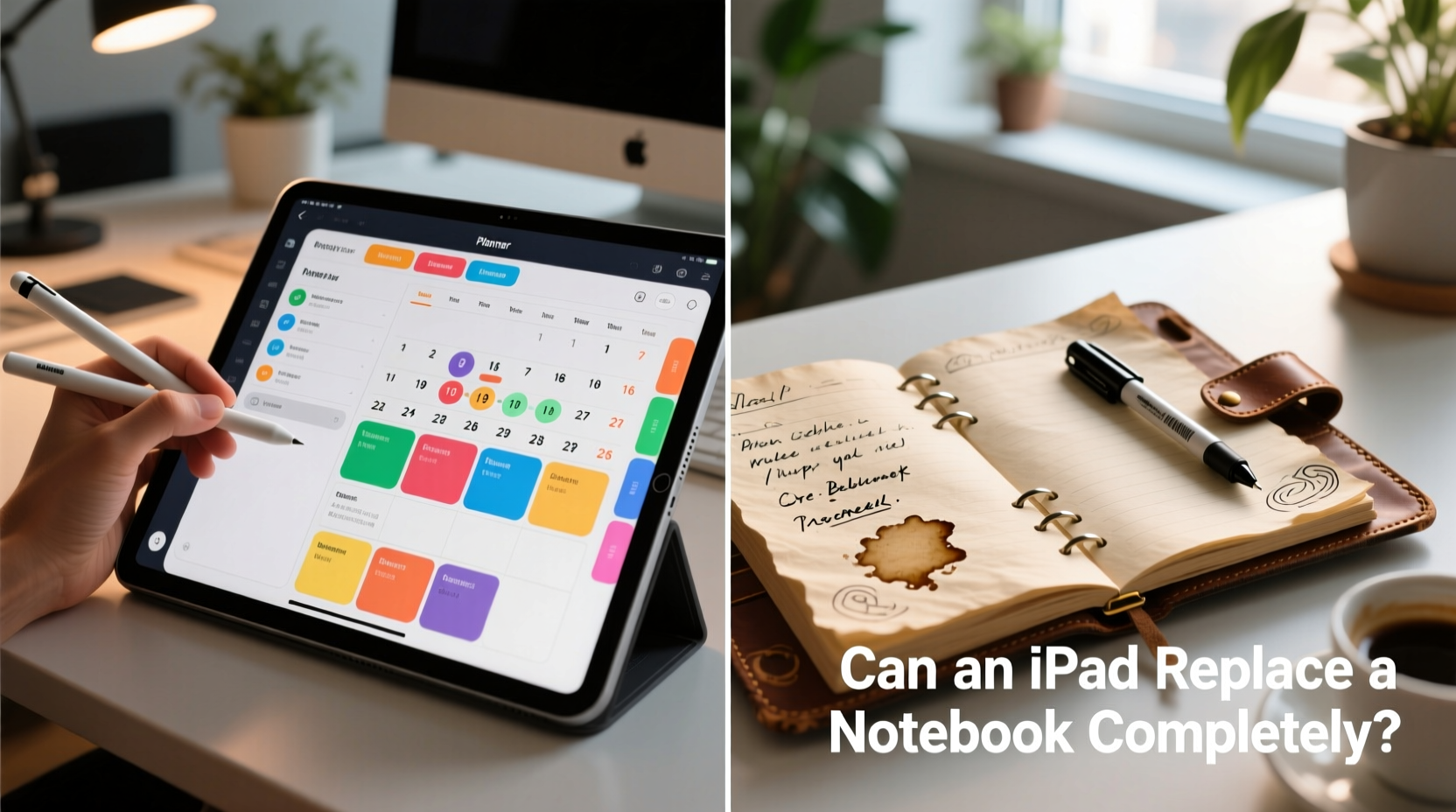
Neuroscience suggests that writing by hand engages the brain more deeply than typing. Studies from Princeton and UCLA have shown that students who take notes manually retain information better and demonstrate stronger conceptual understanding than those who type. The act of forming letters forces the brain to process and condense information, creating stronger neural pathways.
This has direct implications for planning. When you write down tasks, appointments, or reflections in a paper planner, you’re not just recording—you’re engaging in active thinking. That tactile experience of pen on paper fosters mindfulness and intentionality, which can be lost when tapping quickly on a screen.
“Handwriting activates regions of the brain linked to memory encoding and critical thinking. It’s not just about output—it’s about cognition.” — Dr. Sarah Logan, Cognitive Psychologist
Digital Planners: Power, Portability, and Integration
The iPad, paired with apps like GoodNotes, Notability, or Apple Notes, transforms into a dynamic productivity hub. With features like search, tagging, cloud backup, and cross-device syncing, digital planners offer unmatched convenience. Need to check your schedule while commuting? Your entire planner is accessible on your iPhone instantly.
Beyond accessibility, digital tools enable automation. You can set recurring events, link tasks to calendars, add audio recordings to meeting notes, or embed photos of whiteboards. For professionals managing complex workflows—lawyers, project managers, educators—this level of integration saves hours each week.
Additionally, digital planners reduce clutter. Instead of carrying multiple notebooks, sticky notes, and printed schedules, everything consolidates into one lightweight device. And with iCloud, Dropbox, or Google Drive backups, the risk of losing your data to a misplaced notebook vanishes.
When Digital Excels
- Dynamic Organization: Instantly reorganize pages, duplicate templates, or archive completed weeks.
- Search Functionality: Find any note, task, or keyword in seconds.
- Customization: Use color-coded tabs, hyperlinks, and multimedia elements.
- Eco-Friendly (in theory): Reduces paper consumption over time.
Paper Planners: Simplicity, Focus, and Emotional Connection
Despite technological advances, paper planners offer something digital tools often lack: presence. Flipping through a physical planner creates a ritual. There’s no notification to distract you, no battery to die, no software update to disrupt your flow. You're in full control.
Paper also supports linear thinking. Without hyperlinks or collapsible sections, you’re encouraged to think sequentially. Many users report that paper helps them plan more thoughtfully, especially for long-term goals or habit tracking. The permanence of ink—once written, it stays—adds accountability.
There’s also an emotional dimension. A well-worn planner becomes a personal artifact. Marginal doodles, coffee stains, and crossed-off to-do lists tell a story. Some people find this tangible record therapeutic, almost journal-like. In contrast, deleting a digital note feels sterile—erasing history without trace.
When Paper Wins
- No Distractions: No emails, messages, or apps competing for attention.
- Tactile Satisfaction: The feel of writing and flipping pages enhances focus.
- Reliability: Works anywhere, anytime—no charging required.
- Mindful Planning: Encourages slower, more deliberate organization.
Comparison: Digital vs Paper Planners
| Feature | Digital Planner (iPad) | Paper Planner |
|---|---|---|
| Portability | High (all-in-one device) | Moderate (requires carrying) |
| Search & Recall | Instant keyword search | Manual flip-through only |
| Distraction Level | High (notifications, other apps) | None |
| Lifetime Cost | High (device + apps + accessories) | Low (notebooks & pens) |
| Cognitive Engagement | Moderate (especially with stylus) | High (handwriting boosts retention) |
| Backup & Recovery | Automatic cloud sync | None (unless scanned) |
| Customization | Extensive (templates, colors, media) | Limited to what you draw/write |
| Emotional Value | Low (functional tool) | High (personal keepsake) |
A Real-World Example: The Hybrid Approach
Consider Maria, a freelance graphic designer based in Portland. She used a paper planner exclusively for years but struggled with missed deadlines when traveling. After investing in an iPad Pro and Apple Pencil, she experimented with going fully digital. While she loved the search feature and ability to attach client briefs directly to her weekly layout, she noticed her daily planning felt rushed—she was “tapping” instead of “thinking.”
Her solution? A hybrid system. She now uses her iPad for project timelines, client meetings, and storing reference materials. But each Sunday evening, she transfers her top five priorities for the week into a pocket-sized Moleskine. This ritual forces her to reflect, prioritize, and commit. “The paper planner holds me accountable,” she says. “The iPad just makes the logistics easier.”
Maria’s approach reflects a growing trend: rather than choosing one over the other, people are combining both to leverage their strengths.
Step-by-Step Guide to Transitioning to a Digital Planner
If you're considering replacing your notebook with an iPad, follow this structured approach to ensure a smooth transition:
- Assess Your Needs: Identify what you use your planner for—appointments, task lists, journaling, goal setting. Prioritize essential functions.
- Choose the Right App: Test free versions of GoodNotes, Notability, or OneNote. Look for handwriting support, template libraries, and cloud sync.
- Invest in Accessories: A good stylus (like Apple Pencil) and keyboard cover enhance usability.
- Create Templates: Design or download layouts for daily, weekly, and monthly views. Include habit trackers or priority matrices if needed.
- Start Small: Begin by digitizing one part of your planning—e.g., your calendar—before migrating everything.
- Backup Regularly: Enable automatic iCloud or Google Drive backups to prevent data loss.
- Review Weekly: After seven days, evaluate what’s working. Adjust templates, shortcuts, or input methods as needed.
Checklist: Is an iPad Ready to Replace Your Notebook?
Before making the switch, ask yourself the following questions:
- ✅ Do I frequently lose or misplace my paper planner?
- ✅ Do I need access to my schedule across multiple devices?
- ✅ Am I comfortable using a stylus for extended writing?
- ✅ Do I struggle with organizing loose papers or printouts?
- ✅ Do I value searchability and quick editing?
- ❌ Do I get easily distracted by notifications?
- ❌ Do I rely on the tactile feedback of pen and paper?
- ❌ Am I concerned about screen fatigue or digital overload?
If most checked items are positives, digital may suit you. If negatives dominate, consider keeping paper as your primary tool—or adopt a hybrid model.
Frequently Asked Questions
Can an iPad really replace all the functions of a paper notebook?
Technically, yes—for scheduling, note-taking, and task management. However, the experiential aspects—mindfulness, focus, and emotional connection—are harder to replicate. Some users report feeling less engaged when planning digitally, even with a stylus. The replacement works best functionally, but not always cognitively or emotionally.
Is it worth buying an iPad just for planning?
Only if you already use or plan to use it for other purposes—reading, sketching, studying, or work. Buying an iPad solely for planning is hard to justify financially unless you’re a student, creative professional, or someone who travels frequently and needs consolidated tools.
Do digital planners improve productivity?
They can, especially for people overwhelmed by disorganization. Features like reminders, searchable archives, and recurring tasks reduce mental load. However, productivity gains depend on consistent use and minimizing distractions. A poorly managed digital planner can become just as chaotic as a cluttered paper one.
Conclusion: The Future Isn’t Either/Or—It’s Both
The debate between digital and paper planners isn’t about declaring a winner. It’s about alignment—with your workflow, your thinking style, and your lifestyle. The iPad is a powerful tool, capable of replacing a notebook in nearly every functional sense. But functionality isn’t everything. Sometimes, the slow, intentional act of writing by hand is precisely what brings clarity.
For many, the optimal solution lies in integration. Use the iPad for dynamic, scalable organization—the kind that syncs, searches, and scales with your responsibilities. Keep a small notebook for morning pages, brainstorming, or reflective planning. Let each tool do what it does best.
Rather than asking whether an iPad can replace a notebook completely, ask: *How can these tools work together to make me more focused, organized, and present?* That shift in perspective opens up a world of balanced, intentional productivity.




 浙公网安备
33010002000092号
浙公网安备
33010002000092号 浙B2-20120091-4
Comments
No comments yet. Why don't you start the discussion?