
In an era defined by constant connectivity and digital transformation, the debate between digital and paper planners remains surprisingly vibrant. Despite the rise of smart devices and cloud-based tools, millions still reach for a physical notebook each morning. Others swear by their tablet-based planning apps. But which truly boosts productivity more? The answer isn’t universal—it depends on individual habits, work environments, and cognitive preferences. This article dives into real user experiences, behavioral psychology, and practical functionality to compare digital and paper planners across key productivity metrics.
The Core Differences in Planning Experience
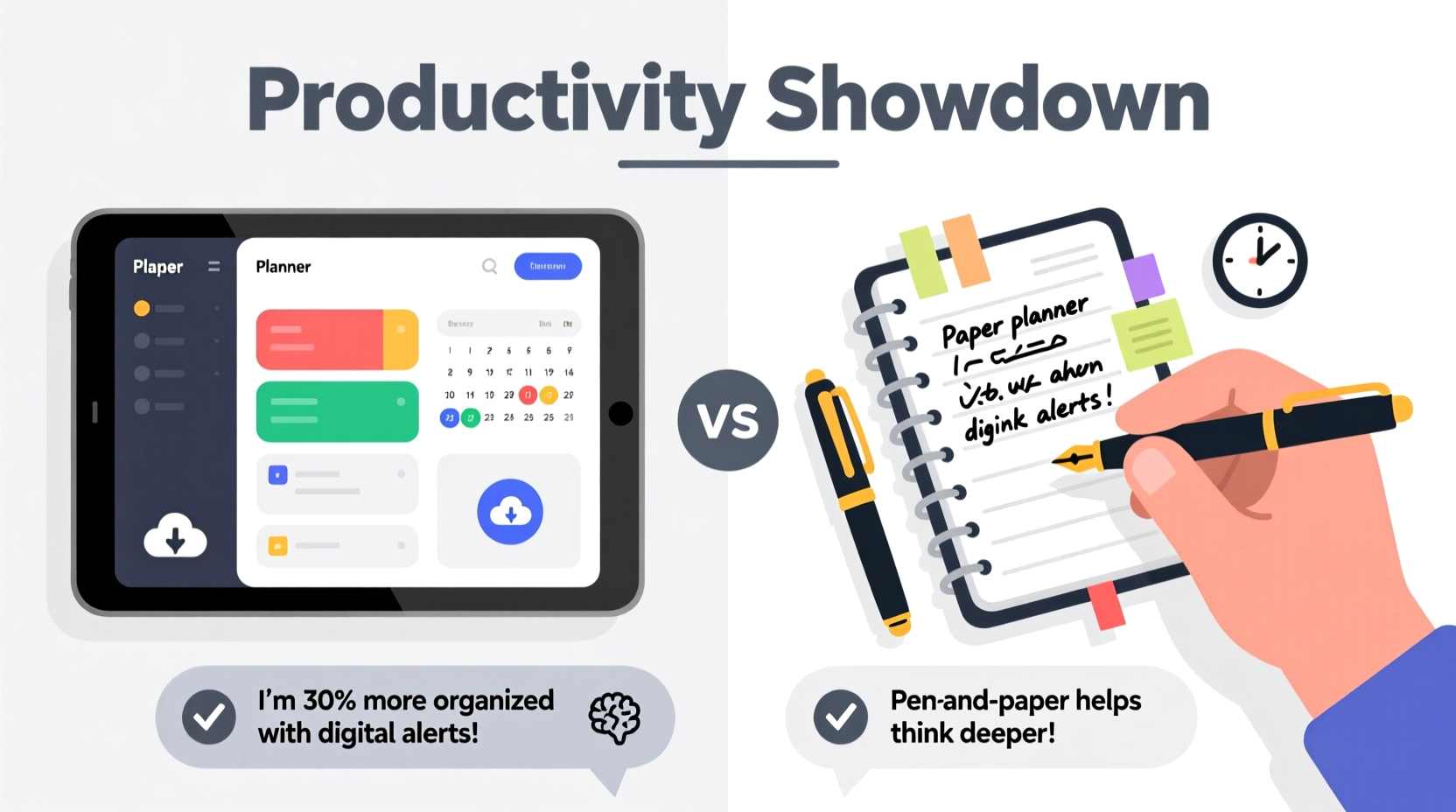
The fundamental distinction between digital and paper planners lies not just in format, but in interaction. A paper planner engages tactile and visual senses differently than a touchscreen. Writing by hand activates regions of the brain associated with memory retention and comprehension. Digital planners, on the other hand, offer speed, searchability, and integration with calendars, reminders, and task management ecosystems.
Users who prefer paper often cite mindfulness and reduced distractions as major benefits. Flipping pages, crossing off tasks manually, and seeing weekly spreads at a glance create a ritual that supports focus. In contrast, digital users appreciate automation—recurring events, color-coded categories, and instant syncing across devices eliminate repetitive manual input.
User Feedback: What Real People Say About Productivity
Over the past five years, multiple surveys—including those from productivity research firms like RescueTime and Notion’s annual user report—have gathered qualitative feedback from thousands of planner users. A recurring theme emerges: personal alignment matters more than technological sophistication.
One 2023 study found that 68% of respondents who used paper planners reported higher satisfaction with daily task completion, while 72% of digital planner users reported better long-term goal tracking due to automated reminders and progress dashboards.
A freelance graphic designer from Portland shared: “I tried digital planners for two years, but I’d forget to check them. When I switched back to a paper planner, I started writing things down immediately after meetings. Just the act of handwriting made me remember tasks better.”
Conversely, a project manager in Toronto noted: “My team uses Asana and Google Calendar, so staying in the digital ecosystem keeps everything aligned. If I wrote my tasks in a notebook, they wouldn’t sync with deadlines or client updates. It would be chaotic.”
“Planning is only effective if it becomes part of your routine. The best tool is the one you actually use consistently.” — Dr. Laura Simmons, Cognitive Behavioral Researcher at University of Michigan
Feature-by-Feature Comparison
To evaluate productivity objectively, let’s break down core functionalities and how each planner type performs based on user-reported outcomes.
| Feature | Paper Planner (User Feedback) | Digital Planner (User Feedback) |
|---|---|---|
| Task Retention | High—handwriting improves memory encoding; users recall tasks without checking. | Moderate—reliance on alerts means some forget tasks if notifications are missed. |
| Setup Speed | Slow—requires manual entry, no copy-paste or templates. | Fast—templates, drag-and-drop, bulk edits save time. |
| Flexibility & Customization | High—users draw mind maps, sketch ideas, add stickers or colors freely. | Variable—depends on app; some allow rich media, others are rigid. |
| Portability | Good—lightweight, no charging needed, but limited space. | Excellent—accessible across phone, tablet, laptop; cloud backup. |
| Distraction Level | Low—no pings, pop-ups, or unrelated apps nearby. | High—device notifications can derail focus during planning. |
| Long-Term Tracking | Poor—hard to search past entries or analyze trends. | Strong—search functions, analytics, habit streaks, exportable data. |
| Collaboration | None—paper is inherently private and non-shareable. | High—real-time sharing, team comments, linked documents. |
This comparison reveals a clear trade-off: paper excels in focus and personal engagement, while digital wins in scalability, searchability, and integration.
Case Study: Two Professionals, Two Systems
Sarah, Marketing Consultant (Paper Planner User):
Sarah manages multiple clients and runs her own consulting business. She uses a Leuchtturm1917 weekly spread planner. Every Sunday evening, she spends 45 minutes reviewing the past week and mapping out priorities. She writes meeting notes directly in margins, doodles next to creative ideas, and uses colored pens to highlight urgent items.
After switching from a digital calendar, Sarah noticed a 30% increase in completed client follow-ups. “When I write something in my planner,” she says, “it feels binding. I don’t delete it easily like a digital note. There’s accountability in ink.”
James, Software Development Lead (Digital Planner User):
James leads a remote engineering team across three time zones. He uses Notion for his personal planning and integrates it with Jira and Slack. His daily stand-up agenda auto-populates from assigned tasks. Deadlines trigger email reminders, and he reviews a monthly dashboard showing sprint progress and personal goal milestones.
“If I had to write all this manually, I’d waste hours,” James explains. “The digital system surfaces what’s important. I don’t have to remember everything—I trust the alerts.”
Their contrasting approaches reflect deeper truths: Sarah thrives on intentional reflection and minimal tech interference, while James relies on systematized workflows and real-time data.
Choosing the Right Tool: A Step-by-Step Guide
Selecting between digital and paper shouldn’t be arbitrary. Follow this sequence to identify the best fit for your productivity style.
- Assess Your Daily Workflow
Are you desk-bound with constant access to devices, or constantly moving with limited screen time? Field workers, teachers, and creatives often prefer paper for immediacy. - Evaluate Your Memory Habits
Do you forget tasks unless reminded? If yes, digital’s alert system may be essential. If you remember well after writing, paper could reinforce that strength. - Consider Collaboration Needs
Working solo? Paper works. Managing teams or shared projects? Digital integration is likely necessary. - Test Both for One Week Each
Use a simple paper notebook one week, then a free digital app (like Google Keep or Apple Notes) the next. Track completion rates, stress levels, and ease of use. - Analyze Long-Term Maintenance
Ask: Which did you open more frequently? Which felt easier to maintain without effort?
Common Pitfalls to Avoid
Regardless of the tool, users often sabotage their own productivity through misuse. Here are frequent mistakes observed across both platforms:
- Over-customizing: Spending more time decorating spreads than planning tasks reduces actual output.
- Inconsistent Entry: Forgetting to update either planner renders it useless. Consistency beats complexity.
- Ignoring Review Cycles: Without weekly reflections, planners become dumping grounds, not strategic tools.
- Using Outdated Tools: Some digital apps lack modern features; some paper planners have impractical layouts. Choose current, functional designs.
Productivity Checklist: Optimizing Your Planner System
Whether digital or paper, apply these principles to maximize effectiveness:
- ✅ Start each day with a 5-minute planning session
- ✅ Limit daily tasks to 3–5 high-priority items
- ✅ Use time blocking for focused work periods
- ✅ Review completed tasks weekly to reinforce progress
- ✅ Archive old entries to avoid clutter
- ✅ Sync critical dates across personal and professional calendars
- ✅ Store backups (photos of paper pages or cloud exports)
Frequently Asked Questions
Can I combine digital and paper planners effectively?
Yes—and many high-performers do. Use paper for daily execution and brainstorming, and digital for long-term scheduling, reminders, and collaboration. For example, plan your week in a notebook, then enter fixed appointments into Google Calendar.
Which is better for students: digital or paper?
Research from the University of California suggests students retain lecture material better when taking handwritten notes. However, digital tools help manage complex schedules, group projects, and assignment deadlines. A balanced approach—paper for class notes, digital for syllabus tracking—is often ideal.
Do digital planners reduce stress compared to paper?
It depends. Some users feel relieved knowing tasks are backed up and reminders are set. Others feel overwhelmed by constant notifications. Stress reduction comes not from the tool itself, but from how intentionally it’s used. Turn off non-essential alerts and schedule planning times to stay calm.
Final Thoughts: Productivity Is Personal
The digital versus paper planner debate ultimately centers on human behavior, not technology. Studies show that adherence—not features—determines success. A beautifully designed app won’t help if you never open it. A luxurious leather-bound journal fails if left blank on a shelf.
What matters most is consistency, clarity, and alignment with your natural rhythms. Some thrive in analog simplicity; others need digital precision. The growing trend of “planner stacking”—using multiple tools for different purposes—reflects a maturing understanding of personal productivity.
Instead of chasing the perfect system, focus on building the habit of planning itself. Whether you tap, swipe, or scribble, the act of organizing your time is what drives results.




 浙公网安备
33010002000092号
浙公网安备
33010002000092号 浙B2-20120091-4
Comments
No comments yet. Why don't you start the discussion?