
When your Dish Network service suddenly stops working, it can be more than just inconvenient—it disrupts entertainment, news access, and even home security if integrated systems are involved. Whether you're facing a blank screen, freezing playback, or persistent error messages, most problems have straightforward fixes. This guide walks through the most frequent causes of Dish Network outages and provides actionable steps to restore your service quickly—often without needing a technician.
Check the Basics First
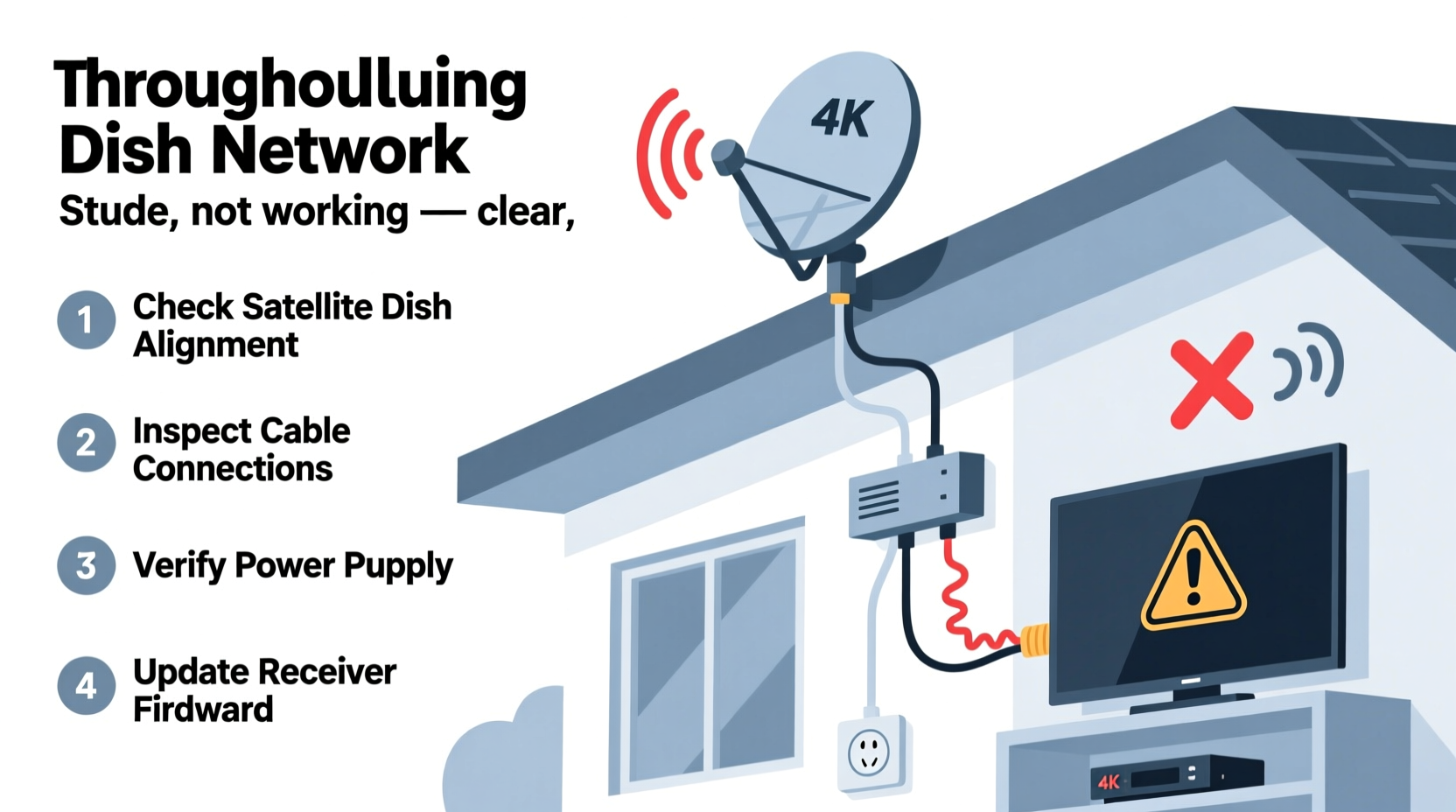
Before diving into complex diagnostics, verify the fundamentals. Many service interruptions stem from simple oversights that take seconds to resolve.
- Power status: Ensure your receiver and TV are powered on. Check indicator lights on the front panel of the receiver. If no lights appear, the unit may not be receiving power.
- TV input source: Confirm your television is set to the correct HDMI or AV input linked to the Dish receiver.
- Remote control: Test if the remote is functioning. Replace batteries and try using the manual buttons on the receiver itself.
- Outage alerts: Visit Dish Network’s official service status page or call customer support to check for regional outages.
Signal Loss and Weak Reception
No signal or poor picture quality often points to dish alignment, obstructions, or cable issues. The satellite dish must maintain a clear line of sight to the southern sky (in North America). Even minor shifts due to wind, snow, or accidental bumps can degrade performance.
- Check for physical obstructions like tree branches, accumulated snow, or new structures blocking the dish.
- Inspect cables for damage, loose connections, or corrosion—especially at outdoor junctions.
- Use the signal strength menu: Press “Menu” on your remote, go to Settings & Help > Settings > System Setup > Point Dish. This displays real-time signal strength for each satellite.
- Aim for signal values above 70. Below 50 indicates weak reception; below 30 usually means no usable signal.
“Even a quarter-inch misalignment in the dish can result in total signal loss, especially during high-frequency transmission periods.” — James Rolen, Satellite Installation Technician with 12 years of field experience
| Signal Strength | Interpretation | Action Required |
|---|---|---|
| 90–100 | Excellent | None |
| 70–89 | Good | Monitor periodically |
| 50–69 | Fair – Possible pixelation | Inspect dish and cables |
| 30–49 | Poor – Intermittent service | Realign dish or call technician |
| Below 30 | No usable signal | Immediate professional service recommended |
Freezing, Buffering, or Frozen Screen
If your picture freezes or the interface becomes unresponsive, the issue likely lies within the receiver’s software or hardware. Overheating and memory overload are common culprits.
Step-by-Step Reset Process
- Press and hold the red reset button on the side or back of the receiver for 5 seconds.
- If no reset button, unplug the power cord from the wall outlet.
- Wait 30 seconds—this clears temporary memory and resets internal circuits.
- Reconnect the power and wait up to 5 minutes for the receiver to reboot fully.
- Do not press any buttons during startup. Let the system initialize completely.
If the problem persists after resetting, consider whether recent storms or electrical surges may have affected the device. Surge protectors are strongly recommended for all satellite equipment.
Error Codes and What They Mean
Dish Network uses standardized error codes to help diagnose problems. Understanding these can save time and reduce frustration.
| Error Code | Meaning | Solution |
|---|---|---|
| 771 / 775 | No satellite signal detected | Check dish alignment, cables, and obstructions |
| 776 | Receiver cannot communicate with satellite | Restart receiver; inspect LNB and multiswitch |
| 110 / 112 | Missing guide data | Force download via Menu > Settings > Reset > Refresh Receiver |
| 211 / 212 | Invalid ZIP code or location settings | Verify ZIP code in system settings matches your area |
| 160 | Hard drive failure (on DVR models) | Contact Dish support for replacement |
Mini Case Study: Resolving Persistent Error 771
Martha in rural Colorado reported constant “Error 771” after a winter storm. She confirmed power and restarted the receiver multiple times with no success. Upon inspection, she found snow piled against the dish and ice covering the LNB (Low Noise Block) feedhorn. After gently clearing the snow and wiping the lens with a soft cloth, she ran the Point Dish test. Signal strength jumped from 0 to 92. Service resumed immediately. No technician visit was needed—just timely attention to environmental factors.
Wi-Fi and Hopper Connection Problems
For users with Hopper systems or Joey mini-boxes, network connectivity issues can prevent whole-home DVR access, On Demand content, and software updates.
Checklist: Fixing Wi-Fi Issues on Hopper
- Ensure the router is powered on and other devices can connect.
- Move the Hopper closer to the router or use a Wi-Fi extender.
- Go to Settings > Internet > Network Setup > Edit Settings and re-enter your Wi-Fi password.
- Update firmware: Navigate to Menu > Settings > System Setup > Software Update.
- Use an Ethernet cable temporarily to rule out wireless interference.
If streaming apps like Netflix or Sling load but live TV doesn’t, the issue may be authentication-related. Log out and back into your Dish account through the app or receiver menu.
FAQ
Why does my Dish Network say \"Searching for Signal\"?
This message appears when the receiver cannot establish a link with the satellite. Causes include misaligned dishes, damaged coaxial cables, severe weather, or hardware failure. Start with a reset and signal test before calling for service.
Can bad weather permanently damage my Dish setup?
While rain, snow, and wind can temporarily interrupt service (a phenomenon known as \"rain fade\"), they rarely cause permanent damage. However, repeated exposure to moisture without proper sealing can corrode connectors over time. Use waterproof tape on outdoor fittings to extend longevity.
How often should I restart my Dish receiver?
Once every few weeks is sufficient for optimal performance. Regular restarts clear memory leaks and apply pending updates. If you notice lag or glitches, a restart should be your first step.
Conclusion
Most Dish Network issues are resolvable with basic troubleshooting. From checking power and cables to interpreting error codes and optimizing signal strength, you have more control than you might think. By understanding how the system works and responding promptly to warning signs, you can minimize downtime and avoid unnecessary service calls. Don’t let a frozen screen or lost signal ruin your evening—apply these proven solutions and get back to watching what matters.




 浙公网安备
33010002000092号
浙公网安备
33010002000092号 浙B2-20120091-4
Comments
No comments yet. Why don't you start the discussion?