
Walk into any professional esports setup or browse through top-tier streamer rooms, and one thing is almost guaranteed: a sleek, high-back gaming chair with bold colors, lumbar support pillows, and racing-style contours. These chairs have become synonymous with the modern gaming lifestyle. But beneath the flashy aesthetics and aggressive marketing lies a critical question: do gaming chairs actually improve performance, or are they just expensive furniture with a gamer aesthetic?
The answer isn’t a simple yes or no. While some features genuinely contribute to better posture, endurance, and concentration during long sessions, others are more about branding than biomechanics. To separate fact from hype, we need to examine the design, ergonomics, user experience, and scientific evidence behind these chairs.
Ergonomics vs. Aesthetics: What’s Built to Help and What’s Just for Show
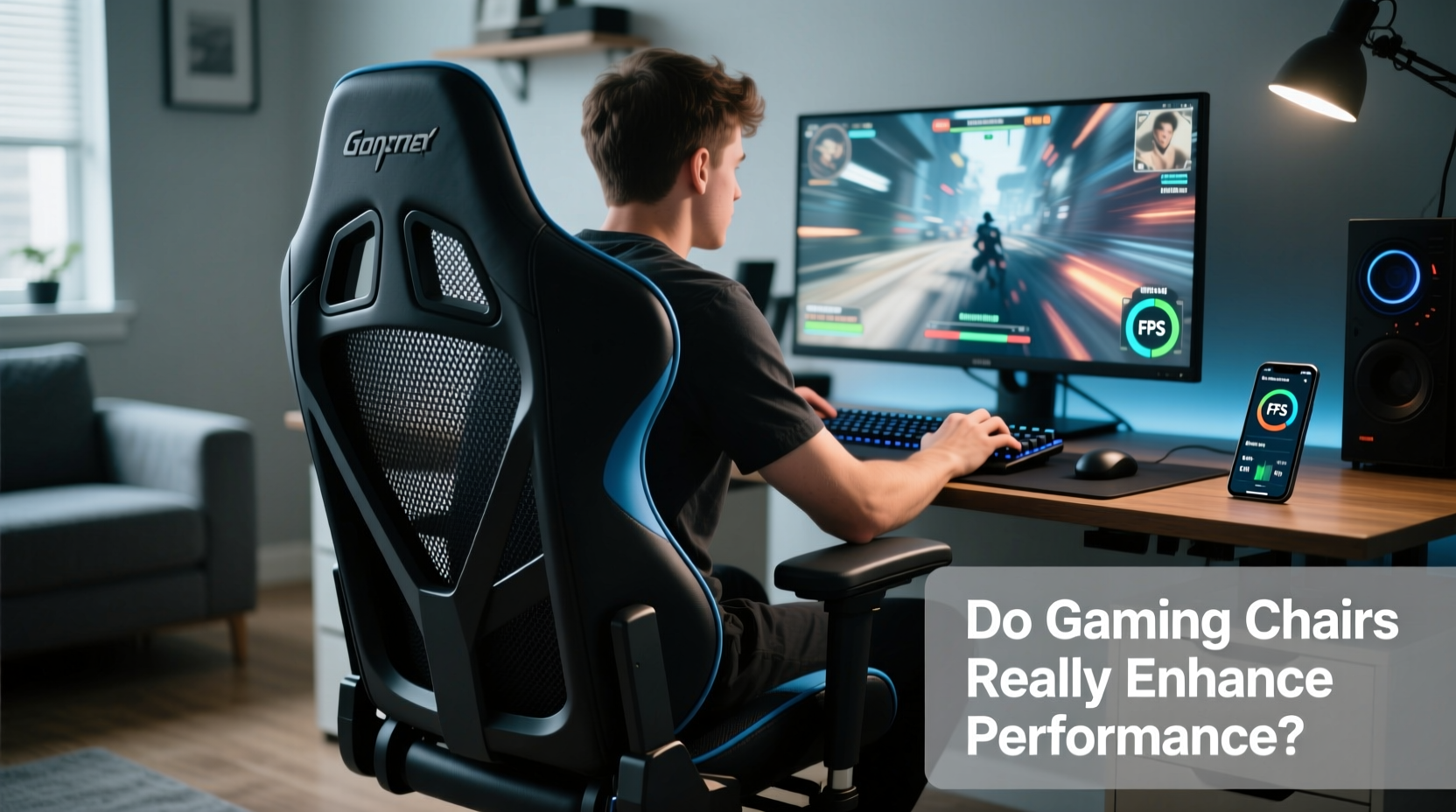
Gaming chairs are typically modeled after racing bucket seats—high backs, pronounced side bolsters, reclining mechanisms, and vibrant color schemes. This design originated in the early 2010s as brands like DXRacer popularized the style. The intent was to merge sporty visuals with ergonomic benefits, but not all features serve functional purposes.
Key elements like adjustable armrests, lumbar support, and seat depth can significantly affect spinal alignment and reduce fatigue. However, many entry-level models prioritize appearance over adjustability, using fixed pillows instead of dynamic lumbar systems or offering only basic height adjustments. In contrast, premium models often include multi-tilt mechanisms, memory foam layers, and breathable mesh panels—features rooted in office ergonomics rather than racing flair.
The visual appeal of gaming chairs shouldn't be dismissed entirely. For many users, especially streamers and content creators, the chair is part of their brand identity. But when evaluating performance impact, functionality must outweigh form.
How Posture Impacts Gaming Performance
Sustained poor posture leads to back pain, reduced circulation, and diminished concentration—all of which degrade reaction time and decision-making. Professional gamers often play 8–12 hours daily during training or tournaments, making physical comfort a non-negotiable factor in maintaining peak mental acuity.
A well-designed chair promotes neutral spine alignment: ears over shoulders, shoulders over hips. This position minimizes strain on intervertebral discs and reduces muscle fatigue. Many gaming chairs incorporate lumbar cushions to support the lower back’s natural curve. However, static pillows often fail to adapt to individual body shapes, leading to improper pressure distribution.
Studies from the Human Factors and Ergonomics Society show that dynamic lumbar support—adjustable curvature that moves with the user—can reduce lower back discomfort by up to 37% compared to fixed supports. Similarly, armrests aligned with elbow height prevent shoulder elevation, reducing tension in the neck and upper back.
“Even small postural misalignments compound over hours. A supportive chair isn’t luxury—it’s cognitive maintenance.” — Dr. Lena Torres, Occupational Health Researcher at MIT
Performance Benefits: Separating Myth from Reality
Let’s address common claims made by gaming chair manufacturers and evaluate their validity based on user reports, clinical research, and biomechanical principles.
- Claim: “Enhanced focus due to better comfort.” Partially true. Reduced physical distraction allows longer sustained attention. However, comfort alone doesn’t boost cognitive function—it prevents degradation.
- Claim: “Improved reflexes from optimized seating angle.” Overstated. There’s no direct link between chair tilt and reaction speed. However, a reclined position (100°–110°) may improve blood flow to the brain slightly, potentially aiding alertness during extended sessions.
- Claim: “Superior durability for marathon gaming.” Often valid. High-end models use cold-cure foam and reinforced steel frames designed for 8+ hour daily use. Budget versions may compress within months.
- Claim: “Cooling materials keep you calm under pressure.” Context-dependent. Mesh-backed chairs improve airflow, reducing heat buildup. But psychological “calm” depends more on skill confidence than seat temperature.
In competitive environments, marginal gains matter. A 5% reduction in discomfort might translate to fewer breaks, smoother mouse control, and better late-session decision-making. But expecting a chair to single-handedly elevate your K/D ratio or win rate is unrealistic.
Comparison: Gaming Chairs vs. Premium Office Chairs
Many professionals now opt for high-end office chairs like the Herman Miller Aeron or Steelcase Leap instead of traditional gaming models. Why? Because ergonomics experts consistently rank them higher for long-term health and adaptability.
| Feature | Gaming Chair (Mid-Range) | Premium Office Chair |
|---|---|---|
| Lumbar Support | Fixed pillow or limited adjustment | Dynamic, height- and depth-adjustable |
| Seat Material | Polyurethane leather (prone to cracking) | Breathable mesh or certified upholstery |
| Armrest Adjustability | Height and pivot (sometimes) | 4D: height, width, depth, pivot |
| Weight Capacity | 250–300 lbs | 350+ lbs |
| Price Range | $200–$400 | $800–$1,500 |
| Ergonomic Certification | Rare | Frequently BIFMA or ANSI tested |
The data shows a trade-off: gaming chairs offer style and moderate support at lower price points, while office chairs provide superior customization and longevity. For pure performance optimization, especially over years of use, office ergonomics often win.
Real-World Case: From Back Pain to Pro Tier
Consider Alex Rivera, a semi-professional League of Legends player who struggled with chronic lower back pain during ranked grinds. After playing 6+ hours daily on a budget fabric chair, he began experiencing numbness in his left leg and frequent fatigue by hour four.
He invested in a mid-tier gaming chair with adjustable lumbar support and 4D armrests. Within two weeks, his reported discomfort dropped by 60%. More importantly, he noticed he could maintain focus deeper into sessions without shifting positions constantly. His win rate increased modestly—not because the chair made him faster, but because it removed a physical distraction.
Later, he upgraded to an ergonomic office chair with synchro-tilt mechanism and pelvic support. The improvement was subtler but cumulative: fewer headaches, less shoulder tension, and greater consistency across tournament weekends.
His experience reflects a broader trend: chairs don’t create elite performance, but they enable sustained effort—the foundation of mastery.
Actionable Checklist: Choosing a Chair That Boosts Endurance
Before buying, assess whether the chair will genuinely support your performance goals. Use this checklist to guide your decision:
- ✅ Does the lumbar support align with your lower back curve?
- ✅ Can armrests be adjusted vertically and horizontally to keep elbows at 90°?
- ✅ Is the seat depth appropriate? You should have 2–4 inches between the edge of the seat and the back of your knees.
- ✅ Does the chair allow recline between 100° and 110° with lockable tilt?
- ✅ Is the material breathable? Mesh backs reduce heat retention.
- ✅ Does it come with a warranty of at least 2 years?
- ✅ Have independent reviewers tested its long-term durability?
Skipping even one of these criteria can undermine the chair’s effectiveness, no matter how “gamer-approved” the marketing claims.
Step-by-Step Guide: Optimizing Your Seating Setup for Peak Performance
A chair is only one component of an effective gaming station. Follow this sequence to maximize its impact:
- Measure your body dimensions. Note your height, weight, and torso length. Taller users (>6') need taller backrests; heavier users require wider seats and reinforced bases.
- Select a chair with modular adjustability. Prioritize models where lumbar, armrests, and recline can be fine-tuned independently.
- Position your desk and monitor correctly. The top of your screen should be at or slightly below eye level. Keyboard should allow wrists to remain neutral.
- Adjust the chair to fit you—not the other way around. Set seat height so feet rest flat on the floor (or footrest), thighs parallel to the ground.
- Test for 3–5 days. Use it across different session lengths. Note any pressure points or postural drift.
- Integrate movement. Even the best chair isn’t meant for 8-hour static sitting. Stand every 30–45 minutes, stretch, or use a standing desk converter.
This holistic approach ensures the chair enhances—not replaces—healthy habits.
Frequently Asked Questions
Can a gaming chair improve my reaction time?
No direct evidence suggests that a gaming chair improves reaction time. However, by reducing physical discomfort and promoting better posture, it helps maintain consistent cognitive performance over long periods, which indirectly supports quicker responses in late-game scenarios.
Are expensive gaming chairs worth it?
For casual gamers, a $300 chair may be overkill. But if you play competitively or work at a desk daily, investing $400+ in a high-quality model with proven ergonomics can prevent long-term injury and increase usable playtime. Look for brands with third-party durability testing and return policies.
Do I need a gaming chair if I already have good posture?
If you naturally maintain neutral alignment and don’t experience fatigue during long sessions, your current setup may suffice. However, most people unconsciously slouch over time. A supportive chair acts as passive reinforcement, helping sustain good posture without constant mental effort.
Conclusion: Function Over Flash
Gaming chairs occupy a unique space between utility and identity. Some models deliver real ergonomic advantages that support prolonged focus, physical resilience, and mental clarity—key ingredients in high-level performance. Others rely heavily on aesthetics, offering little beyond visual appeal.
The truth is, no chair will turn an amateur into a pro overnight. But a well-chosen seat can remove physical barriers to excellence, allowing players to train longer, think clearer, and perform more consistently. When shopping, treat the chair not as a status symbol, but as performance equipment—like a mechanical keyboard or high-DPI mouse.
Ultimately, the best chair isn’t the flashiest one. It’s the one that disappears beneath you, letting your mind stay locked in the game.




 浙公网安备
33010002000092号
浙公网安备
33010002000092号 浙B2-20120091-4
Comments
No comments yet. Why don't you start the discussion?